By Erik Eckel
Viruses and spyware require strong countermeasures. Numerous options are available to technology professionals and computer users alike, but few are as popular as Norton AntiVirus.
The well-known antivirus application’s performance is tweaked in its 2008 iteration, making it, in my opinion, the Right Tool for the Job. In addition to faster-completing scans, the new edition works more quietly in the background.
Take a look at the popular program’s new 2008 interface and feature set in this TechRepublic photo gallery.
Read a concise summary of Norton AntiVirus’ strengths and weaknesses.
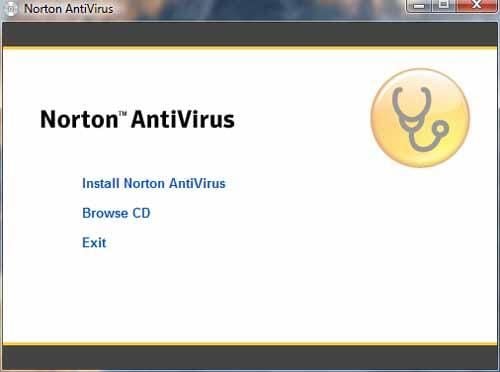
This menu appears when inserting the Norton AntiVirus 2008 CD.
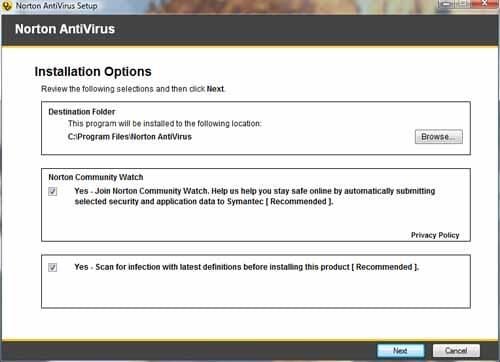
When installing Norton AntiVirus, default settings are configured to join the application to Norton Community Watch, which helps Symantec monitor security and application data.
In addition to the Norton Community Watch, the program also elects to scan for infections before installing the product.
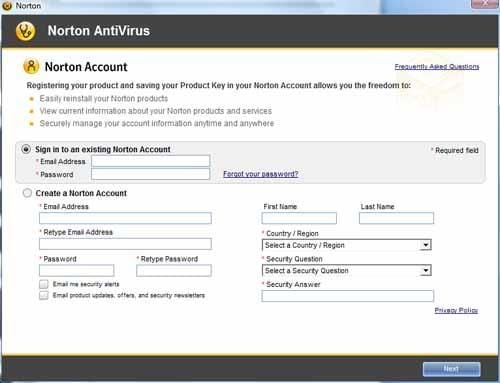
Norton Antivirus 2008 requires that users sign in to an existing Norton Account or create a new account. The account is used to track the product’s subscription updates and simplify renewal.
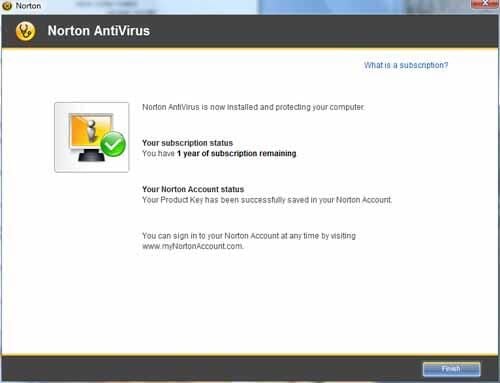
Upon signing in to an existing account or creating a new Norton Account, users see this screen confirming the antivirus/antispyware update subscription term.
To help simplify administration and maintenance, a Norton widget is automatically added to the Windows Vista Sidebar.
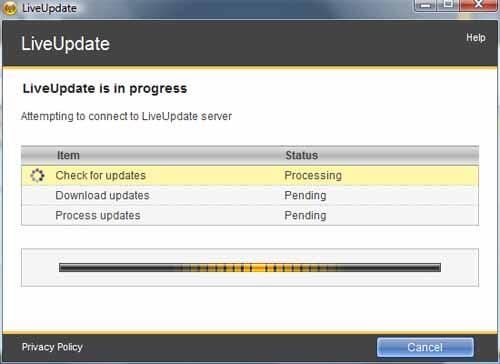
After installing the antivirus software, users must connect to LiveUpdate to download the latest application updates and antivirus and antispyware signatures.
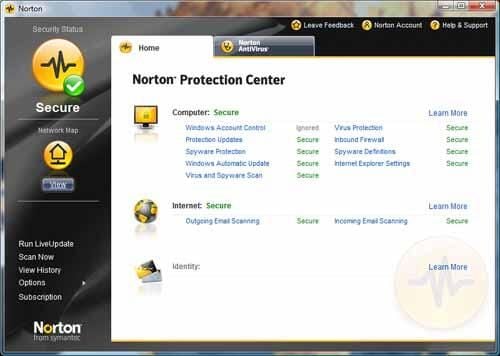
Once Norton AntiVirus 2008 with AntiSpyware is installed, users can access the application’s control panel by double-clicking the Norton AntiVirus icon or selecting the program from the Start menu.
From the Norton Protection Center, users can control every aspect of the powerful security application. From configuring settings to performing scans and updates, the simplified Norton console is easier to navigate than some competing products.
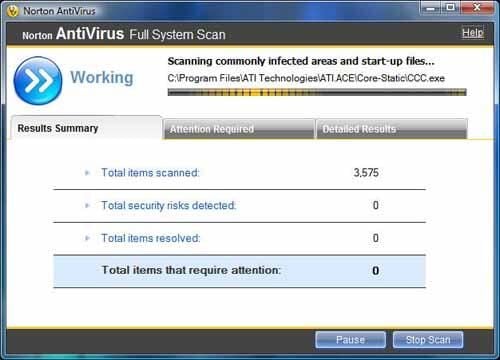
Here’s how the new system scan window looks in Norton AntiVirus 2008. Everything basically breaks down to three tabs.
The Results Summary tracks the scans progress and notes how many items have been scanned, how many security risks were detected and the number of items resolved.
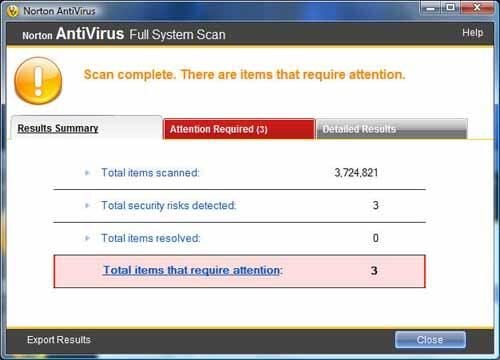
Upon completing a system scan, Norton displays the total number of items that require attention (and turns the Attention Required tab red to draw attention to remaining steps).
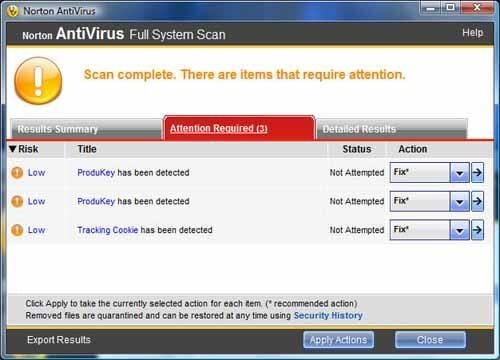
Clicking the Attention Required tab displays this window. Risks are listed and ranked as shown.
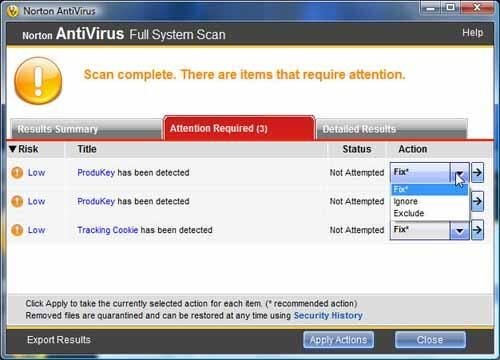
Users can choose to fix, ignore or exclude the risks Norton AntiVirus 2008 identifies.
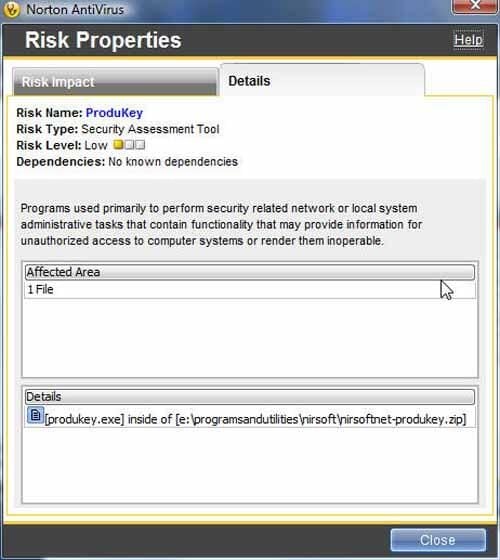
Double-clicking a risk within the Attention Required tab of the Full System Scan window displays this dialog box. Besides listing the risk’s name, the antivirus application describes the risk type (a security assessment tool, in this case), ranks its risk level (low) and records any additional dependencies (No known dependencies in this example).
Most helpful, Norton AntiVirus 2008 also notes the disk location of the offending file.
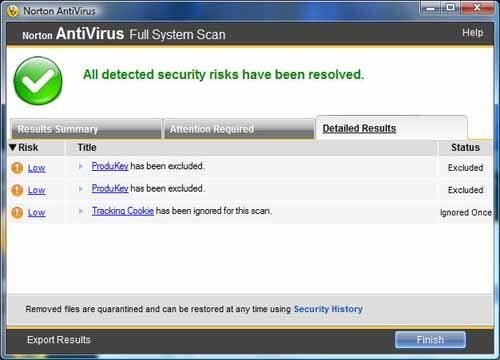
Once users have instructed Norton how to handle each risk, the program performs the requested actions and displays the results on the Detailed Results tab.
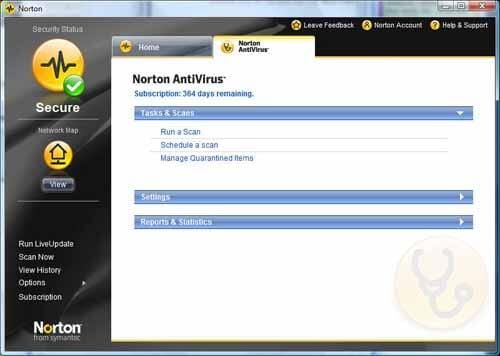
Clicking the Norton AntiVirus tab provides access to three key elements: Tasks and Scans, Settings and Reports & Statistics.
From the Tasks & Scans menu, users can run or schedule scans and manage quarantined (infected) items.
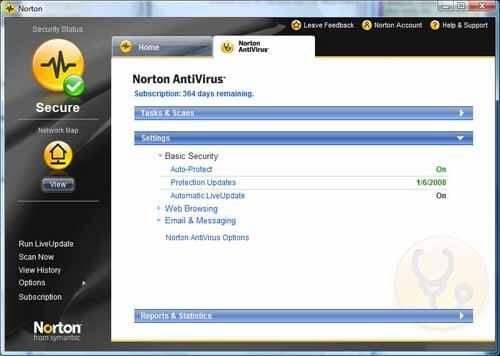
From the Settings section of the Norton AntiVirus tab, users can enable auto protection, perform updates, configure Web browsing settings and manage e-mail and instant messaging options.
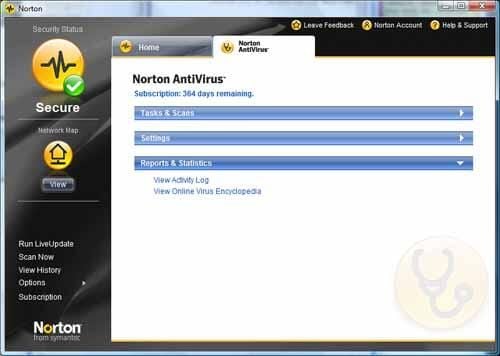
From the Reports and Statistics window, users can view activity logs and learn more about specific infections in Norton’s online virus encyclopedia.
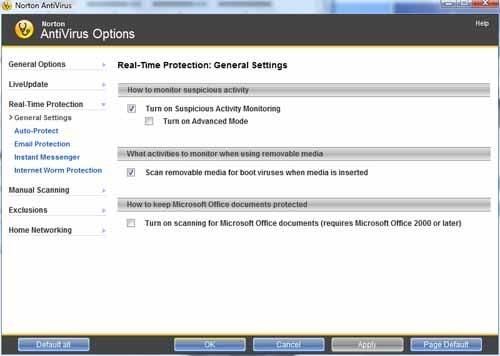
Clicking the Options link from within the Norton Protection Center window and selecting General Settings opens this menu. Users can enable suspicious activity monitoring (including detection of infections on removable media).
Microsoft Office (2000 and later) documents can be tracked by checking the last checkbox within this window.
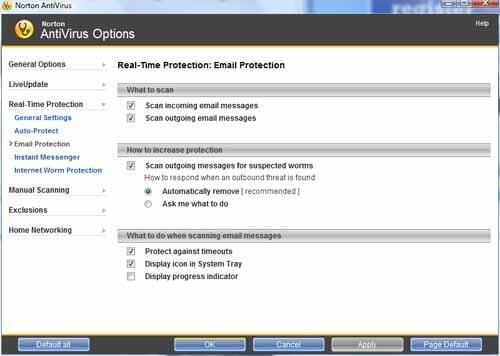
Among the e-mail settings that can be configured is scanning incoming and outgoing messages (enabled by default).
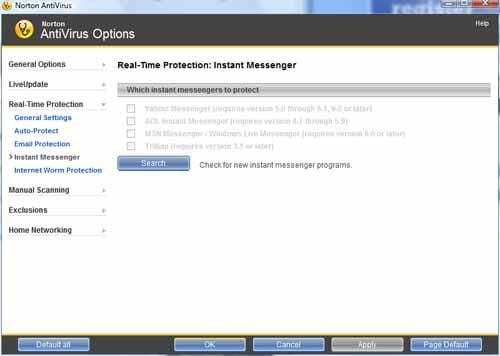
Norton AntiVirus 2008 provides effective instant messenger protection, which is configured using this menu. The security software can monitor Yahoo, AOL and MSN IM programs, among others.
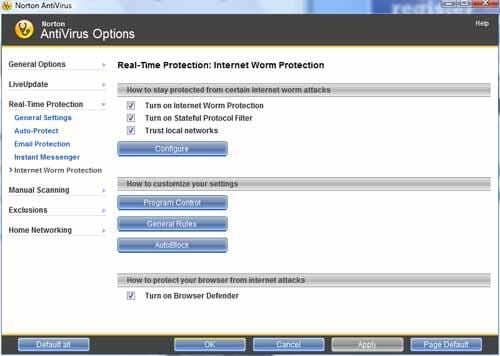
Internet Worm Protection is enabled by default in Norton AntiVirus 2008. Users can choose to trust local networks and configure additional worm controls from this menu.
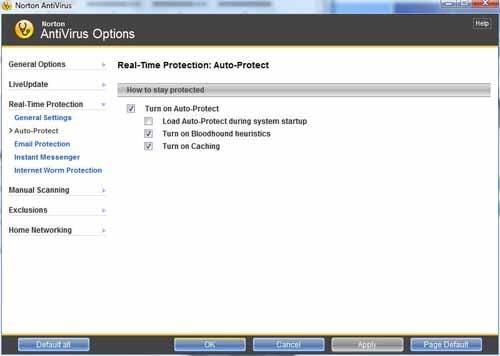
Norton Auto-Protect (active protection against real-time threats) is enabled by default in Norton AntiVirus 2008 with AntiSpyware.
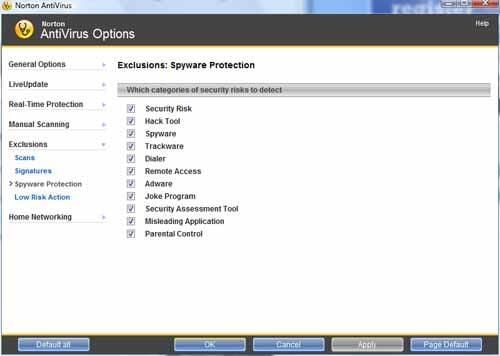
Spyware infections have become more debilitating in many office environments than viruses. Fortunately, Norton’s antispyware protection is thorough and effective.
In addition to catching common tracking cookies, users can also instruct Norton AntiVirus 2008 with AntiSpyware to detect hack tools, dialers, adware and other malware programs.
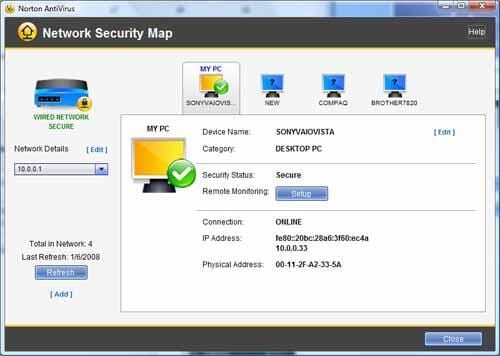
New to Norton AntiVirus 2008 is the Network Security Map. In addition to detecting other computers, routers and devices on a network, Norton’s software provides additional details for specific devices.
The goal is to help users better understand the communications occurring on their networks, thus simplifying decisions as to which devices might require blocking or firewall protection.
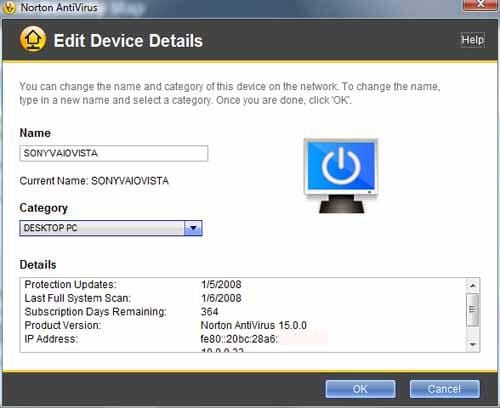
Double-clicking a network device within Norton’s Network Security Map window displays additional information about that device.
Here you can see Norton listing NIC information for the host PC.
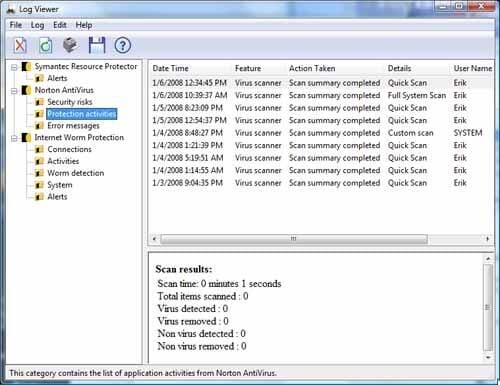
Norton’s Log Viewer tracks alert, antivirus and worm protection results.
Here you can see the result of past protection (scan) activities.
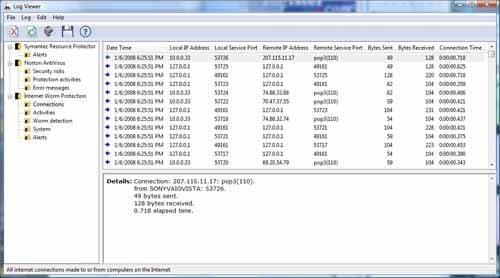
Norton AntiVirus 2008 tracks information about connections made to host systems. Here you can see Norton records remote IP addresses, service ports, bytes sent, connection time and more for each connection completed by the host workstation.
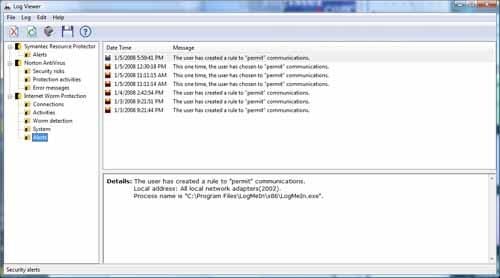
Norton’s Log Viewer also tracks alerts, or overrides users enabled as Norton spotted potentially suspicious activity.
With thorough log files, a simplified user interface, effective security protection and performance that runs more quickly using less overhead, Norton AntiVirus 2008 with Spyware is the Right Tool for Windows PCs requiring trusted protection.
Read a concise summary of Norton AntiVirus’ strengths and weaknesses.

Erik Eckel is a managing partner at Louisville Geek and president of Eckel Media Corp. He previously served as Executive Editor at TechRepublic. He received Microsoft Engineer accreditation from Sullivan University and earned his Bachelor's Degree in English from the University of Louisville. He's earned Network+, Windows NT 4.0 MCP+I and MCSE, and Windows 2000 Professional MCP accreditations.


