
By Erik Eckel
Norton Internet Security 2008 features Norton AntiVirus, Norton Personal Firewall, Norton Antispyware, Norton Antiphishing and Norton Identity Safe.
Before discarding (based on prior experiences, personal discrimination or personal distaste for Symantec products) any new Norton application as troublesome or unworthy, note the new edition boasts improved performance and earned PC Magazine’s Editors’ Choice award in September 2007.
Read a concise summary of Norton Internet Security 2008’s strengths and weaknesses.
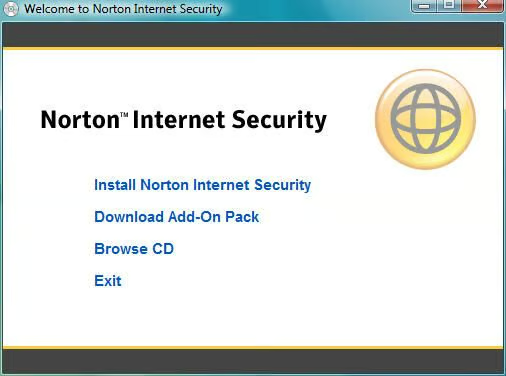
When inserting the Norton CD in a PC, this menu greets users. New computer users, particularly, will appreciate the simple interface that requires selecting the first option (Install Norton Internet Security) to begin setup.
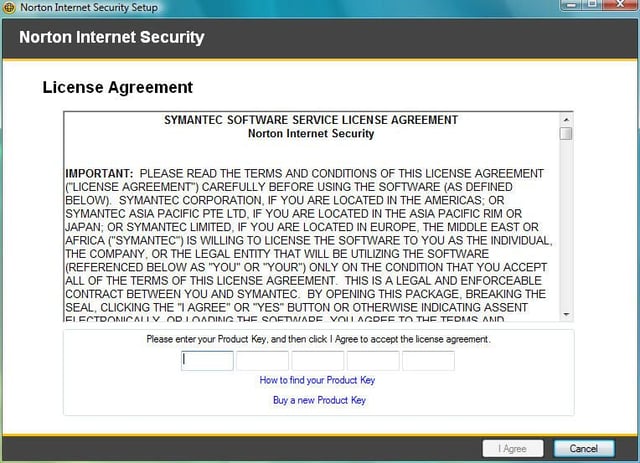
Computer users, and many IT professionals (judging from oft-common recommendations that businesses install free versions of other antivirus products in violation of license agreements and, thereby, the law) would be well served to read through software applications’ license agreements before blindly clicking I Agree.
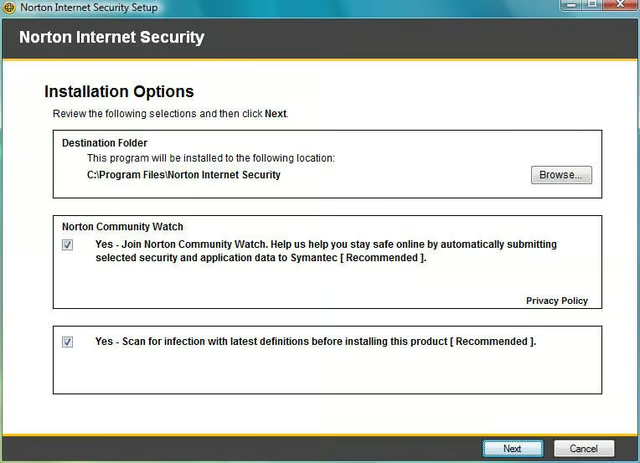
By default, Norton signs users up for Norton Community Watch. The program is designed to send feedback to Norton to better enable the application’s manufacturer (Symantec) to monitor and respond to issues, errors and new virus threats.
In addition, as part of the default setup package, Norton Internet Security is set to perform a system scan before the product is installed.
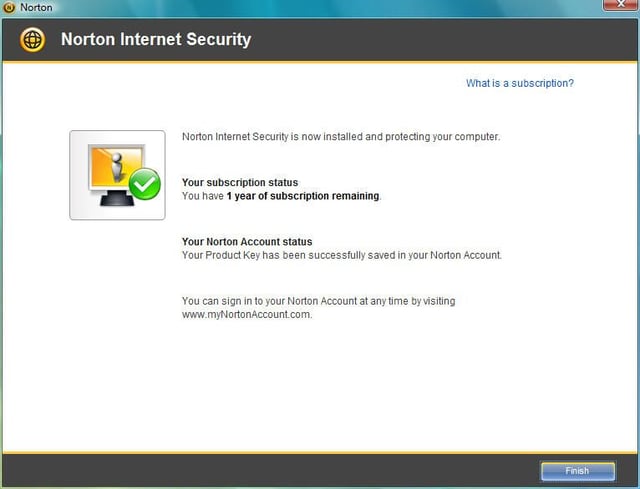
No antivirus application is very effective if not kept current. Most Norton products, including Norton Internet Security 2008, include a one-year subscription to the latest antivirus signatures and product updates.
Norton manages user subscriptions via a Norton account. While more troublesome than simply entering a name and address, creating a Norton Account makes it easier for Norton users to renew their subscriptions. Thus, novice computer users and those wishing not to have to re-install security software annually from scratch will find the feature well-suited to their needs.
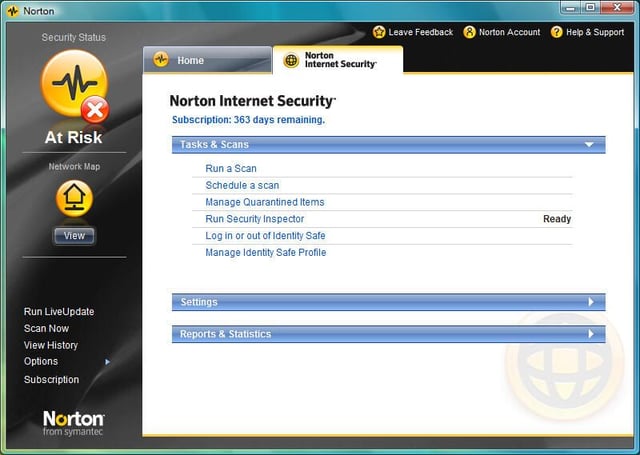
Clicking the Norton Internet Security displays a menu boasting three critical sections.
Users can perform or schedule scans, manage items in quarantine, run the Security Inspector wizard (seemingly tailor made for novice computer users) and manage Indentity Safe (identity protection) tools and settings.
Users can also tweak settings for the suite’s antivirus software using the Settings section. Most new users will do best leaving the settings unchanged, however.
Report and statistical information, meanwhile, is available from within the Reports & Statistics section.
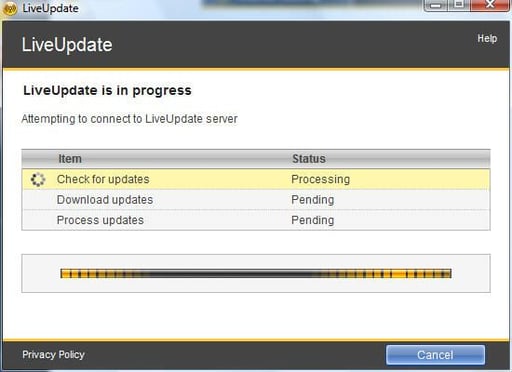
One of Norton Internet Security 2008’s most important features is its LiveUpdate component. Using LiveUpdate, the Norton application regularly downloads and installs the latest virus, spyware and worm signatures to help keep user systems protected.
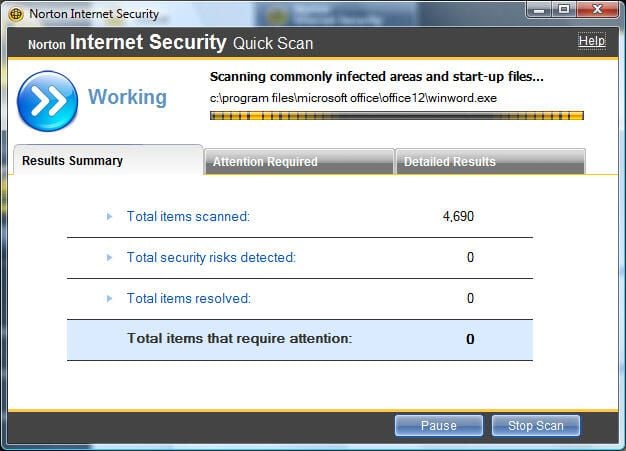
Norton Internet Security 2008 possesses the ability to run simple or comprehensive scans. Here you can see a Quick Scan in progress.
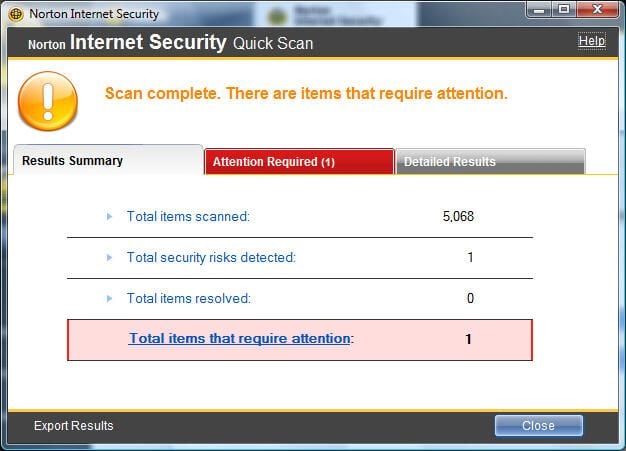
Norton’s scans track the status of active scans within the Results Summary window, shown here.
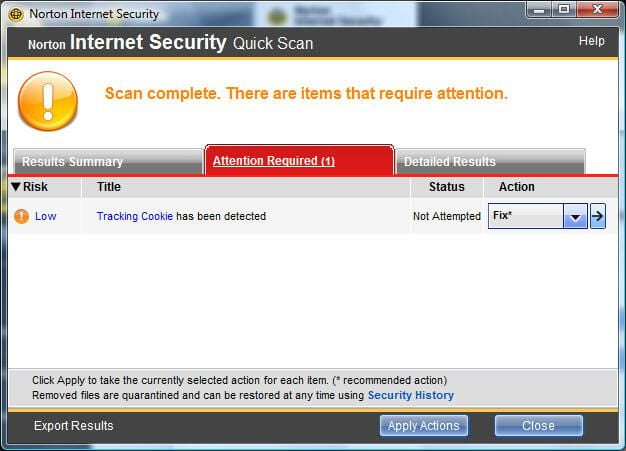
When infections are found, the Attention Required tab turns red to draw users attention.
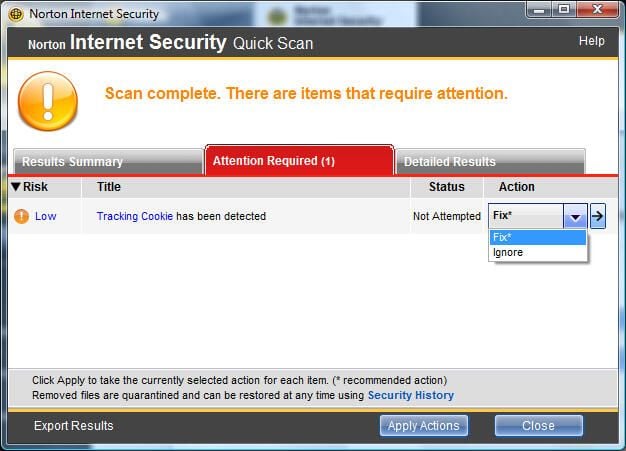
Norton Internet Security 2008 users can choose appropriate options for responding to each threat that’s found. In the case of a simple tracking cookie, users can choose to fix or ignore the threat.
To help users make sense of infections that are found, Norton ranks each threat.
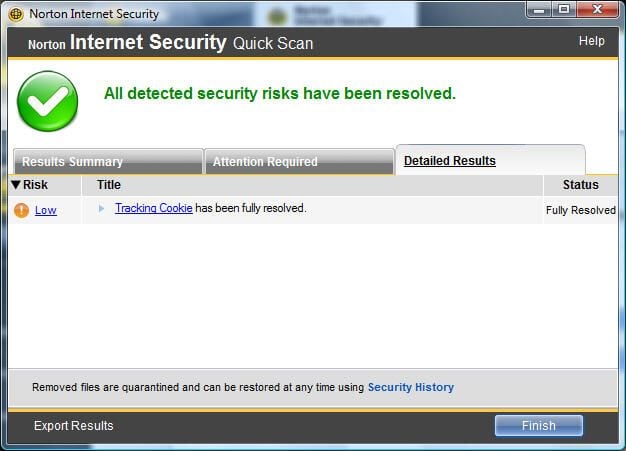
Once user actions are applied, the security application lists the outcome within the Detailed Results tab.
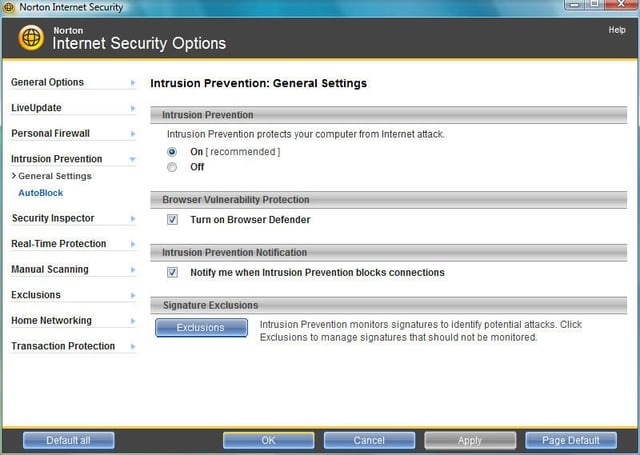
While most novice users will be best served sticking with Norton Internet Security’s default settings, clicking through to the Internet Security Options menu presents opportunities to heavily customize the application. Everything from general and LiveUpdate options to real-time protection options and exclusions can be set from this menu.
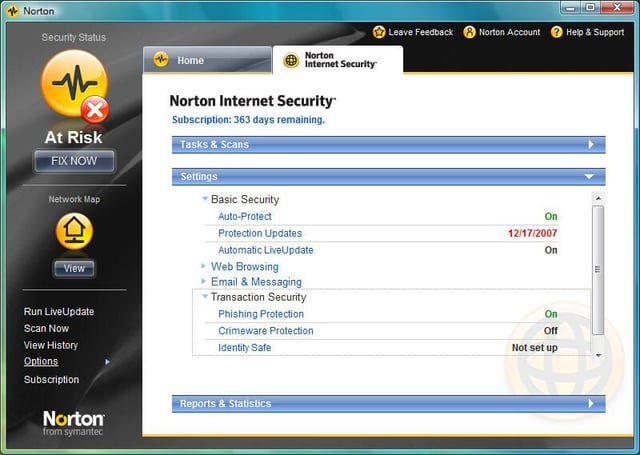
Whereas Norton’s AntiVirus 2008 with Antispyware program provides antivirus, antispyware, Web browsing and email and messaging protection, Norton Internet Security adds several Transaction Security protections.
In addition to providing phishing protection, Norton Internet Security adds crimeware protection and Identity Safe. The phishing and crimeware protections help protect users (particularly those new to computing who don’t know to be skeptical of email solicitations and other phishing threats aimed at obtaining their sensitive personal information) against identity theft and the dangers of fake and fraudulent Web sites.
Identity Safe features, meanwhile, help safeguard online banking activities and Web-based purchases.
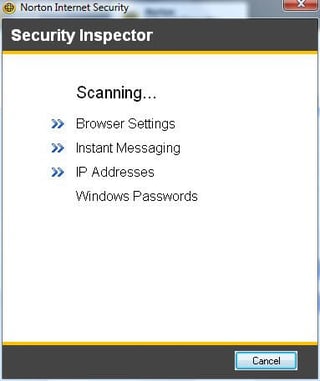
From the Norton Internet Security main tab, users can run the Norton Security Inspector. The wizard-based tool is designed to help users identify potential security issues with their PCs.
While IT professionals and other savvy technical users will likely already know and practice basic best-security tenets, novice users are often unsure how to secure their systems. Norton’s Security Inspector helps draw attention to areas of potential concern.
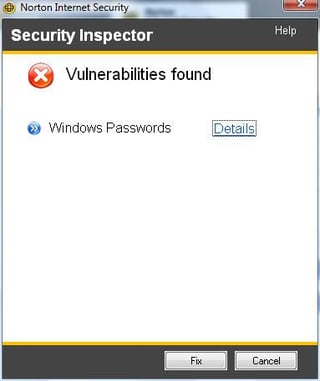
When the Security Inspector identifies vulnerabilities, it lists them within this results window.
Users can fix issues by clicking the Fix button. Alternatively, users can skip any concerns by clicking Cancel. More information, meanwhile, on vulnerabilities is available from the Details link.
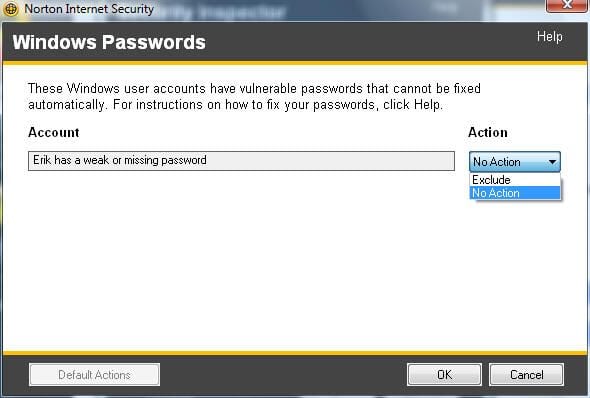
When choosing to fix issues the Norton Security Inspector identifies, users are presented with several options.
In the case of a weak or missing password, as found on this test system, no action can be taken, or, the user can choose to ignore this vulnerability the next time the scan is run.
Clicking the Help button, meanwhile, presents tips and recommendations for eliminating the vulnerability.
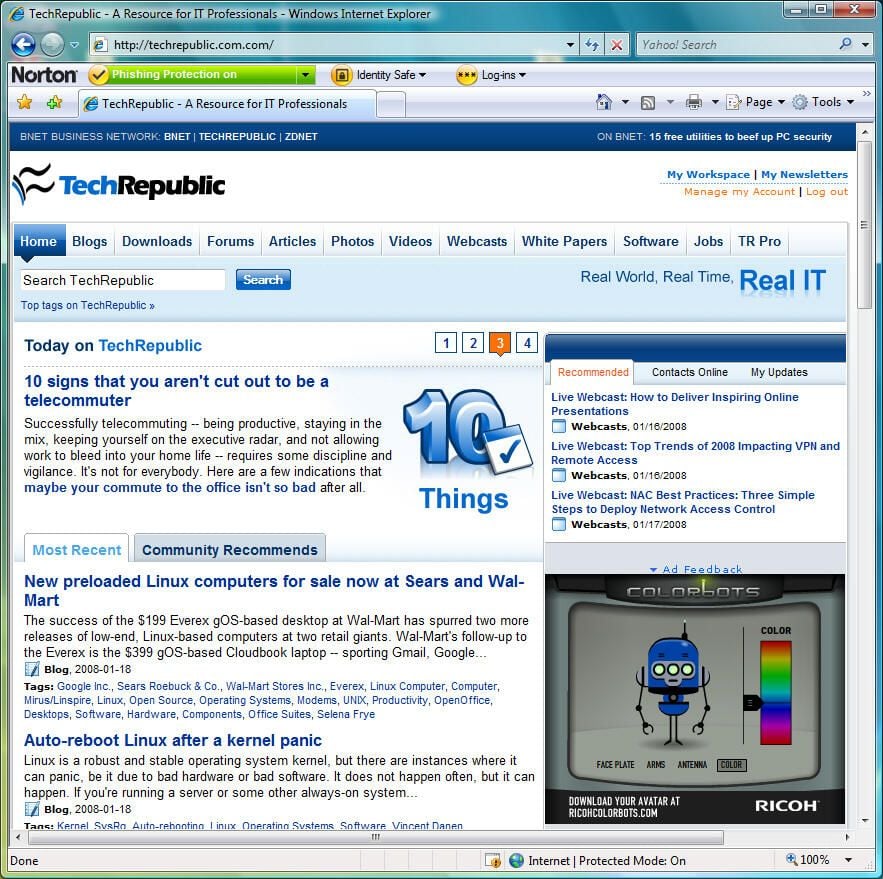
By default, Norton Internet Security 2008 adds an identity and phishing protection toolbar, as shown here.
The Norton toolbar makes it very easy for users to log in and out of their Norton-based Identity Safe accounts, securely manage log ins for different Web sites and track suspected Phishing Web sites.
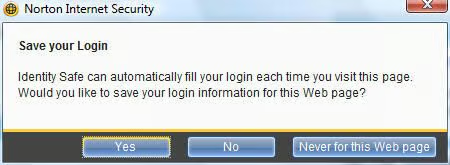
Norton Internet Security 2008’s Identity Safe feature helps users maintain safe Web-based logins by tracking and protecting account information within Norton Internet Security, as opposed to within a separate browser or unprotected cookie.
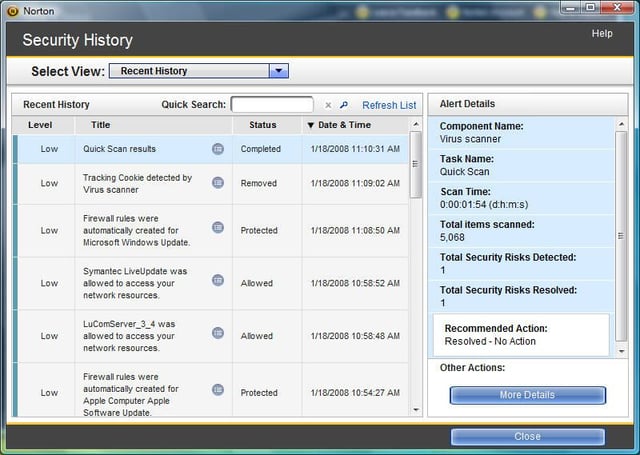
Just as Norton Internet Security 2008 possesses the ability to deeply customize and adjust the program’s security controls, so too does it provide comprehensive reporting capabilities. Here you can see the Security History, which tracks changes to the software and network settings.
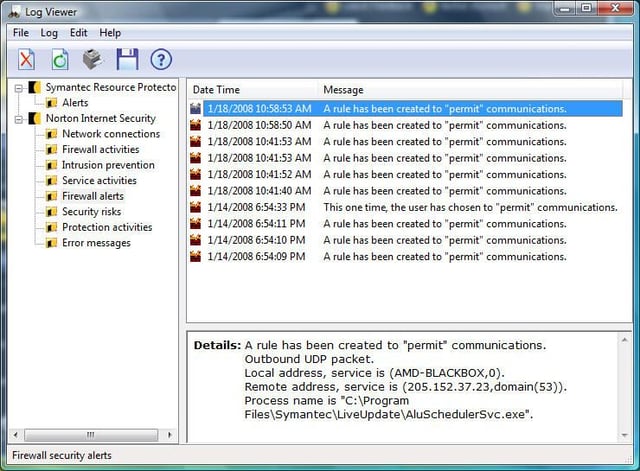
Norton’s Log Viewer provides additional reporting and logging information. From tracking information on specific alerts to tracking risks impacting a number of the product’s different features, users intent on looking beneath the Norton Internet Security 2008 hood will find plenty of diagnostic information.
Read a concise summary of Norton Internet Security 2008’s strengths and weaknesses.

Erik Eckel is a managing partner at Louisville Geek and president of Eckel Media Corp. He previously served as Executive Editor at TechRepublic. He received Microsoft Engineer accreditation from Sullivan University and earned his Bachelor's Degree in English from the University of Louisville. He's earned Network+, Windows NT 4.0 MCP+I and MCSE, and Windows 2000 Professional MCP accreditations.


