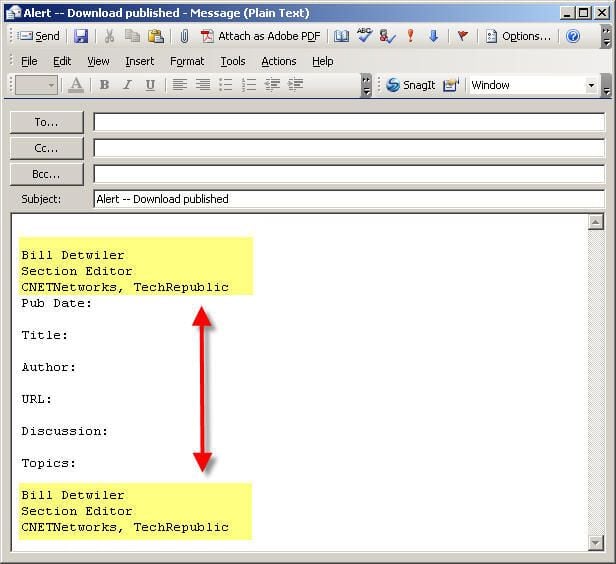
Outlook templates (.oft file extension) are a great time saver if you routinely send preformatted e-mails. I use such templates almost every day–one that alerts other TechRepublic editors of the articles, downloads, and galleries I publish and another for contributor check requests.
Unfortunately, I also use Outlook’s signature feature and was constantly annoyed when Outlook inserted my signature above my template’s text–which included a signature–when opening a new message. I wanted to continue using a signature, but was tired of deleting it every time I used a template.
I searched in vain for more than a year, and finally found an relevant registry hack in MSKB article 840393, Multiple signatures added on a custom multi-page form in Outlook 2003.
The MSKB article also claims the problem was fixed in Microsoft Office 2003 SP 1. As I have Office SP 2 and still have the problem, I thought I would try the registry hack.
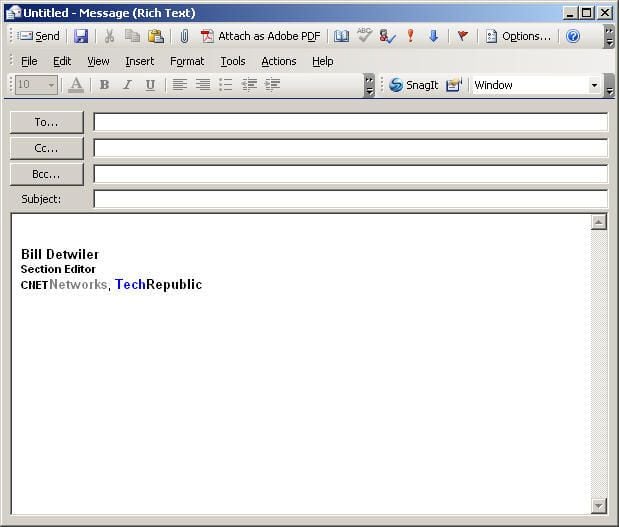
Outlook correctly adds my custom signature to this new e-mail message.
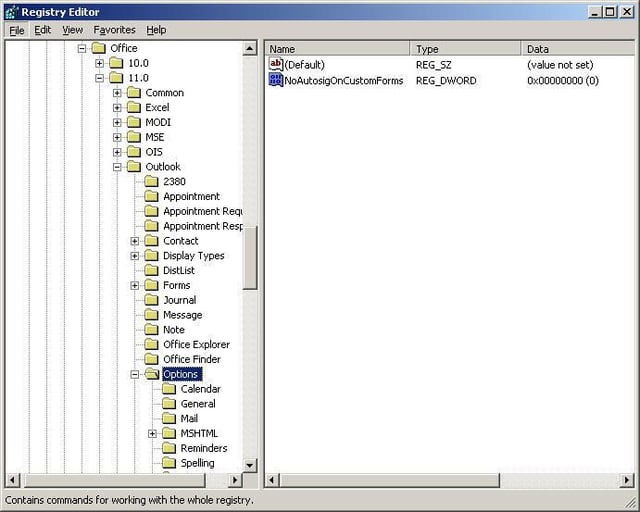
First, close Outlook. Then, open the Registry Editor and navigate to the following registry key:
HKEY_CURRENT_USER\\Software\\Microsoft\\Office\\11.0\\Outlook\\OptionsFrom
From the toolbar, click Edit, New, and then DWORD Value. Type NoAutosigOnCustomForms, and press ENTER.
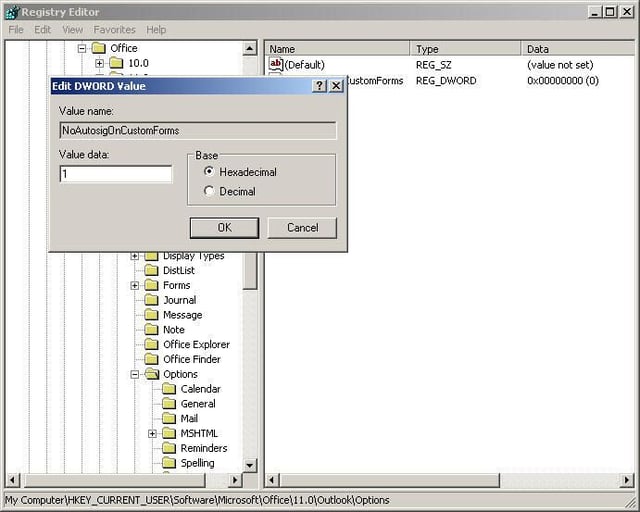
Right-click NoAutosigOnCustomForms, and click Modify. Enter 1 in the Value data box, and click OK. Close the Registry Editor.
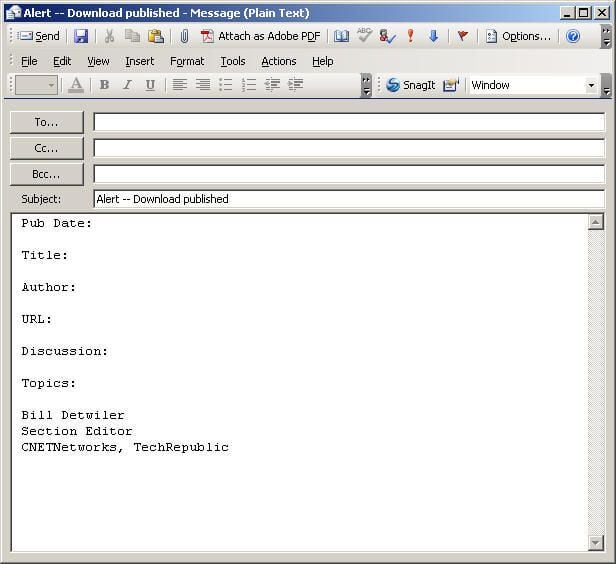
Restart Outlook and your new template messages should no longer contain an Outlook signature–unless it’s part of the template text as shown here.

Here’s another quick time saver. You can create Outlook toolbar buttons, which let you access your custom templates with a single mouse click.
Greg Shultz shows you how in his TechRepublic article, Create Outlook e-mail templates and integrate them onto the toolbar.
Bill Detwiler is the Editor for Technical Content and Ecosystem at Celonis. He is the former Editor in Chief of TechRepublic and previous host of TechRepublic's Dynamic Developer podcast and Cracking Open, CNET and TechRepublic's popular online show. Previously, Bill was an IT manager in the social research and energy industries. He has bachelor's and master's degrees from the University of Louisville, where he has also lectured on computer crime and crime prevention.


