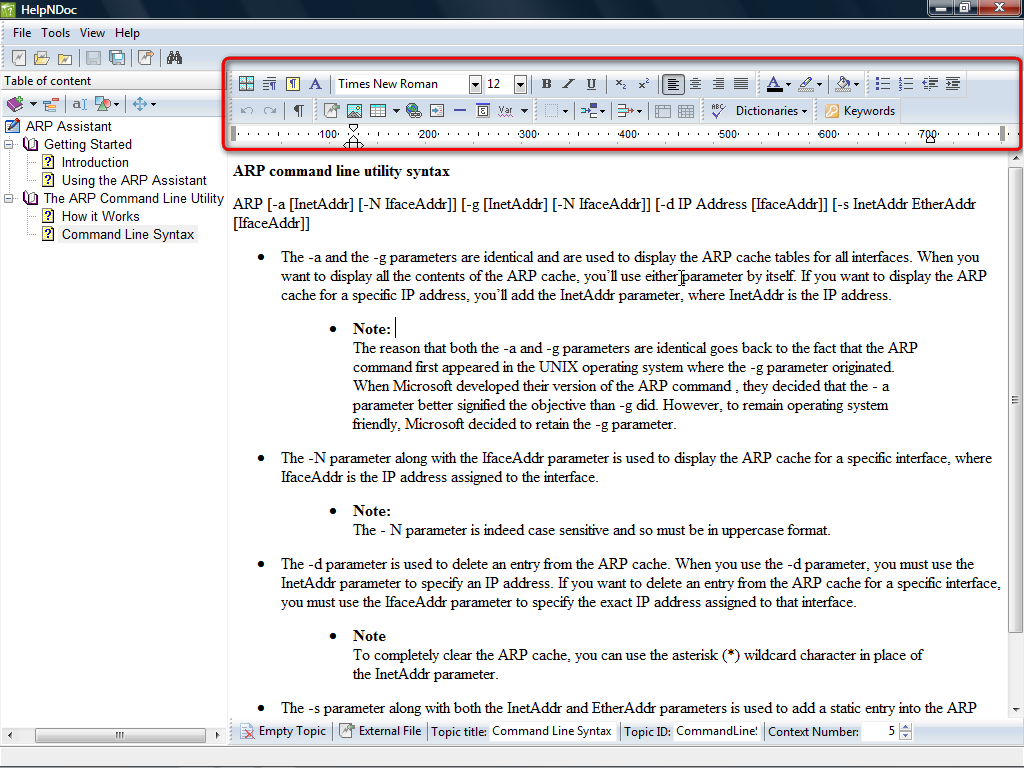
HelpNDoc’s user interface is very straightforward. If you know how to use a word processor, such as Microsoft Word or OpenOffice.org Writer, and Windows Explorer, you’ll be right at home in HelpNDoc.
For a full review, check out the TechRepublic Product Spotlight Blog
Images by Greg Shultz for TechRepublic
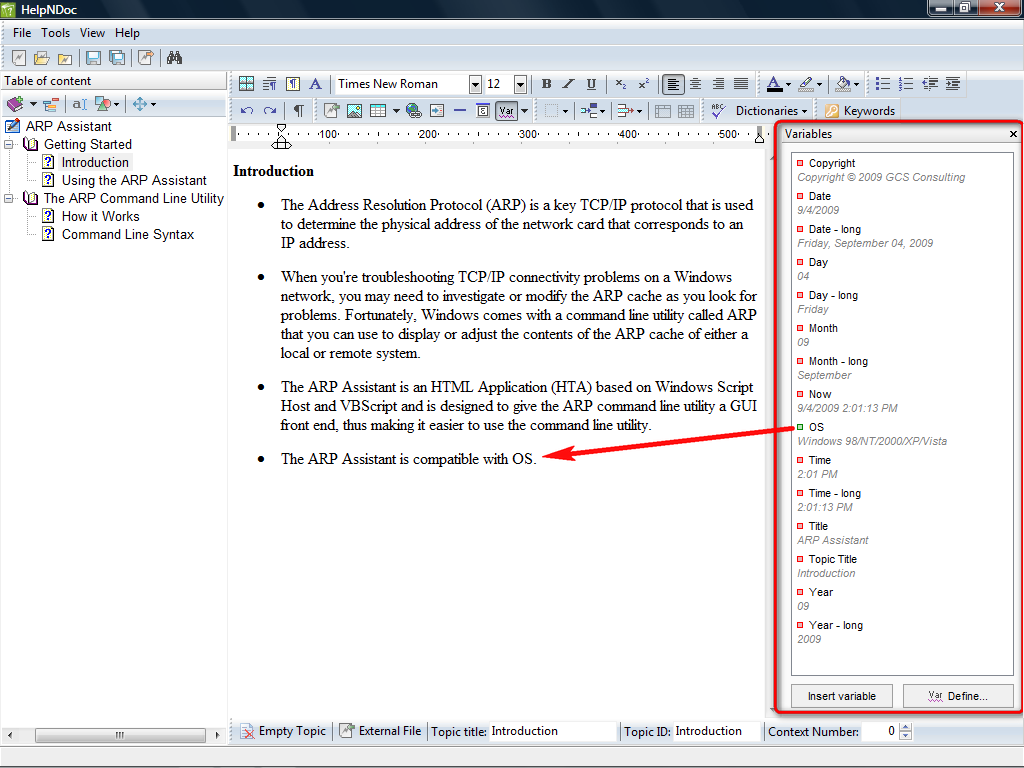
The built-in variables feature allows you to define reusable/replaceable text. You assign a word, phrase, or paragraph to a variable and then insert the variable in multiple locations wherever you want to use that word, phrase, or paragraph. If the text ever needs to be changed, you only have to change the variable definition and your entire documentation project is updated.
Images by Greg Shultz for TechRepublic
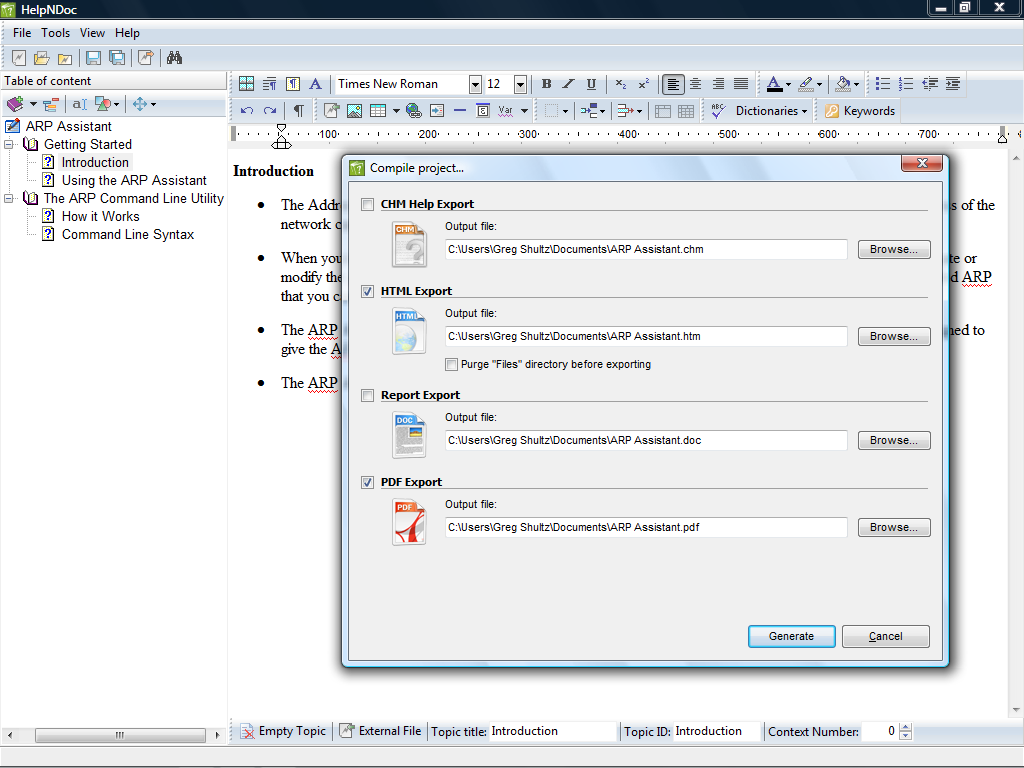
HelpNDoc provides great Single Source functionality. Once you create your documentation, just click the Compile button and in addition to creating an HTML-based Help file, you can create PDF, DOC, and even CHM files all at the same time.
Images by Greg Shultz for TechRepublic
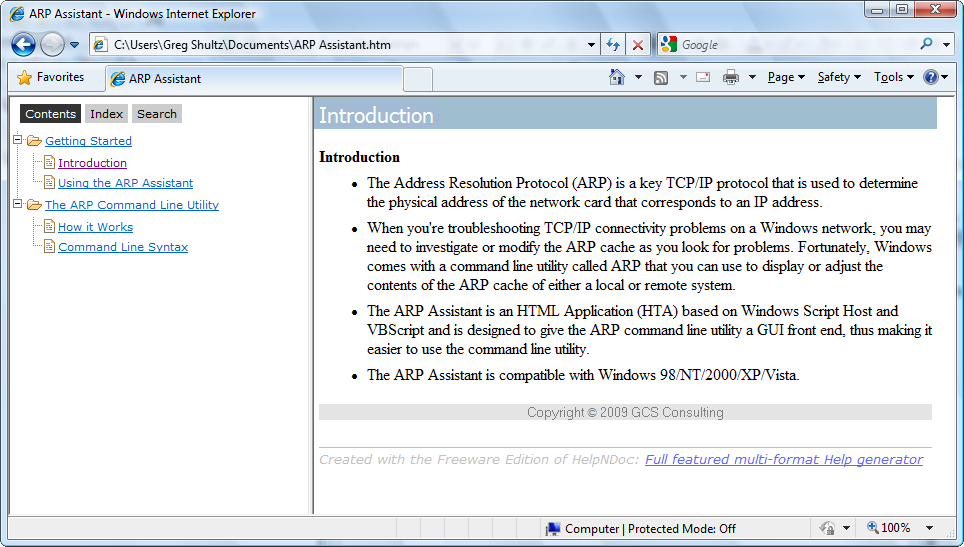
The compiled Help file is easily viewable from any browser and looks very professional.
Images by Greg Shultz for TechRepublic
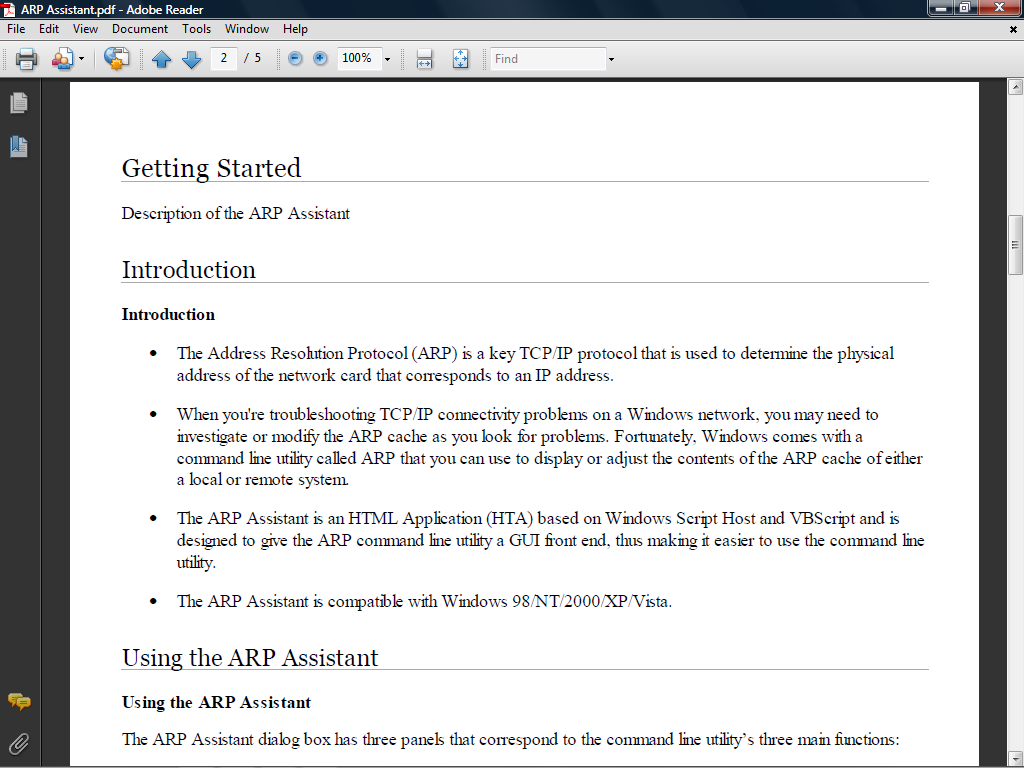
A soon as the compilation is complete, you can open the PDF file in Adobe Reader and see the results.
Images by Greg Shultz for TechRepublic

My first computer was a Kaypro 16 \"luggable\" running MS-DOS 2.11 which I obtained while studying computer science in 1986. After two years, I discovered that I had a knack for writing documentation and shifted my focus over to technical writing.


