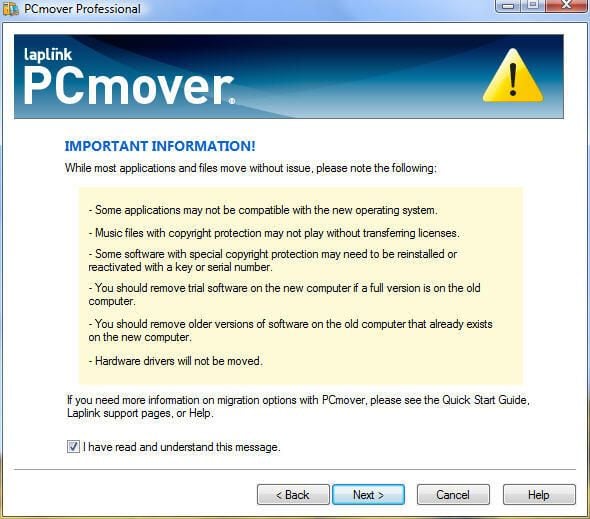
Note that PCmover warns some applications may not be compatible with the new OS, music files may not play without re-authorizing licenses, copyright-protected software may not operate properly or will require re-registration and other issues may arise.
For a full review of PCmover Professional, check out the TechRepublic Product Spotlight Blog.
Image created by Erik Eckel for TechRepublic.
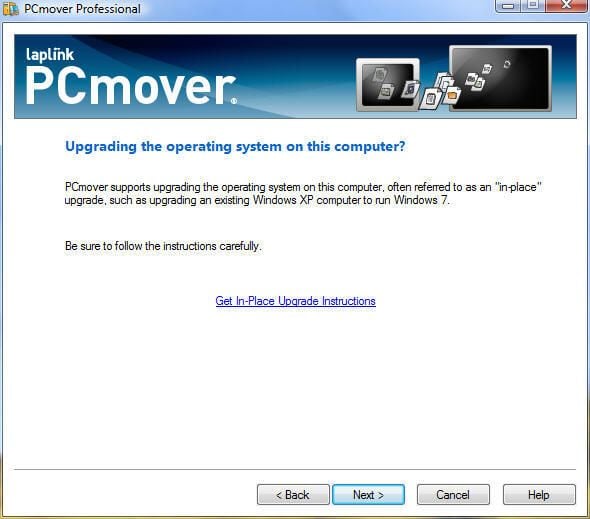
PCmover can be used to upgrade from one Windows platform to another. However, many users report issues when upgrading operating systems, particularly when moving from Windows XP to Windows Vista.
For a full review of PCmover Professional, check out the TechRepublic Product Spotlight Blog.
Image created by Erik Eckel for TechRepublic.
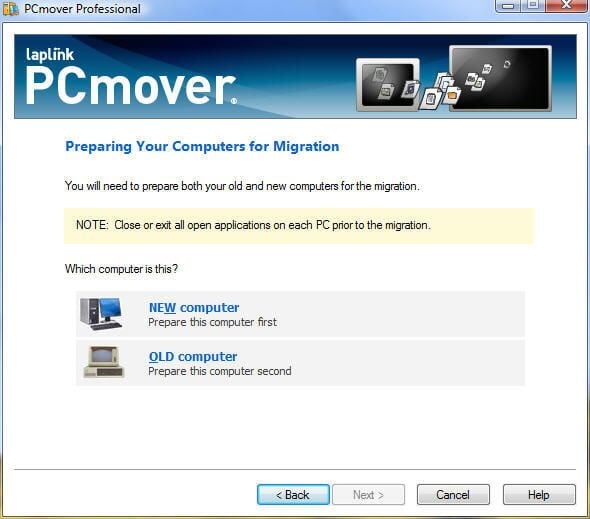
Users and administrators must specify which PC is the new target system (NEW computer) and which is the old PC (OLD computer). Different settings and options must be set when configuring both the source and destination computers.
For a full review of PCmover Professional, check out the TechRepublic Product Spotlight Blog.
Image created by Erik Eckel for TechRepublic.
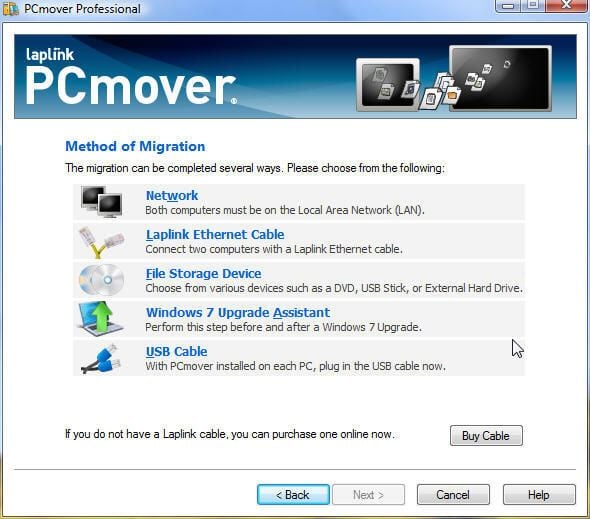
Administrators can choose several migration methods when deploying PCmover. Among the available options are using WAN links, LAN connections, external hard disks and DVD discs.
For a full review of PCmover Professional, check out the TechRepublic Product Spotlight Blog.
Image created by Erik Eckel for TechRepublic.
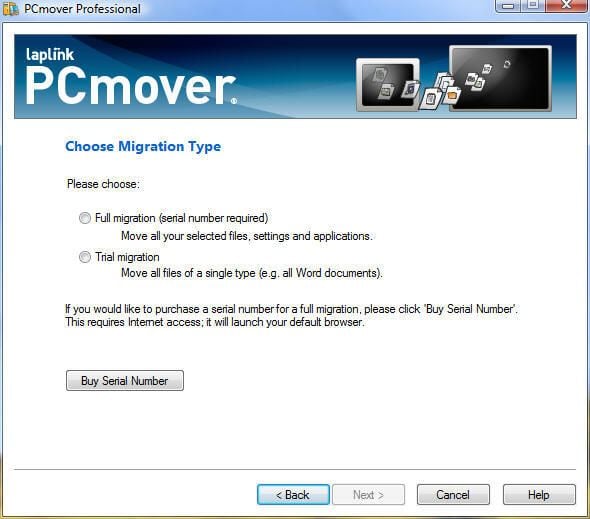
Users can perform either full or trial migrations. Full migrations require a unique serial number. Serial numbers can only be used once.
For a full review of PCmover Professional, check out the TechRepublic Product Spotlight Blog.
Image created by Erik Eckel for TechRepublic.
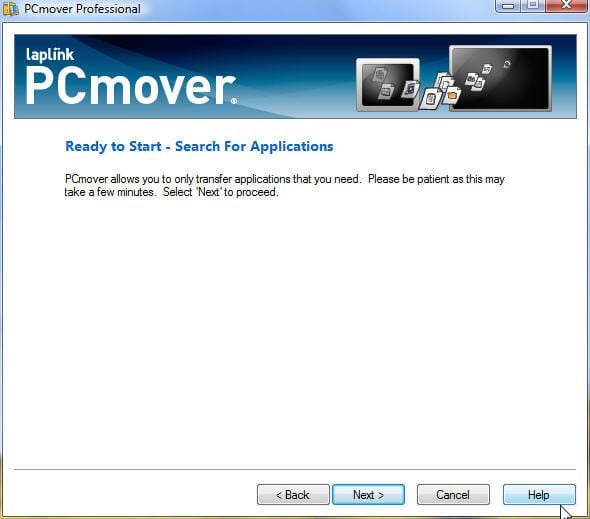
On the destination workstation, users must perform an application search. The wizard prompts users to complete that step, with Next as the only option available.
For a full review of PCmover Professional, check out the TechRepublic Product Spotlight Blog.
Image created by Erik Eckel for TechRepublic.
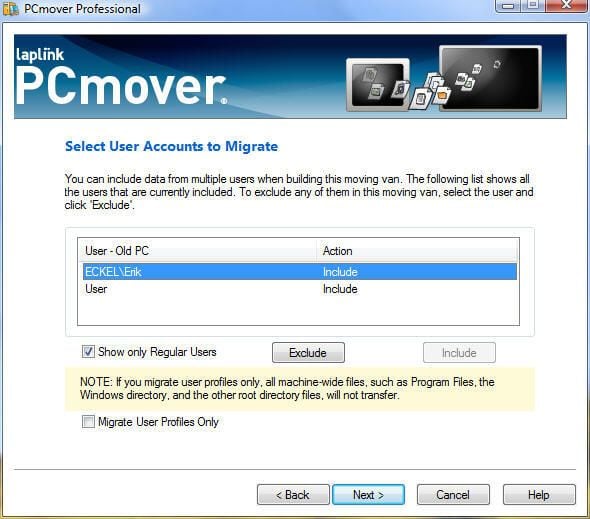
PCmover possesses the ability to migrate one, some or all user accounts present on an old system. Users and administrators make select their preferences using the menu shown here.
For a full review of PCmover Professional, check out the TechRepublic Product Spotlight Blog.
Image created by Erik Eckel for TechRepublic.
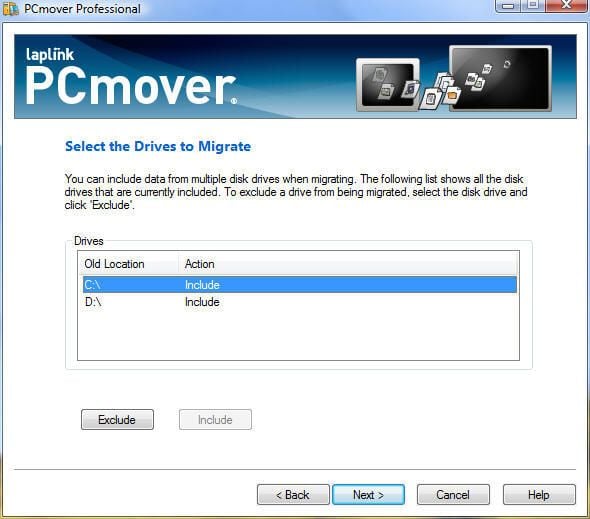
PCmover also possesses the ability to migrate some or all drives. The menu shown here enables including and excluding drives as desired.
For a full review of PCmover Professional, check out the TechRepublic Product Spotlight Blog.
Image created by Erik Eckel for TechRepublic.
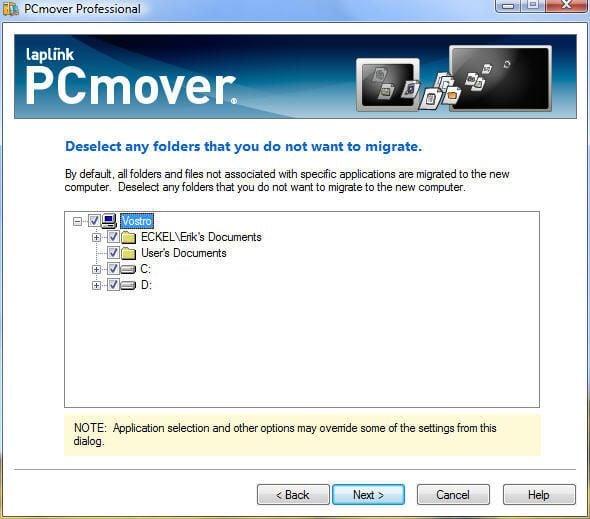
Just as with drives, users can select specific folders they wish to migrate from the old workstation to the new computer.
For a full review of PCmover Professional, check out the TechRepublic Product Spotlight Blog.
Image created by Erik Eckel for TechRepublic.
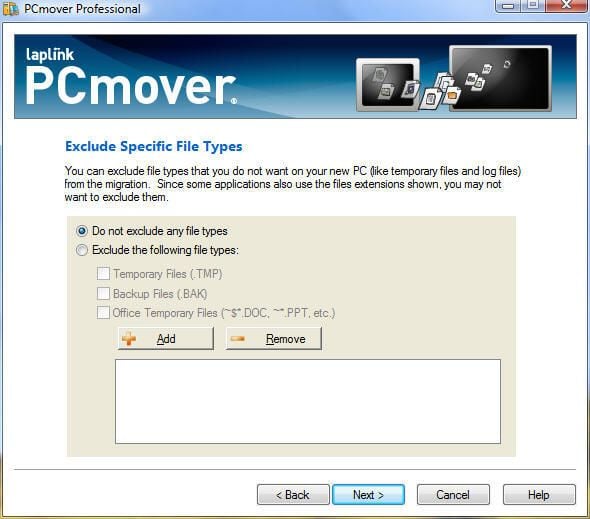
Administrators performing desktop migrations using PCmover can exclude specific file types. Using the Add/Remove buttons, administrators can block the transfer of .jpg photos, .mp3 files and .mpg data, if necessary, among any other file type.
For a full review of PCmover Professional, check out the TechRepublic Product Spotlight Blog.
Image created by Erik Eckel for TechRepublic.
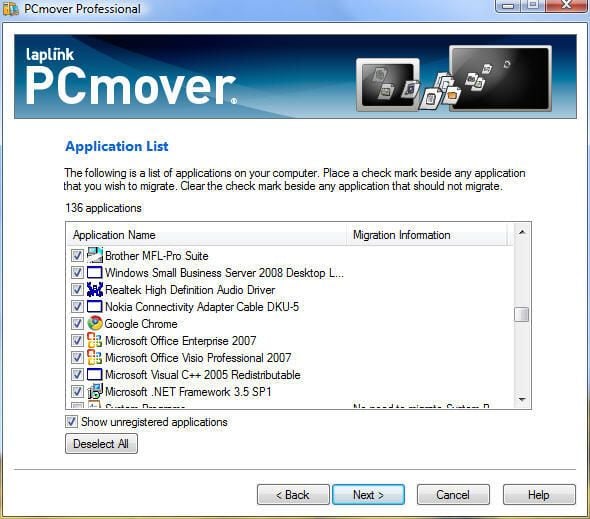
After performing an application search on the old computer, PCmover displays this window of found applications. Users can select or deselect applications as necessary. Note, however, that programs such as Microsoft Office typically require re-registration and activation following a desktop migration.
For a full review of PCmover Professional, check out the TechRepublic Product Spotlight Blog.
Image created by Erik Eckel for TechRepublic.
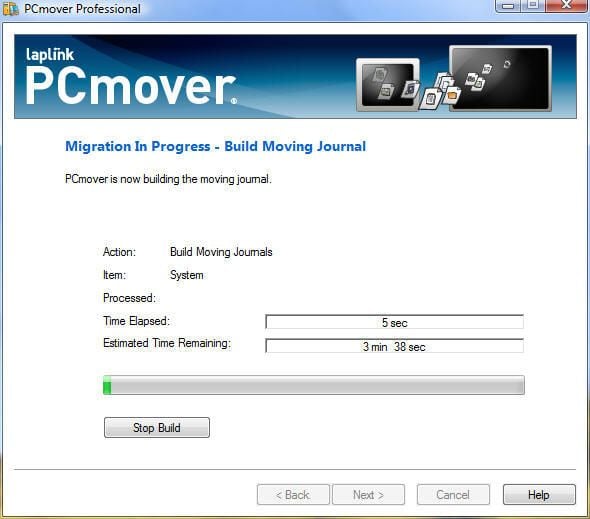
Once all settings have been configured for the old computer data, PCmover creates the moving journal. This data is used to migrate data, applications, settings and other information from the old PC to the new workstation.
For a full review of PCmover Professional, check out the TechRepublic Product Spotlight Blog.
Image created by Erik Eckel for TechRepublic.
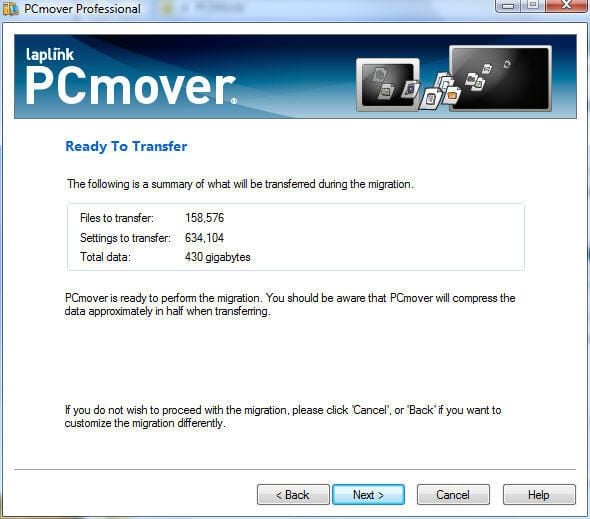
Before beginning the migration process, PCmover displays this summary screen. In addition to listing the number of files that will be transferred, the application displays the number of settings being migrated as well as the total amount of data that will be moved to the new system.
For a full review of PCmover Professional, check out the TechRepublic Product Spotlight Blog.
Image created by Erik Eckel for TechRepublic.

Erik Eckel is a managing partner at Louisville Geek and president of Eckel Media Corp. He previously served as Executive Editor at TechRepublic. He received Microsoft Engineer accreditation from Sullivan University and earned his Bachelor's Degree in English from the University of Louisville. He's earned Network+, Windows NT 4.0 MCP+I and MCSE, and Windows 2000 Professional MCP accreditations.


