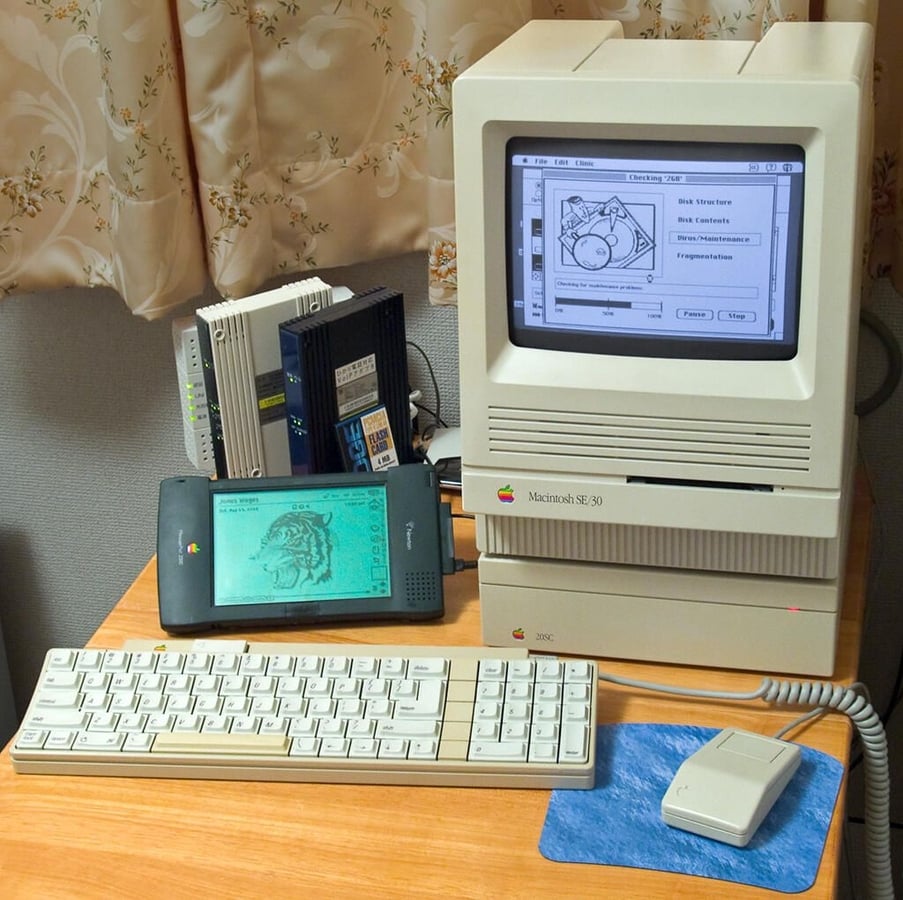
Although James Wages’ vintage Apple Macintosh SE/30 computer system worked, the external plastic had turned a dingy shade of yellow.
Using a homemade solution of household chemicals, nicknamed “Retr0Bright,” Wages was able to restore the plastic on the computer, keyboard, and mouse to like-new condition.
These photos document his process and the amazing results. Many thanks to James for allowing TechRepublic to republish these photos. For more information on how James restored this system and lots of other great Mac photos, check out his Flickr photostream.
Photo by James Wages
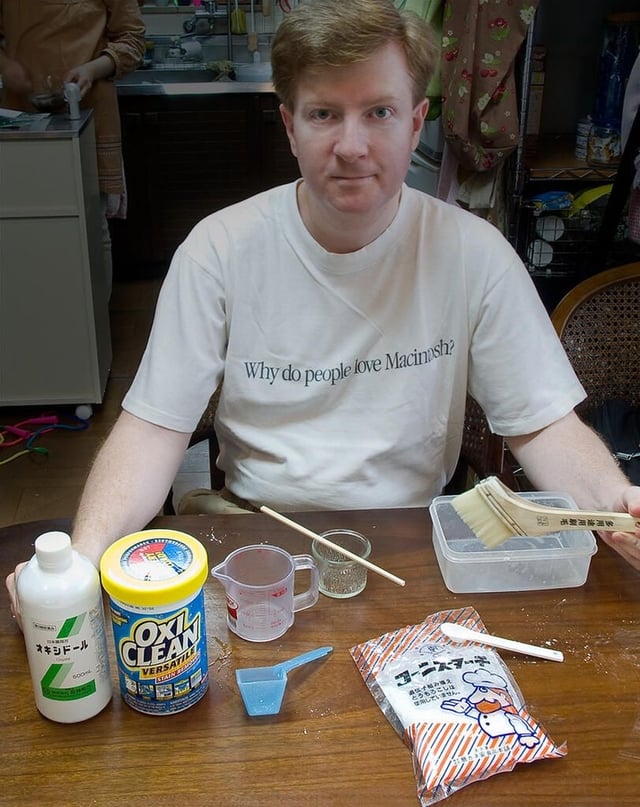
Developed by chemists and vintage computer enthusiasts in 2008, Retr0Bright is a solution of hydrogen peroxide and an “active oxygen” laundry booster. To make a gel version of the solution, you can use a thickening agent, such as Xanthan Gum and Glycerin, cornstarch, or arrowroot. When combined with exposure to UV light, either from a lamp or the sun, this concoction can remove the yellowing from old ABS plastic computer part.
For a detailed description of how Retr0Bright works and a list of various recipes, check out the Retr0Bright Project Wiki.
Warning: Just remember that hydrogen peroxide can be dangerous–particularly in high concentrations. You should always wear appropriate hand and eye protection when making and working with Retr0Bright. Please read and follow the safety instructions listed on the Retr0Bright Wiki.
Photo by James Wages
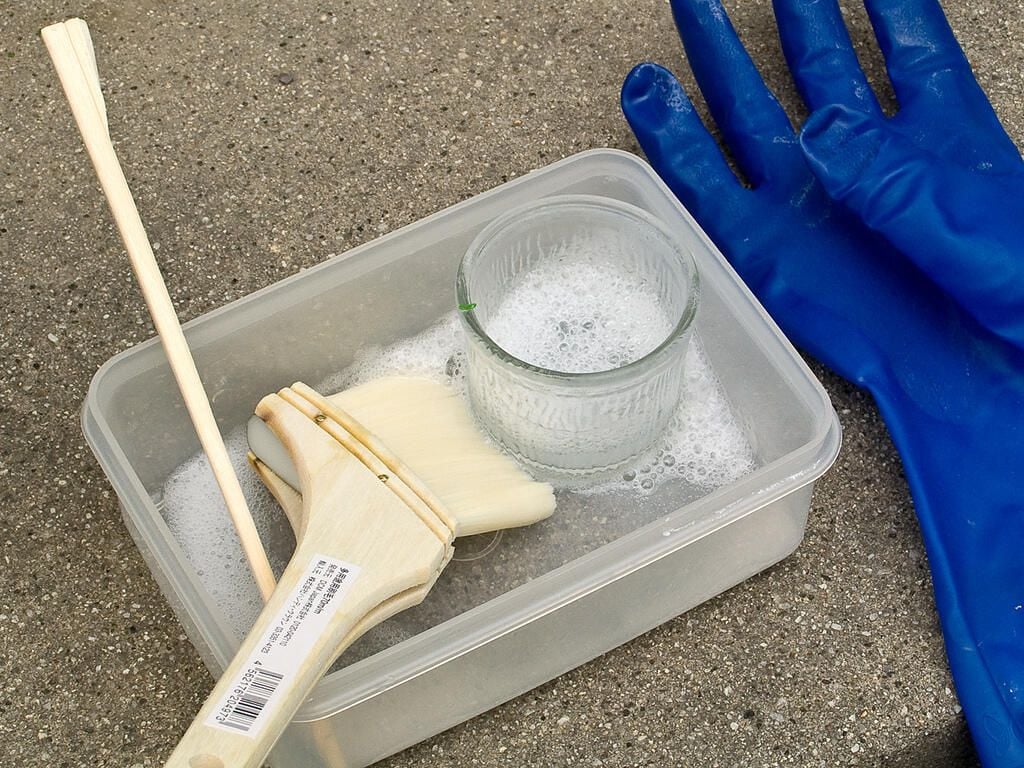
When placed in the sun, the Retr0Bright gel bubbles.
Photo by James Wages
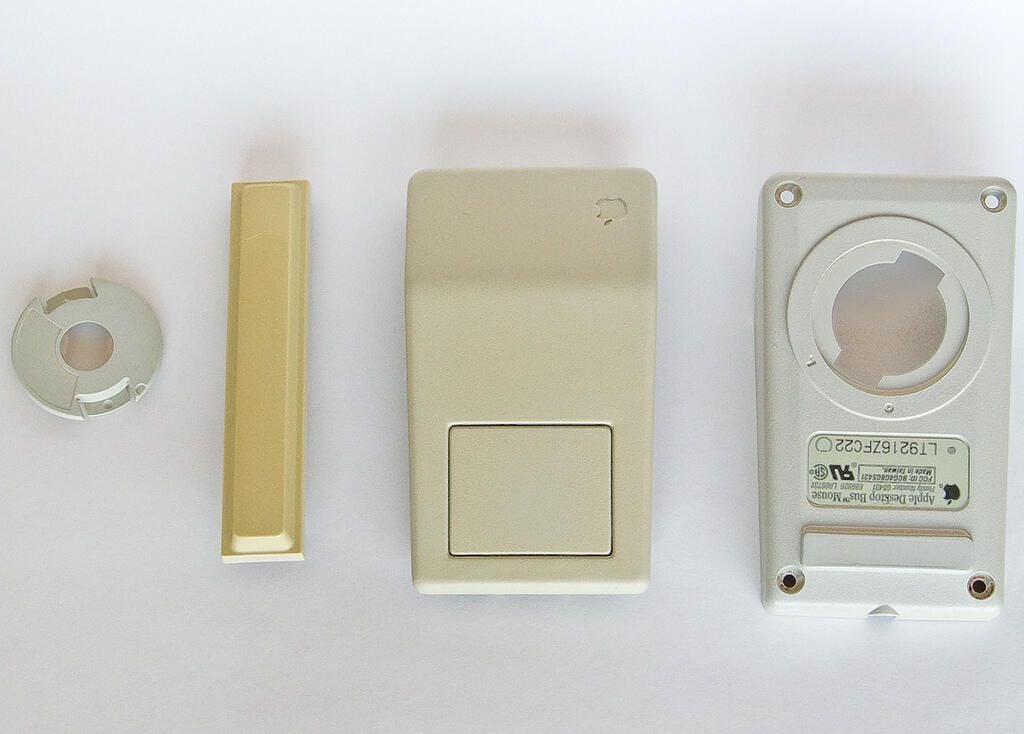
The plastic components from Wages’ Mac SE/30 mouse and the spacebar from an Apple IIg keyboard. The spacebar is heavily “yellowed”.
Photo by James Wages
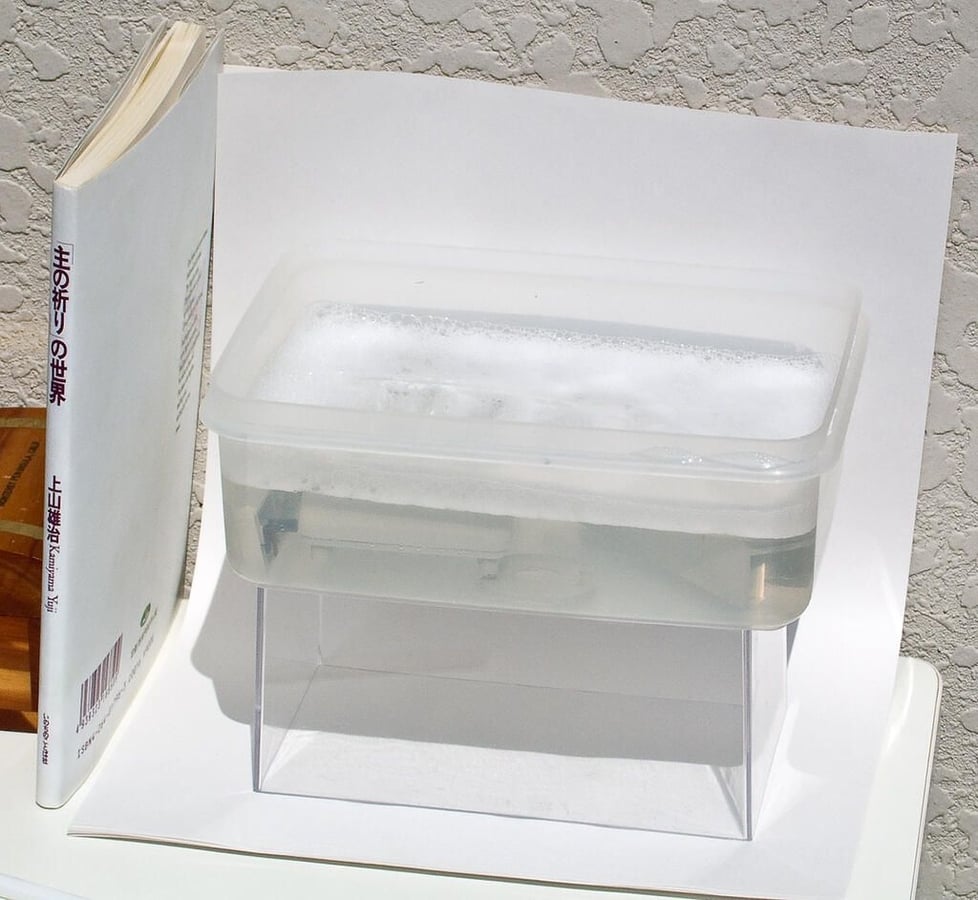
Wages used both a liquid and gel version of the Retr0Bright solution. This photo shows the plastic mouse components and spacebar soaking in the liquid. To provide the necessary UV light, Wages placed the container in bright sunlight for a whole day (9 AM to sundown).
Photo by James Wages
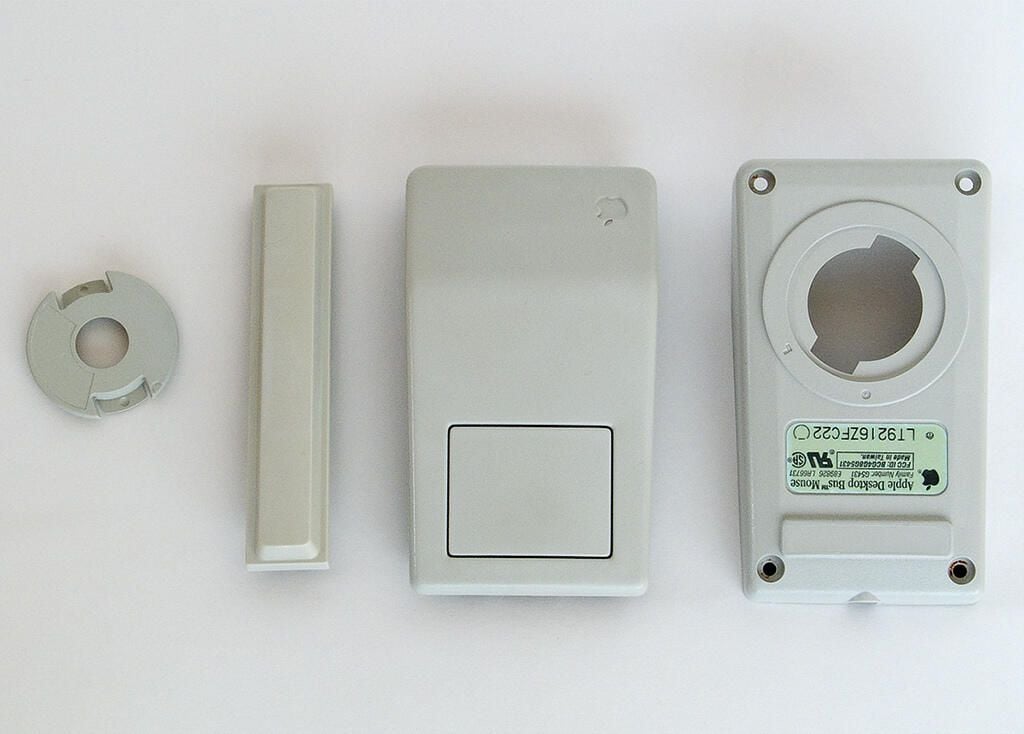
This photo shows the plastic mouse components and spacebar after soaking for a whole day (9 AM to sundown) in the Retr0Bright solution. According to Wages, “Any further time in the RetroBright mix might have made it go “white” instead of the platinum color shown in the photo.”
Photo by James Wages
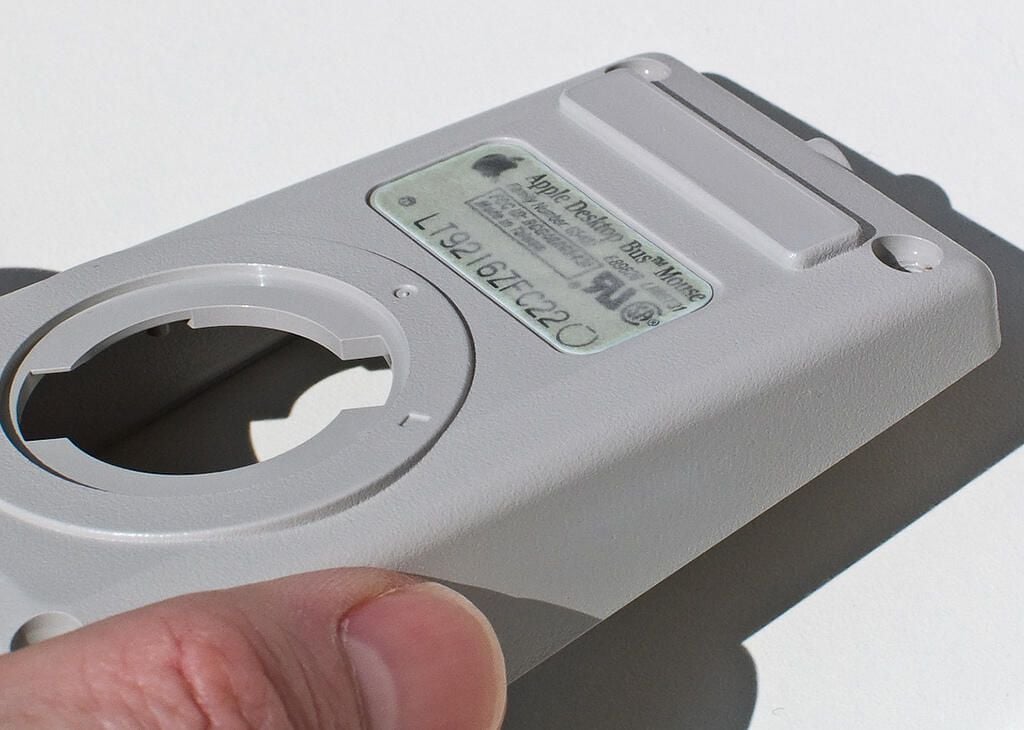
After soaking in the Retr0Bright, the product sticker on the underside of the mouse was slightly discolored and tiny bubbles had developed in it. After drying the mouse over night, the bubbles disappeared. And although the slight discoloration remained, Wages believes this is a small trade-off for the dramatic improvement in the color of the plastic.
Photo by James Wages
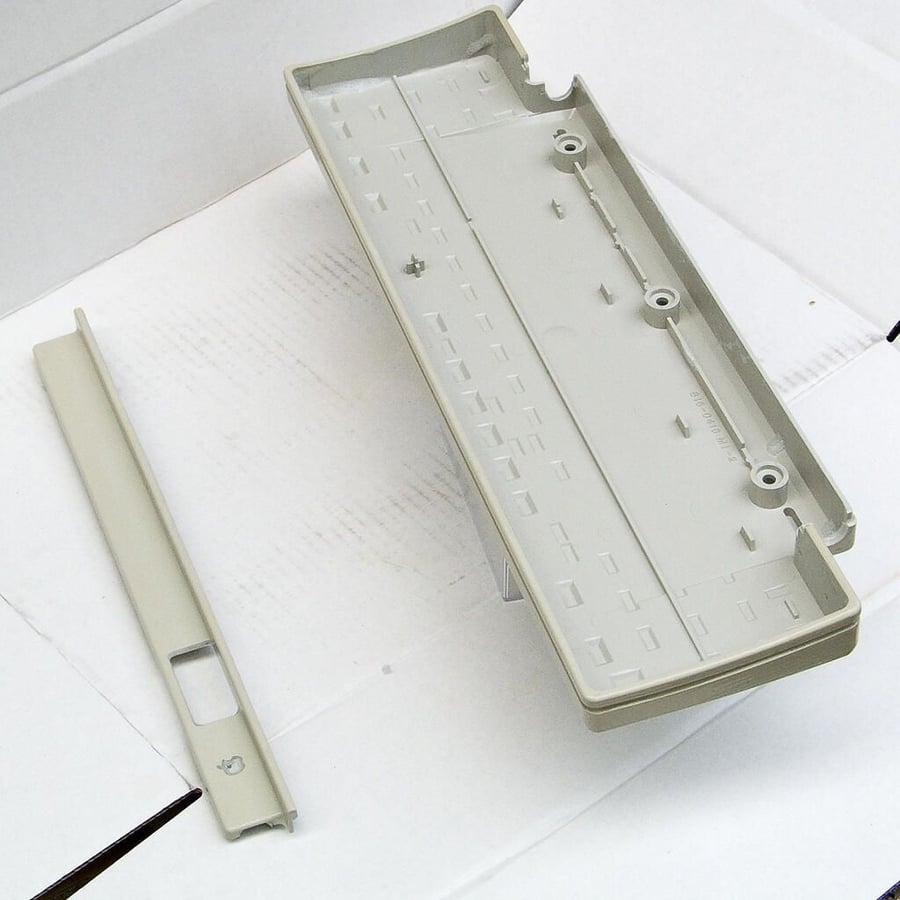
After coating the keyboard’s plastic components with his Retr0Bright gel, he placed them in the bright sunlight for the an entire day. He used white cardboard to reflect the sunlight onto the bottom of the plastic surfaces. This helped ensure all sides received enough UV light to complete the brightening process in a single day.
Photo by James Wages
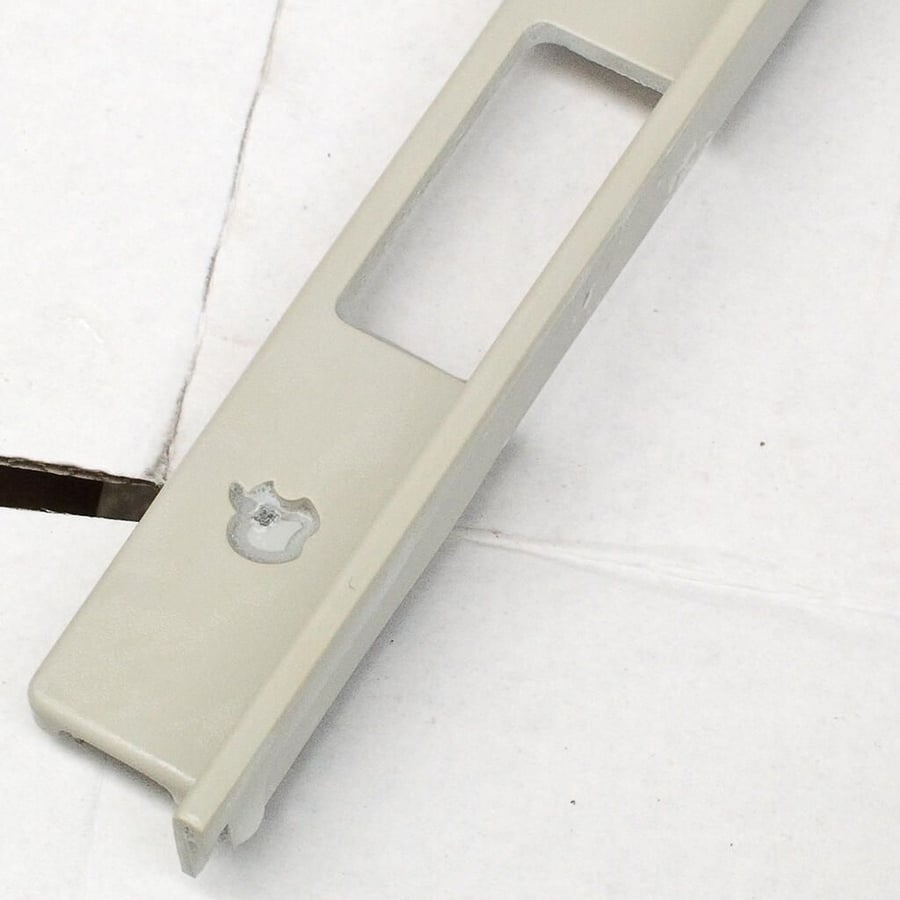
Wages removed the multicolor Apple logo from the keyboard bezel to ensure the Retr0Bright solution didn’t change its color.
Photo by James Wages
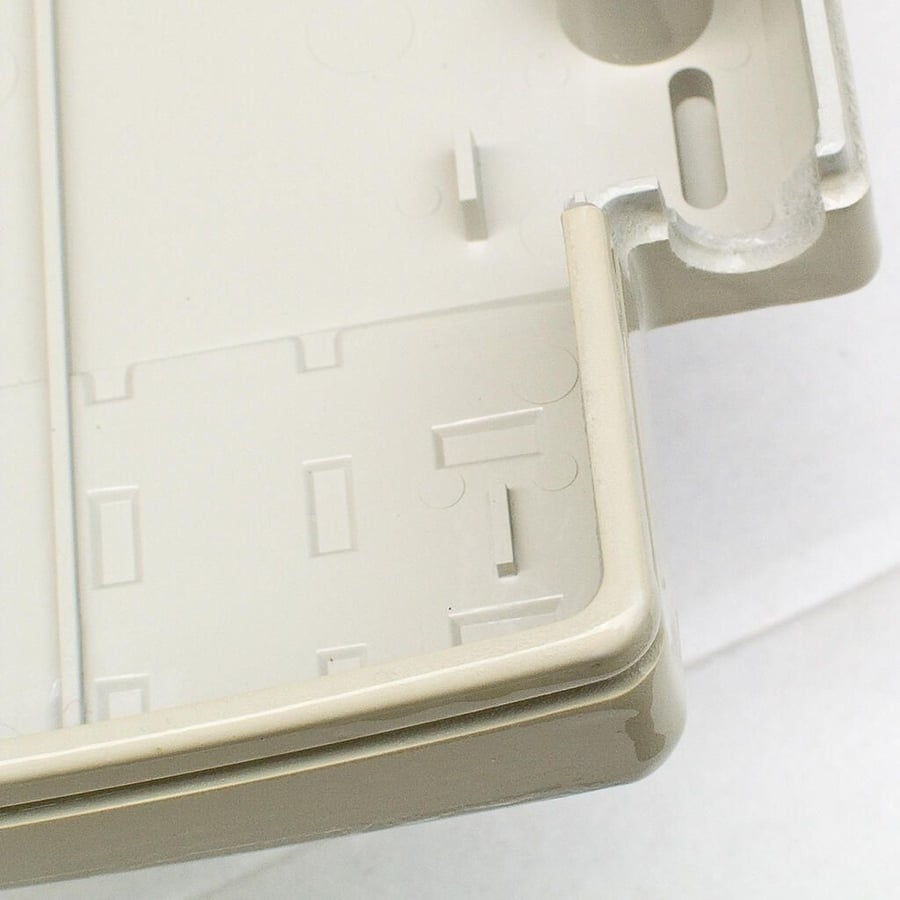
Each hour during the brightening process, Wages would reapply the Retr0Bright paste. Using a paint brush, he could remove the old Retr0Bright coating and apply a fresh coat at the same time. This ensured that fresh Retr0Bright was always in contact with the plastic surface. This step is not necessary when using a liquid Retr0Bright solution.
Photo by James Wages
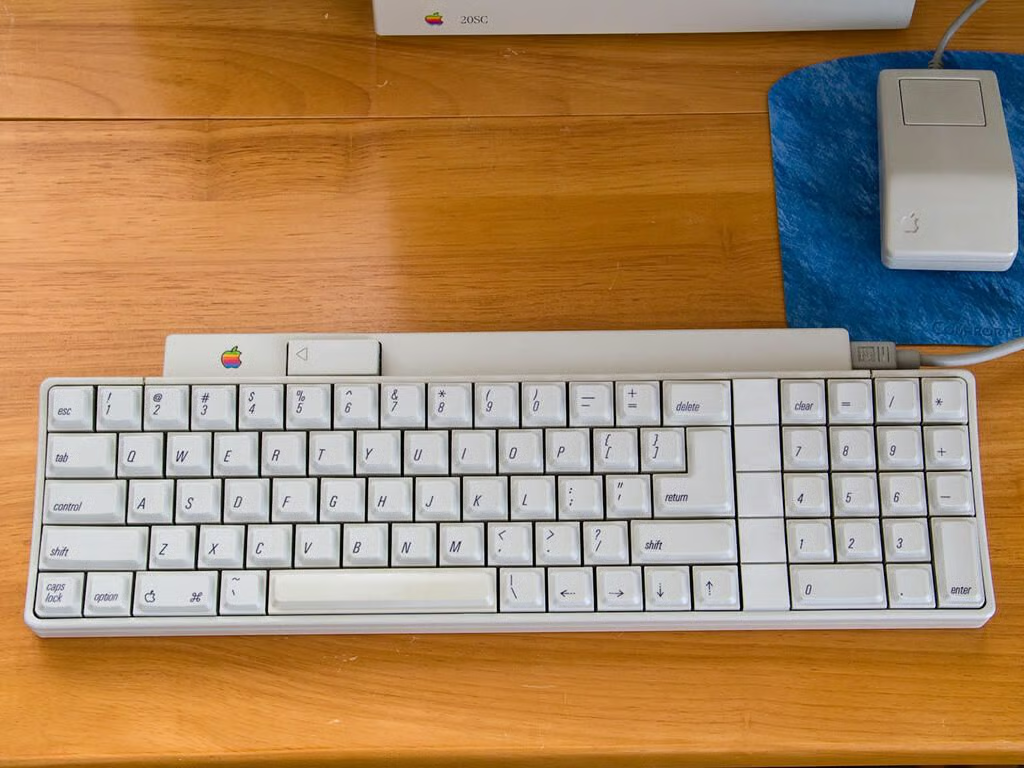
This photo shows the fully-restored Apple IIg keyboard. Wages soaked the keys in a Retr0Bright bright solution and used the gel on the larger pieces.
Photo by James Wages
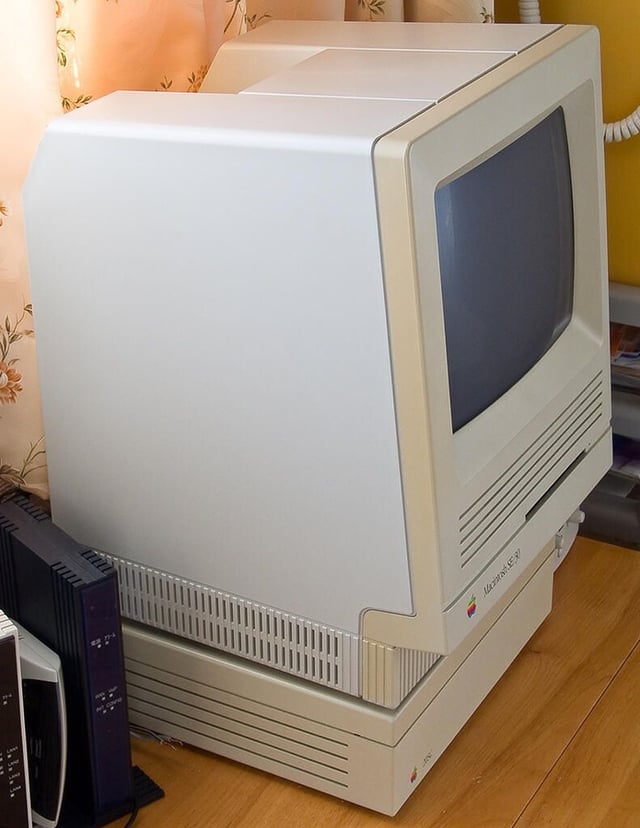
This photos shows the Mac SE/30 with the back half of the case restored. Notice the dramatic difference in color between the restored plastic and the untouched, yellow pieces (around the monitor and 20SC hard drive).
Photo by James Wages
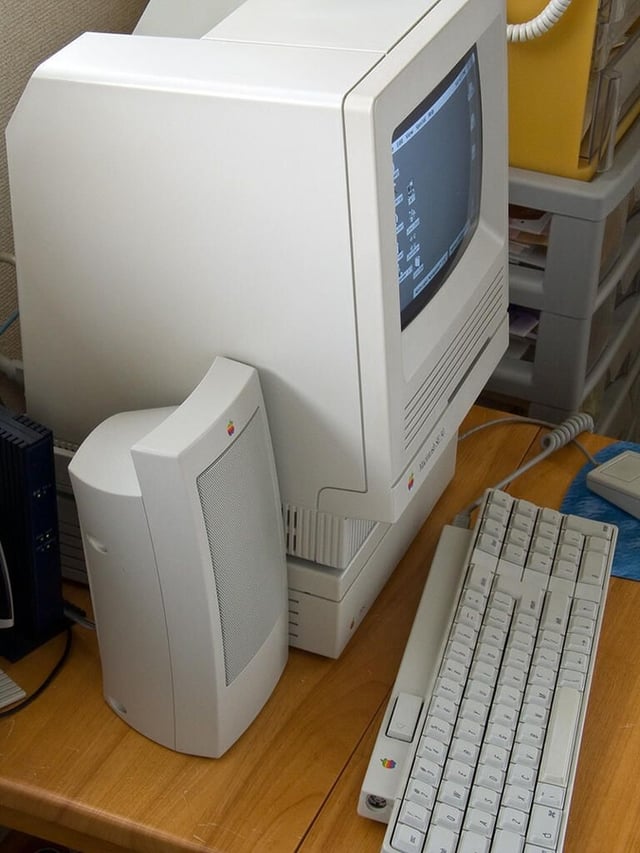
Here’s the fully-restored Mac SE/30 from the side. According to Wages, the speakers were never yellowed and serve as a reference for the Mac’s original color. Looks like a near perfect match.
Photo by James Wages
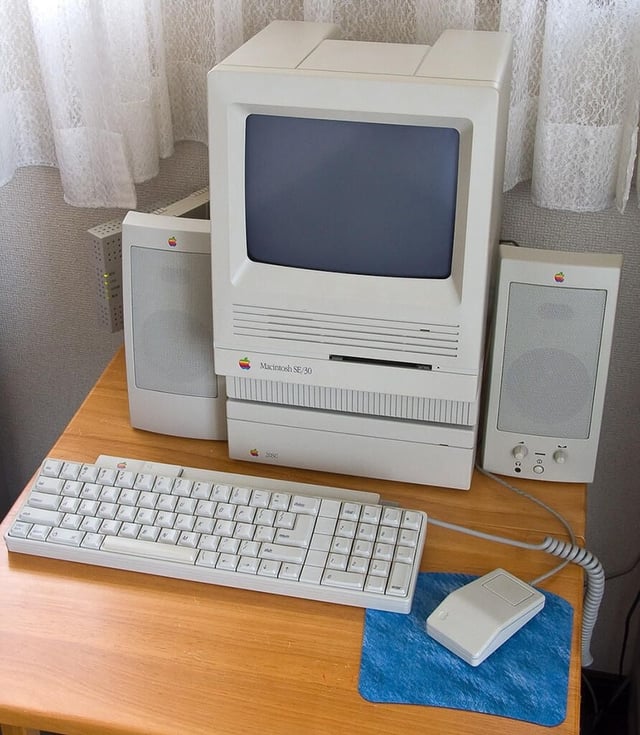
James Wages’ fully restored and “deyellowed” Apple Macintosh SE/30.
For more information on how James restored this system and lots of other great Mac photos, check out his Flickr photostream.
Photo by James Wages
Bill Detwiler is the Editor for Technical Content and Ecosystem at Celonis. He is the former Editor in Chief of TechRepublic and previous host of TechRepublic's Dynamic Developer podcast and Cracking Open, CNET and TechRepublic's popular online show. Previously, Bill was an IT manager in the social research and energy industries. He has bachelor's and master's degrees from the University of Louisville, where he has also lectured on computer crime and crime prevention.


