\n\tI recently received an email from a reader who was looking for a way to add tabs to Windows 7’s Windows Explorer. The reader is a Windows XP user who wants to move to Windows 7. He has been using QTTabBar in Windows XP for quite some time now and refuses to switch until he can find a suitable replacement that works in Windows 7.
\n
\n\tSince I at one time used QTTabBar and loved it, I have a pretty good idea of this fellow’s dedication to QTTabBar and his refusal to give up a tabbed user interface in Windows Explorer. Furthermore, like him, I too am surprised by the fact that Microsoft has not yet created a native tabbed user interface for Windows Explorer.
\n
\n\tNow, I am aware that the folks behind QTTabBar are currently working on a version for Windows 7. However, it appears that it has been slow going for them and the new version is still in Beta. While I am sure that it will be a great product when completed, I can’t really encourage everyone to use a Beta version for mission critical file management tasks.
\n
\n\tHowever, I have discovered another tool called WindowTabs that can add tabs to every running application’s Window and allows you to group these tabbed windows together as a single entity. As such, you can open multiple instances of Windows Explorer and group them together to create your own multi-tabbed version of Windows Explorer. It is very simple and works great!
\n
\n\tIn this edition of the Windows Desktop Report, I’ll introduce you to WindowTabs and show you how to configure and use it.
\n
\n
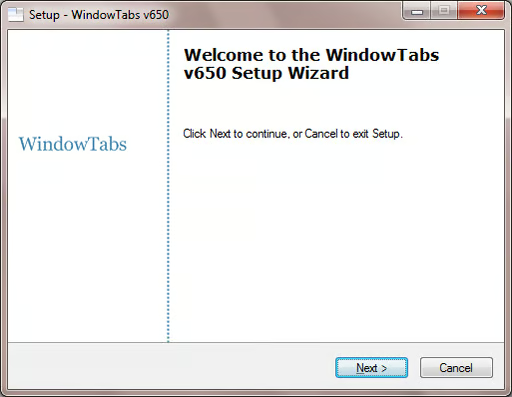
\n\tOnce you download WindowTabs, installing it is a simple procedure with the WindowTabs Setup Wizard, as shown. You can download and use WindowTabs at no cost with the limitation that you can only have three tabs per group. A single-user license is $19 and the registered version removes the three tab limit and includes one year of upgrades. And, WindowTabs is compatible with Windows XP, Windows Vista, as well as both the 32- and 64-bit version of Windows 7.
\n
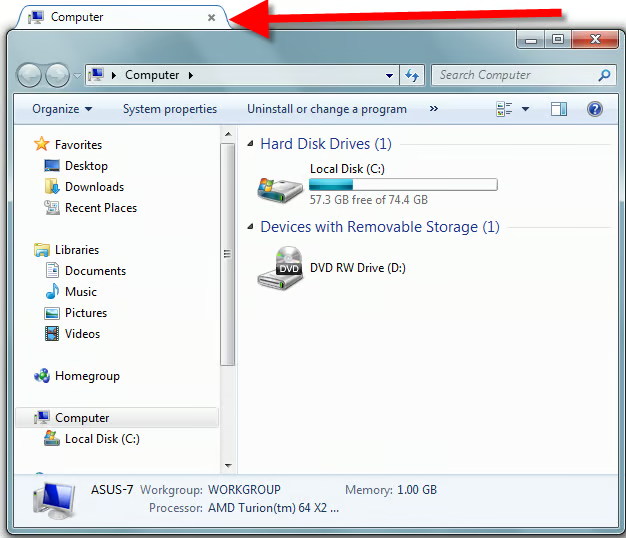
\n\tAs I mentioned, once WindowTabs is installed it will add a tab to every running application’s window. For example, I launched Computer from the start menu and discovered that it now had a tab on it as shown. Other than adding the tab, which also provides access to configuration options I’ll examine in a moment, WindowTabs makes no other visible changes to the user interface of Windows. That’s one of the things that I like most about this program – it does one thing, does it very well, and doesn’t go overboard with a ton of extras that you don’t need.
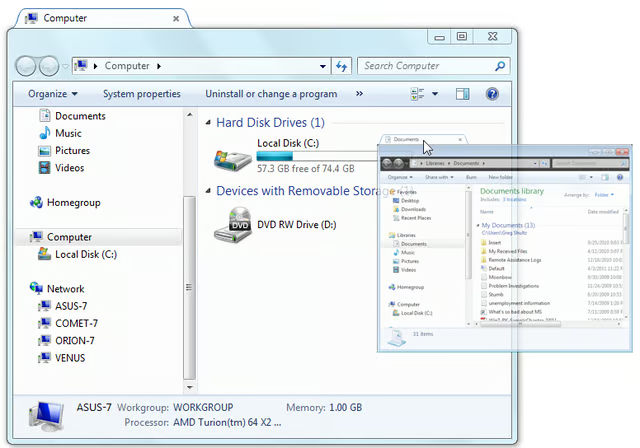
\n\tNext, I open Documents and it too has a tab on its window. Now, in order to group the Computer window and the Documents window into a single multi-tabbed version of Windows Explorer, I click on the Documents window’s tab and drag it towards the tab on the Computer window. As I do, the Documents window shrinks in size and becomes transparent, as shown.
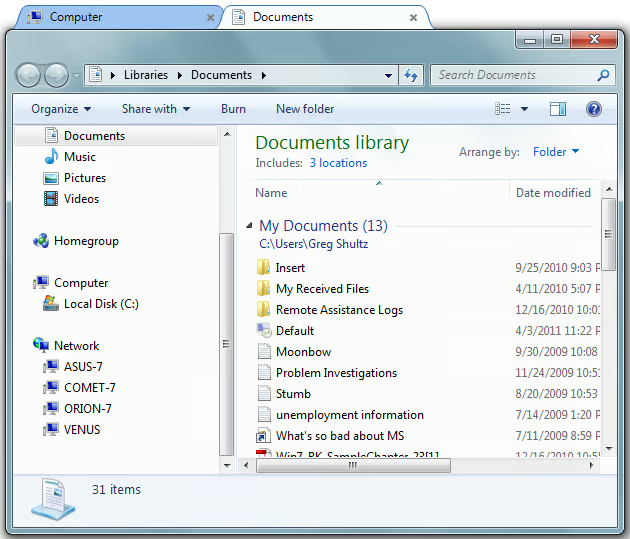
\n\tYou then drop the shrunken window on the tab of the other window and instantly you have a multi-tabbed version of Windows Explorer, as shown. You can use [Alt] along with the left and right arrow keys to switch tabs as well as simply clicking tabs.
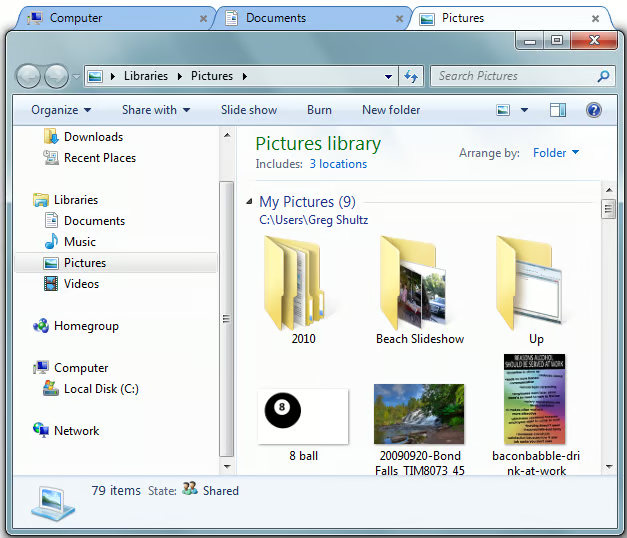
\n\tAs I mentioned, the free version of WindowTabs will allow you to group three windows into a single multi-tabbed interface. As such, you could add Pictures to the mix, as shown. If you attempt to add another window, you will receive a simple message reminding you of the three window limitation.
\n
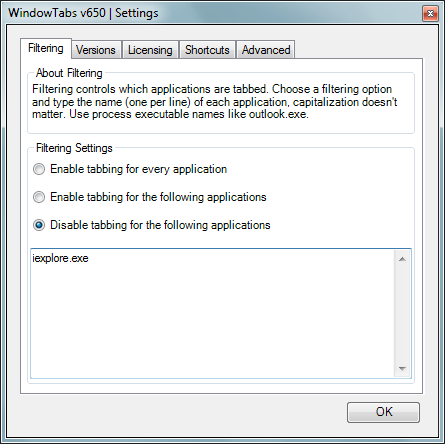
\n\tIf you right click on any tab and select the Settings command, you’ll see the Settings dialog box. On the Filtering tab you can specify which windows you do or don’t want to apply tabs to. (By default, all open windows get a tab.) For instance, Internet Explorer already has its built-in tabs so I don’t necessarily want WindowTabs to add more tabs. As such, I can select the Disable tabbing for the following applications and then type iexplore.exe in the list, as shown. When I do, every window except Internet Explorer has tabs. If there are other windows on which you do not wish to have tabs, you can type their executable file names in the list as well.
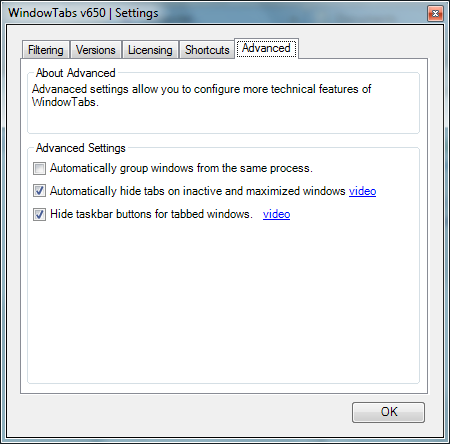
\n\tOn the Shortcuts tab, you can alter the shortcut keys. On the Advanced tab, you can change several other options, as shown. For instance, by default, WindowTabs only shows one icon on the Taskbar and it will only list the tab that is currently selected. If you wish to have all windows in the group appear on the Taskbar, you can clear the Hide taskbar buttons for tabbed windows check box. I prefer to have the Automatically hide tabs on inactive and maximized windows check box selected because it makes things just a bit cleaner looking. Besides, you can just hover and the tabs reappear.
\n
\n
\n\tRemember, even though I have focused on Windows Explorer here, WindowTabs works on every application’s window. So I could be working on a single project that has a Word document and an Excel spreadsheet and I could then group Excel and Word into a single multi-tabbed interface for easy access.

My first computer was a Kaypro 16 \"luggable\" running MS-DOS 2.11 which I obtained while studying computer science in 1986. After two years, I discovered that I had a knack for writing documentation and shifted my focus over to technical writing.


