\n\tThis gallery is also available as a post in the Windows and Office Blog.
\n
\n\tIn Part I and Part II of this series, I’ve been looking at some of the new features in Windows 8’s File Explorer. So far I’ve been focusing on the Ribbon and have examined the three Core tabs titled Home, Share, and View. I then delved into the new set of contextual tabs, which appear based on the location or type of object that you have selected in File Explorer, and then provide you with groups of appropriate commands. The contextual tabs include Computer, Drive Tools, Search, Libraries, HomeGroup, Network, and File Type. While the Ribbon and its tabs are the most noticeable new features in Windows 8’s File Explorer, there are other new features that you’ll want to get to know.
\n
\n\tIn this edition of the Windows Desktop Report, I will introduce you to some of the other new features Windows 8’s new File Explorer.
\n
\n
\n
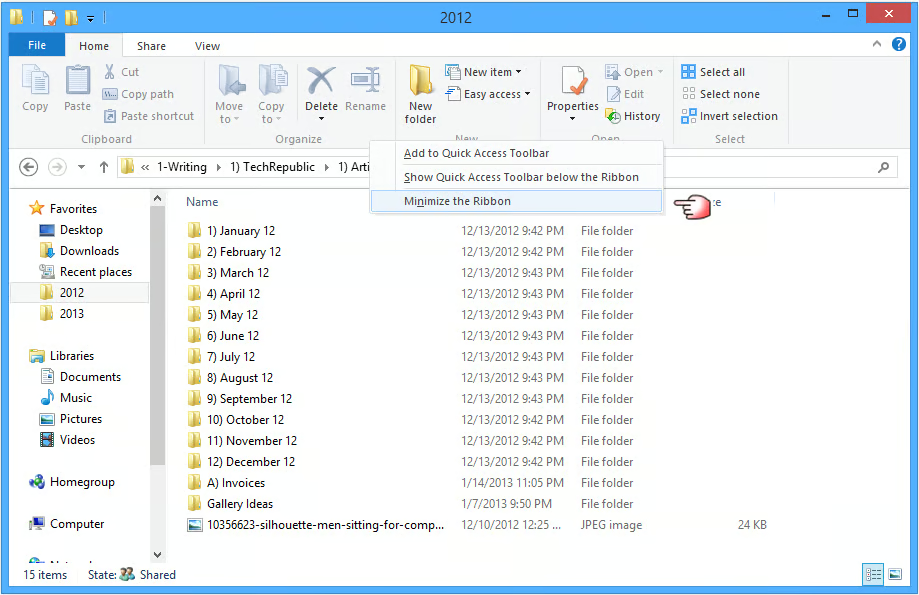
\n\tWhile the Ribbon is a great feature, there are going to be times when you’ll be working on straightforward file management tasks and will need more space for displaying files. Fortunately, when those occasions occur, you can minimize the Ribbon such that it only appears when you want it to. To do so, right-click just about anywhere on the Ribbon and select the Minimize the Ribbon command, as shown in Figure A.
\n
\n\t
\n
\n\tXXX
\n
\n\tCredit: Images by Greg Shultz for TechRepublic
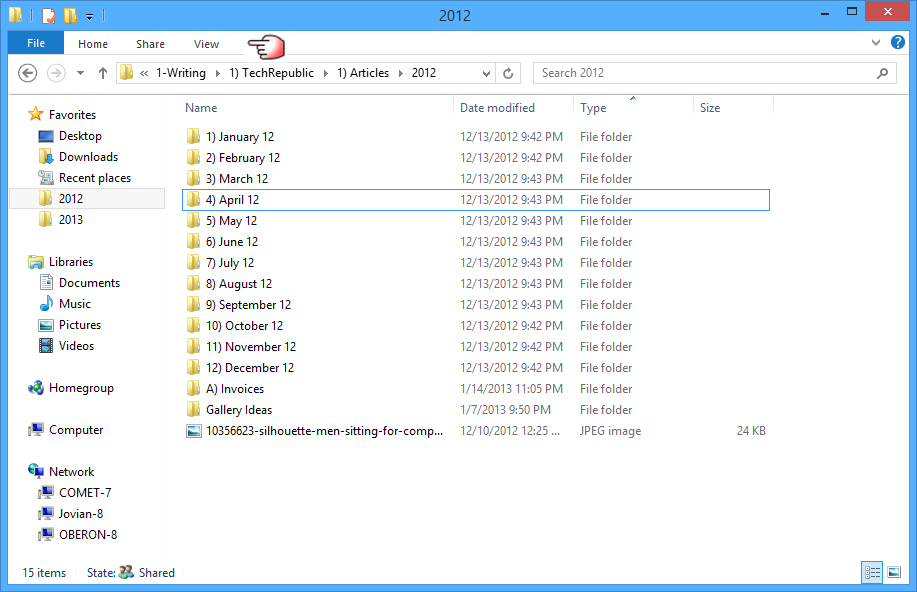
\n\tWhen you do, the Ribbon will essentially disappear and will only reappear in File Explorer temporarily when you activate it. As soon as you press [Esc] or click on another part of the screen, the Ribbon will instantly disappear. For example, if you select one of the tab titles, which remain at the top of the window, as shown in Figure B, the Ribbon will temporarily appear. You can reactivate the Ribbon anytime by selecting the Minimize the Ribbon command again to remove the check mark.
\n
\n\tCredit: Images by Greg Shultz for TechRepublic
\n\t
\n
\n
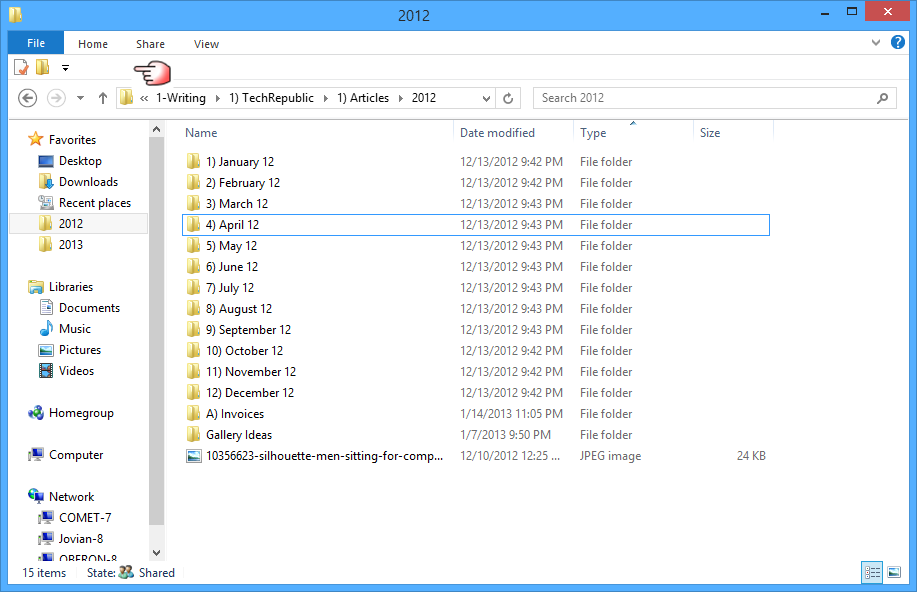
\n\tWhile File Explorer’s Ribbon and its series of tabs is designed to expose close to 200 different file management commands, chances are good that there is a set of commands that you’d always like to have access to – regardless of which tab is currently being displayed on the Ribbon. If so, you’ll want to add those commands to the Quick Access toolbar, which by default appears in File Explorer’s title bar. However, if you look back at the context menu in Figure A, you’ll see an option on the menu titled Show Quick Access Toolbar below the Ribbon. When you select this option, the Quick Access Toolbar moves down from the top of the File Explorer window and appears between the Address bar and the Tab titles where it is more accessible, as shown in Figure C.
\n
\n\tCredit: Images by Greg Shultz for TechRepublic
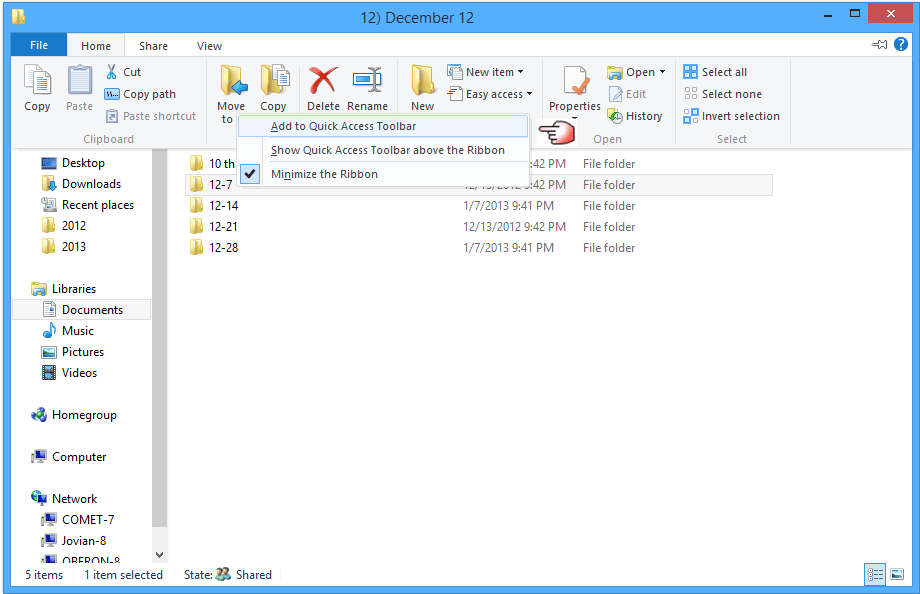
\n\tNow, you can add your favorite commands to the Quick Access Toolbar. To do so, just locate the command, right-click, and select the Add to Quick Access Toolbar from the context menu. As you can see in Figure D, I’ve right-clicked on the Move command on the Home tab and selected the Add to Quick Access Toolbar command.
\n
\n\tCredit: Images by Greg Shultz for TechRepublic
\n\t
\n
\n
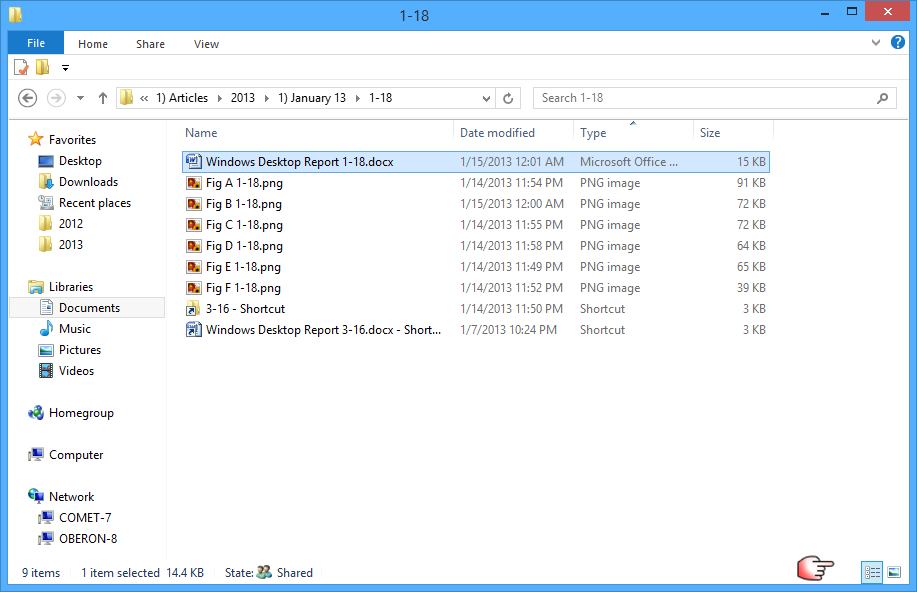
\n\tI haven’t found the exact name for this feature, but in the bottom right corner of the File Explorer window are two buttons, as shown in Figure E, that allow you to quickly change the view used to display files. You can select one button to quickly change to the Details view and the other button to quickly change to the Large Thumbnails view.
\n
\n\tCredit: Images by Greg Shultz for TechRepublic
\n\t
\n
\n
\n\tIn Part I of this series, I began by telling you that the infamous Up button was returned to File Explorer. However, no one seemed to mention it in the discussions that followed the article. I found that rather curious because when Microsoft removed the Up button from Windows Explorer in Windows Vista, many folks were in an uproar and have been looking for a way to get it back for years. I thought that there would be more excitement about the return of the up button I suppose that my emphasis on the Ribbon in that first article stole the thunder.
\n
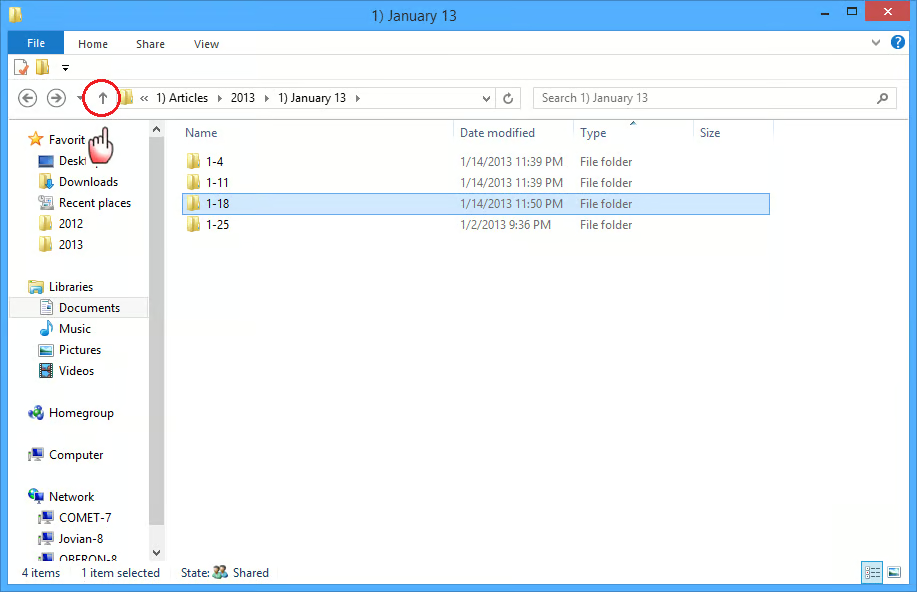
\n\tAnyway, I figured that I would point it out again. As you can see in Figure F, the Up button appears right next to the Back and Forward buttons just like it did in Windows XP. It’s a bit smaller, but it works the same way. When you click it, you’ll move up one folder in the folder tree. It’s a very nice feature to have and I for one am glad that it is back.
\n
\n
\n\tWhat do you think about Windows 8’s File Explorer? Are you minimizing the Ribbon? Have you experimented with the Quick Access toolbar? Are you glad to have the Up button back? As always, if you have comments or information to share about this topic, please take a moment to drop by the TechRepublic Community Forums and let us hear from you.
\n
\n
\n\t
\n\t
\n
\n
\n\tCredit: Images by Greg Shultz for TechRepublic

My first computer was a Kaypro 16 \"luggable\" running MS-DOS 2.11 which I obtained while studying computer science in 1986. After two years, I discovered that I had a knack for writing documentation and shifted my focus over to technical writing.


