The CanonicalName is Generic
\n\tEditing the Registry
\n
\n\tIt is important to keep in mind that the Windows Registry file is vital to the operating system and changing it can be dangerous if you inadvertently make a mistake. As such, you should take a few moments to back up your system by creating a system image in the Backup and Restore tool. That way if anything goes awry, you can restore your system and get right back to work.
\n
\n\tTo launch the Registry Editor, click the Start button, type Regedit in the Start Menu’s Search box, and press [Enter]. When the UAC dialog box appears, respond appropriately.
\n
\n\tThe Command Store
\n
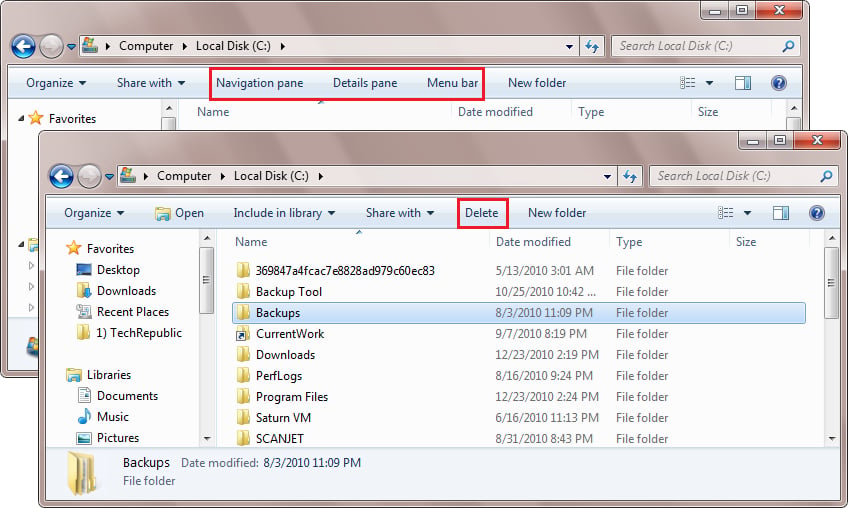
\n\tDon’t forget that the CommandStore key in the registry contains the codes that are the source of the commands that appear on Windows Explorer’s context sensitive Command Bar. From within the Registry Editor, navigate to the following folder:
\n
\n\tHKEY_LOCAL_MACHINE\\SOFTWARE\\Microsoft\\Windows\\CurrentVersion\\Explorer\\CommandStore\\shell
\n
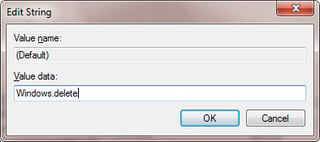
\n\tWhen you select shell, you’ll see all of the codes that you can use to customize Windows Explorer’s context sensitive Command Bar. Keep in mind that while each of these keys contains subkeys and other details, you need only be concerned with the names in the shell key. For example, to add the Delete command, all you need to know is the code Windows.delete.
\n
\n\tStay on top of the latest Microsoft Windows tips and tricks with TechRepublic’s Windows Desktop newsletter, delivered every Monday and Thursday. Automatically sign up today!
\n
\n\tChanging the permissions
\n
\n\tOnce the Registry Editor appears, navigate to the following folder
\n
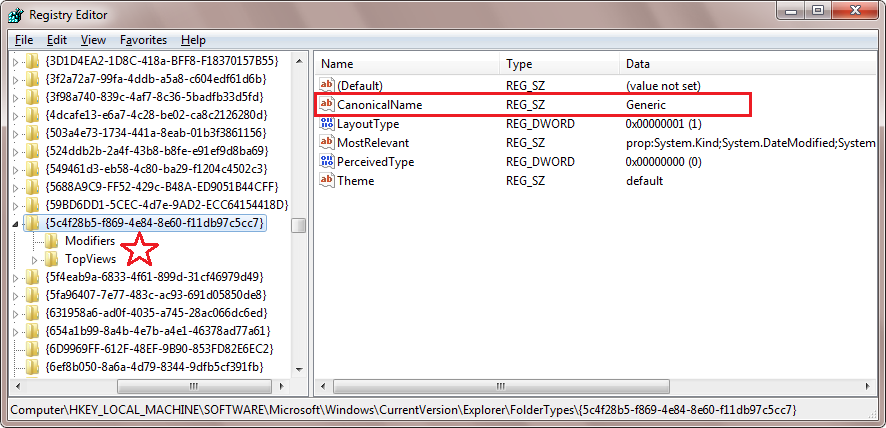
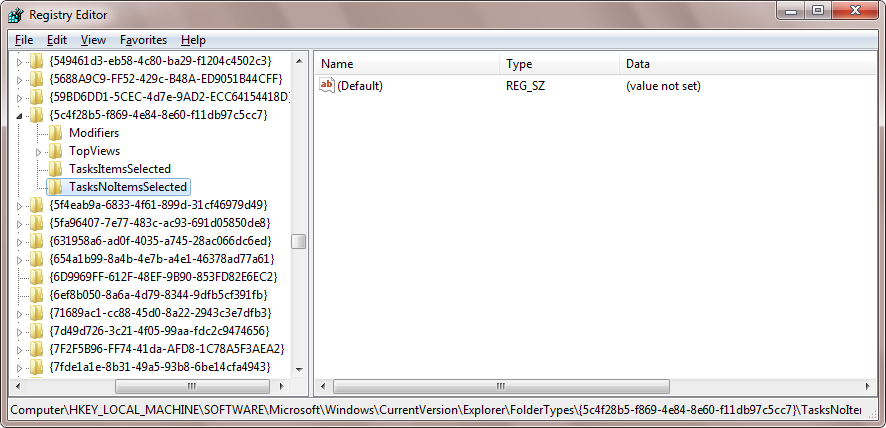
\n\tHKEY_LOCAL_MACHINE\\SOFTWARE\\Microsoft\\Windows\\CurrentVersion\\Explorer\\FolderTypes\\{5c4f28b5-f869-4e84-8e60-f11db97c5cc7}
\n
\n\tWhen you do, you’ll see that while the key is technically named {5c4f28b5-f869-4e84-8e60-f11db97c5cc7}, its CanonicalName is Generic, which I’ll use from here on out to refer to it. You’ll also notice that the Generic key does not contain the TasksItemsSelected and the TasksNoItemsSelected keys by default. As I said, you will have to add then manually.
\n
\n\tImage created by Greg Shultz for TechRepublic.