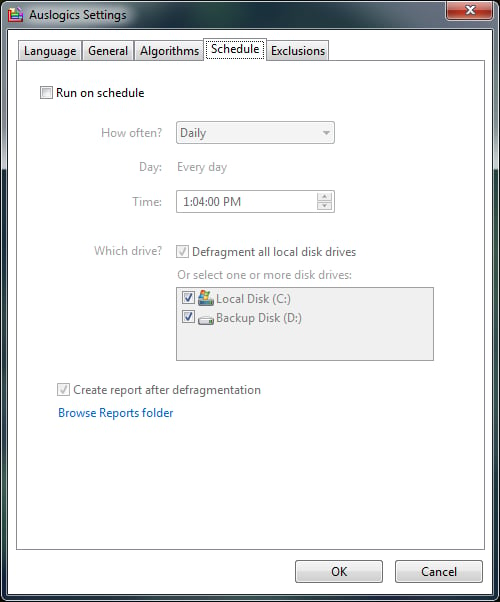
The scheduler is simple to use as well. If you want more flexibility, Disk Defrag can be called as a command line application with a ton of options, and you can set run it from Task Scheduler yourself if you like (that is what I did).
For a full review of Auslogics Disk Defrag utility, check out the TechRepublic Product Spotlight Blog.
Image created by Justin James for TechRepublic.
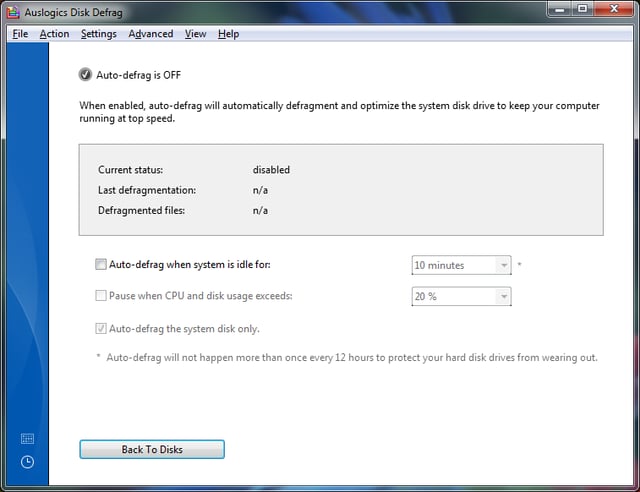
The auto defrag feature is useful and easy to understand, but turned off by default.
For a full review of Auslogics Disk Defrag utility, check out the TechRepublic Product Spotlight Blog.
Image created by Justin James for TechRepublic.
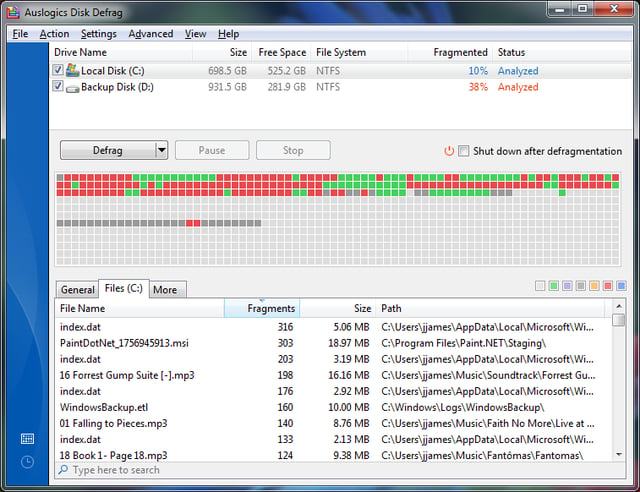
Once the disks have been analyzed, Disk Defrag makes it easy to see which files are the most fragmented, and what the disk layout looks like.
For a full review of Auslogics Disk Defrag utility, check out the TechRepublic Product Spotlight Blog.
Image created by Justin James for TechRepublic.

I am an all purpose IT person. If there's a generic job title in IT, I've probably had it, most likely more than once. Programmer, systems administrator, DBA, PC tech/repair, Help Desk, webmaster, web designer, web developer, applications developer, network engineering. Somehow I have managed to get my thumb stuck in each one of those pies!


