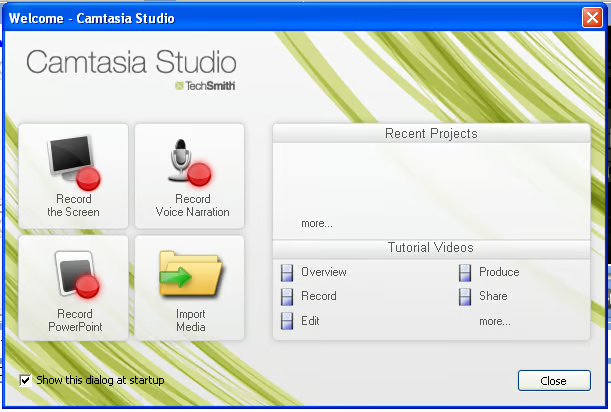
This screen starts up any time you open Camtasia and allows you to open existing projects as well as view tutorials.
For a full review of Camtasia Studio, check out the TechRepublic Product Spotlight Blog.
Image created by Jack Wallen for TechRepublic.
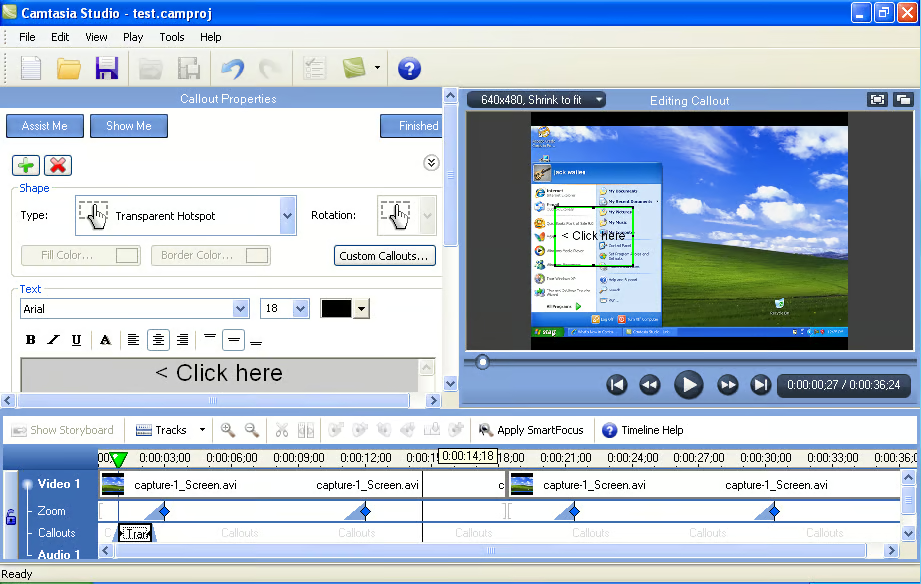
You can add helpful text to your screen casts by clicking the Callouts link in the task list.
For a full review of Camtasia Studio, check out the TechRepublic Product Spotlight Blog.
Image created by Jack Wallen for TechRepublic.
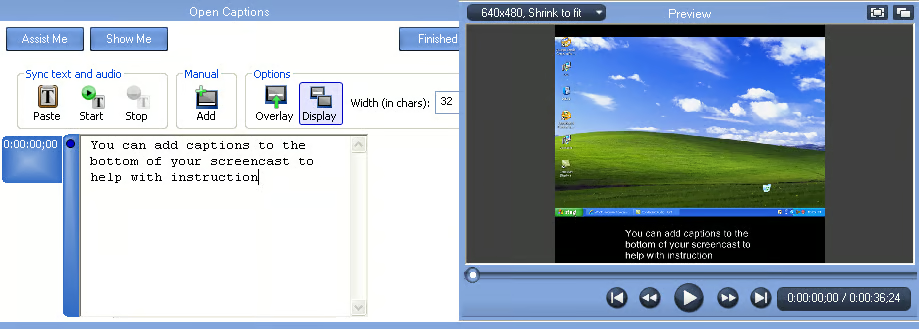
You can add captions to your videos (which can even be synchronized with audio) to further aid your viewers.
For a full review of Camtasia Studio, check out the TechRepublic Product Spotlight Blog.
Image created by Jack Wallen for TechRepublic.

Jack Wallen is an award-winning writer for TechRepublic, The New Stack, and Linux New Media. He's covered a variety of topics for over twenty years and is an avid promoter of open source. For more news about Jack Wallen, visit his website jackwallen.com.


