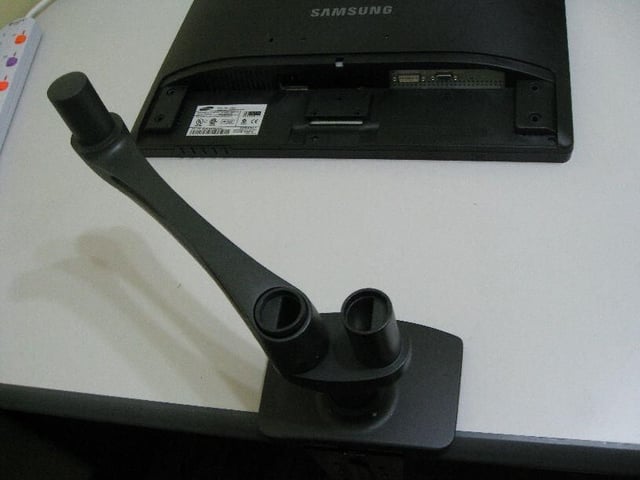
You can see the base plate of the LX Dual Side-by-Side Arm being mounted onto the edge of my desk. The first extension arm has been affixed, which is a simple matter of being slid into the precisely fitting groove.
For a full review of the Ergotron LX Dual Side-by-Side arm, check out the TechRepublic Product Spotlight Blog.
Image created by Paul Mah for TechRepublic.
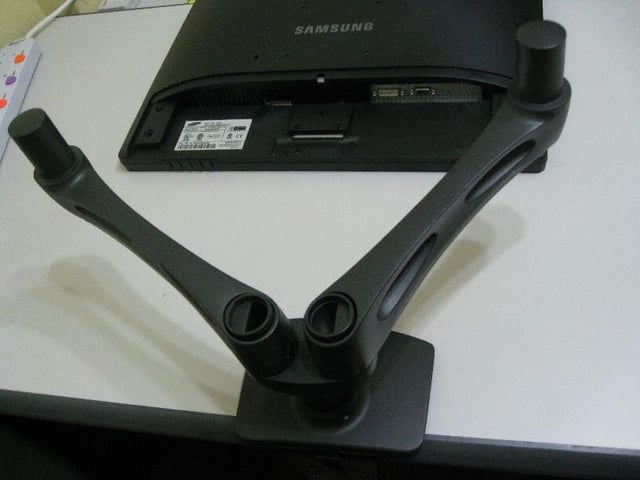
The first extension arm of both sides is now fitted on. Of course, the monitor cannot be mounted at this point, since the holding arm needs to be affixed first.
For a full review of the Ergotron LX Dual Side-by-Side arm, check out the TechRepublic Product Spotlight Blog.
Image created by Paul Mah for TechRepublic.
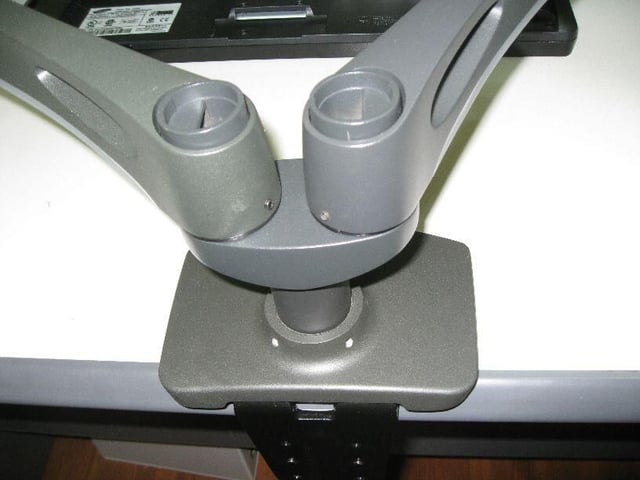
A close-up shot of the base plate. Note how the edge of my desk is slightly sloped inwards. While it didn’t pose any problems to my installation, it might be a factor to consider if buying a new desk.
For a full review of the Ergotron LX Dual Side-by-Side arm, check out the TechRepublic Product Spotlight Blog.
Image created by Paul Mah for TechRepublic.
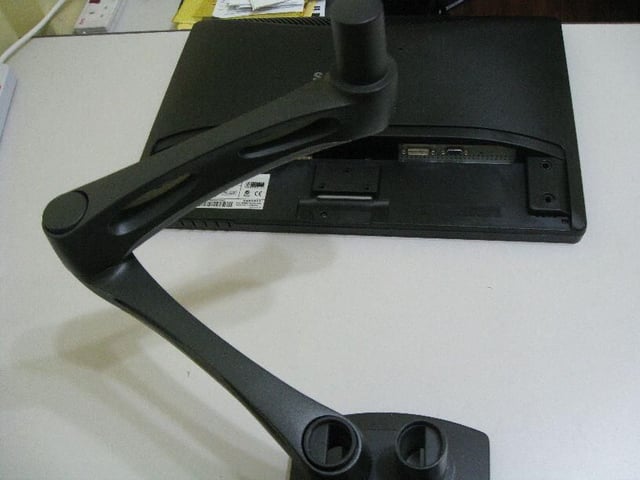
Here, I have fixed two extension arms one-after-another to demonstrate the versatility of the LX Dual Side-by-Side Arm. Up to a maximum of two extension arms can be joined together (additional extension arms sold separately) for greater reach. Obviously, adding more than two arms could pose too big a load and become a danger: as well as risk damaging your Ergotron equipment and/or expensive LCD monitors.
For a full review of the Ergotron LX Dual Side-by-Side arm, check out the TechRepublic Product Spotlight Blog.
Image created by Paul Mah for TechRepublic.
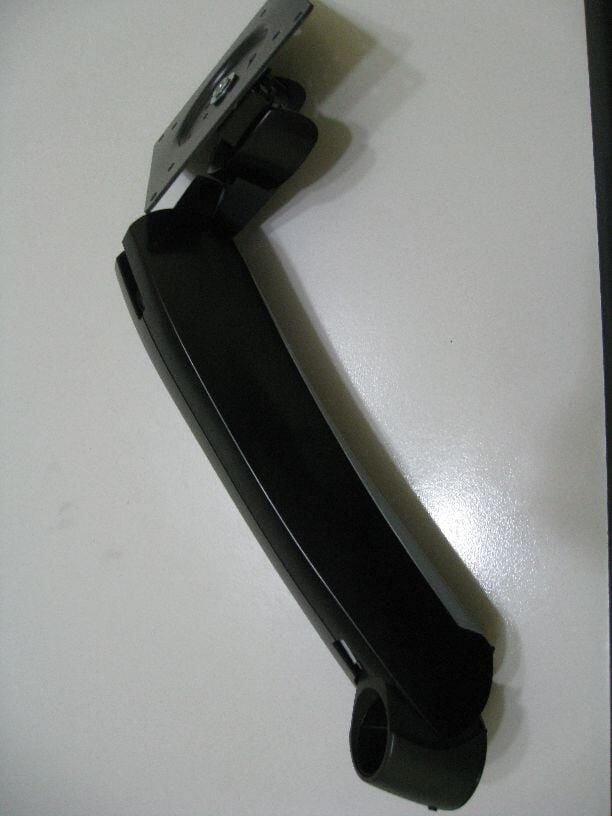
Here’s a photo of the mounting arm. Note the VESA-compliant mounting holes on the mounting end. They slot onto the extension arms without any screws.
For a full review of the Ergotron LX Dual Side-by-Side arm, check out the TechRepublic Product Spotlight Blog.
Image created by Paul Mah for TechRepublic.
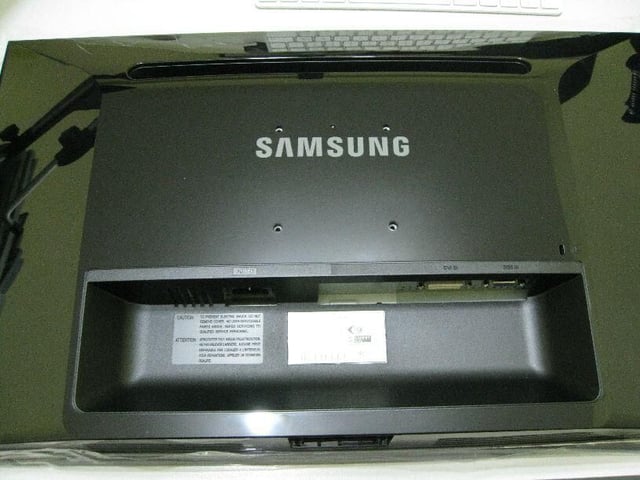
My unpacked LCD monitor placed face down on my desk: ready for mounting to the mounting arm.
For a full review of the Ergotron LX Dual Side-by-Side arm, check out the TechRepublic Product Spotlight Blog.
Image created by Paul Mah for TechRepublic.
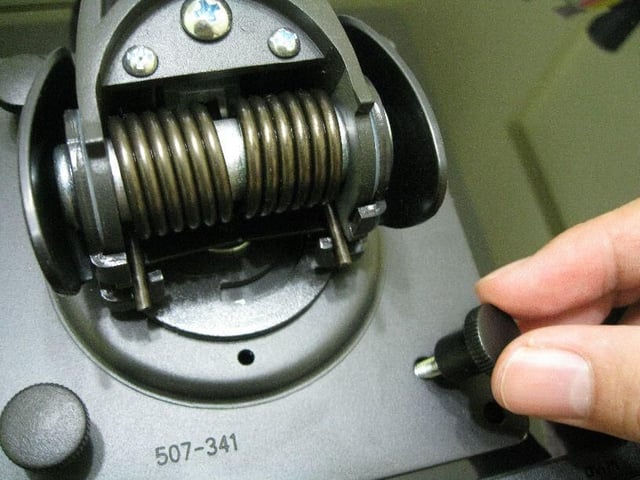
First step is to affix the mounting arm onto the monitor. Four hand-adjustable screws are included which are used to swiftly and easily do that.
For a full review of the Ergotron LX Dual Side-by-Side arm, check out the TechRepublic Product Spotlight Blog.
Image created by Paul Mah for TechRepublic.
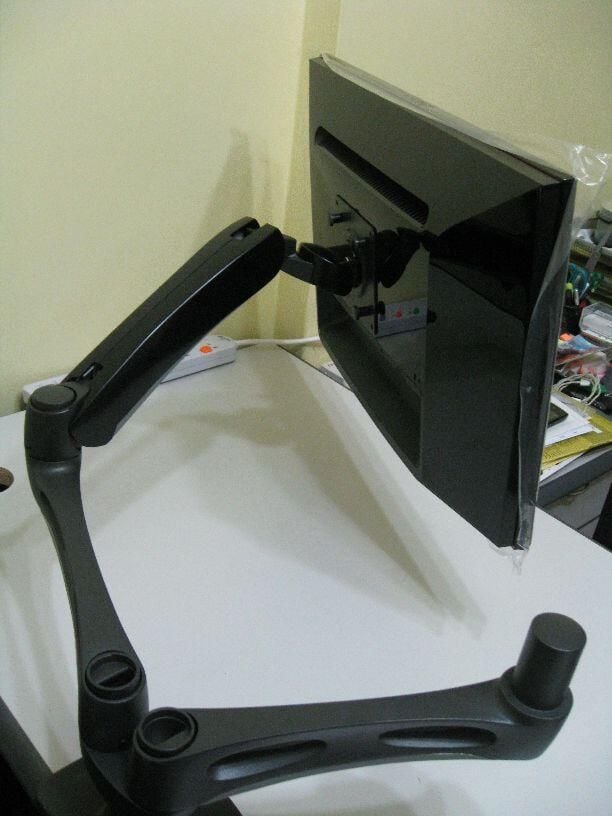
Mounting the LCD monitor is an easy-enough task, with the toughest challenge being adjusting the weight of the monitor (plus arm) itself in order to properly slot it. While it shouldn’t be a challenge to most, if you have trouble lifting the monitor itself, I would recommend seeking help from a colleague.
For a full review of the Ergotron LX Dual Side-by-Side arm, check out the TechRepublic Product Spotlight Blog.
Image created by Paul Mah for TechRepublic.
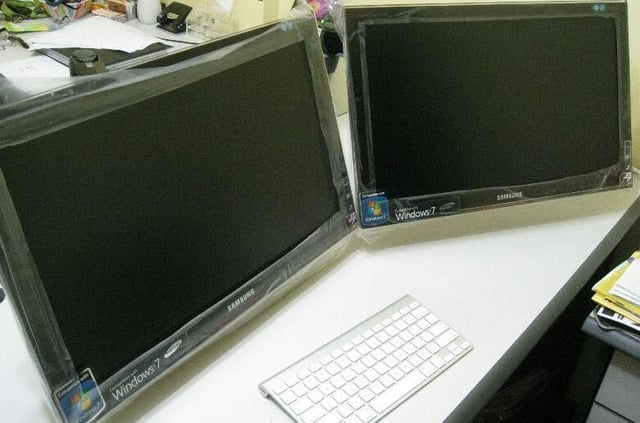
Another shot of my dual monitor setup.
For a full review of the Ergotron LX Dual Side-by-Side arm, check out the TechRepublic Product Spotlight Blog.
Image created by Paul Mah for TechRepublic.
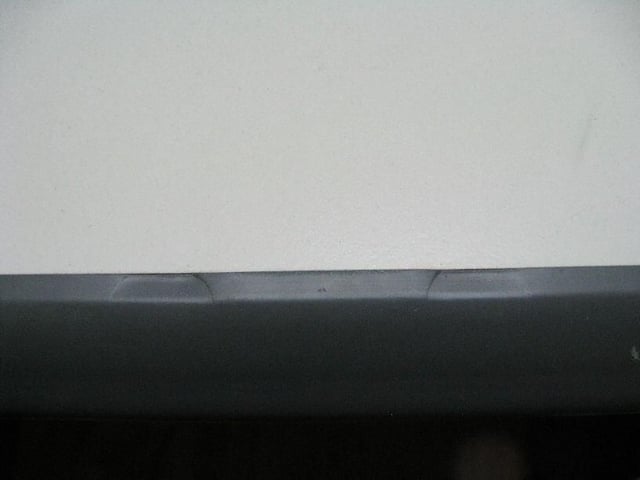
Due to the heavy weight of the mounting equipment and computer monitors, some desks might be scratched as a result. Here, you see two indents left by the legs.
For a full review of the Ergotron LX Dual Side-by-Side arm, check out the TechRepublic Product Spotlight Blog.
Image created by Paul Mah for TechRepublic.
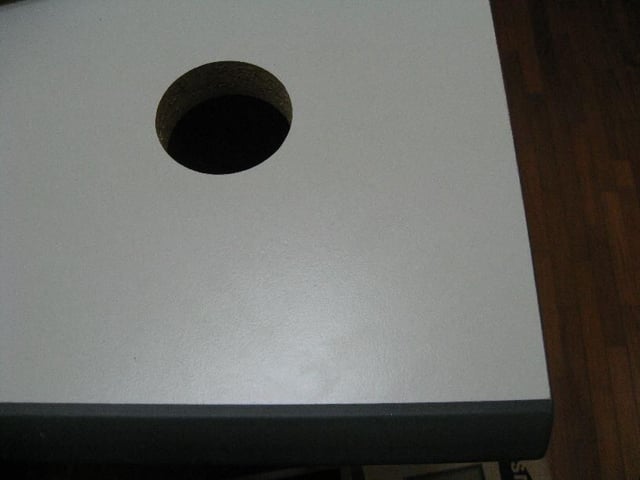
Additional mounting equipment is provided by Ergotron (not shown) that allows the LX Dual Side-by-Side Arm to be mounted using desktop grommet holes.
For a full review of the Ergotron LX Dual Side-by-Side arm, check out the TechRepublic Product Spotlight Blog.
Image created by Paul Mah for TechRepublic.

Paul Mah is a writer and blogger who lives in Singapore, where he has worked for a number of years in various capacities within the IT industry. Paul enjoys tinkering with tech gadgets, smartphones, and networking devices.


