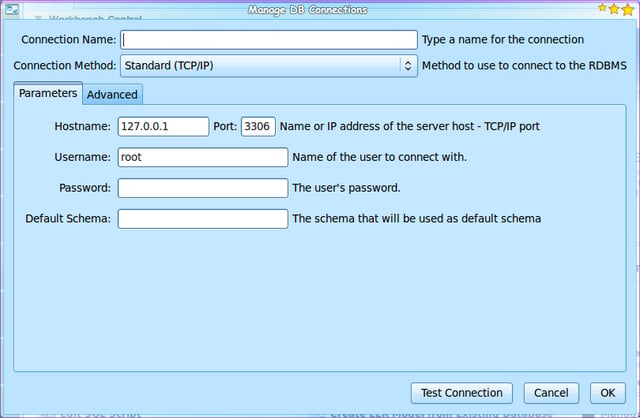
Setting up a MySQL connection is simple as simple as plugging in the necessary data, testing the connection, and clicking OK.
For a full review of MySQL Workbench, check out the TechRepublic Product Spotlight Blog.
Image created by Jack Wallen for TechRepublic.
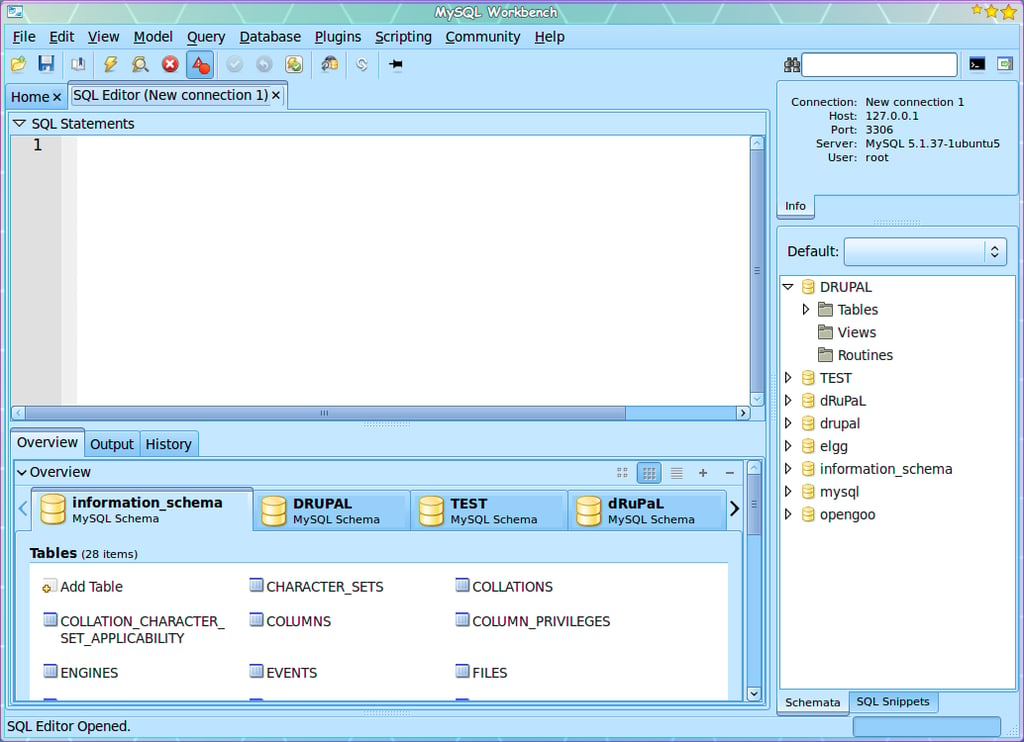
With your connection made, MySQL Workbench will open you up into the SQL Editor where you can administrate all schema on that server.
For a full review of MySQL Workbench, check out the TechRepublic Product Spotlight Blog.
Image created by Jack Wallen for TechRepublic.
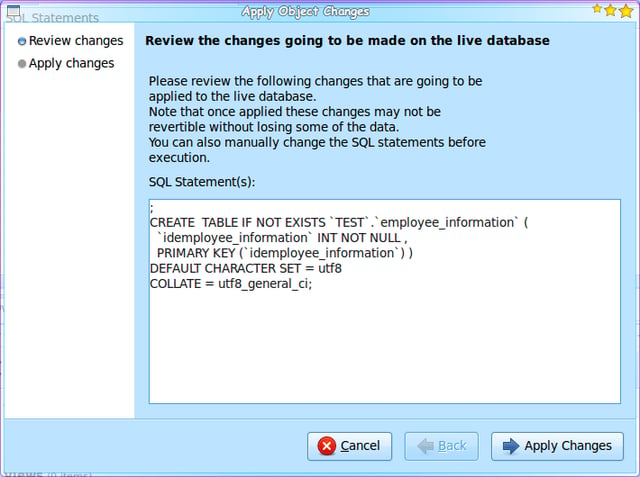
Here you see a new table (employe_information) about to be applied to an existing database.
For a full review of MySQL Workbench, check out the TechRepublic Product Spotlight Blog.
Image created by Jack Wallen for TechRepublic.
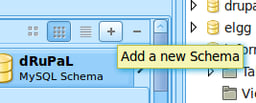
Creating a new database is simple. Once you have made your connection to the server, click the + button, and follow the directions in the wizard.
For a full review of MySQL Workbench, check out the TechRepublic Product Spotlight Blog.
Image created by Jack Wallen for TechRepublic.
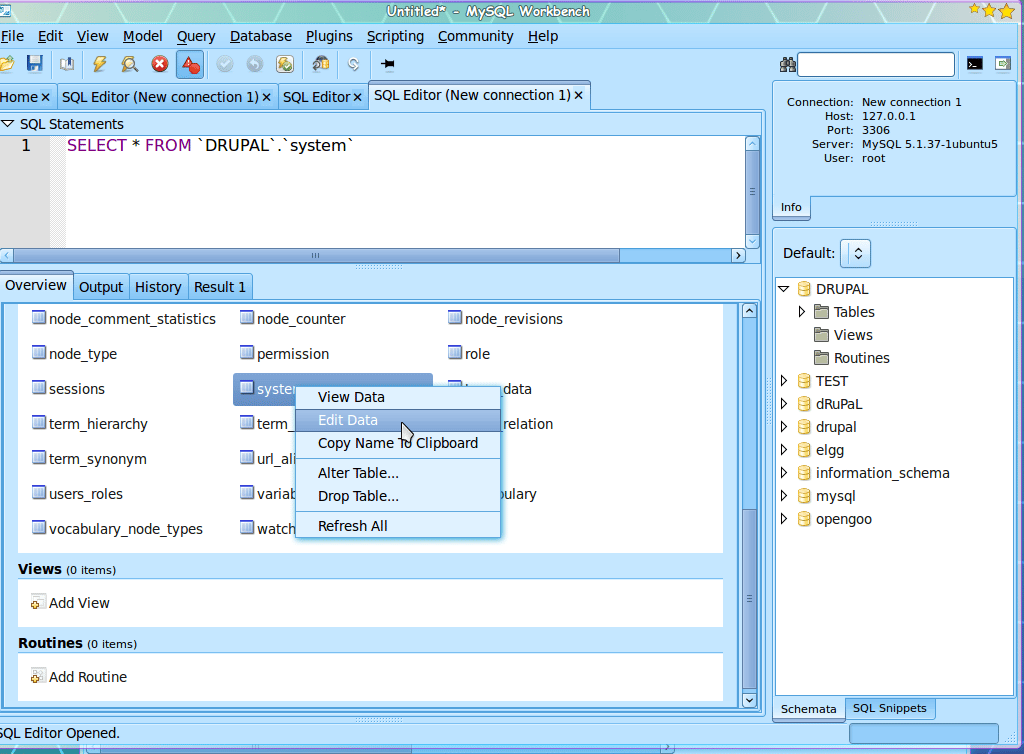
In this view you can right click a table and select a number of options. If you need to edit the data on the table click the appropriate entry.
For a full review of MySQL Workbench, check out the TechRepublic Product Spotlight Blog.
Image created by Jack Wallen for TechRepublic.
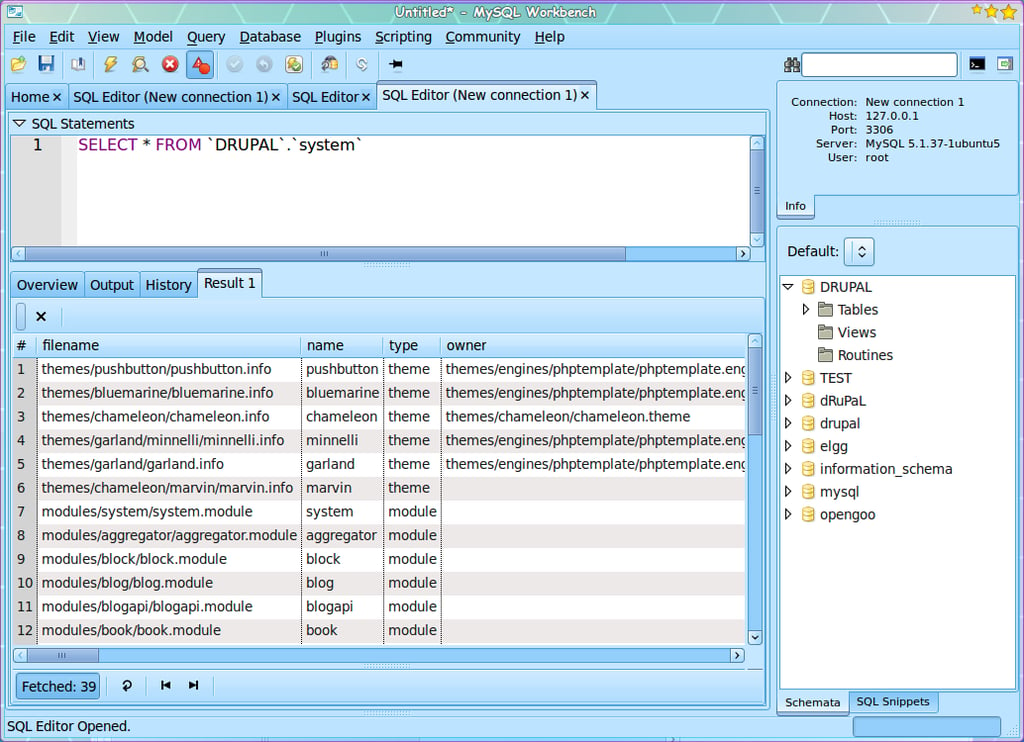
This image shows a view of the data in the system table of a Drupal database. Here you can only view the data. In order to modify the data on the same table, you would need to select Modify data when you right click the table on the table listing.
For a full review of MySQL Workbench, check out the TechRepublic Product Spotlight Blog.
Image created by Jack Wallen for TechRepublic.

Jack Wallen is an award-winning writer for TechRepublic, The New Stack, and Linux New Media. He's covered a variety of topics for over twenty years and is an avid promoter of open source. For more news about Jack Wallen, visit his website jackwallen.com.


