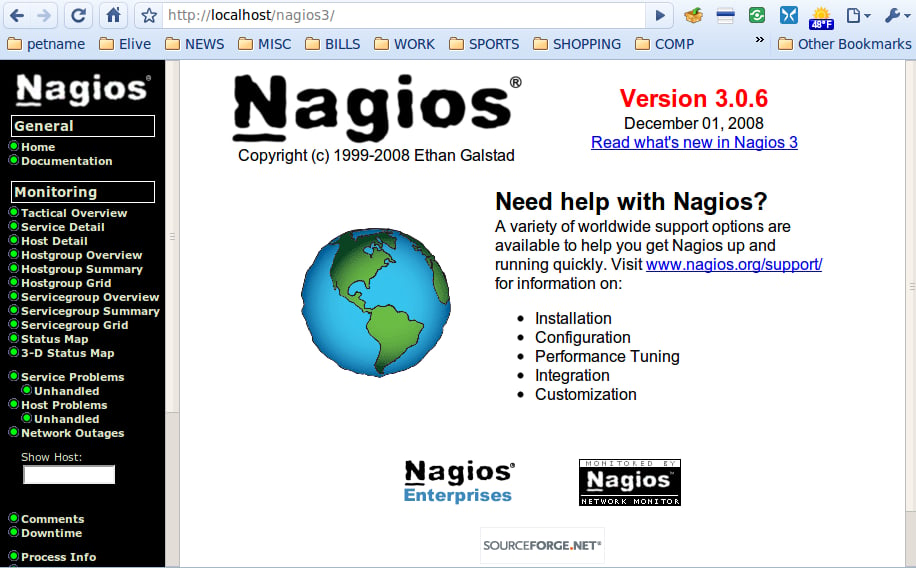
This screen is the welcome screen you will see upon logging in. As you can see, there are plenty of features ready to serve you.
For a full review of Nagios, check out the TechRepublic Product Spotlight Blog.
Image created by Jack Wallen for TechRepublic.
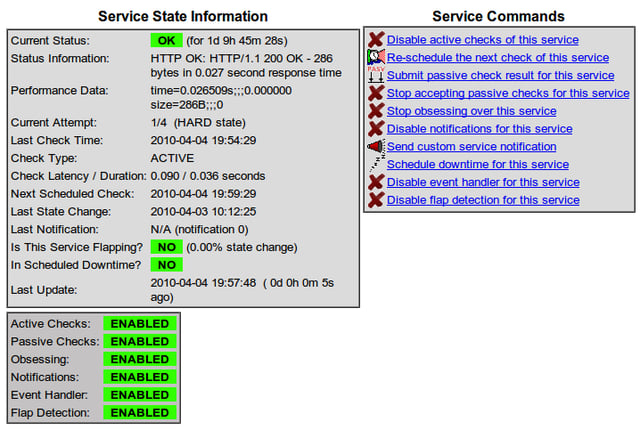
From this window you can enable and disable various features for a particular host \u2013 no editing of configuration files needed.
For a full review of Nagios, check out the TechRepublic Product Spotlight Blog.
Image created by Jack Wallen for TechRepublic.
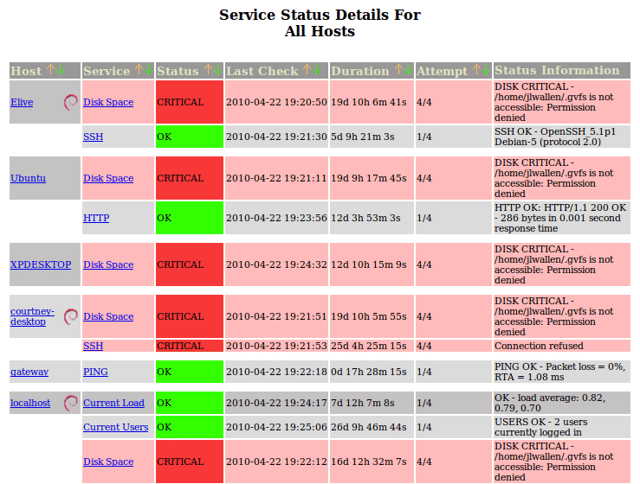
From a single screen you can see the service status of all of your hosts.
For a full review of Nagios, check out the TechRepublic Product Spotlight Blog.
Image created by Jack Wallen for TechRepublic.
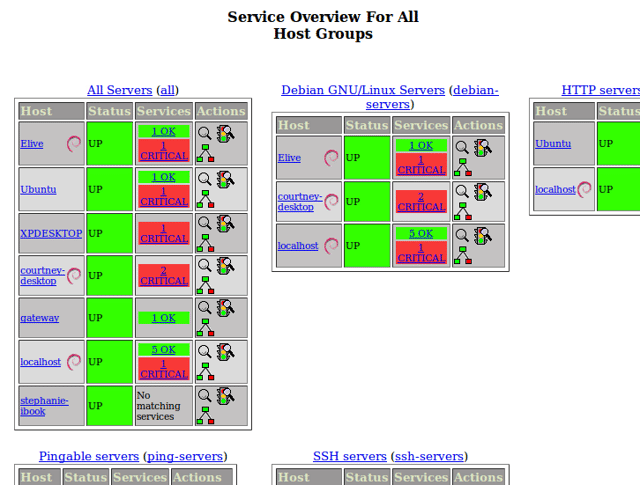
You can combine hosts into groups which can make for easy at-a-glance monitoring. Here you can see “All Servers”, “Debian GNU/Linux Servers”, “HTTP Servers”, “Pingable Servers”, and “SSH Servers”.
For a full review of Nagios, check out the TechRepublic Product Spotlight Blog.
Image created by Jack Wallen for TechRepublic.
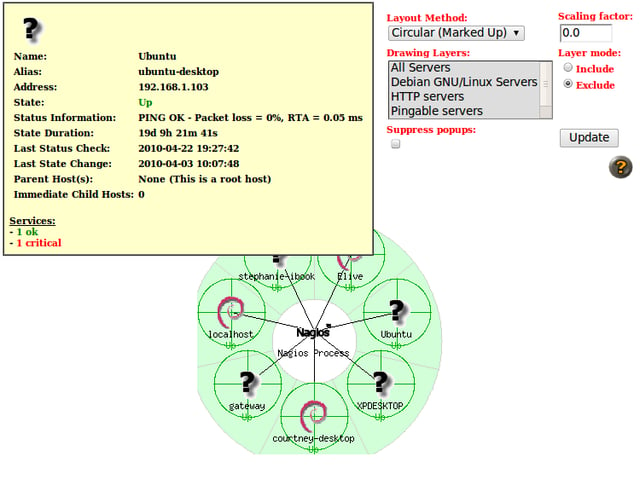
By mousing over a host on the status map, you can get a quick glimpse of plenty of useful information.
For a full review of Nagios, check out the TechRepublic Product Spotlight Blog.
Image created by Jack Wallen for TechRepublic.
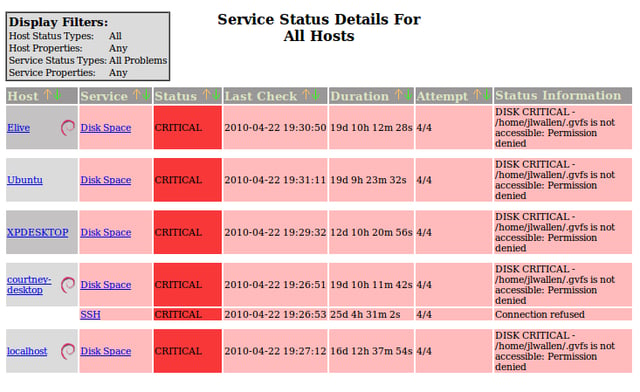
Click on the Service Problems link and you will quickly get a glimpse of all issues on your network.
For a full review of Nagios, check out the TechRepublic Product Spotlight Blog.
Image created by Jack Wallen for TechRepublic.

Jack Wallen is an award-winning writer for TechRepublic, The New Stack, and Linux New Media. He's covered a variety of topics for over twenty years and is an avid promoter of open source. For more news about Jack Wallen, visit his website jackwallen.com.


