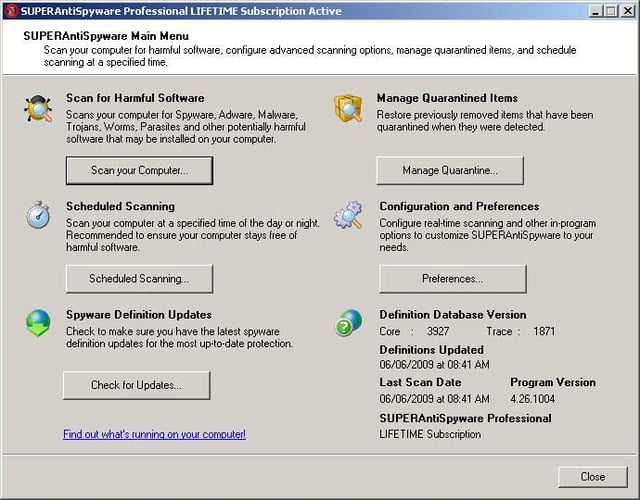
SuperAntiSpyware Professional’s reasonable cost ($29.95 for an annual license) offers great value, especially when considering a lifetime license (entitling the holder to updates for the life of the product) is available for just a little less than $10 more.\n
\nFrom the application’s main menu, shown here, technicians can perform full scans, schedule scans, check for updates, manage quarantined items and configure application preferences.\n
For a full review, check out the SuperAntiSpyware Product Spotlight Blog post.\n
Images by Erik Eckel for \u00a9 TechRepublic
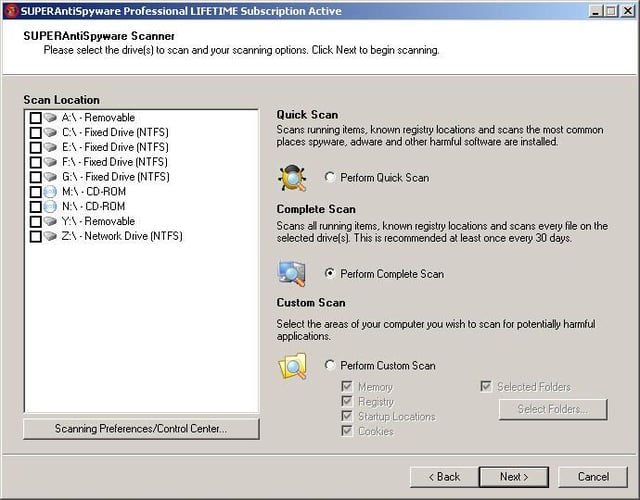
Using SuperAntiSpyware’s Scanner console, technicians can configure customized scans. Among the settings that can changed are the actual locations scanned (disks and/or mapped drives), scan type (quick, complete or custom) and the components scanned (memory, registry, startup locations, etc.).
Images by Erik Eckel for \u00a9 TechRepublic
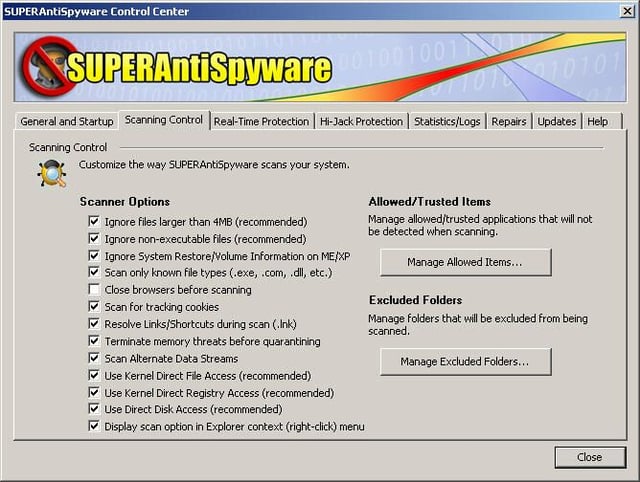
Technicians can exclude specific folders from antimalware protection, as well as configure trusted (or allowed) items. Numerous other scanner options are available, including scanning only known file types, including tracking cookies in scans and ignoring non-executable files.
Images by Erik Eckel for \u00a9 TechRepublic
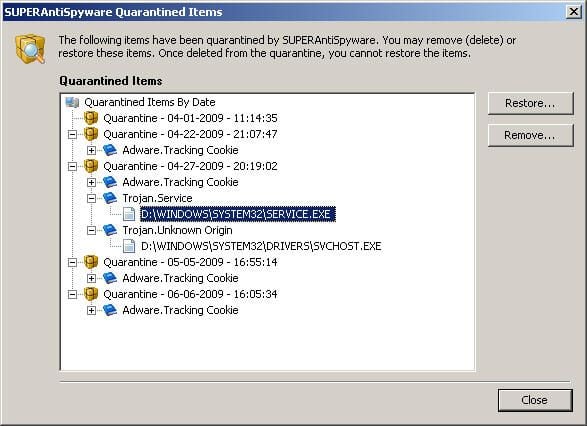
When SuperAntiSpyware Professional detects infections, the antimalware program places the potentially offending file in a protected location. Technicians can review the quarantined items and choose to restore or remove the offending files.
Images by Erik Eckel for \u00a9 TechRepublic
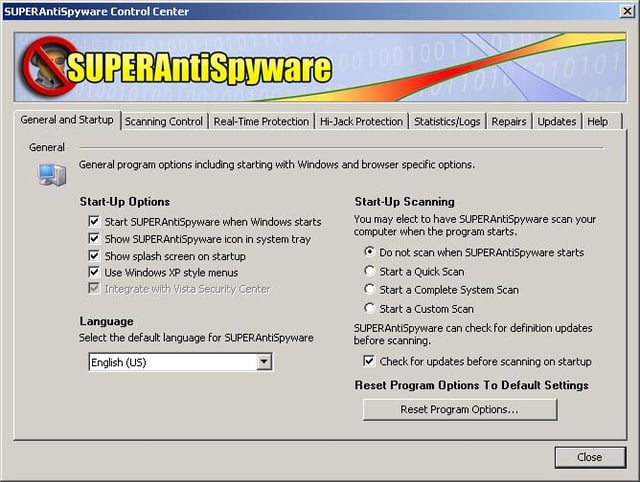
General application settings are configured from the program’s General and Startup tab, shown here. In addition to being able to return program options to the default settings, technology professionals can change the start-up scan type, change menu language and more.
Images by Erik Eckel for \u00a9 TechRepublic
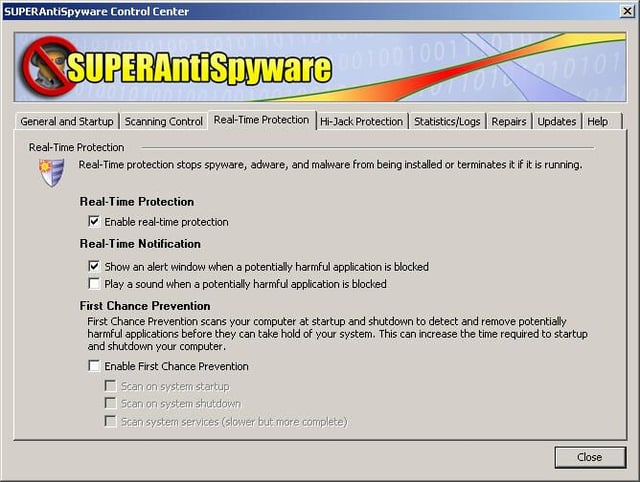
SuperAntiSpyware Professional, similar to many other antimalware programs, requires users to secure paid licenses and register the software to receive real-time protection. Once the software is properly licensed, users can enable real-time protection with a single click, as shown here.\n
\nThe menu shown here is also used to enable SuperAntiSpyware’s First Chance Prevention feature, which seeks to stop auto-re-installing malware.
Images by Erik Eckel for \u00a9 TechRepublic
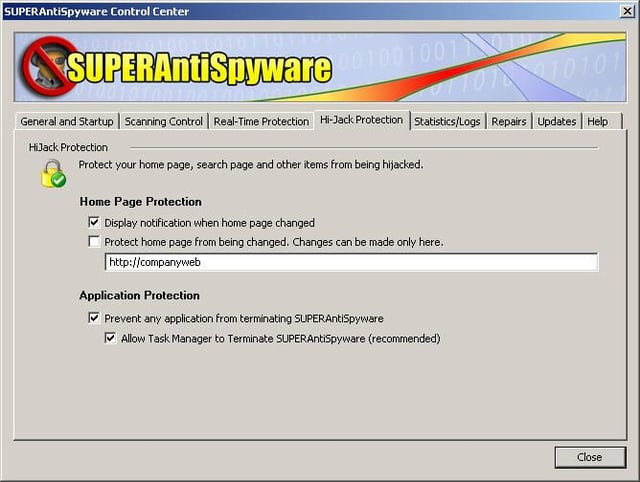
Browser homepage redirection is a standard staple of antispyware programs. SuperAntiSpyware also enables preventing other programs from terminating the antimalware application. By default, this protection is enabled.
Images by Erik Eckel for \u00a9 TechRepublic
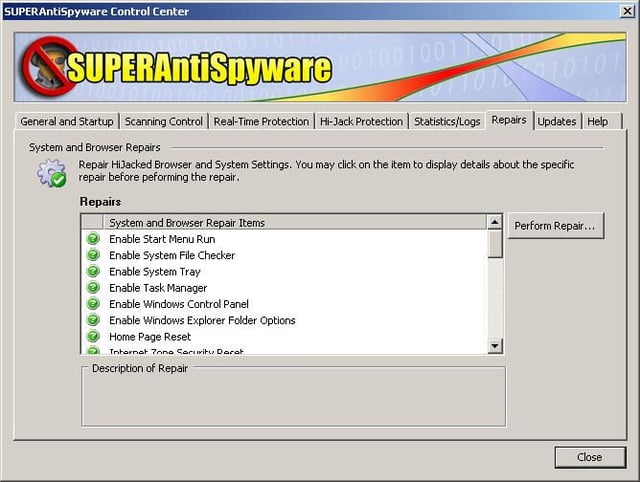
SuperAntiSpyware’s pre-packaged repair routines make it easy for support technicians to automate common steps. For example, the antispyware program includes single-click fixes for such common errors as corrupted WinSock settings, out-of-whack Internet Explorer security zone configurations and more.
Images by Erik Eckel for \u00a9 TechRepublic

Erik Eckel is a managing partner at Louisville Geek and president of Eckel Media Corp. He previously served as Executive Editor at TechRepublic. He received Microsoft Engineer accreditation from Sullivan University and earned his Bachelor's Degree in English from the University of Louisville. He's earned Network+, Windows NT 4.0 MCP+I and MCSE, and Windows 2000 Professional MCP accreditations.


