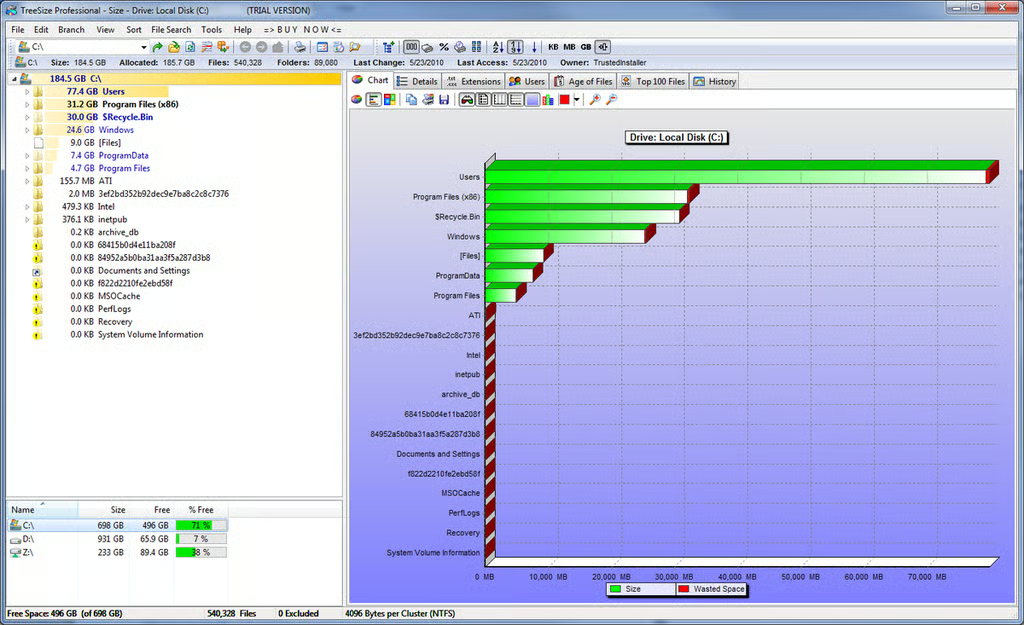
If you prefer, you can swap the treemap graph with a pie chart or a bar graph.
For a full review of TreeSize Professional, check out the TechRepublic Product Spotlight Blog.
Image created by Justin James for TechRepublic.
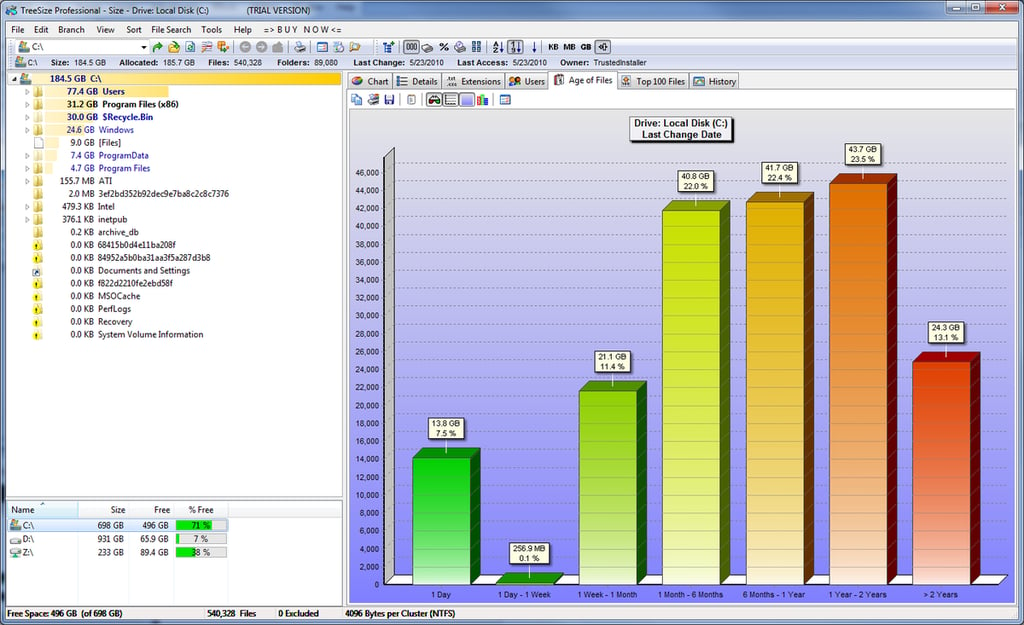
There are some other potentially useful displays as well, like this chart showing total file sizes based on the time the files were last modified.
For a full review of TreeSize Professional, check out the TechRepublic Product Spotlight Blog.
Image created by Justin James for TechRepublic.
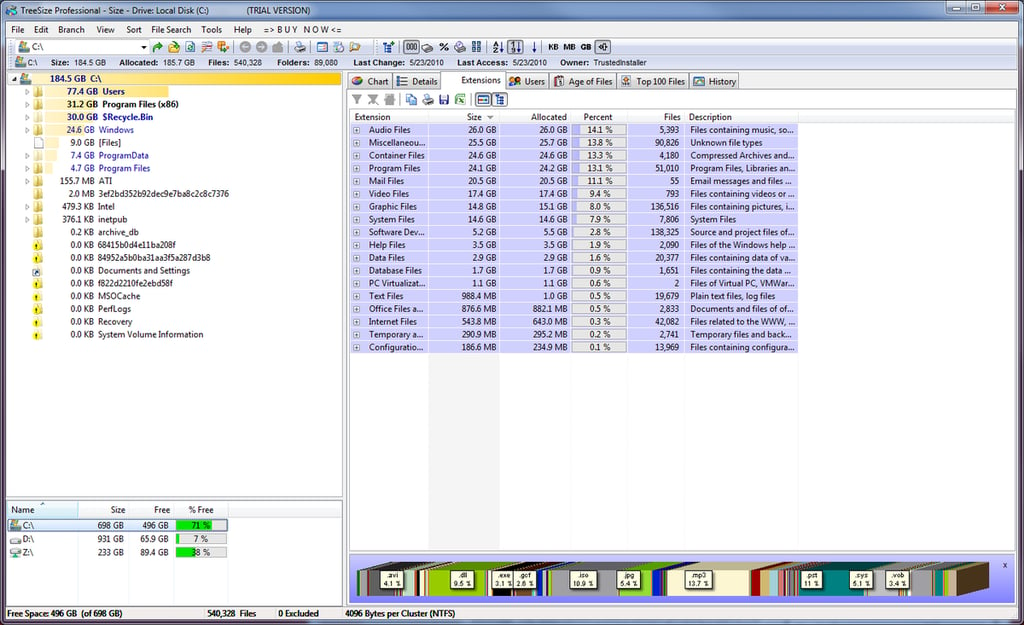
Another alternate view is to see the file size totals by type. The chart on the bottom shows them by extension and the primary display rolls up the extensions into categories such as “Audio Files” and “Database Files.”
For a full review of TreeSize Professional, check out the TechRepublic Product Spotlight Blog.
Image created by Justin James for TechRepublic.
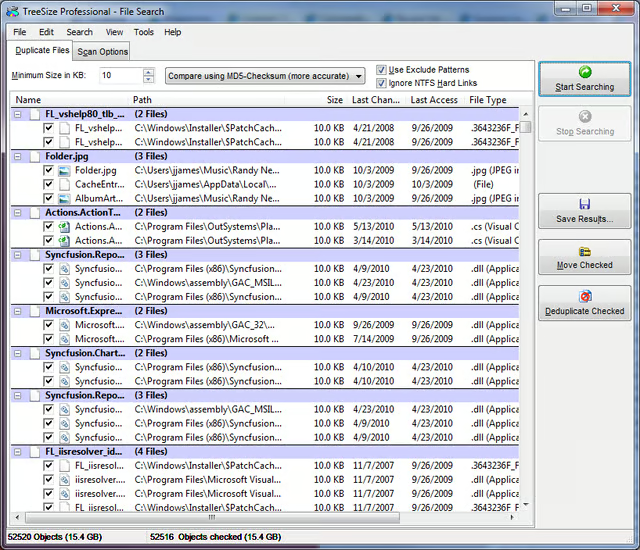
The duplicate file finder allows you to see what files can be removed to clear up some space.
For a full review of TreeSize Professional, check out the TechRepublic Product Spotlight Blog.
Image created by Justin James for TechRepublic.

I am an all purpose IT person. If there's a generic job title in IT, I've probably had it, most likely more than once. Programmer, systems administrator, DBA, PC tech/repair, Help Desk, webmaster, web designer, web developer, applications developer, network engineering. Somehow I have managed to get my thumb stuck in each one of those pies!


