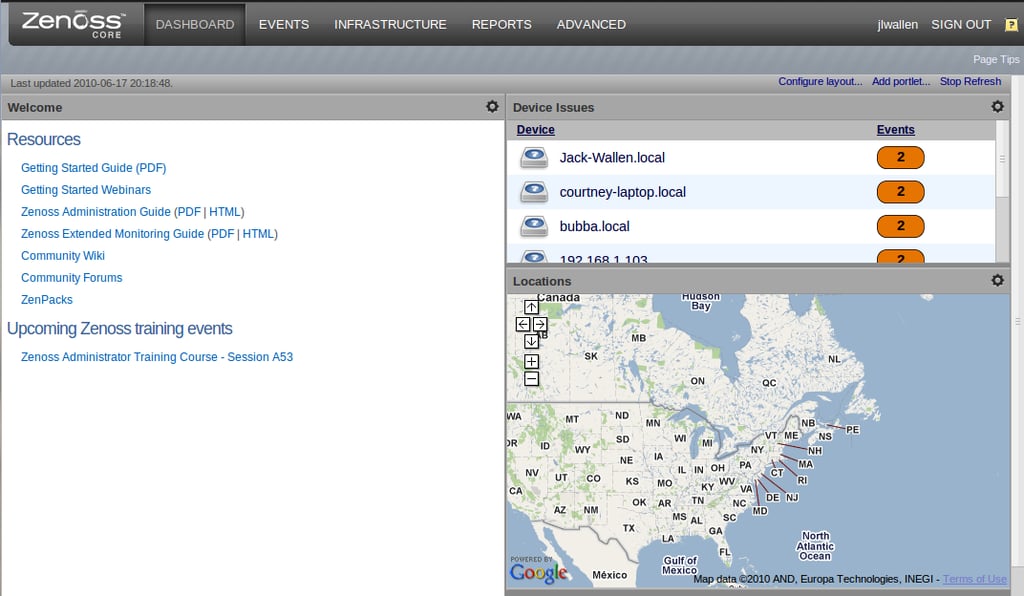
From the Dashboard you can see how much Zenoss has to offer. You have to make sure you obtain a Google Maps API key so you can include maps.
For a full review of the Zenoss network monitoring tool, check out the TechRepublic Product Spotlight Blog.
Image created by Jack Wallen for TechRepublic.
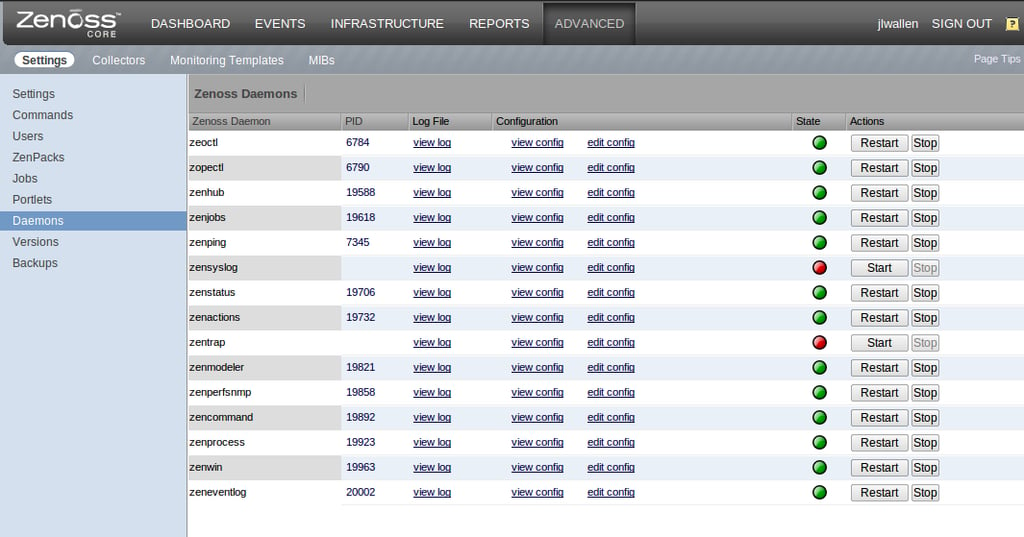
Zenoss contains numerous daemons, not all of which must be running. But certain services require certain daemons and this is where you start/stop them.
For a full review of the Zenoss network monitoring tool, check out the TechRepublic Product Spotlight Blog.
Image created by Jack Wallen for TechRepublic.
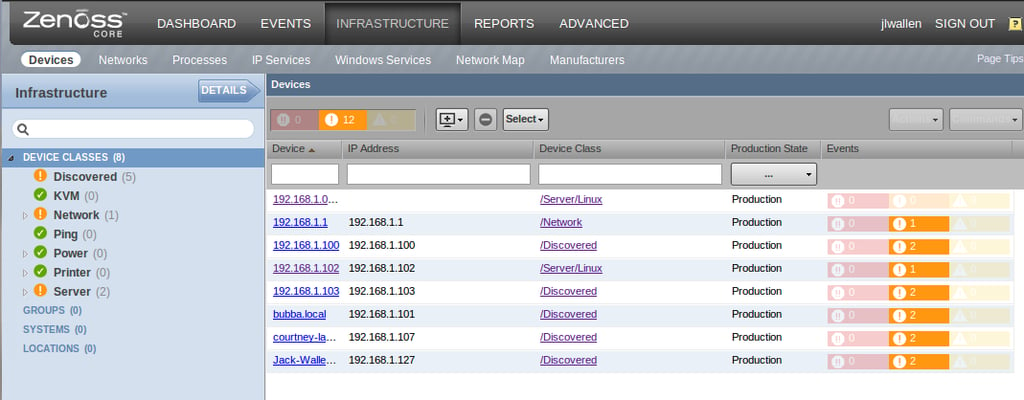
Here is a listing of my measly LAN network which was auto-discovered by Zenoss.
For a full review of the Zenoss network monitoring tool, check out the TechRepublic Product Spotlight Blog.
Image created by Jack Wallen for TechRepublic.
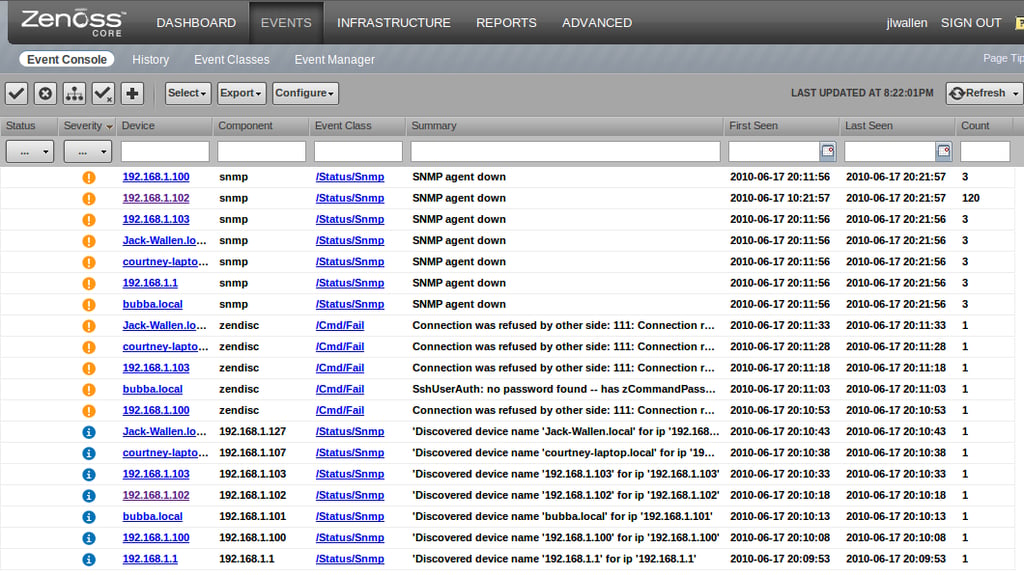
From the events log you will see a listing of every single action that goes on between Zenoss and your network.
For a full review of the Zenoss network monitoring tool, check out the TechRepublic Product Spotlight Blog.
Image created by Jack Wallen for TechRepublic.
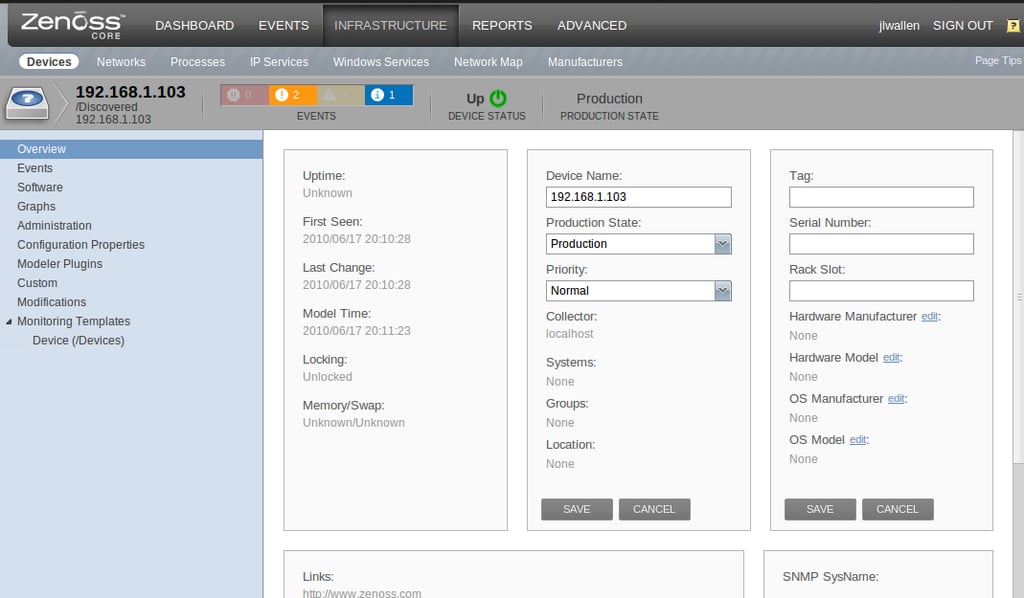
From the device overview you can fill in any necessary information that was not auto-discovered.
For a full review of the Zenoss network monitoring tool, check out the TechRepublic Product Spotlight Blog.
Image created by Jack Wallen for TechRepublic.

Jack Wallen is an award-winning writer for TechRepublic, The New Stack, and Linux New Media. He's covered a variety of topics for over twenty years and is an avid promoter of open source. For more news about Jack Wallen, visit his website jackwallen.com.


