
\n\tI still love email. I know that to many, that makes me old school, but it’s reliable and does exactly what I need. That said, I’ve augmented my email habits with some other communications services, include Twitter and blogging platforms. Here are five apps I rely on to communicate with customers, partners, and friends.
\n
\n\tNote: You can read the full post in our Five Apps blog.
\n
\n\tImage copyright \u00a9 iStockphoto.com/Andrey Prokhorov
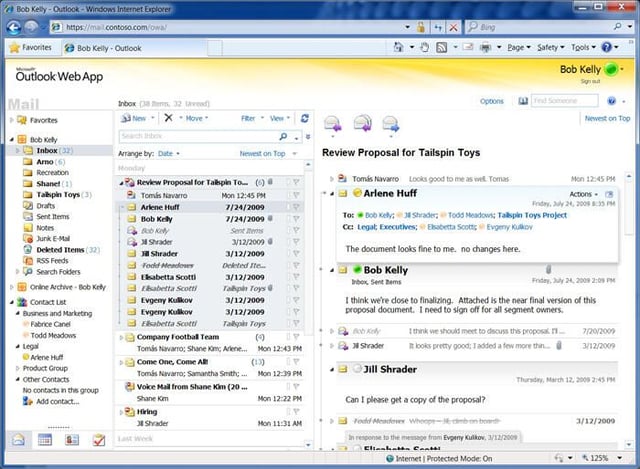
\n\tI’m happy to go on record to say that, in my opinion (your opinion may vary!), Exchange 2010’s Outlook Web App is by far the best Web-based email and calendaring tool out there. I’ve tried a lot of other options, but I don’t think this one is surpassed by anything on the market right now. In Exchange 2010, which Office 365 uses, Microsoft has added full support for browsers other than Internet Explorer, making Outlook Web App a more than viable tool across a variety of platforms.
\n
\n\tPhoto credit: Microsoft

\n\tAlthough I rely heavily on email for my work, Twitter has definitely become a mainstay in my system tray. I use Twitter — the service — from a variety of locations and devices. From my desktop machines, I use TweetDeck. I like the way that the application places each of my feeds into columns.
\n
\n\tWhen I’m on my iPhone, I simply use the Twitter app. I used to use TweetDeck on my iPhone but began to have stability issues with the app. So I just switched back to the native Twitter app, which I’ve found to be perfectly viable for my needs.

\n\tOne of the most-used apps on my iPhone is the mail app. The native iPhone mail app connects to my business mail as well as all my personal accounts and helps keep me connected on the go.
\n
\n\tAs you can see here, Apple’s iOS supports an assortment of mail account types and a unified inbox, making it really easy to manage mail from a variety of sources.
\n
\n\tPhoto credit: Apple

\n\tApple’s iOS also supports supports a threaded view of your conversations.
\n\t
\n\tPhoto credit: Apple
\n\tI don’t particularly like to log in to WordPress to write a blog post unless I have to. I’d much rather use an application installed on my machine.
\n
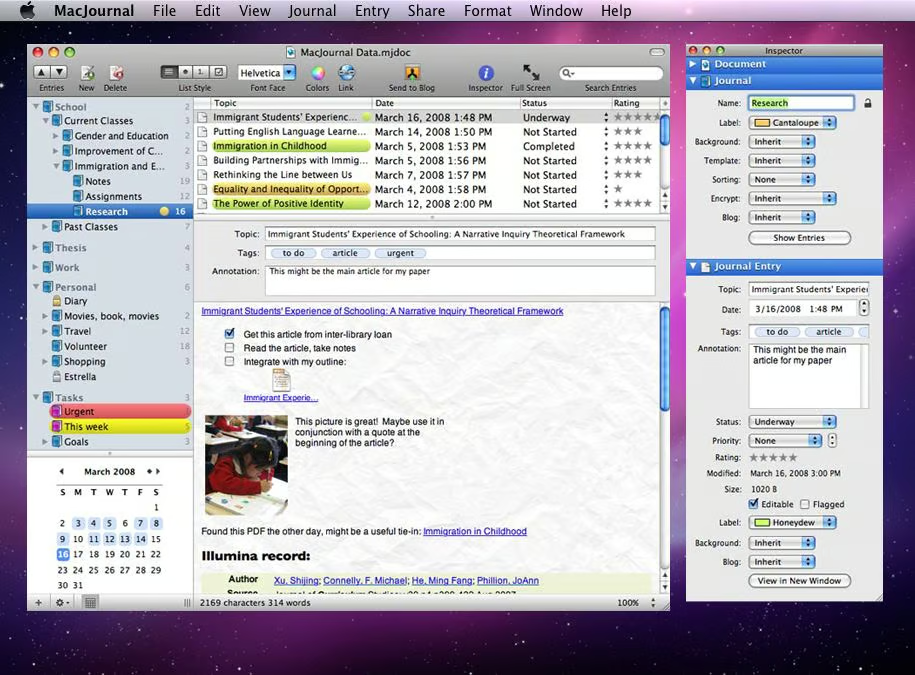
\n\tOn my Mac, I’ve been using MacJournal for quite some time. It’s a really good tool and is suitable for anything from a quick 50-word post to a 2,000-word manifesto. I’ve barely scratched the surface of what this tool can do, but so far, I’m very happy with what I see.
\n
\n\tPhoto credit: Mariner Software
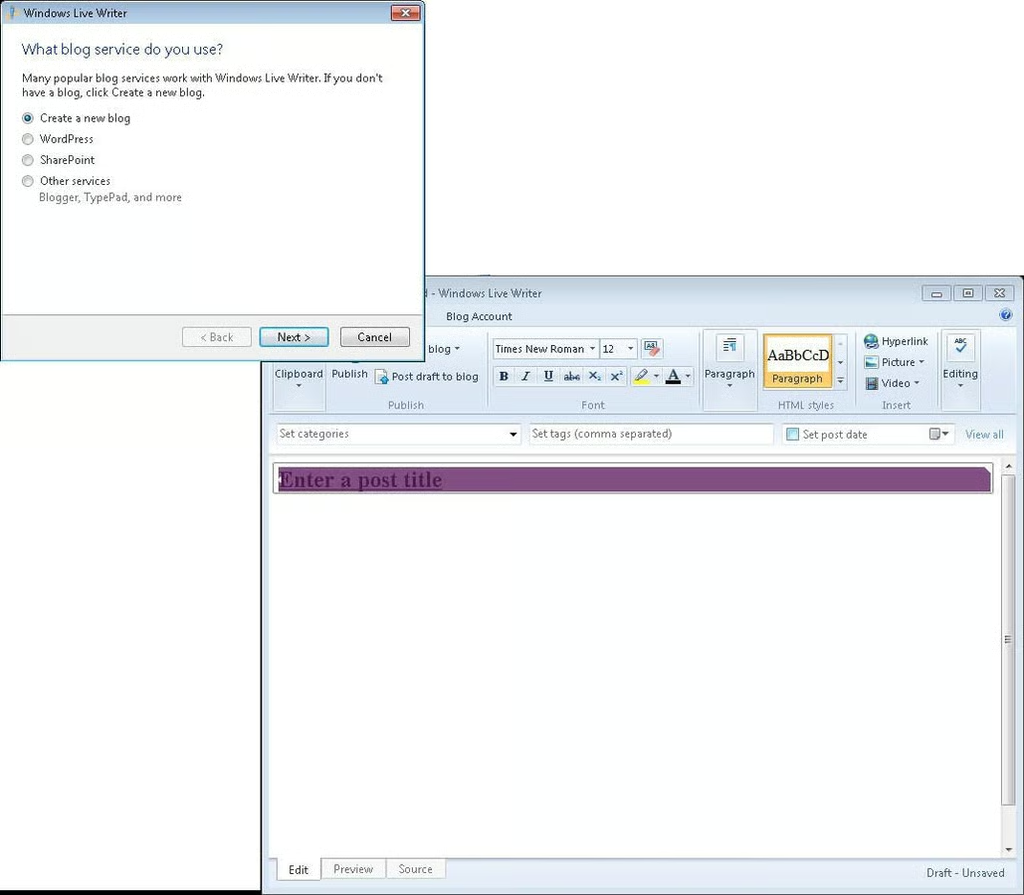
\n\tOn the Windows side, I’ve used Word to write blog posts, but I also use Windows Live Writer for this task. Writer supports a variety of blogging platforms, it’s free, and it provides the formatting and media/photo handling options necessary to manage a comprehensive and complex blog.

With close to twenty years of experience in Information Technology, Scott has experience across the board in the industry. Recently, Scott left his position as Vice President and CIO for a small private college to launch a consultancy -- The 1610 Group -- aimed at the SMB space and K-12 and higher education.


