\n\tNote: Windows 7 gadgets are no longer supported by Microsoft. You may be able to acquire these gadgets from third-parties, but do not expect any support from Microsoft.
\n
\n\tWindows 7 gadgets offer added functionality and convenience in a variety of ways. Here are a few you may want to add to your desktop.
\n\t
\n\tNote: This gallery is also available as an entry in our 10 Things blog and as a PDF download.
\n\t
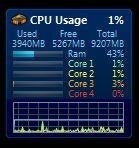
\n\tThe gadget I used to monitor my dual-core computer running Vista wasn’t available in a quad-core version, so I switched to All CPU Meter. It supports up to eight cores (so I have room to grow). All CPU Meter isn’t as complex as some, but the simplicity works in its favor. It monitors your memory usage as well as CPUs, and it packs a lot of information into a small space. I also like that you can change the background color to match your preferences.

During all the time I used Vista and the first year I used Windows 7, my analog clock gadget of choice was the electric blue version of the one that comes with the operating system. But now I’ve switched to a much cooler model: the Vista Orb Clock. Of course, the same orb is also on the Windows 7 Start menu. I love its clean look and the nice symmetry of having it just across from my Start Menu orb (since I have my Taskbar set to the vertical position.
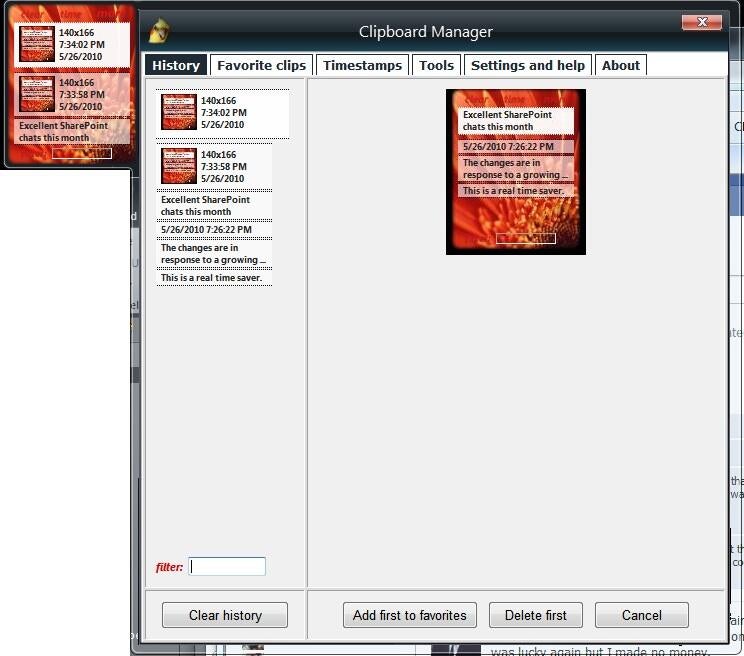
I’ve also replaced the Clipboard gadget I was using with Vista. I liked being able to access previous Clipboard items — without opening an Office app — but the old one was a little cheesy looking and limited in its functionality. Clipboard Manager looks slick and is feature-rich. You can customize the background to fit your desktop, and not just the color; you can use a photo as the background if you prefer.
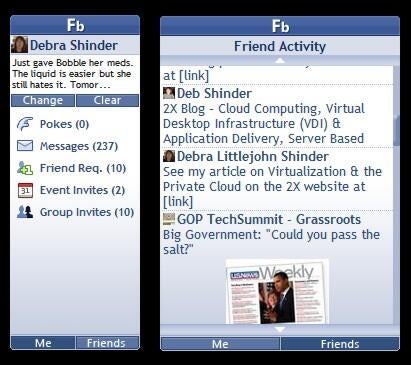
One big change in my online life since 2008 is that I’ve become thoroughly immersed in social networking. Much of the discourse that used to take place through email discussion lists now occurs via Facebook. A Facebook gadget seemed like almost a necessity, but the first one I tried (Facebook Sidebar 1.5) didn’t work. It never picked up my info even though it said it was connected. So I tried Facebook Explorer, which worked nicely. It can be configured to run in a smaller or larger width and one of three heights, and you can specify how often you want updates (from every one to 60 minutes). It gives you a compact view of your own status and information or friends’ activities. You can also update your status in the flyout.
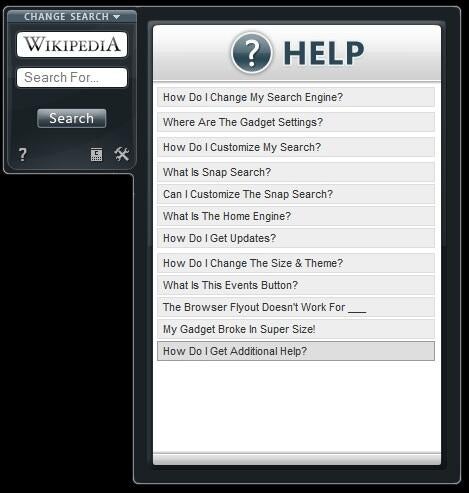
Ultimate Explorer lets you search popular sites from your desktop without having to go to those sites first in your browser. It’s a compact little gadget with that can search Google, YouTube, Wikipedia, eBay, Amazon, Digg, and many more. You can make it larger if you have plenty of desktop real estate, and you can select up to eight search sites for “snap search,” which enables you to “snap” quickly from one search engine to another. It also includes a flyout calendar and events feature. And unlike the vast majority of gadgets, it even has a flyout Help section.
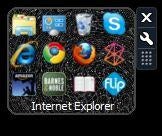
One aspect of Windows 7 that annoyed and frustrated many users was the omission of the Quick Launch toolbar. If you’re like me, for years you’ve relied on the Quick Launch bar to access your frequently used programs. There is a way to get Quick Launch back, but unlike with previous versions of Windows, you can’t separate the Quick Launch bar from the main Taskbar. That means it takes up precious space on the Taskbar that you might need for open programs, system tray items, etc.
Enter the App Launcher gadget. It serves the same purpose as the Quick Launch bar but can be placed anywhere you want on the desktop. You can add whatever programs you want by dragging them to the gadget, configure the number of icons to display per row and whether to center them, and change the background image.
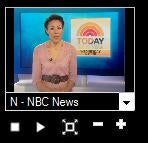
Want to take a break and catch up on the news? The MiniTV gadget allows you to choose from a number of stations (many of which I’ve never heard of, as well as familiar ones, such as NBC News and C-SPAN). You can watch the program in the tiny gadget window or you can double-click it to display full screen. Just double-click again to get out of full screen mode.
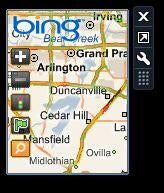
Traffic is a simple little gadget that can be useful if you’re about to head out into the big, bad world. I don’t use it as much as some folks would, since I work from home. But I still have to venture onto the major freeways now and then, and it’s nice to know in advance if there are going to be problems along a particular route. One caveat is that you need to live in (or be traveling in) a major metro area to use it. You can zoom in or out, and clicking the traffic info button (which is represented by a red light icon) will take you to a full sized map of the area on Bing Maps, complete with the traffic data.
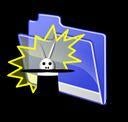
Okay, granted, the icon isn’t the most professional looking, as you can see in Figure I. And many folks won’t like the idea of having a folder make decisions about where to save their files. But for those who always seem to end up with dozens of files sitting on the desktop because they never get around to moving them into appropriate folders, Magic Folder could be a godsend. You just drag your files to the magic folder and it examines the file extensions and sends the files to the “right” folder. For example, .doc files go to the Documents folder; .jpg, .gif, and other image files go to the Pictures folder. The nice thing is that you can add or remove the file extensions recognized by the gadget, change where specific extensions should be put, and you add your own folder locations.
If you want to maintain more control, you can set the gadget to prompt you before it moves a file to a folder. Oh, and you can also change the appearance of the folder icon to something a little less… magical.
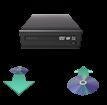
Open/Close DVD is utterly simple. But it’s handy to have if your computer is sitting under your desk like mine, making it difficult to get to the button for opening the DVD drive door. Just click the open button (the down-pointing arrow shown here) and it opens; click the Close button (the up-pointing arrow) and it shuts. It doesn’t get any simpler than that. One thing to watch for: If you have more than one drive attached, it will open/close both of them — there is no option to select a particular drive.

DEBRA LITTLEJOHN SHINDER is a technology consultant, trainer and writer who has authored a number of books on computer operating systems, networking, and security. These include Scene of the Cybercrime: Computer Forensics Handbook, published by Syngress, and Computer Networking Essentials, published by Cisco Press. She is co-author, with her husband, Dr. Thomas Shinder, of Troubleshooting Windows 2000 TCP/IP and the best-selling Configuring ISA Server 2000, ISA Server and Beyond and Configuring ISA Server 2004. \ \ Deb is also a tech editor, developmental editor and writer to over twenty additional books on subjects such as the Windows 2000 and Windows 2003 MCSE exams, CompTIA Security+ exam and TruSecure?s ICSA certification. She formerly edited the Brainbuzz A+ Hardware News and currently edits Sunbelt Software?s WinXP News (www.winxpnews.com) and Element K's Inside Windows Server Security journal. Her articles are regularly published on TechRepublic?s TechProGuild site and Windowsecurity.com, and have appeared in print magazines such as Windows IT Pro (Windows & .NET) Magazine. She has authored training material, corporate whitepapers, marketing material, and product documentation for Microsoft Corporation, GFI Software, Hewlett-Packard, DigitalThink, Sunbelt Software, CNET and other technology companies. \ \ Deb currently specializes in security issues and Microsoft products; she has been an MCSE since 1998 and has been awarded Microsoft?s Most Valuable Professional (MVP) status in Windows Server Security. A former police officer and police academy instructor, she lives and works in the Dallas-Ft Worth area and teaches computer networking and security and occasional criminal justice courses at Eastfield College in Mesquite, TX.

