\n\tClick to view at Retina resolution.
\n\t(Credit: CBSi)
\n
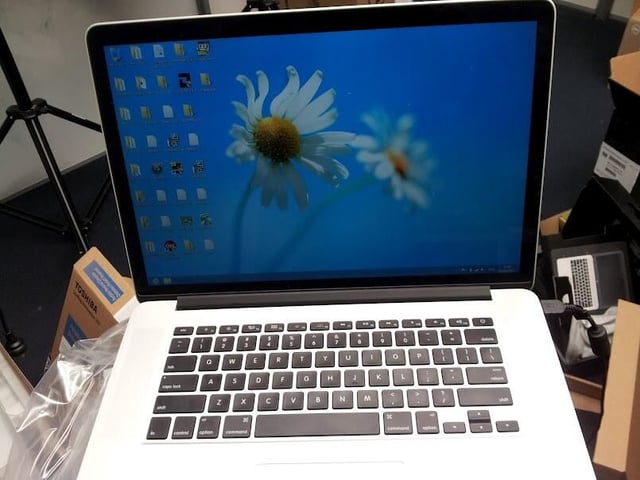
\n\tCNET Australia‘s chief MacGyver has been lurking around the office this past week with a Retina MacBook Pro. Which is all fine and dandy, but it was too standard. It needed to be different; the device was asking to be made unique.
\n
\n\tIn the spirit of discovery and sadism, it was decided that a new cocktail had to be created: one part Windows 8, matched with one part Retina MacBook Pro.
\n
\n\tAnd, so, it was made.
\n
\n\tThis particular MacBook Pro had already had a Boot Camp partition and Windows 7 installation created previously, so the need to jump through these hoops was abated.The Windows 8 set-up program was executed from within Windows 7, and by all reports, went without a hitch. So much so that MacGyver missed the swiping tutorial that occurs at the end of Windows 8’s installation.
\n
\n\t”Who looks at the screen when installing nowadays?” MacGyver was heard to mutter when informed of the tutorial’s existence.
\n
Click to view at Retina resolution.
(Credit: CBSi)
\n
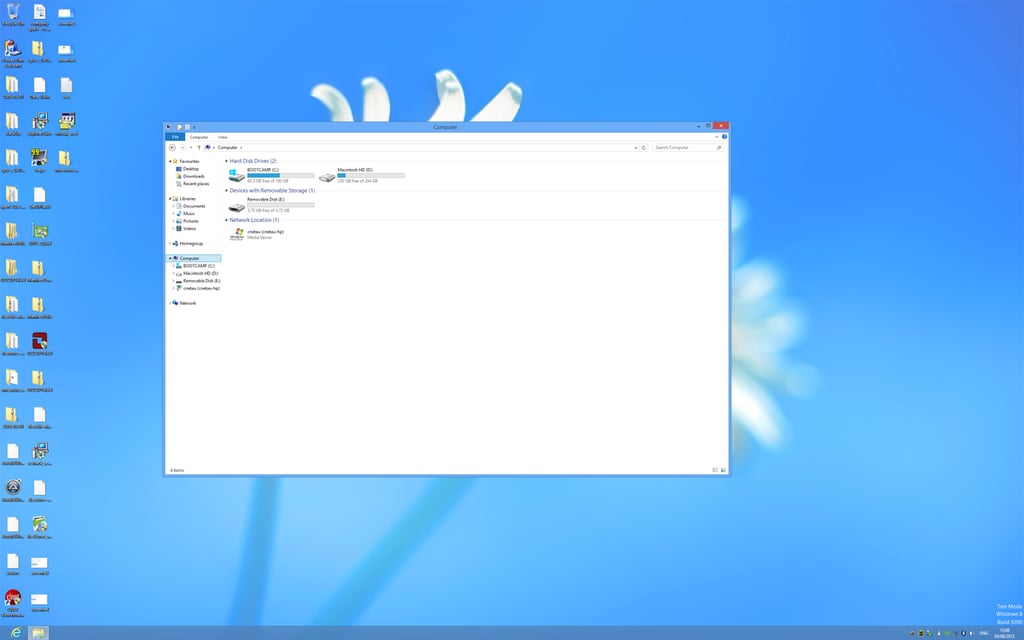
On the first visit to the Desktop in Windows 8, the immediate effect is to notice the sheer amount of pixels available to the desktop: 2880×1800 pixels, to be precise. Whereas OS X will use the pixels to its advantage and render the display with maximum crispness and readability, Windows takes what it is given, and by default, it will assume that 1 pixel means 1 pixel.
Click to view at Retina resolution.
(Credit: CBSi)
\n
This results in the largest Windows desktop that you would have likely ever been able to hold in your hand. It’s a large desktop that arrives bearing text that is disgustingly tiny — squinting and moving towards the screen becomes a mandatory activity to interact with the device.
Click to view at Retina resolution.
(Credit: CBSi)
\n
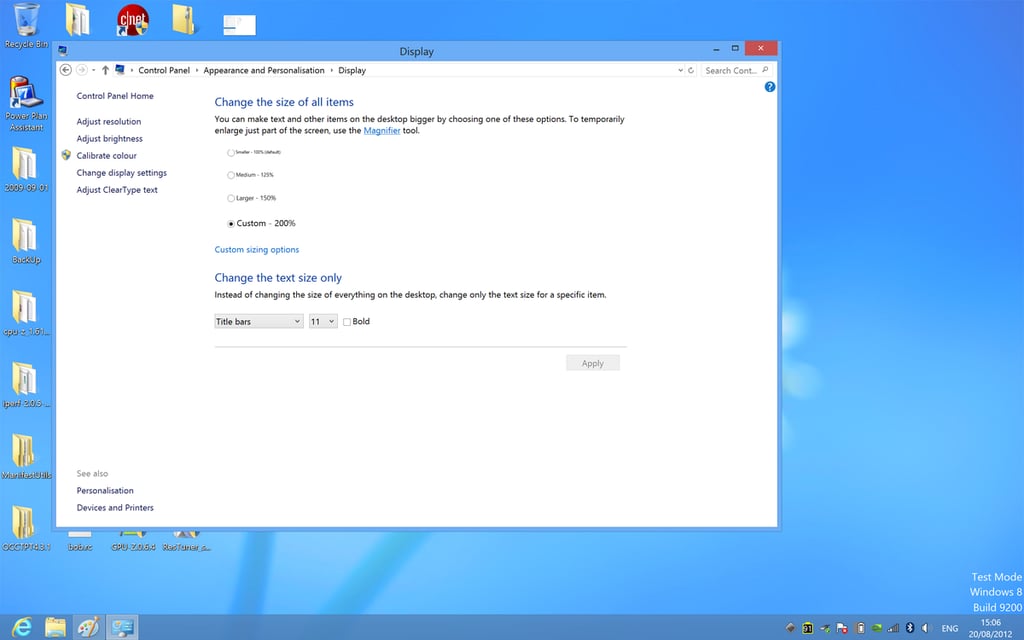
In order to salvage the situation and make the desktop text acceptable to MacGyver’s eyes, it was necessary to adjust the Display preferences to scale the screen to 200 per cent of its original size. But to be able set the value to 200 per cent, the user needs to type it into the combo box found in the “Custom sizing options” dialog — a dialog where the maximum suggested scaling available is 150 per cent. Do not be restricted by the options available in the combo box; it is possible to type any number into it, and a user may find that 175 per cent will be the best number for their eyes.
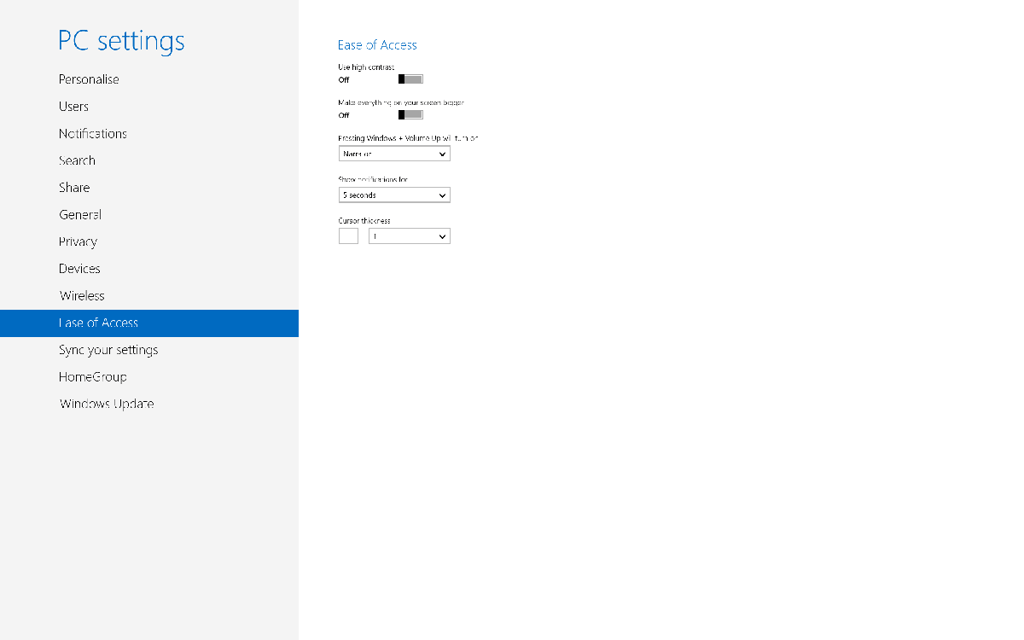
Click to view at Retina resolution.
(Credit: CBSi)
\n
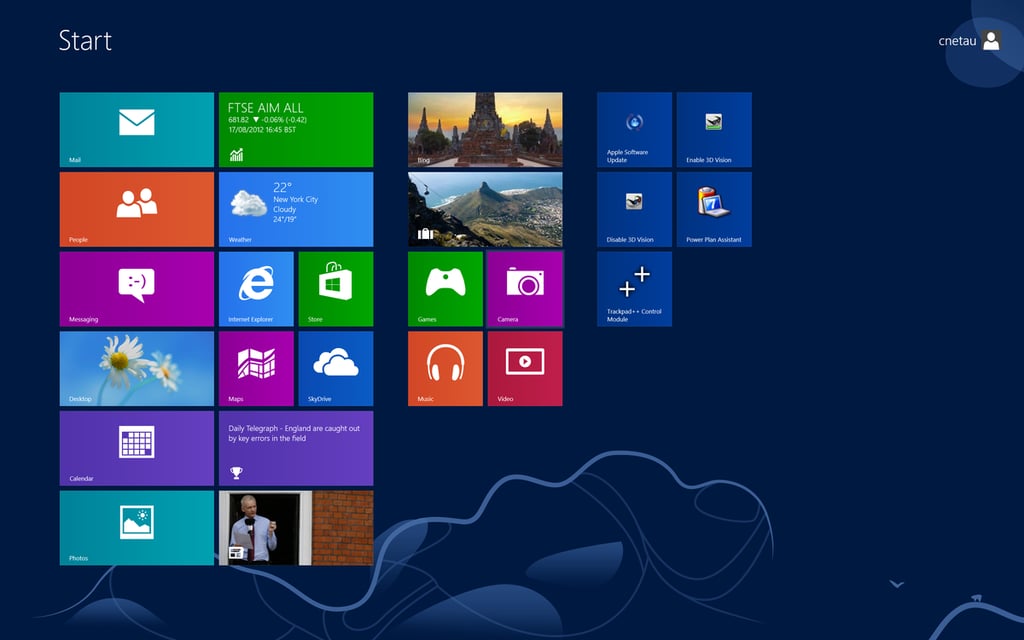
At this juncture, we now have a desktop that is much more legible, but this does not impact the text size of the Windows 8 Start screen. That is because the Desktop is now merely a program within Windows 8, and we thus need to locate the setting for adjusting the scaling of applications built in the framework formerly known as Metro.
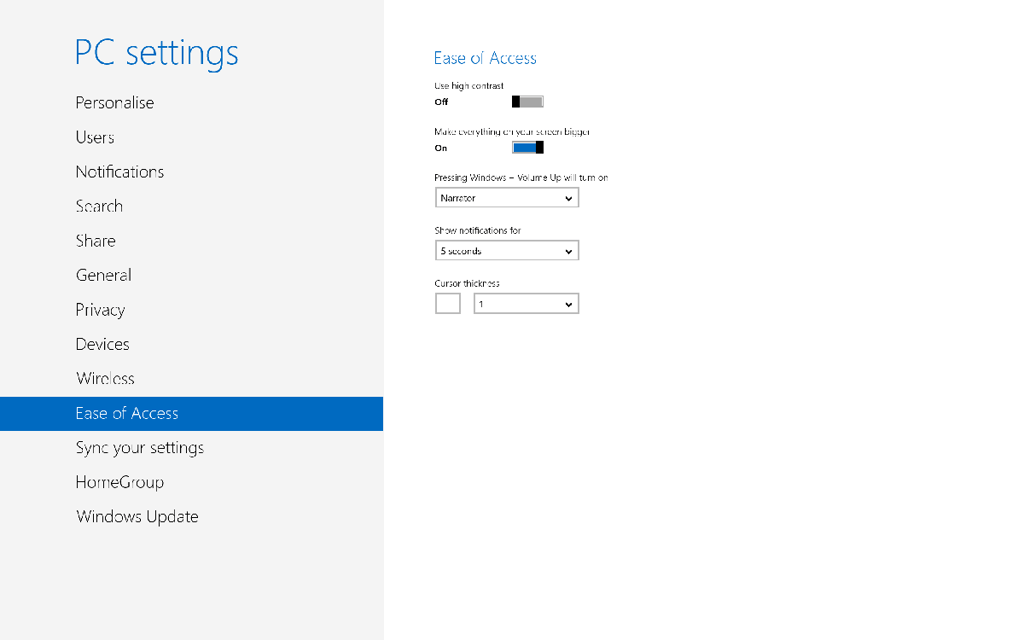
Click to view at Retina resolution.
(Credit: CBSi)
\n
In a piece of great planning, or maybe just blind luck, the boffins at Redmond added a toggle to increase the scaling in WinRT (read: Metro) applications. But, whereas on the desktop experience we could enter a custom scaling factor, with WinRT, there is simply a single option: “make everything on your screen bigger”.\n
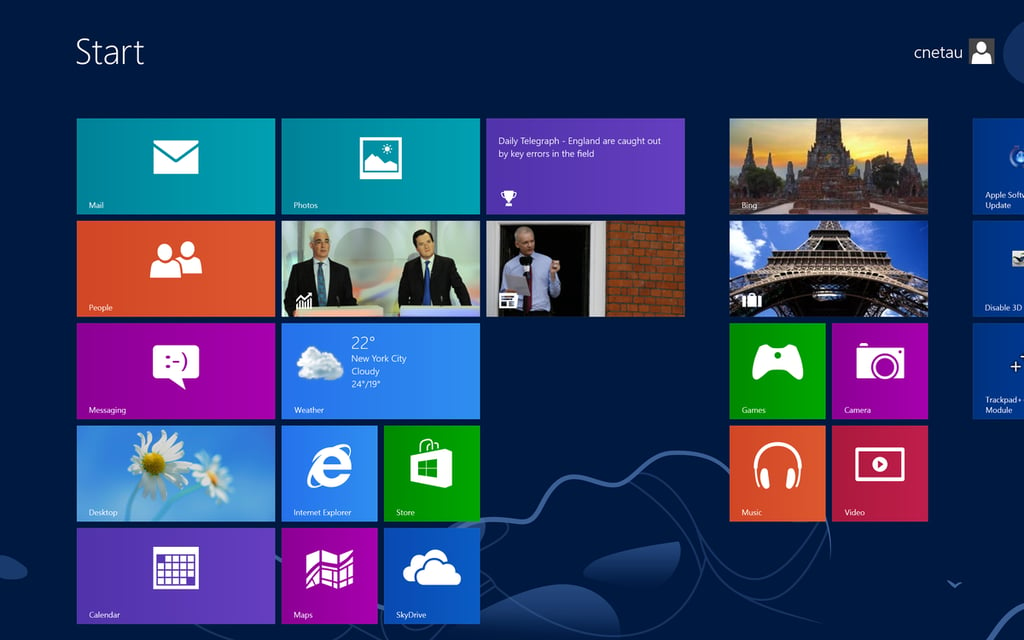
Click to view at Retina resolution.
(Credit: CBSi)
\n
Turning that toggle on will automagically set the WinRT font size to an acceptable level — the new DPI value is left in the hands of Windows, for users are not to be trusted with such a thing in the WinRT world.
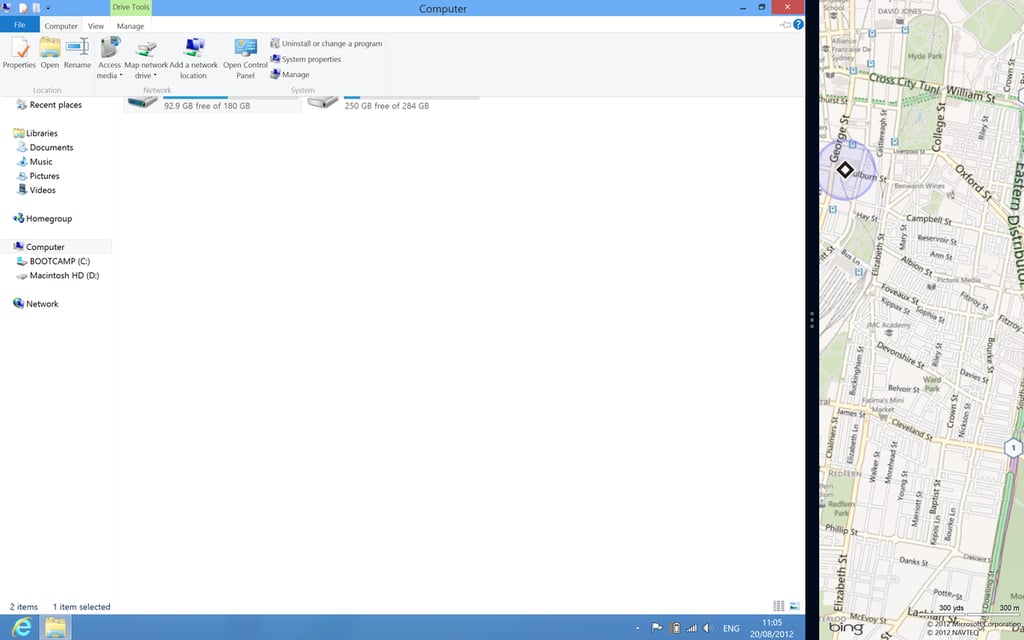
Click to view at Retina resolution.
(Credit: CBSi)
\n\n
With the display customisation and some unremarkable usage completed, can we make a judgment on whether the Retina MacBook Pro is the best hardware to use Windows 8 with?
\n\n
MacGyver’s succinct opinion on this is “no”.
\n\n
MacGyver has a point here. For all the wrangling and wrestling that has occurred, all that has happened is that a laptop has been configured to display in a faux 1440×900 resolution from a native 2880×1800 one. None of the scaling tricks that OS X uses for content editing, such as showing images and video on a 1:1 scale, while keeping the at interface a 4:1 scale, will be found in Windows 8. The only choice is to select which ratio of pixels works best for you — and taking full advantage of the pixels on offer is going to involve liberal doses of the Magnifier application.
\n\n
The Windows high-DPI experience is also far from complete. Cursors appear pixellated at high scaling factors, and Metro’s “make everything on your screen bigger” option only brings the WinRT text up to a legible level — if a user needed text in WinRT to be made even larger to be legible, then they are stuck.
\n\n
Until Apple releases Boot Camp drivers for Windows 8, you’ll need an external mouse for right-clicking. When the touch aspects of Windows 8 are taken into account, what is needed to make good use of Microsoft’s operating system is a track pad that recognises multi-fingered swipes and gestures. You’re not going to find that at this moment with Apple hardware. Another issue is that Windows can only engage the MacBook’s Nvidia graphics card, not the on-board Intel chipset that OS X will use to extend battery life.
\n\n
Combining Windows 8 and a Retina MacBook Pro was an exercise in frustration — due in equal parts to the hardware chosen and the duplicity of Windows 8, an operating system where there are now two places for everything.
\n\n
In mid-2012, high-DPI MacBooks are meant for Apple-endorsed operating systems, and Windows 8 is meant for hardware that we are yet to see.

Some would say that it is a long way from software engineering to journalism, others would correctly argue that it is a mere 10 metres according to the floor plan. During his first five years with CBS Interactive, Chris started his journalistic adventure in 2006 as the Editor of Builder AU after originally joining the company as a programmer. Leaving CBS Interactive in 2010 to follow his deep desire to study the snowdrifts and culinary delights of Canada, Chris based himself in Vancouver and paid for his new snowboarding and poutine cravings as a programmer for a lifestyle gaming startup. Chris returns to CBS in 2011 as the Editor of TechRepublic Australia determined to meld together his programming and journalistic tendencies once and for all.


