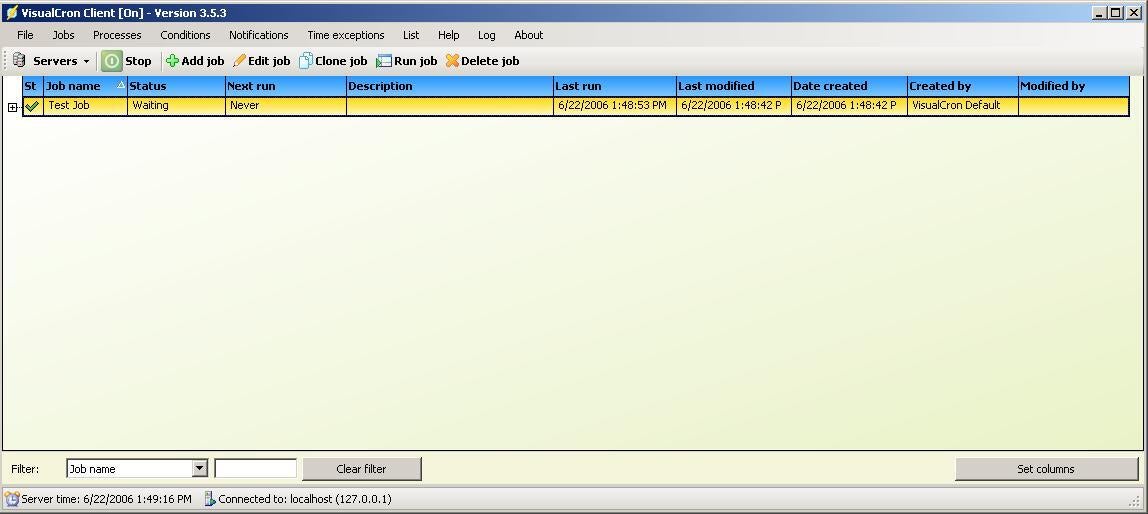
From here you can see the status of your jobs. On some jobs (such as watching for a file modification) you will see the status of waiting showing that the job is waiting for a trigger event to occur.
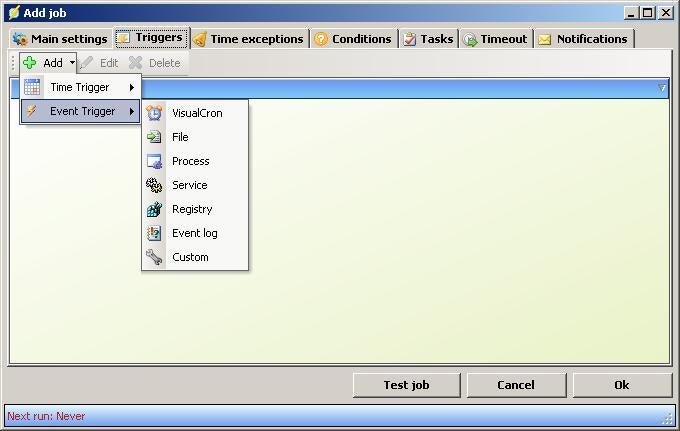
This is where you can add triggers for VisualCron. There are many different types of triggers available, and you are free to mix and match between them.
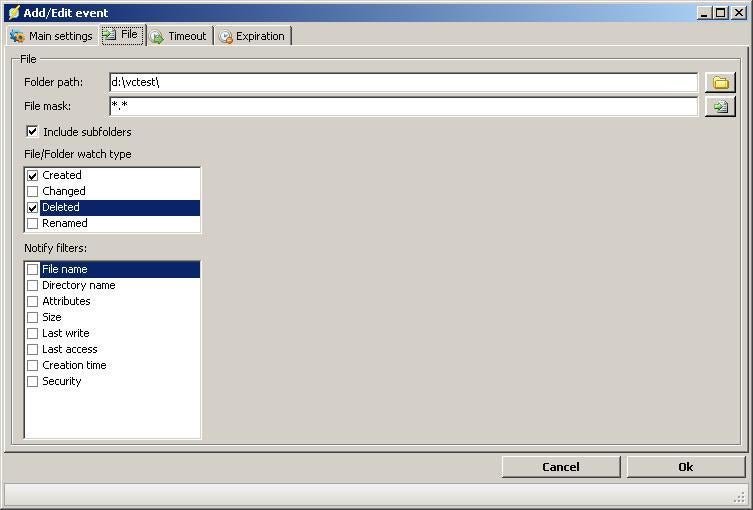
This is where you set up options on a trigger event of File. You can monitor file creation, deletion, or modification of a specific file, file extension, file names, or all files in a direcotry or sub-directory.

This is where you set up your email notification within VisualCron. You can use a generic alert, or customize for each job, or even for specific events within a job.
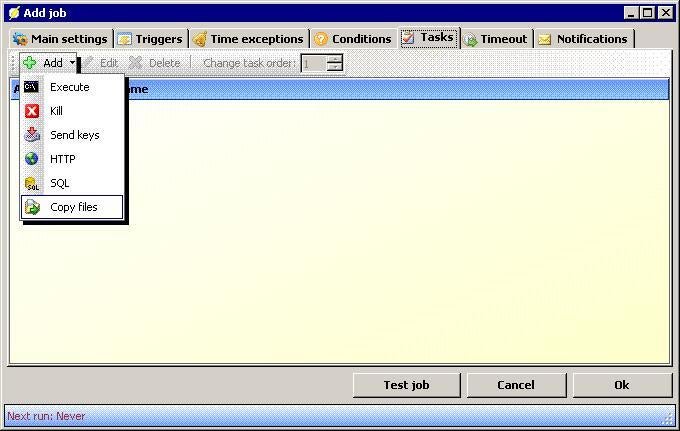
These are the tasks available to you within VisualCron. These become active after a trigger event has happened. You can choose not to use a task, and just use a notification, but the use of tasks gives you a lot more power. You can also have multiple tasks per job.
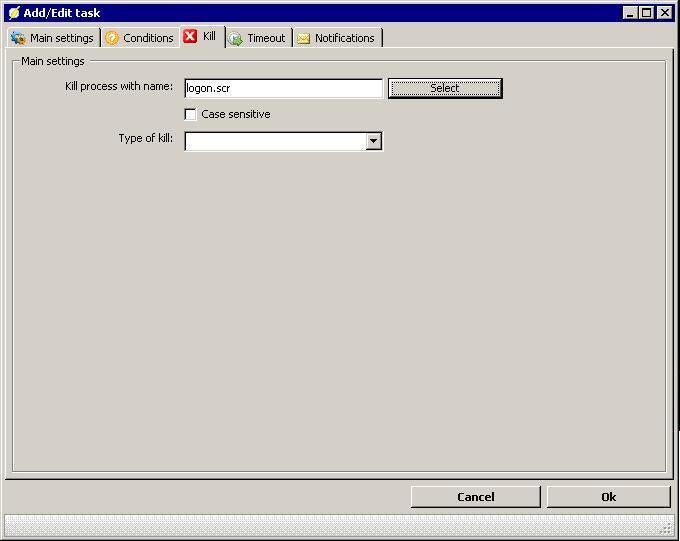
This is where you set the options for a kill task. Once a trigger event has passed, you can kill a process (by name) on a local or remote system.
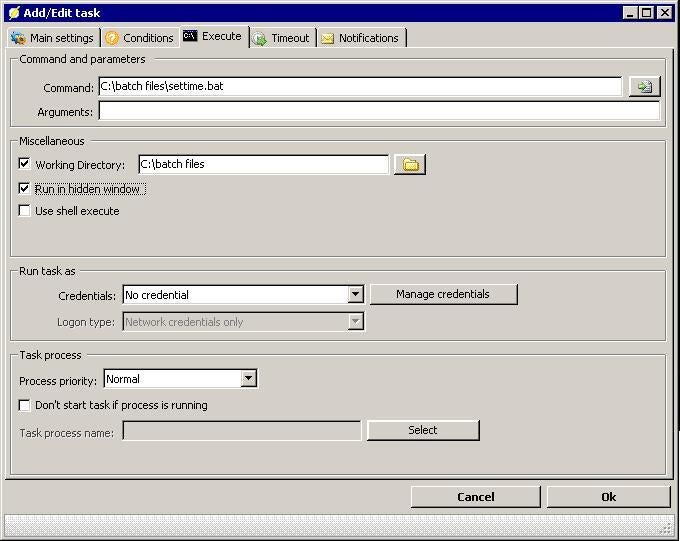
Here is where you configure an execute task. You can set up any executable file to run. You are also have the ability to pass arguments to the file at run time, run under a specific set of credentials, and set your process priority.
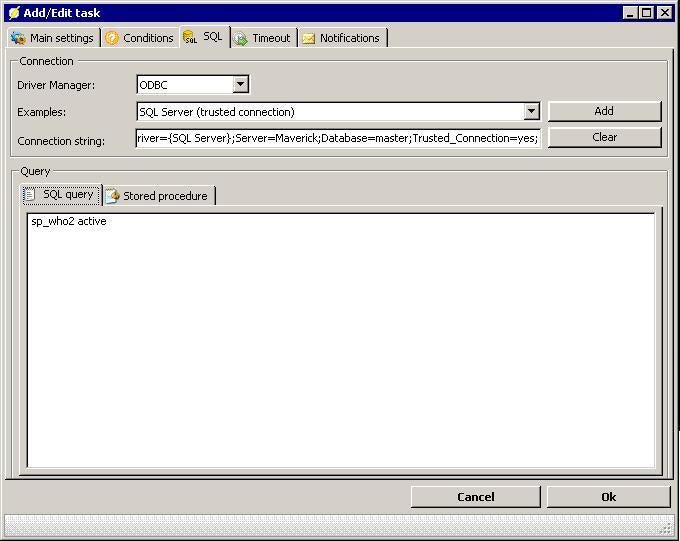
You can even configure your tasks to take place on a database server. You can use OLEDB or ODBC to connect to your database server (you will have to configure your connections string manually), and execute either a T-SQL command query or a stored procedure on the system you connect to.
Bill Detwiler is the Editor for Technical Content and Ecosystem at Celonis. He is the former Editor in Chief of TechRepublic and previous host of TechRepublic's Dynamic Developer podcast and Cracking Open, CNET and TechRepublic's popular online show. Previously, Bill was an IT manager in the social research and energy industries. He has bachelor's and master's degrees from the University of Louisville, where he has also lectured on computer crime and crime prevention.
