There are plenty of reasons you might want/need to put\r\ntogether a DVD. Sure, you might want to put together that family DVD to send to\r\neveryone at Christmas time – but there are also training videos, marketing\r\nmaterials, and even products. But without the right software, creating those\r\nDVDs would be an exercise in futility. For those on a tight-as-nails budget, I\r\nhave found five free DVD authoring tools that are not only spot on for your\r\nspending limit, they are also fairly easy to use.
\r\n\r\n
But will any of them meet your specific needs? Let’s\r\ndive into the world of DVD authoring and find out. Remember, these aren’t\r\neditors; you’ll need your completed clips ready to use. If you need a free\r\nvideo editor, look no further than OpenShot.\r\nWith your video in hand, let’s author some DVDs.
\r\n\r\nCredit: Images by Jack\r\nWallen for TechRepublic
\r\n\r\n
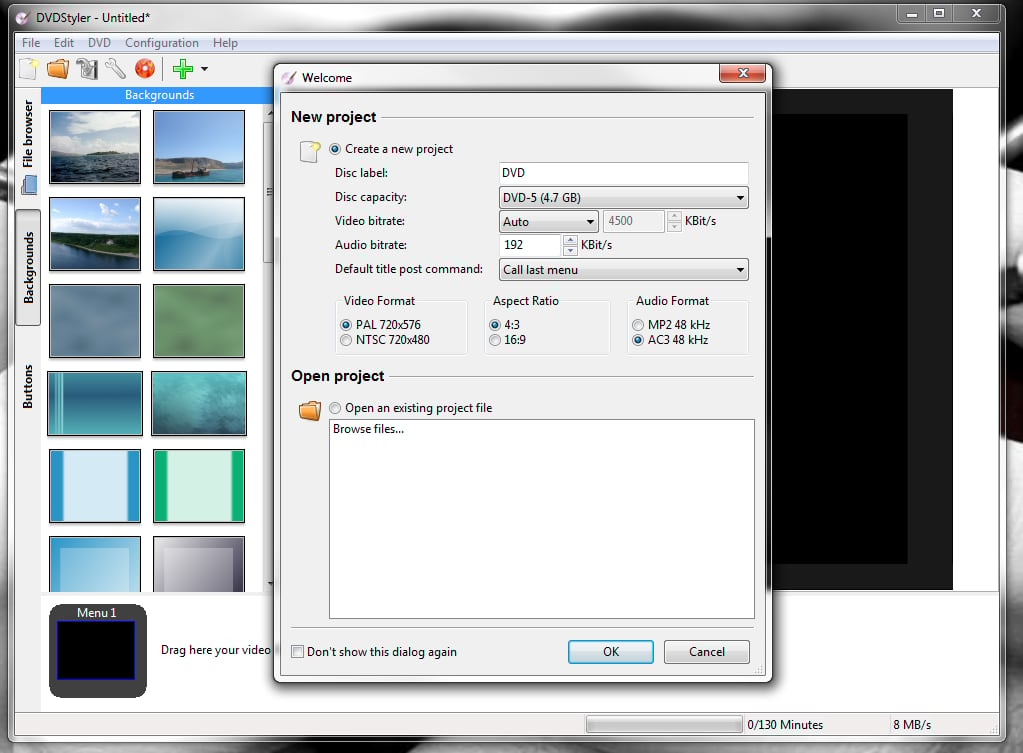
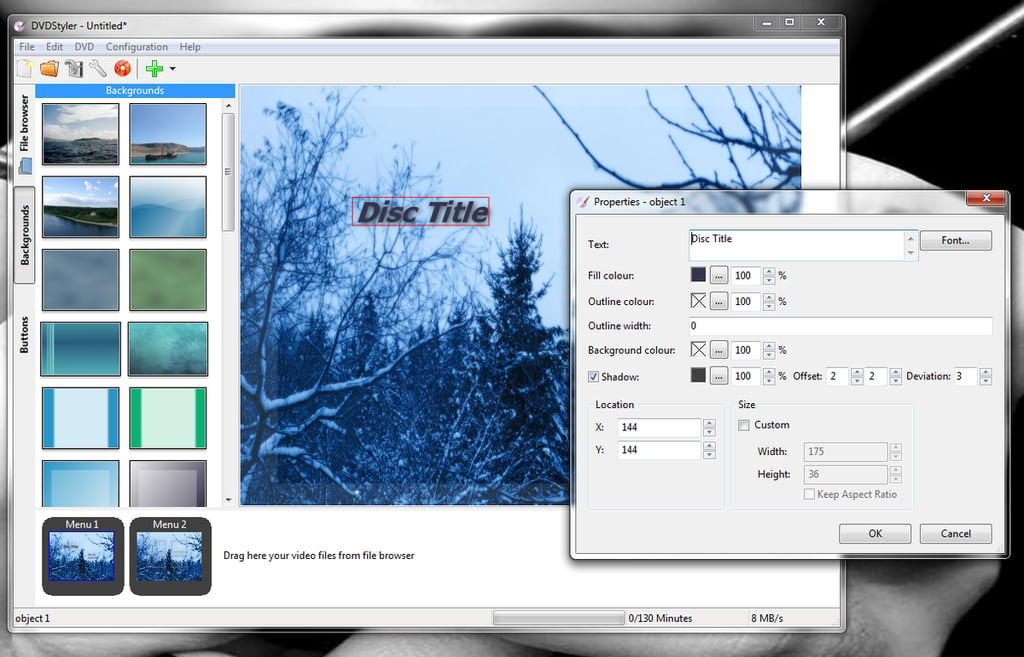
\r\n\r\nDVD Styler is a\r\ncross-platform (Windows, Linux, Mac) authoring tool that allows you to convert\r\nyour footage into a DVD-friendly format, but also create professional-quality\r\nDVD menus. The ability to create menus is especially important when creating\r\nmarketing materials or products for your company. DVD Styler also features:\r\nSlideshow creation, add multiple titles and audio tracks, multiple supported\r\nvideo and audio formats (AVI, MOV, MP4, MPEG, OGG, WMV, MPEG-2, MPEG-4, DivX,\r\nXvid, MP2, MP3, AC-3), use MPEG and VOB without having to re-encode, drag and\r\ndrop interface, add buttons, text, and imported backgrounds to menus, and more.\r\nDVD Styler is open source and has a fairly shallow learning curve.
\r\n\r\nCredit: Images by Jack\r\nWallen for TechRepublic
Credit: Images by Jack\r\nWallen for TechRepublic
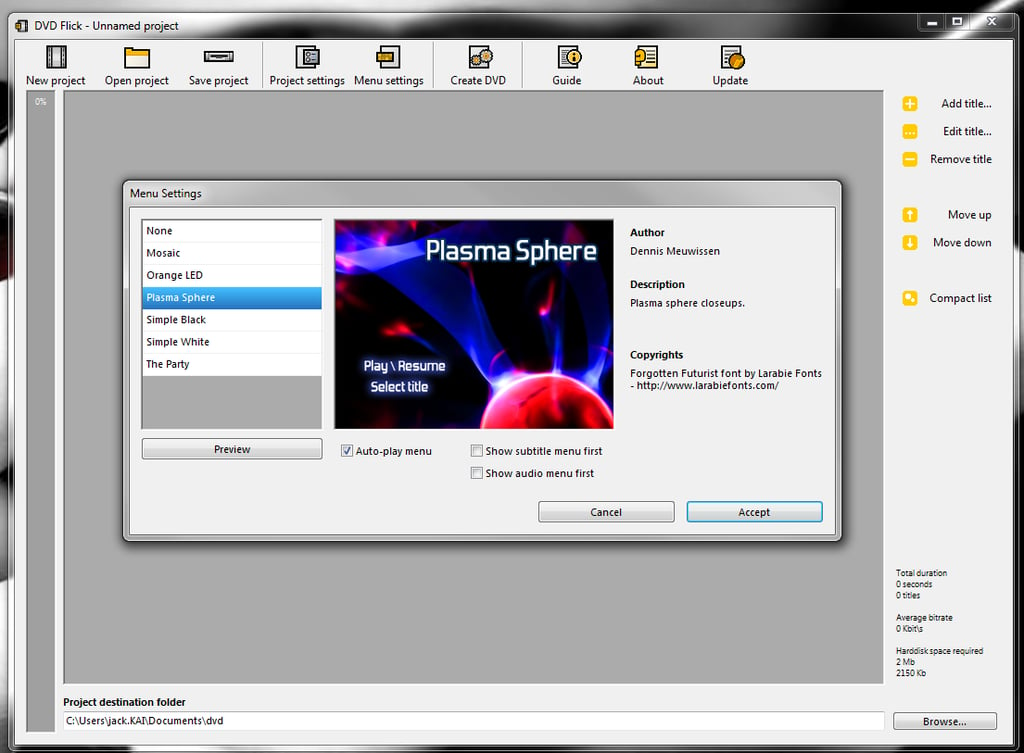
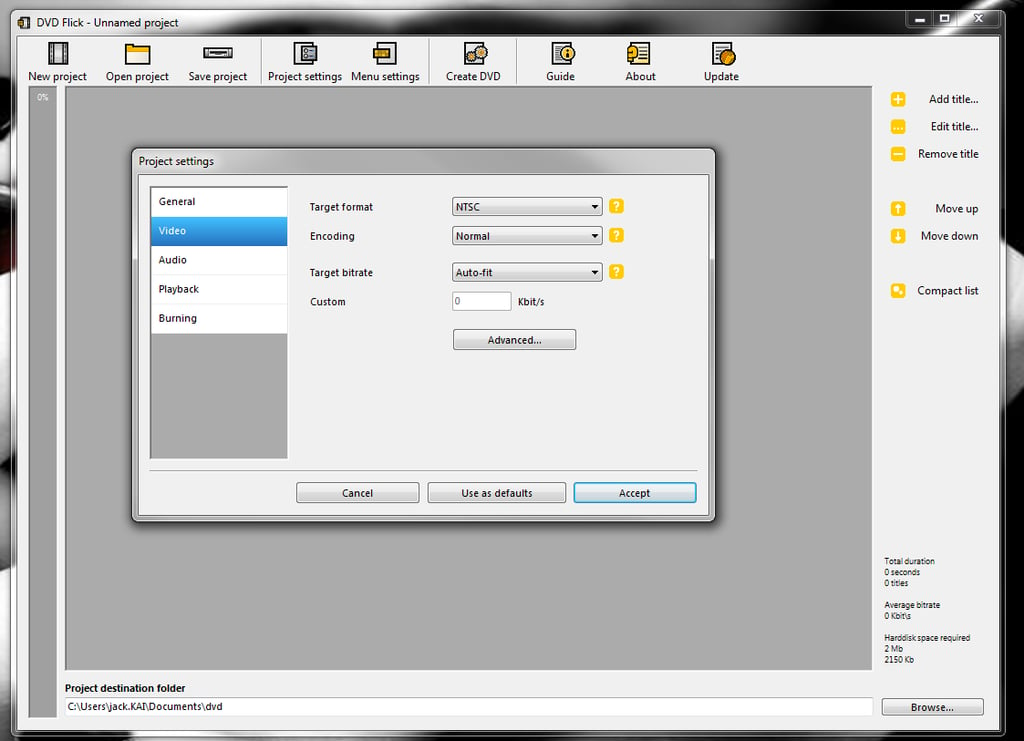
\r\n\r\nDVD Flick aims to be\r\nas simple as it is powerful. This particular take on DVD authoring supports\r\nover 45 video formats, over 60 video codecs, and over 60 audio codecs (for a\r\nfull list of supported audio/video formats, check out the features page). DVD Flick also\r\nallows you to create menus as well as subtitles for your DVDs. With DVD Flick\r\nyou can create chapters and alter the aspect ratio of the final product.\r\nAnother nice feature is that DVD Flick will automatically calculate the bitrate\r\nof your project to make sure you can easily keep an eye on quality loss.
\r\n\r\nCredit: Images by Jack\r\nWallen for TechRepublic
Credit: Images by Jack\r\nWallen for TechRepublic
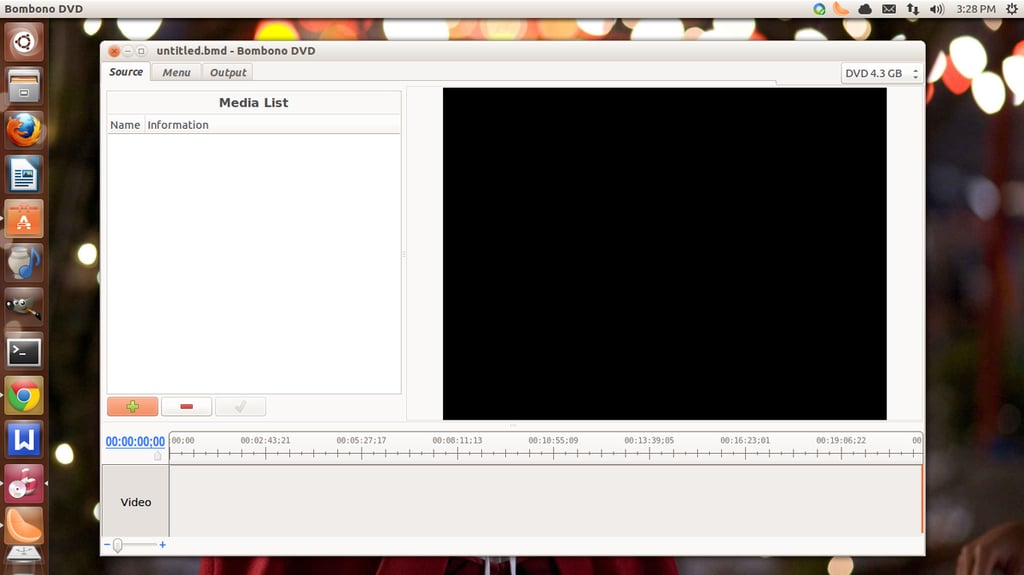
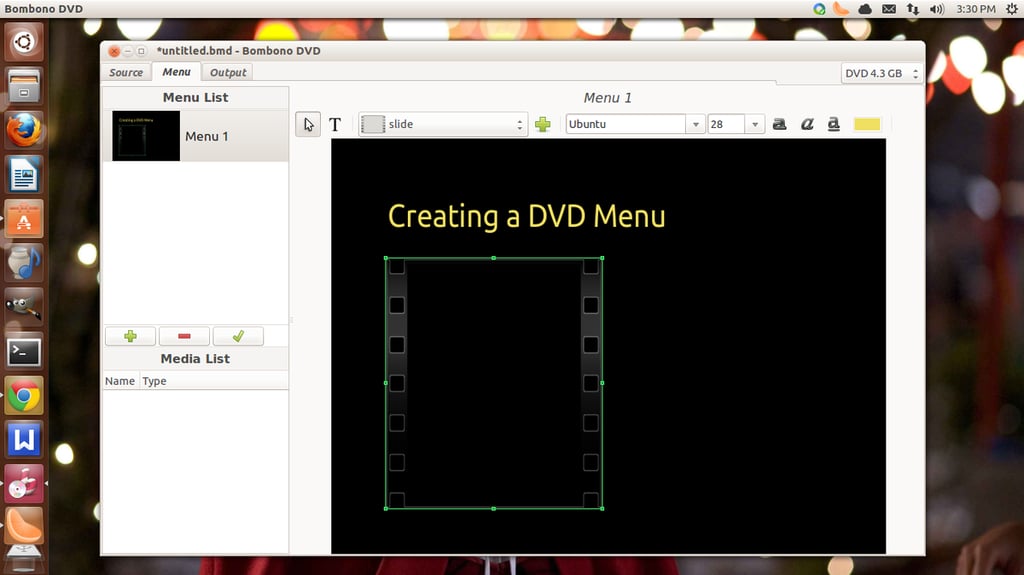
\r\n\r\nBombono DVD may\r\nhave an odd name, but it’s ability to easily author DVDs makes up for it.\r\nAvailable for Windows and Linux, Bombono DVD offers plenty of features that\r\nshould have you authoring professional-quality products or materials for your\r\nbusiness in no time. Bombono DVDs feature list includes: Video viewer (with\r\ntime line and monitor), WYSIWYG menu editor, drag and drop support, built-in\r\ntranscoding, motion menus, subtitles, and more. With Bombano DVD you can author\r\nto folder, create an ISO, or burn directly to disk. You can also re-author by\r\nimporting from DVD disks. NOTE: The Linux version of Bombono DVD is free. The\r\nWindows version will cost you $24.95 USD.
\r\n\r\nCredit: Images by Jack\r\nWallen for TechRepublic
Credit: Images by Jack\r\nWallen for TechRepublic
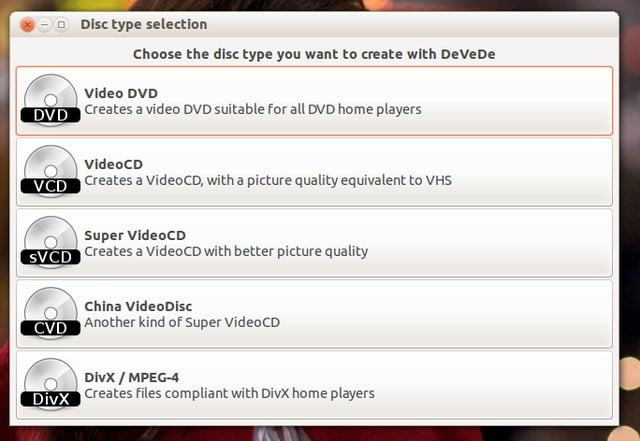
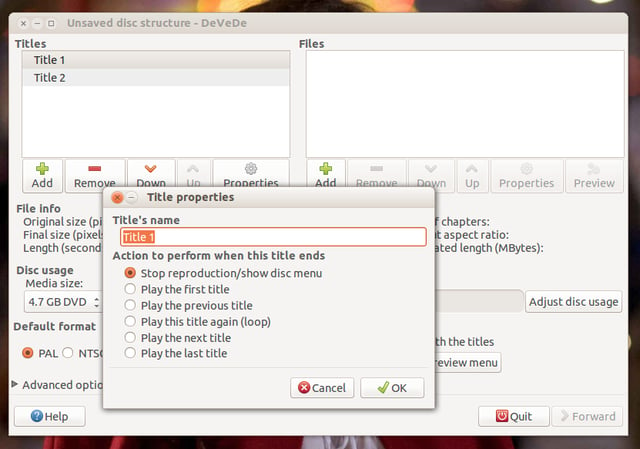
\r\n\r\nDeVeDe\r\nis a Linux-only DVD authoring solution that requires a minimal amount of\r\ndependencies to do its job. Outside of the GUI dependencies, DeVeDe requires:\r\nMplayer, Mencoder, FFMpeg, DVDAuthor, VCDImager, and Mkisofs. DeVeDe features\r\ninclude: Create DVD, VCD, SVCD, China Video Disks, MPEG-4 ASP; output to images\r\nor video formats, subtitles, audio shift, basic video editing (rotation,\r\ndeinterlacing, etc), and more. DeVeDe supports a large range of formats and\r\nautomatically converts source material to DVD-compatible formats.
\r\n\r\nCredit: Images by Jack\r\nWallen for TechRepublic
Credit: Images by Jack\r\nWallen for TechRepublic
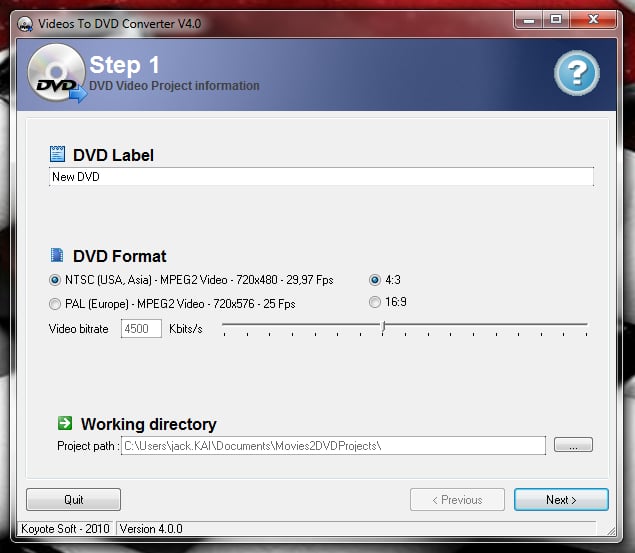
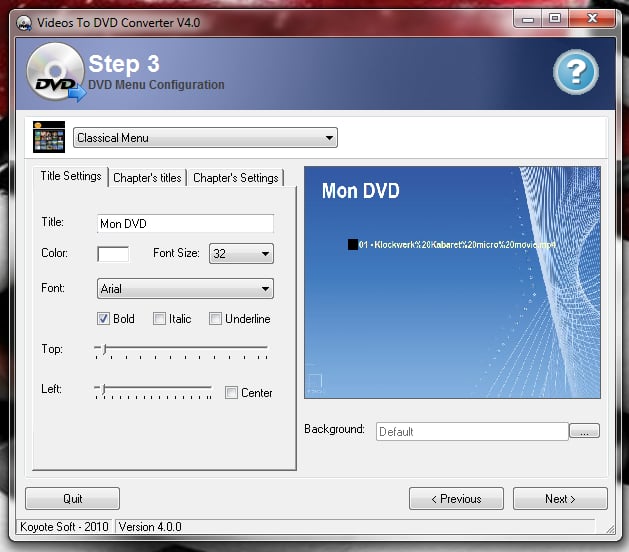
\r\n\r\nVideo to\r\nDVD Converter, by Koyotesoft, offers the smallest feature-set of the group,\r\nbut is still a solid entry. This app does exactly what the title implies – it\r\nconverts your video files into a format compatible with DVD players. The feature\r\nset includes: Wide range of supported formats (such as AVI, DivX, XviD, MPEG,\r\nMP4, VOB, WMV and more), convert output (MPEG) to aspect ratio, bitrate, NTSC,\r\nor PAL, burn ISO-compliant DVDs (4.5GB+ DVD-R, DVD-RW, DVD+R, DVD+RW). The user\r\ninterface makes Video to DVD Converter incredibly easy to use.
\r\n\r\nCredit: Images by Jack\r\nWallen for TechRepublic
\r\n\r\nIf you’re looking for a tool to help you create DVD’s for\r\nyour company, look no further than one of these. Although some are a bit more\r\nbare-bones than others, they all do an outstanding job – especially, given the\r\ncost. Add in a solid video editor and you’re sure to create\r\nprofessional-quality marketing material, training videos, and products for your\r\nbusiness.
\r\n\r\nCredit: Images by Jack\r\nWallen for TechRepublic