
This\r\ngallery is a supplement to a TechRepublic article.
Take a look at five tools to help a CIO manage their IT\r\ndepartment’s business interaction.
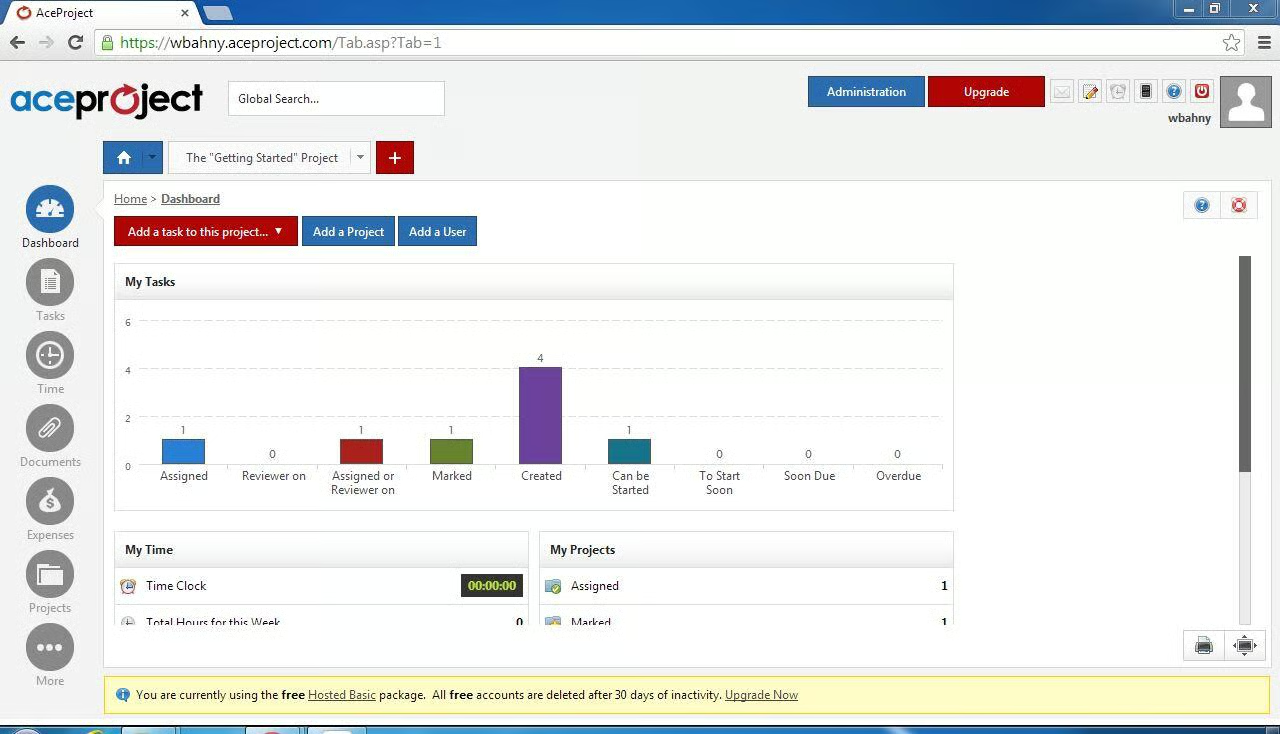
Ace Project comes with a very useful dashboard that breaks\r\ntasks down by their status, allows you to monitor time spent, and check on the\r\noverall status of projects.
\r\n\r\n
Credit: Image by Walter Bahny for TechRepublic
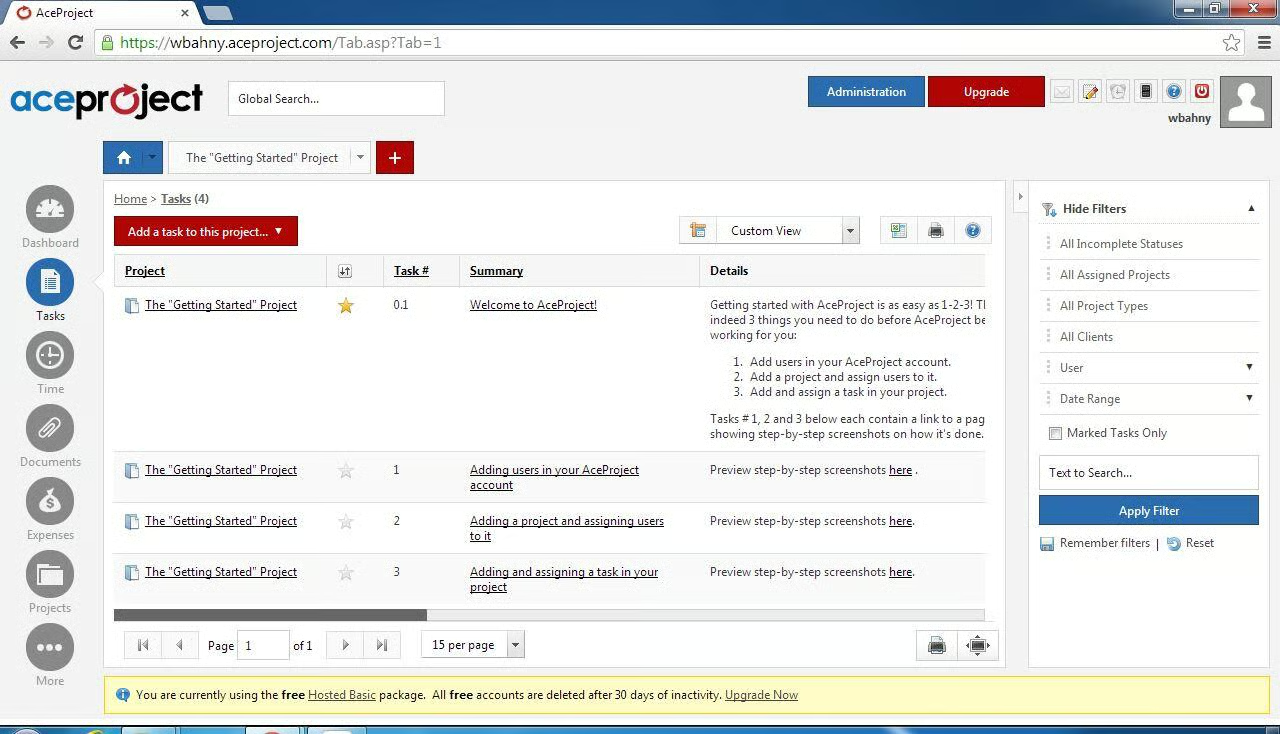
Tasks contain all of the common fields most project managers\r\nare used to.
\r\n\r\n
Credit: Image by Walter Bahny for TechRepublic
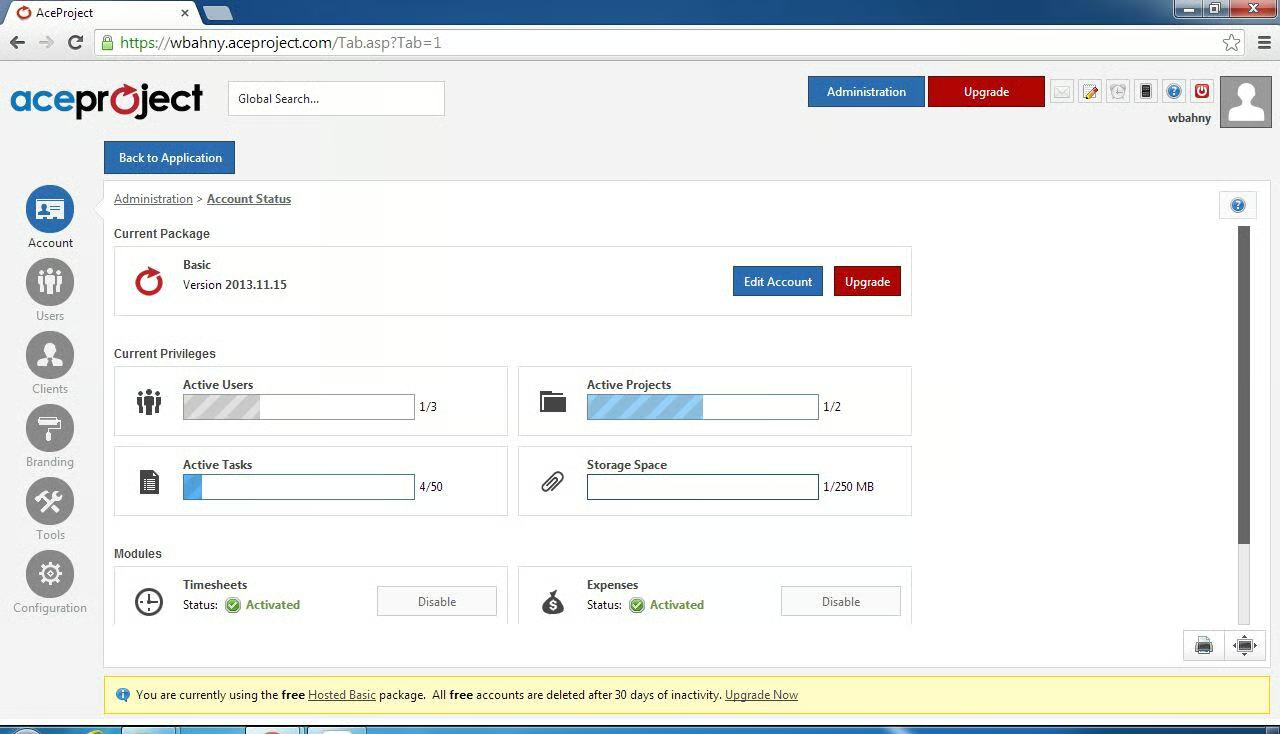
The free Ace Project package allows for three active users,\r\ntwo active projects, 50 active tasks, and 250 MB of storage. This dashboard helps you keep track of your\r\nusage.
\r\n\r\n
Credit: Image by Walter Bahny for TechRepublic
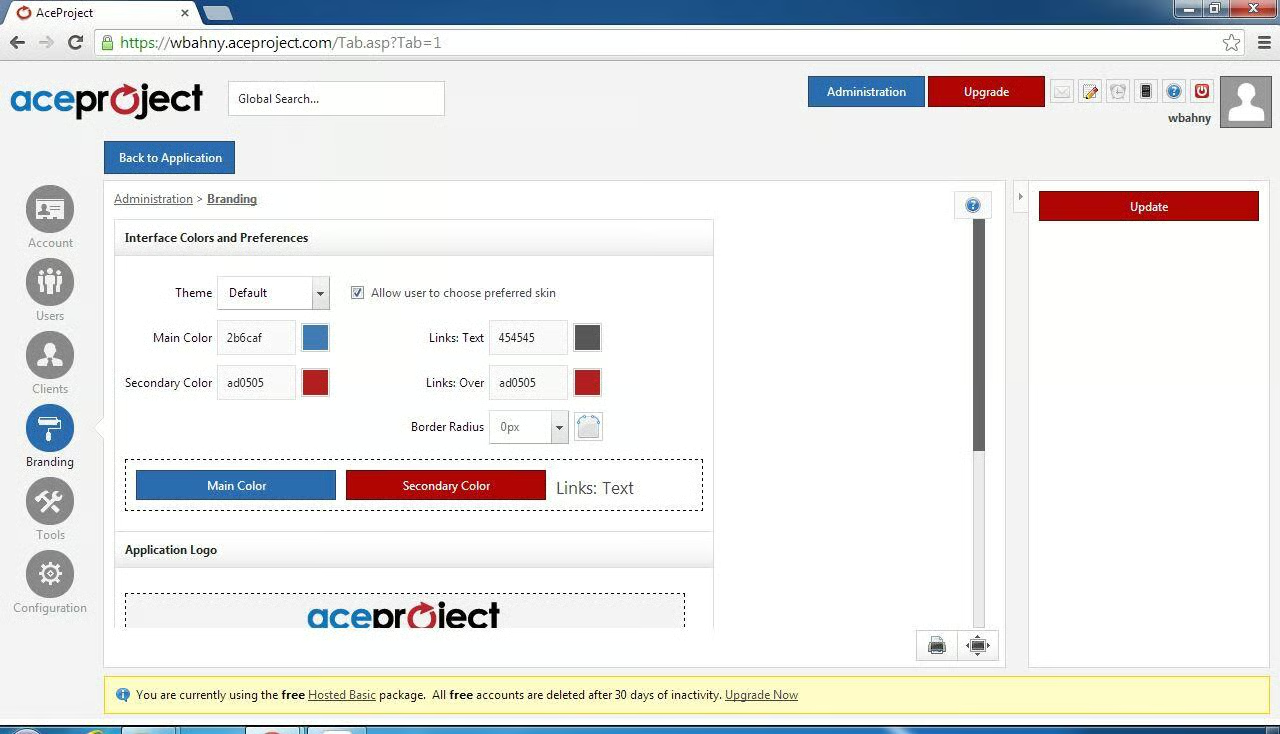
Ace Project allows for customization to make your project\r\nsite match your company’s branding.
\r\n\r\n
Credit: Image by Walter Bahny for TechRepublic
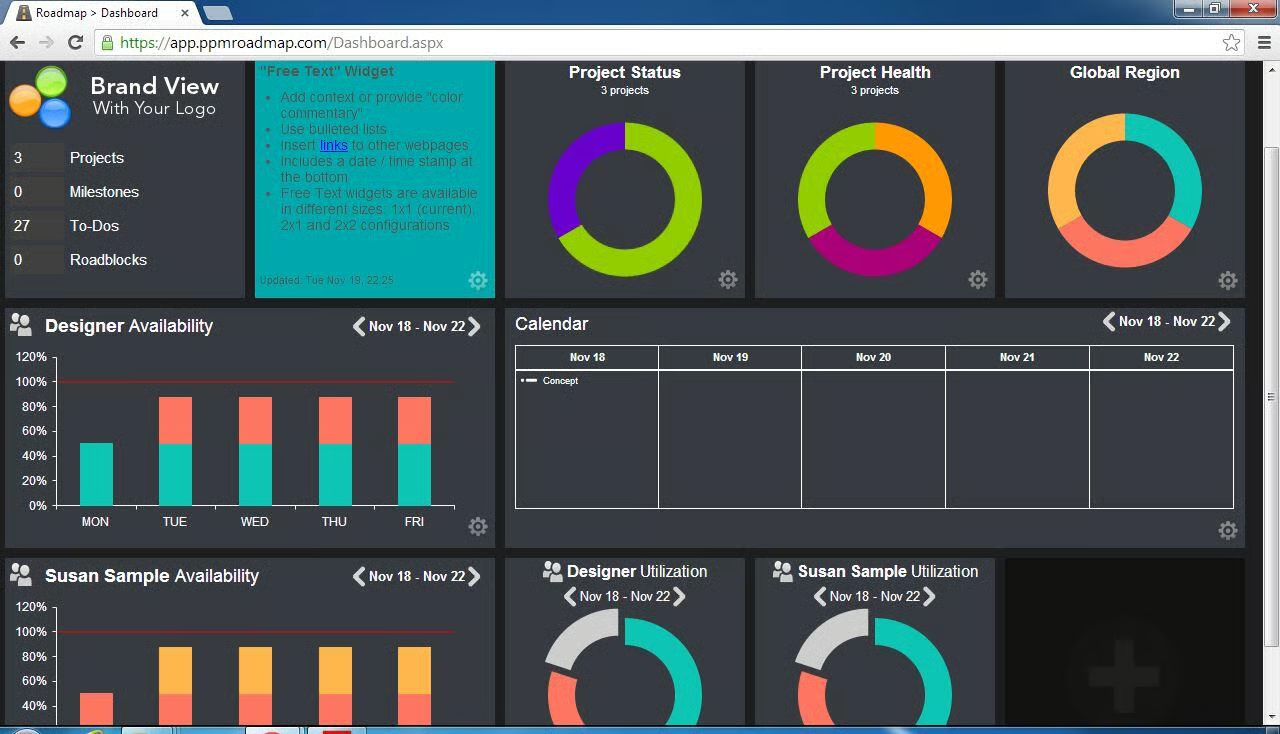
PPM Roadmap also contains a highly useful dashboard that\r\nuses color to indicate status across projects, availability, and utilization.
\r\n\r\n
Credit: Image by Walter Bahny for TechRepublic
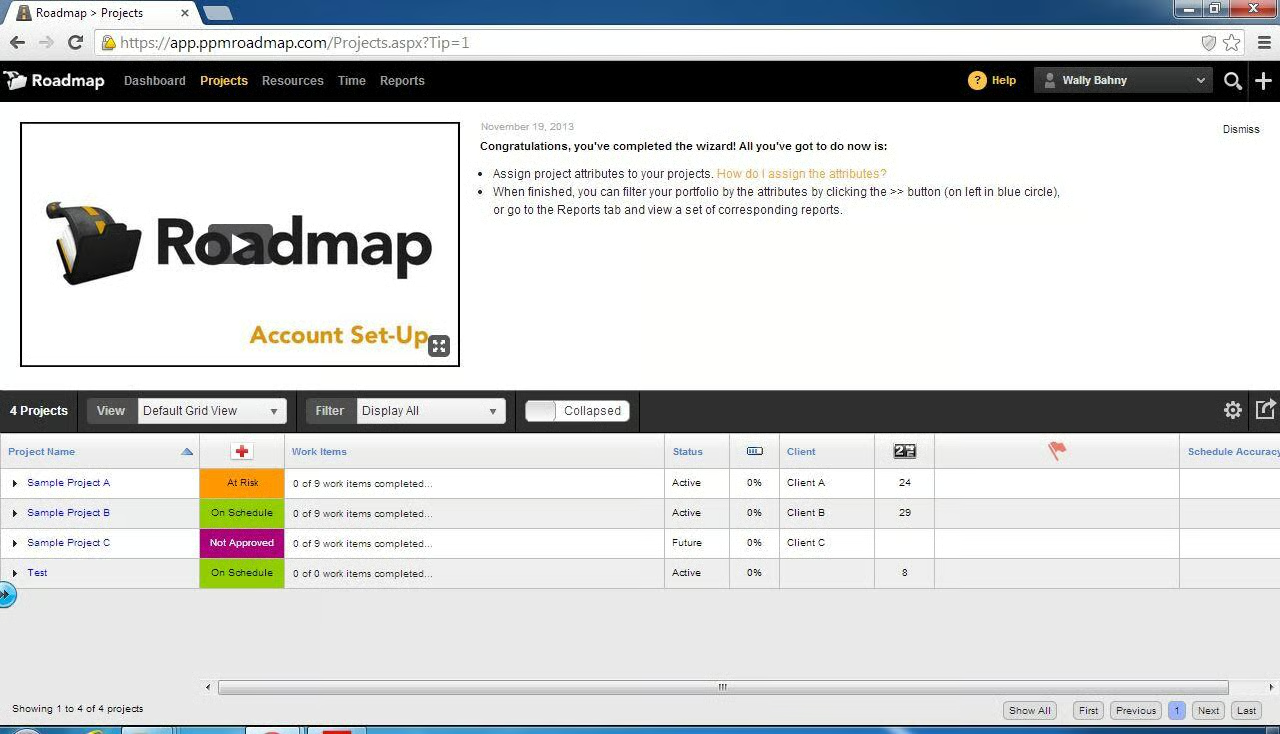
The project selection screen shows the health of each project\r\nagain as well as a couple of status indicators.
\r\n\r\n
Credit: Image by Walter Bahny for TechRepublic
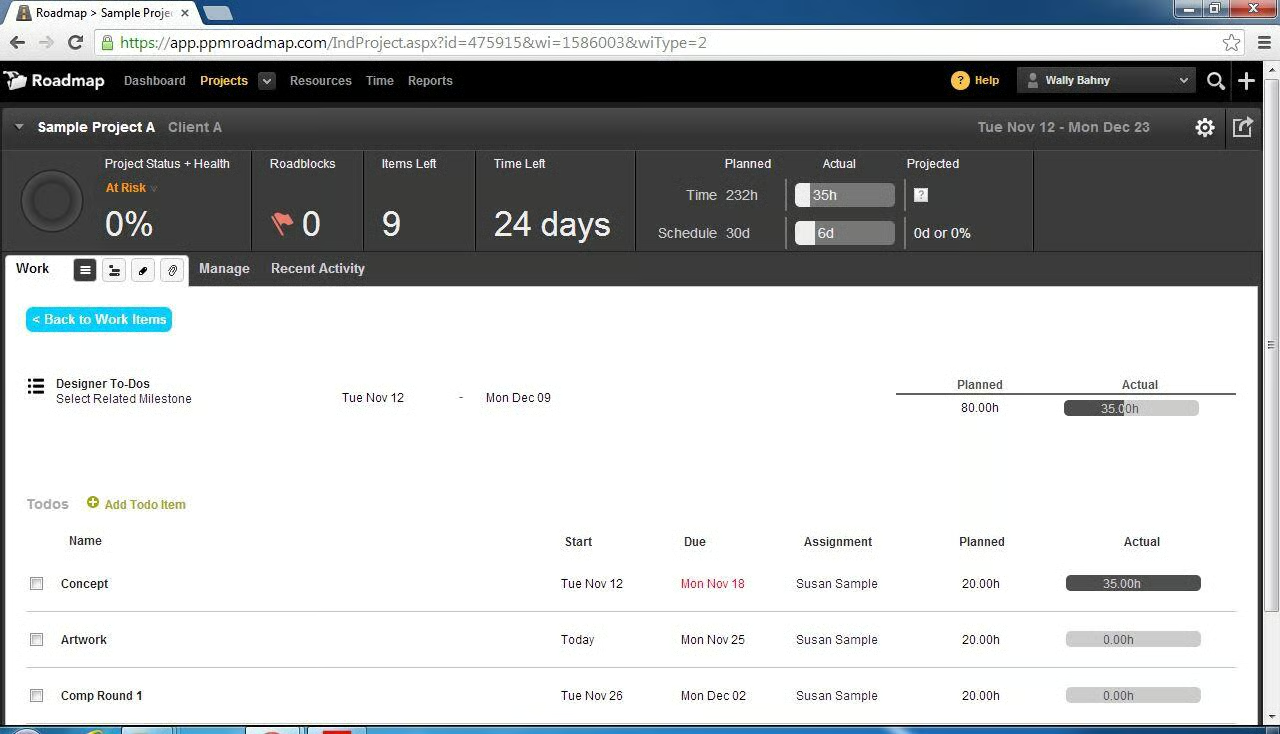
Drilling into each project displays a list of tasks or\r\n\u201cTodos\u201d that contains many of the common fields as well \u2013 especially when you\r\ndrill into each one.
\r\n\r\n
Credit: Image by Walter Bahny for TechRepublic
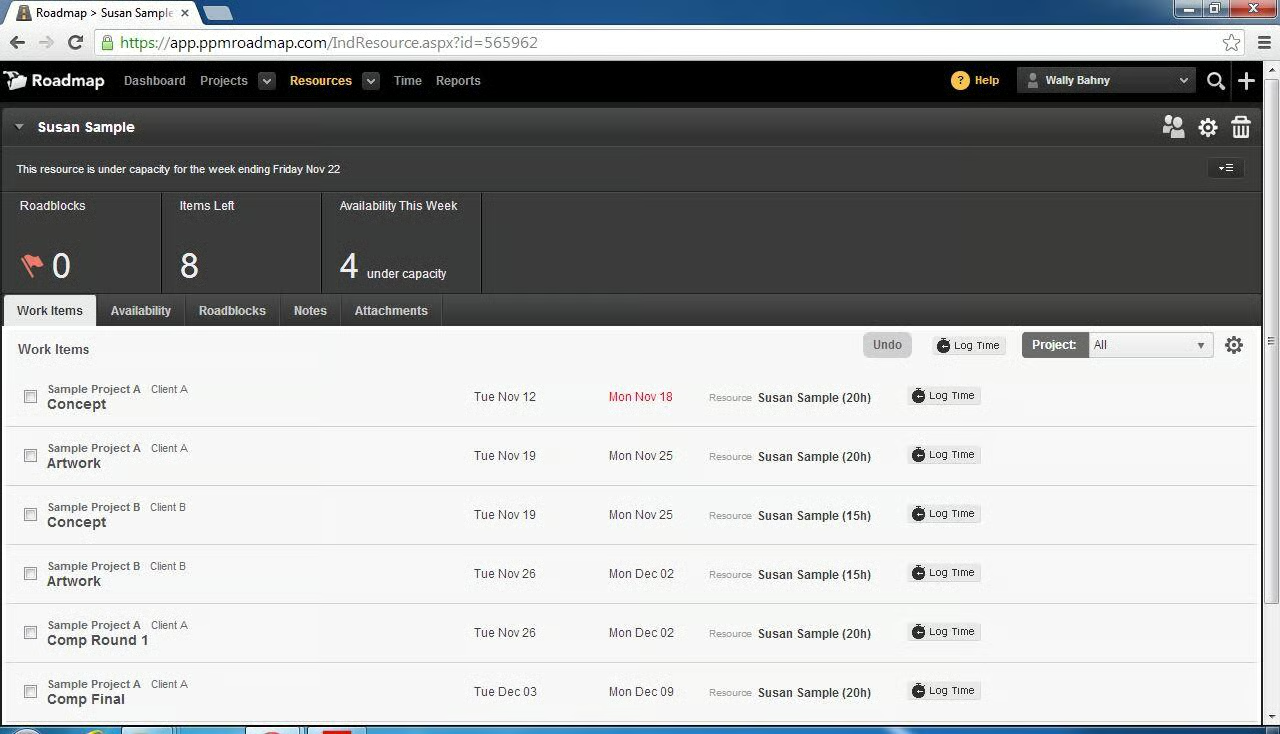
The tasks can also be viewed from the point-of-view of a\r\nteam member.
\r\n\r\n
Credit: Image by Walter Bahny for TechRepublic
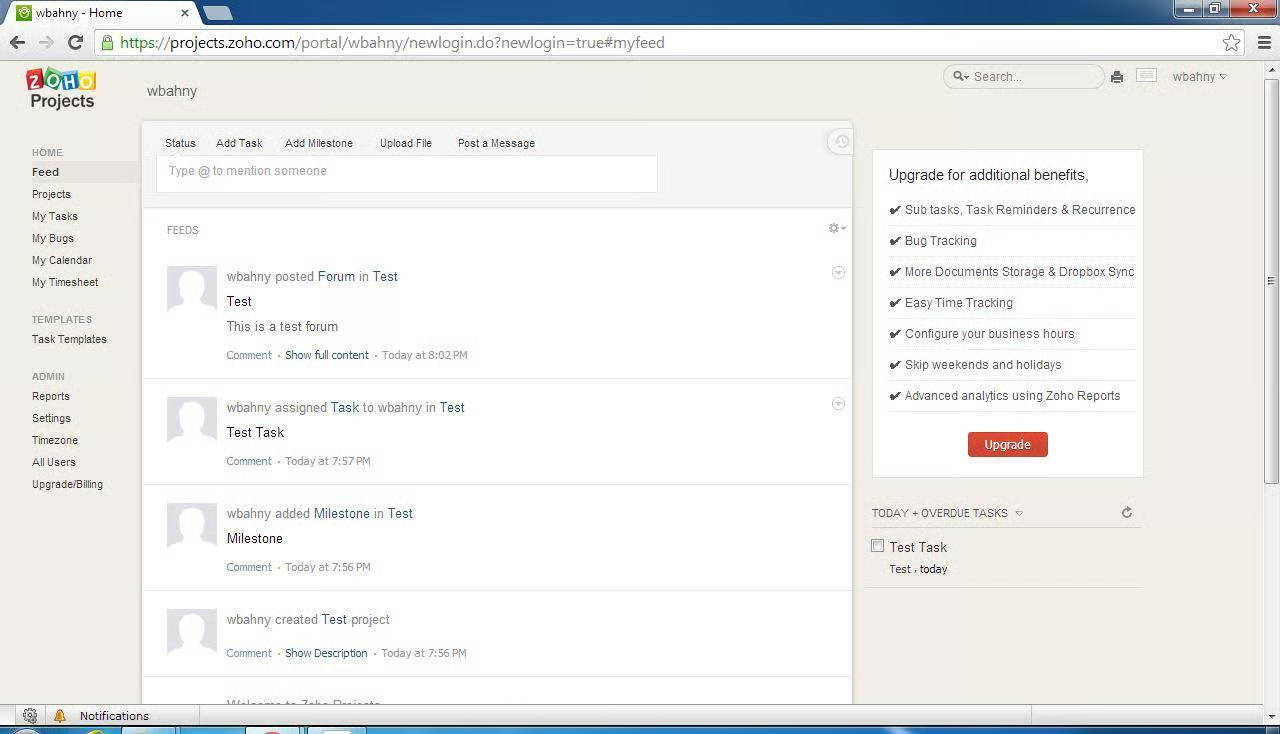
The home page for Zoho Projects is a feed that shows the\r\nlatest changes on the projects you’re working on.
\r\n\r\n
Credit: Image by Walter Bahny for TechRepublic
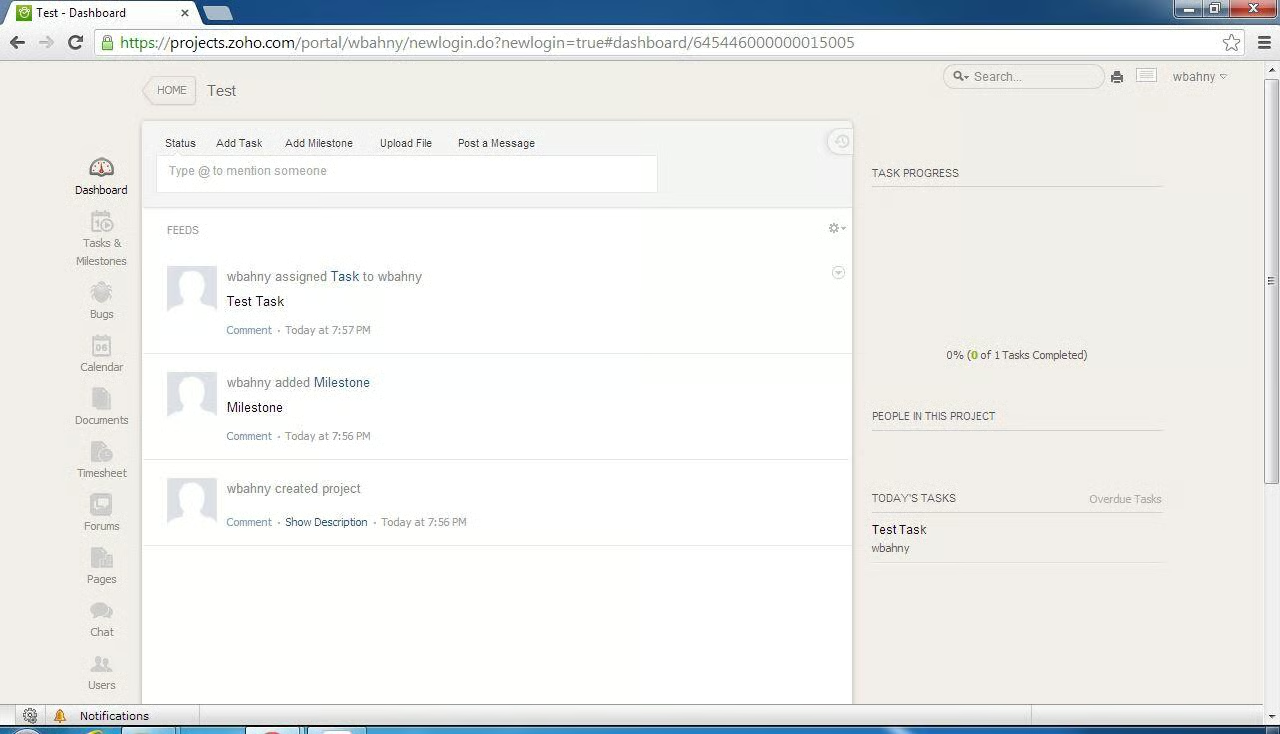
The dashboard for each project also shows a feed of the\r\nproject’s most recent changes as well as an overview of the project.
\r\n\r\n
Credit: Image by Walter Bahny for TechRepublic
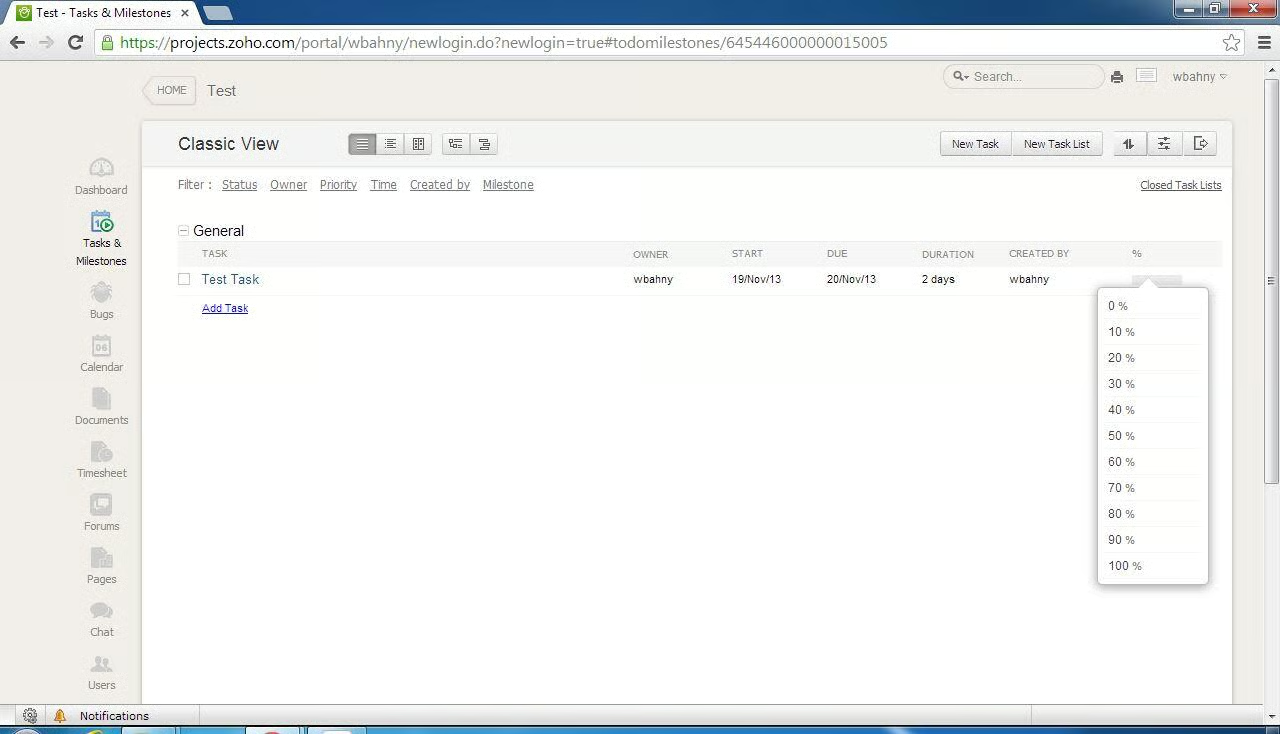
Tasks and milestones once again contain the common\r\nfields. Team members can simply click\r\nthe percent field and select the current percent of completion.
\r\n\r\n
Credit: Image by Walter Bahny for TechRepublic
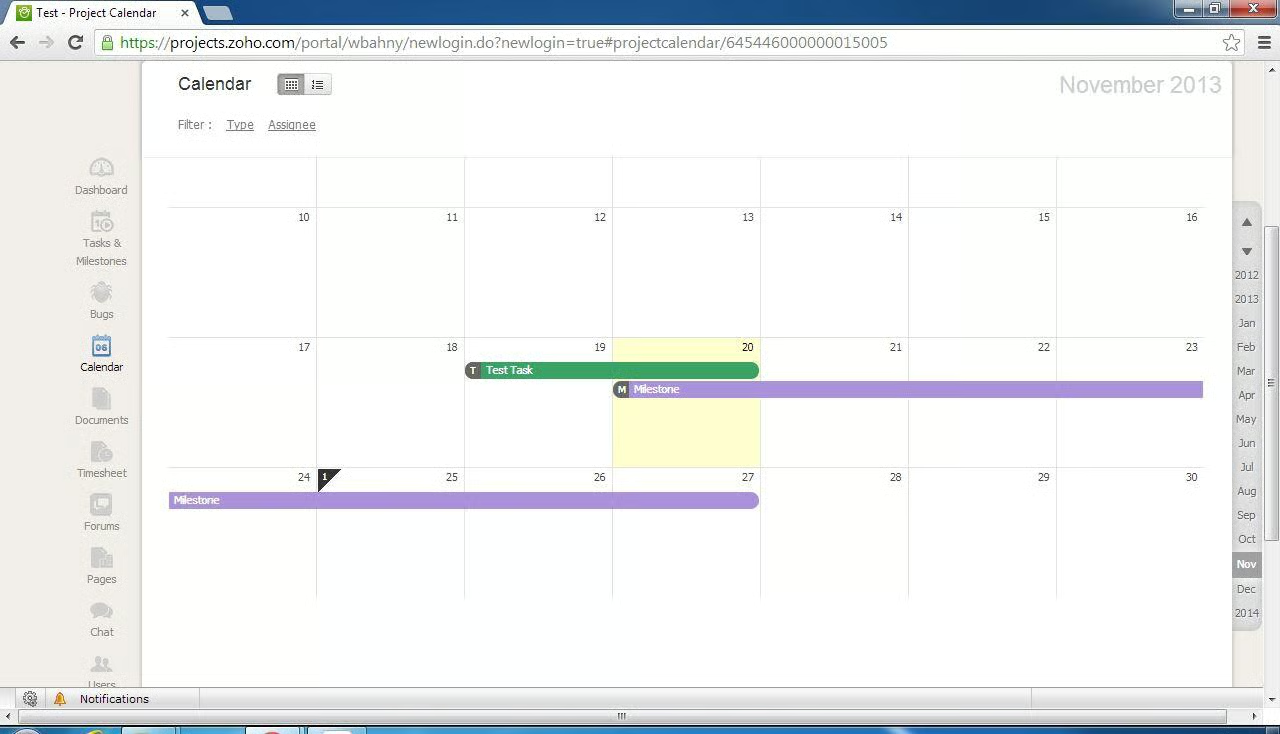
Zoho Projects contains a calendar view that displays the\r\ntasks each person or the whole group are responsible for overlaid in an\r\neasy-to-read view.
\r\n\r\n
Credit: Image by Walter Bahny for TechRepublic
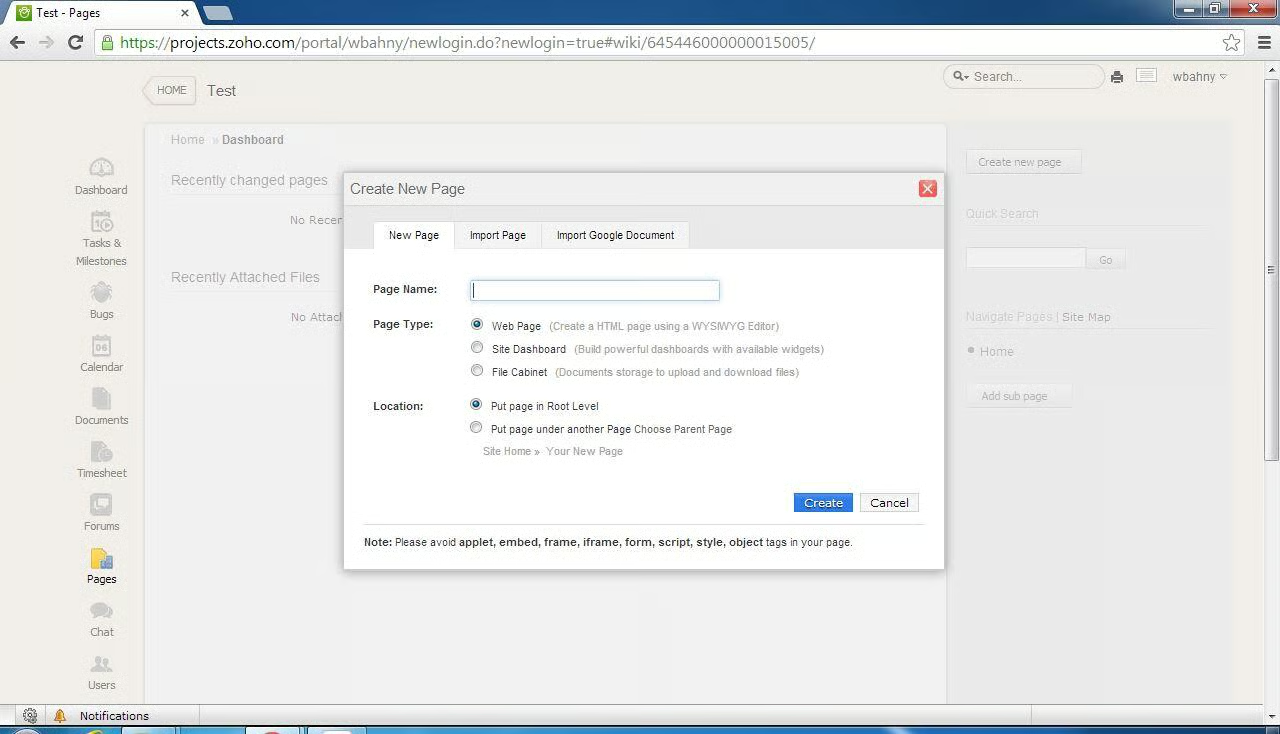
Project team members can create additional pages and dashboards\r\nto add in to their Zoho Projects site.
\r\n\r\n
Credit: Image by Walter Bahny for TechRepublic
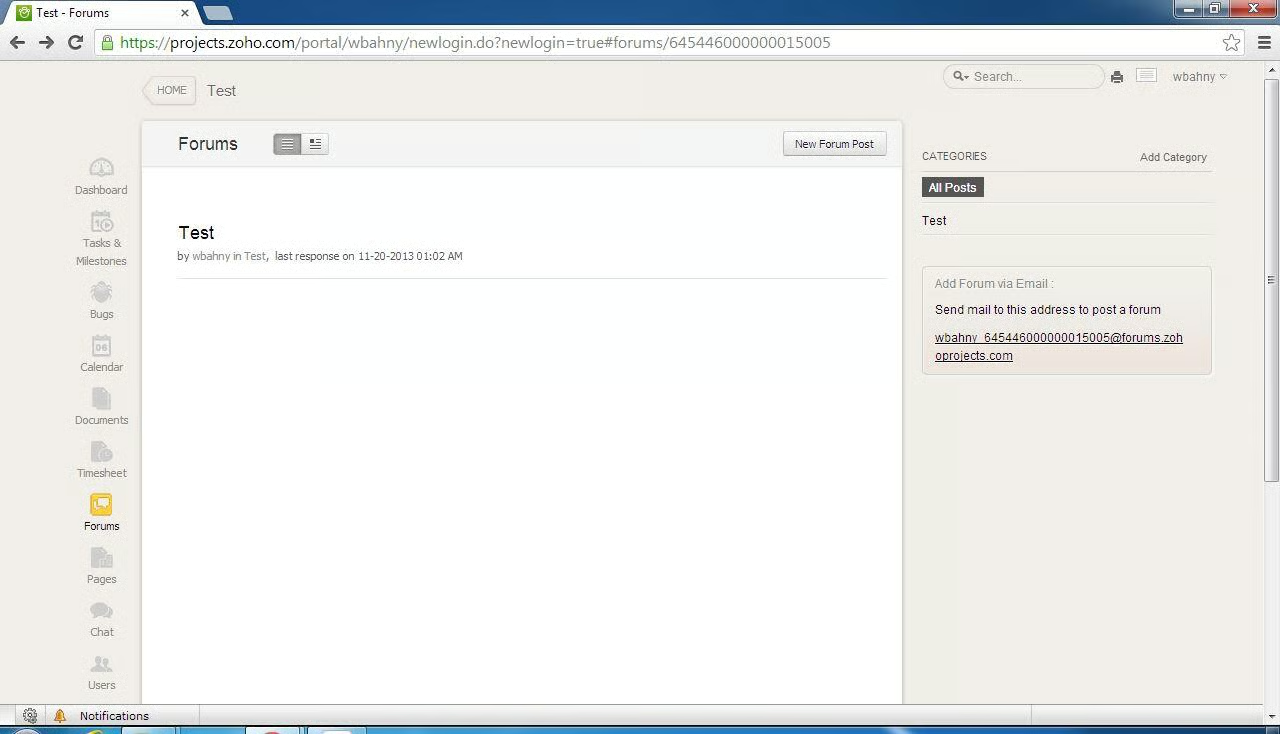
Zoho Projects also has a forums feature which is unique\r\namong the selections on this list.
\r\n\r\n
Credit: Image by Walter Bahny for TechRepublic
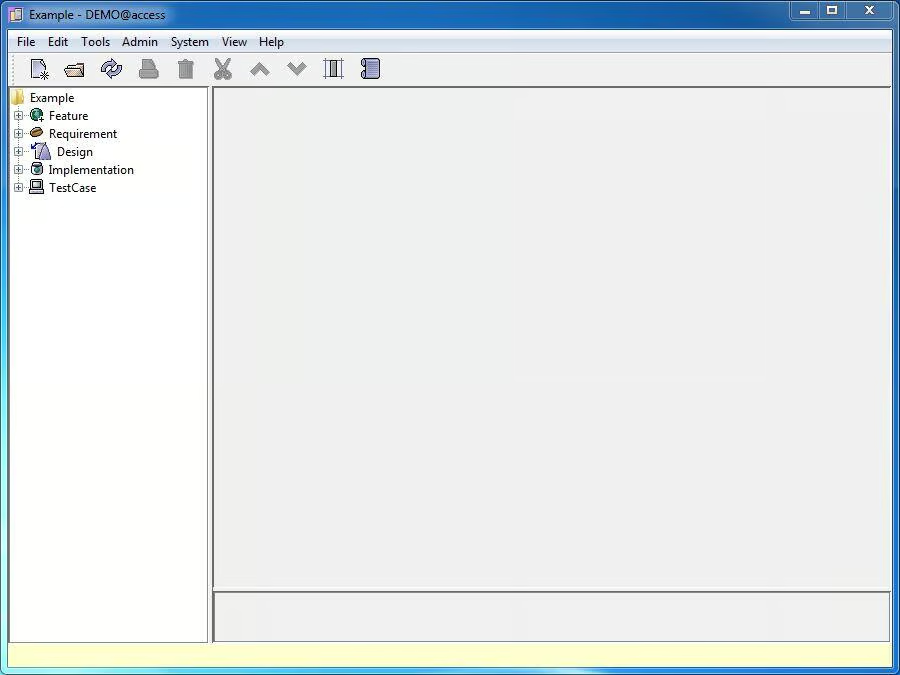
OSRMT helps keep track of requirements in any of your\r\nprojects. They can initially be broken\r\ndown into various categories.
\r\n\r\n
Credit: Image by Walter Bahny for TechRepublic
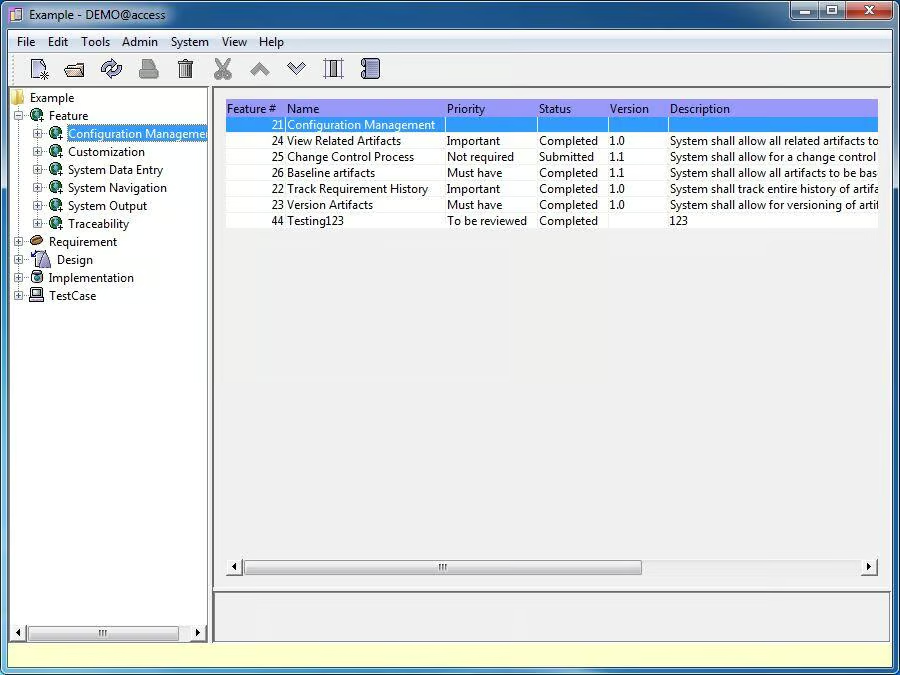
Each category can then have subcategories which then contain\r\nthe various requirements.
\r\n\r\n
Credit: Image by Walter Bahny for TechRepublic
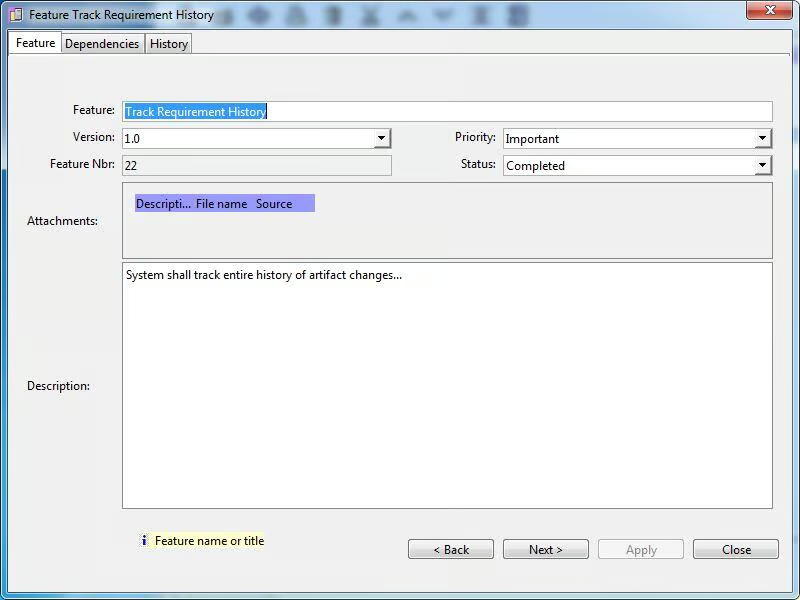
Each requirement can have the target version, a priority, a\r\nstatus, attachments, and a description.
\r\n\r\n
Credit: Image by Walter Bahny for TechRepublic
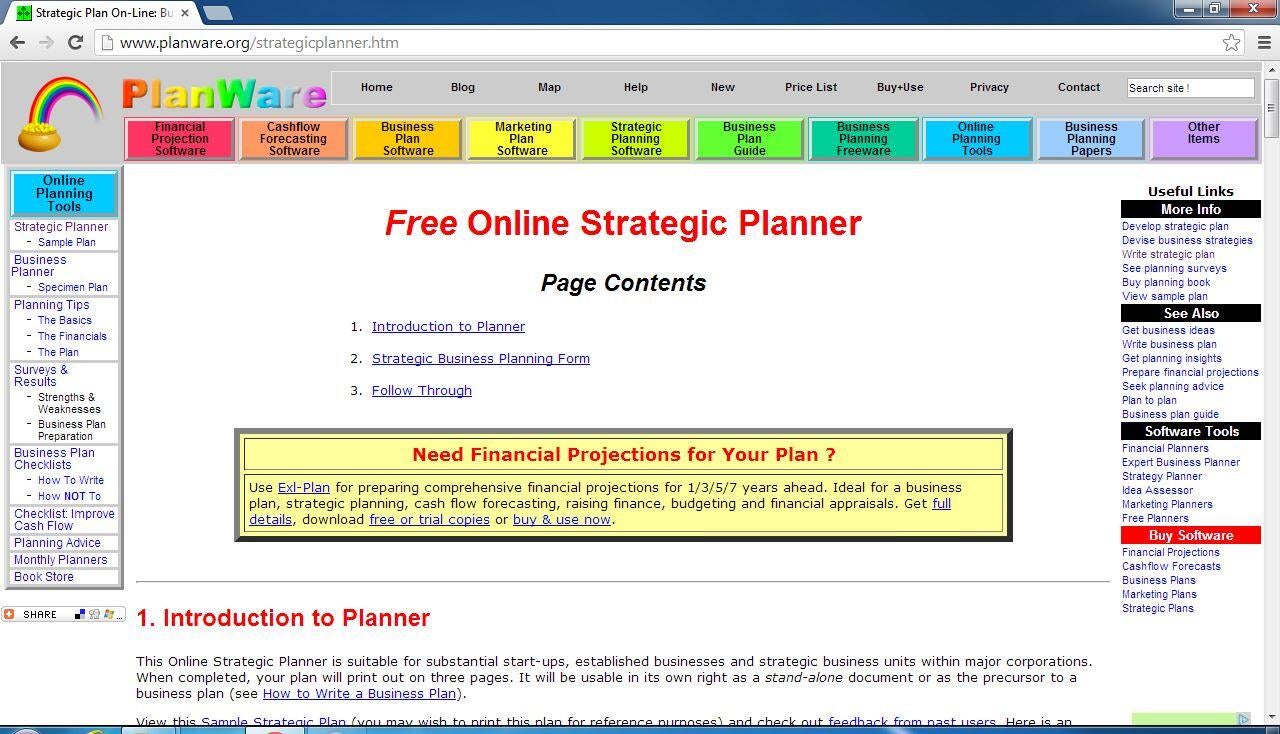
Planware Online Strategic Planner is part of an array of\r\ntools available to plan various business interactions.
\r\n\r\n
Credit: Image by Walter Bahny for TechRepublic
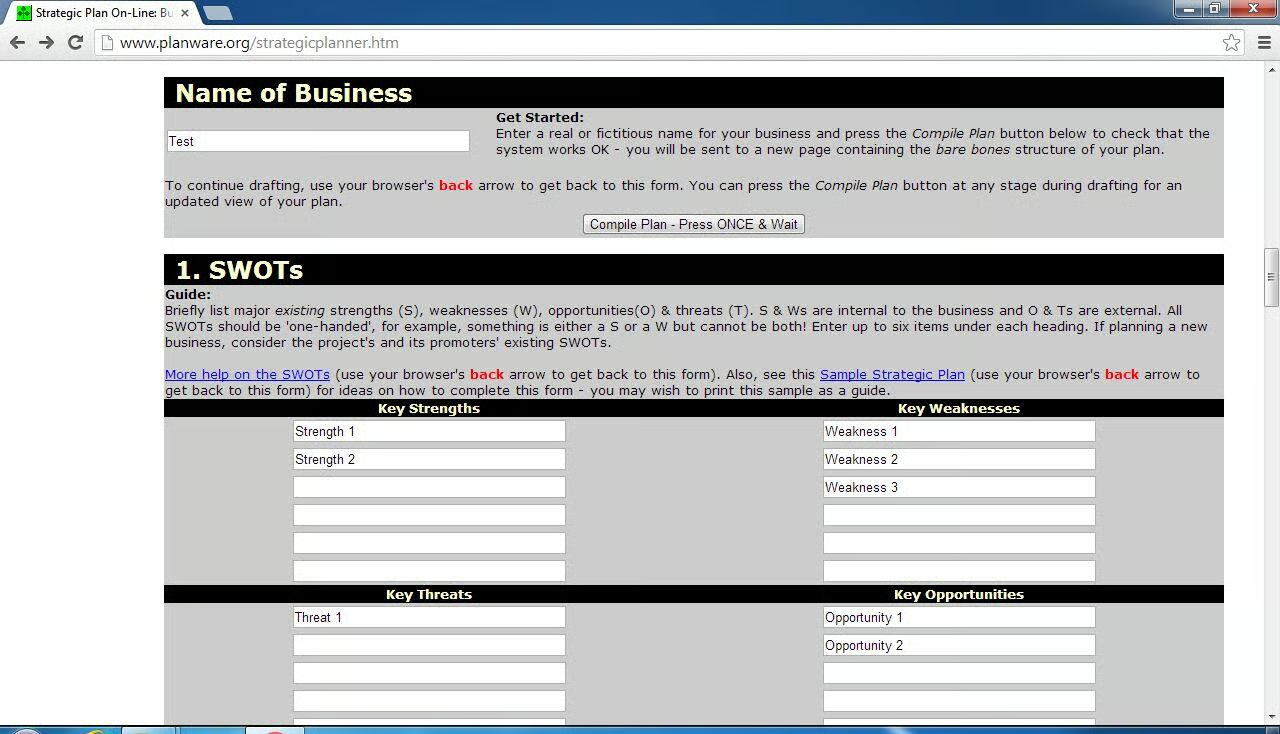
Other than the business name, the first \u2013 and most key \u2013\r\naspect of this tool is capturing SWOTs (Strengths, Weaknesses, Opportunities,\r\nand Threats).
\r\n\r\n
Credit: Image by Walter Bahny for TechRepublic
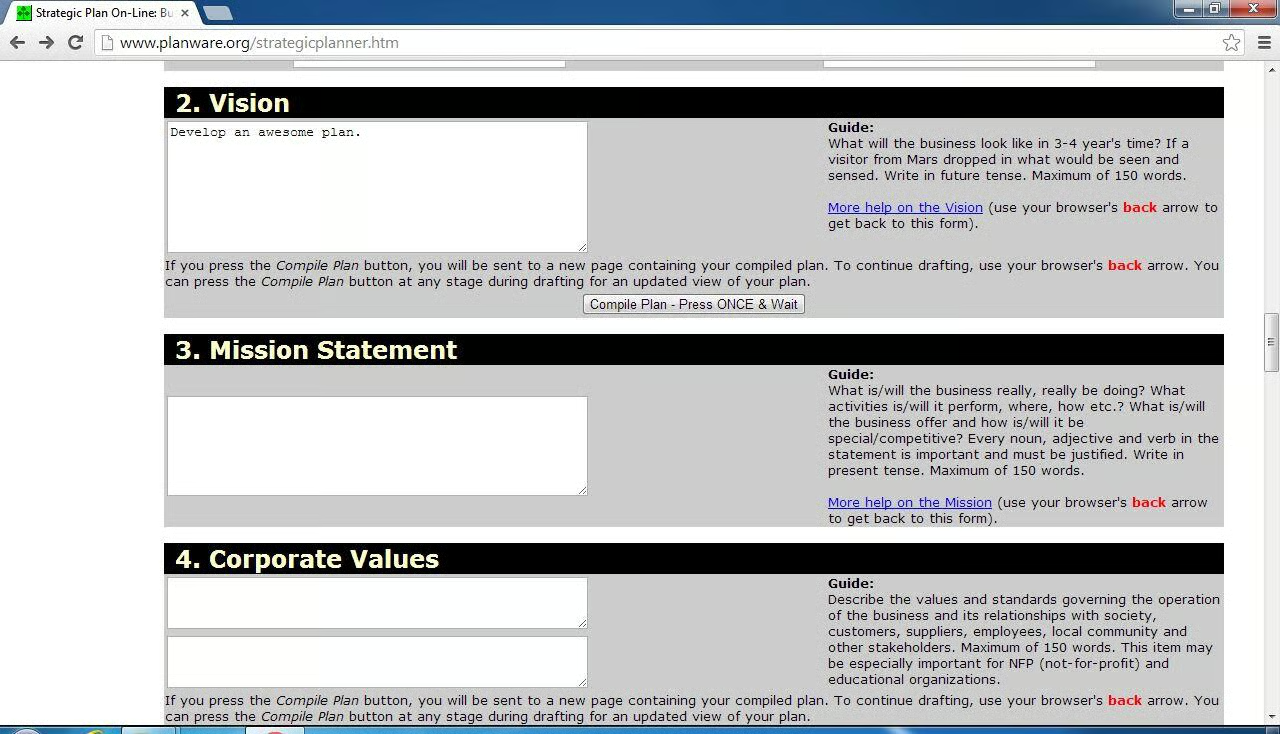
Other key fields include Vision, Mission Statement, and\r\nValues.
\r\n\r\n
Credit: Image by Walter Bahny for TechRepublic
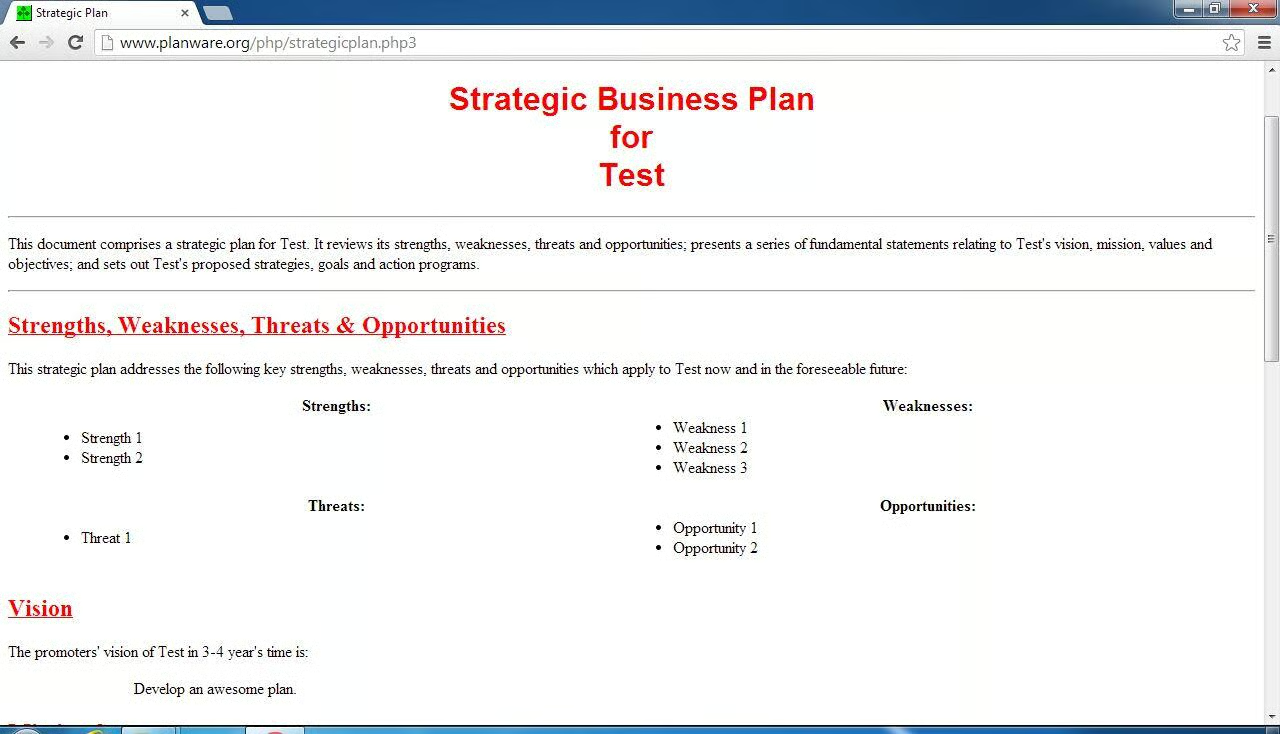
Once you are happy with the entries, simply click one of the\r\nCompile Plan buttons to view the entire plan in a formatted display that can be\r\neasily copied into a word processor and adjusted as needed.
\r\n\r\n
Credit: Image by Walter Bahny for TechRepublic


