
With OS X Yosemite, Apple appears to have taken inspiration\r\nfrom the best parts of iOS in its new feature set.
In iOS 7, Apple’s designers\r\nfocused on using transparency and layers to give a \u201csense of place\u201d on the\r\nscreen, showing where different apps and features stood in relation to each\r\nother.
The company has brought that to OS X now, with extensive transparency\r\nand a unified look that will drive app design on the platform for years to\r\ncome.
Note: This gallery is also available as an article.
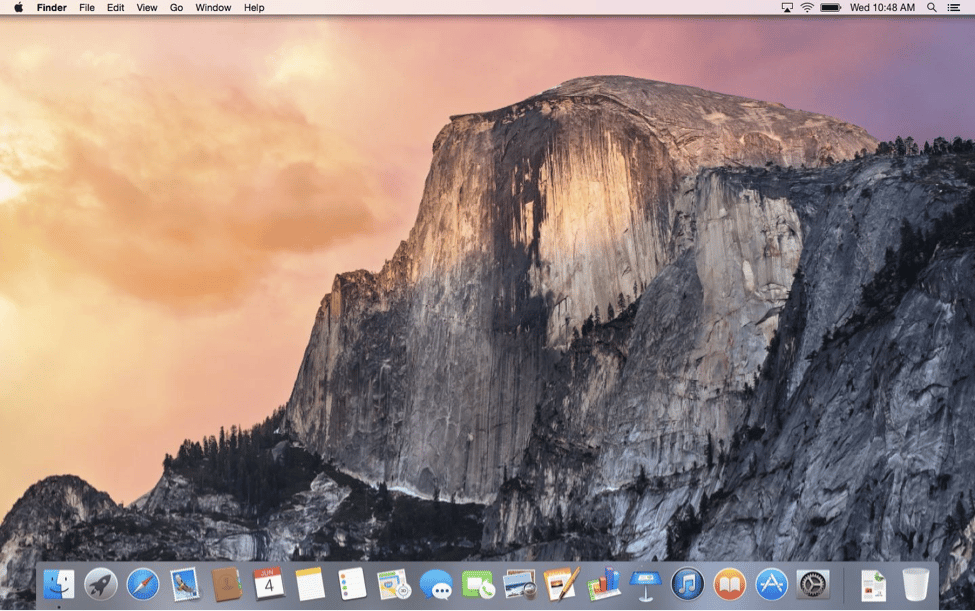
The overall look of the desktop hasn’t changed much, especially\r\nto the casual observer. But to a designer’s eye, the Dock is taken directly\r\nfrom iOS, losing the shelf-like look from Mavericks.
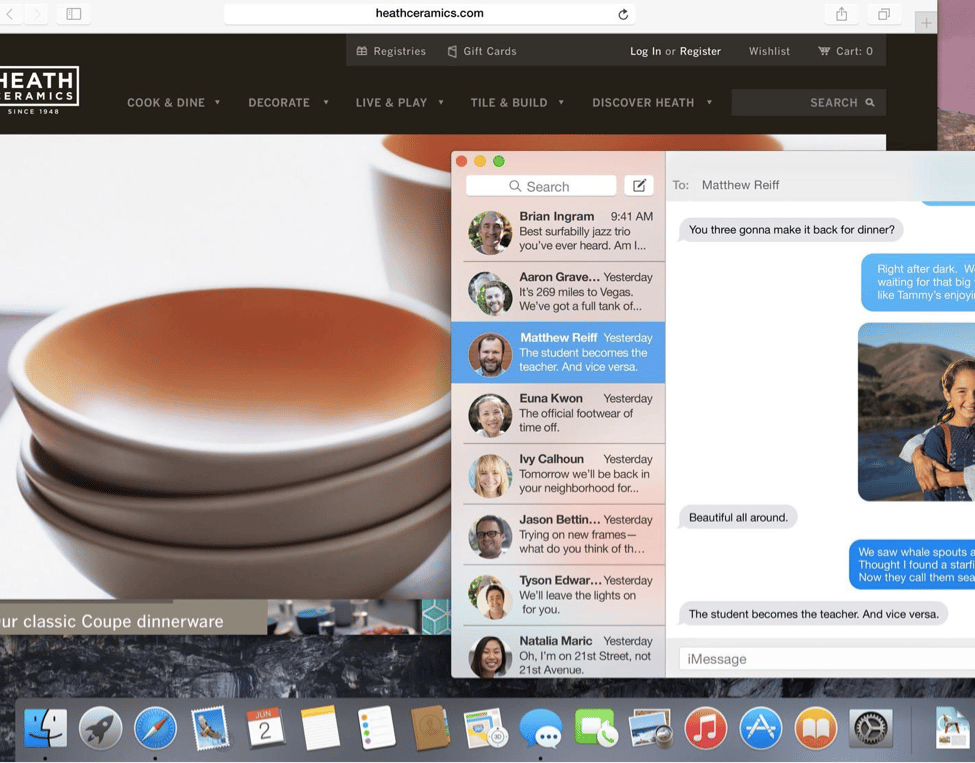
Translucency is everywhere, with the desktop image coming\r\nthrough the Dock slightly and the website appearing through the sidebar in\r\nMessages. It’s a subtle but significant change that makes selection of desktop\r\npicture extremely important.
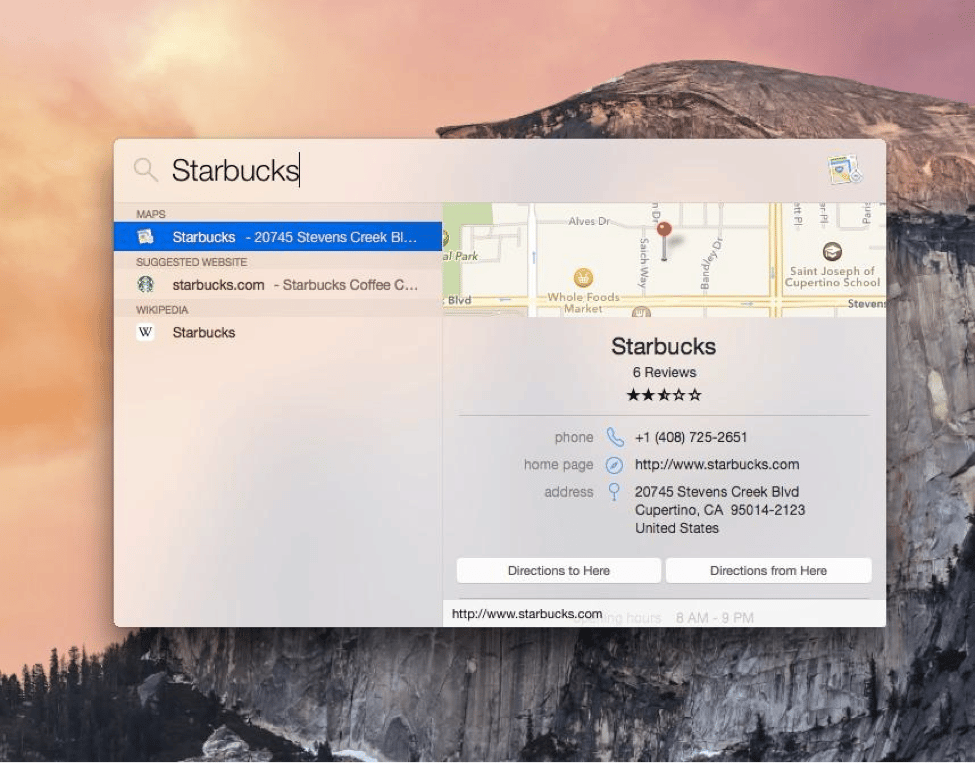
Apple has redesigned Spotlight, taking inspiration from third-party\r\napps like Alfred.\r\nIt’s in the middle of the screen rather than the top right of the menubar, and\r\nit pulls information from Maps, Wikipedia, suggested websites, and more, in\r\naddition to searching the local computer like it used to.

The new notification center is more customizable, with\r\ndevelopers able to design widgets for it. The new translucent view is\r\napparent here as well.

As part of its new Continuity feature set, OS X Yosemite can\r\nnow send and receive phone calls and text messages via a nearby iPhone. Apple\r\nis looking to let users do whatever they need to do, from whatever device is in\r\nfront of them.
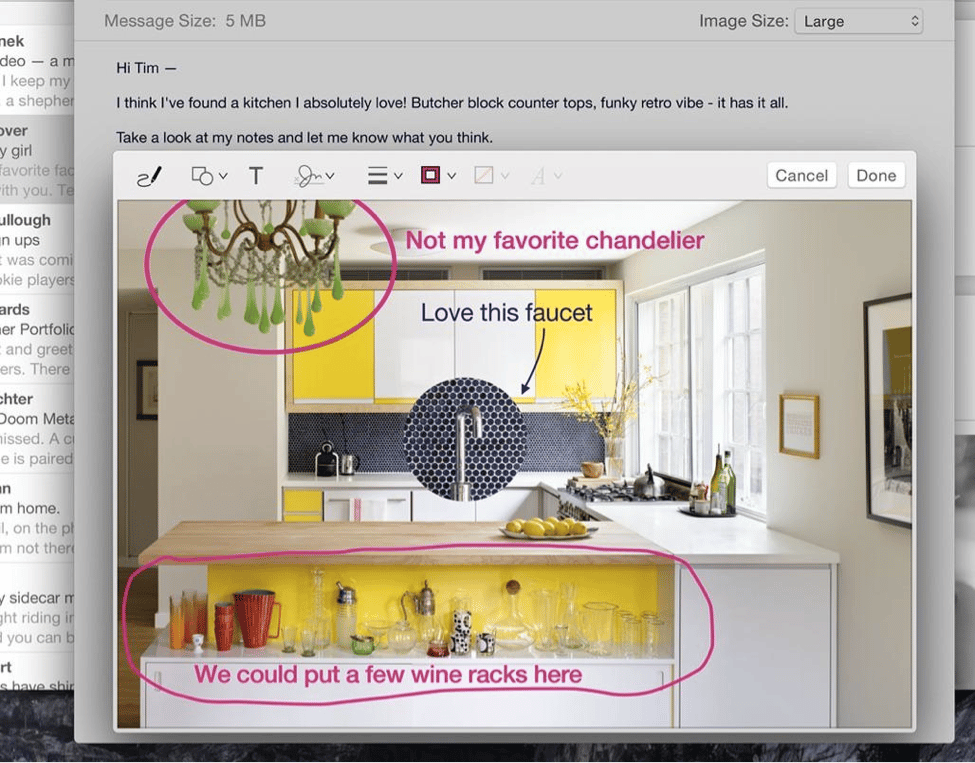
Apple has added a number of new features to Mail, including the\r\nability to draw and annotate images right within the app, as well as a new MailDrop feature that allows users to send files as large as 5 GB. MailDrop\r\ncompetes directly with similar services from Hightail, DropBox, and others.
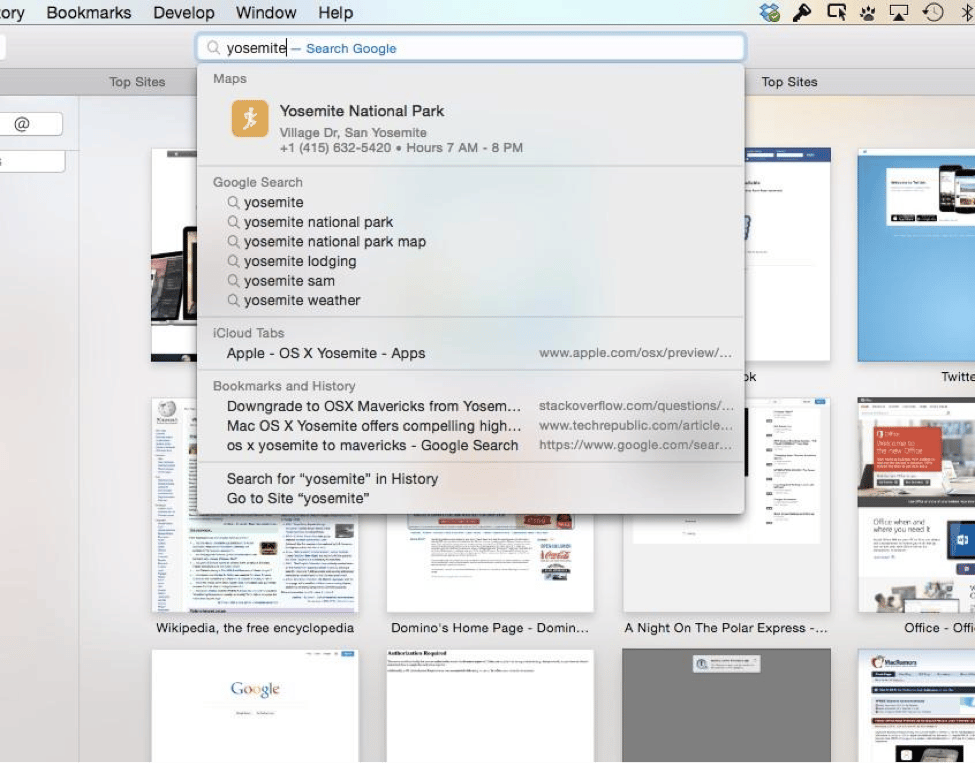
It’s not just Spotlight that has received an infusion of new\r\nsearch sources. Safari’s search box now pulls data from Maps, Wikipedia, iTunes, and news sources in addition to the standard search engine results.

Apple has looked to slim down the user interface across its\r\napps, allowing users to focus on their content. The Safari team has removed the\r\nfavorites toolbar (though it can be turned back on) in favor of a drop-down box\r\nshowing frequently visited websites when users click in the address box.

Jordan Golson has written about Apple, transportation and technology for more than a decade and has contributed to dozens of major publications including WIRED, The Verge, MacRumors, Popular Mechanics, Bild and many more.


