
Asana and Jira are two popular project management tools that support agile management.
Although both tools prove to be quite comprehensive, Asana is a flexible and user-friendly tool that appeals to a wider variety of teams, from marketing to sales, design and more. It offers a simple, visual way to organize work, with features like task lists, kanban boards, calendars and more.
On the other hand, Jira, developed by Atlassian, is a project management tool designed specifically for software development teams. It offers a robust feature set that supports agile methodologies, including scrum and kanban boards, backlogs, sprint planning tools and more.
Asana vs. Jira: Comparison table
| Features | ||
|---|---|---|
| Our rating | ||
| Starting price (billed monthly) | ||
| Ease of use | ||
| Agile support | ||
| Native time tracking | ||
| Gantt charts | ||
Asana vs. Jira: Pricing
Asana’s pricing structure is straightforward, with three tiers for individuals and businesses, including a free tier offering basic functionality with support for up to 10 users. But you’ll have to pay for features like Gantt and Timeline views. The remaining two tiers are reserved for enterprises for which you’ll receive pricing upon request.
As for Jira, we have four tiers, with a free tier that accommodates up to 10 users. The two premium tiers after the free tier cost much less than similar tiers in Asana. However, when Jira is billed annually, it does away with per-user costs with tiers that accommodate more than 200 users. This gives the impression that, while Jira is accessible to smaller teams, its pricing is much more suitable for larger and scaling teams.
Asana pricing
- Personal: Free forever.
- Starter: $10.99 per user per month, billed annually, or $13.49 per user per month, billed monthly.
- Advanced: $24.99 per user per month, billed annually, or $30.49 per user per month, billed monthly.
- Enterprise: Custom pricing.
- Enterprise+: Custom pricing.
For more information on Asana, read our full Asana review or check out our Asana alternatives.
Jira pricing
- Free: Available for up to 10 users.
- Standard: $8.15 per user per month.
- Premium: $16 per user per month.
- Enterprise: Custom pricing, only billed annually.
For more details, check out our full Jira review, or for other ideas, review our Jira alternatives.
Asana vs. Jira: Feature comparison
Agile support
Winner: Jira
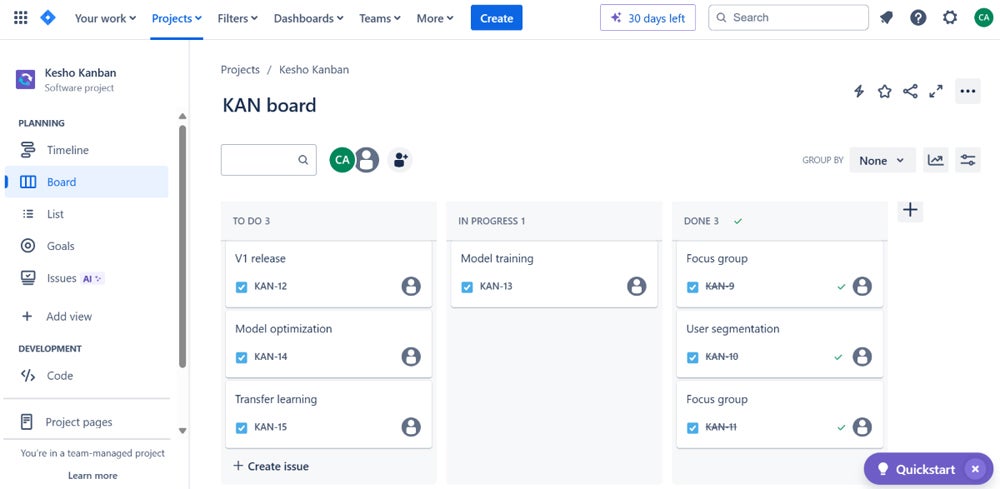
Asana supports agile project management with its kanban-style boards. They are a visual way to manage workflows, allowing teams to track progress with ease and prioritize tasks effectively. Even though Asana’s boards are user-friendly and flexible — coupled with capabilities like custom fields and task dependencies, which can be used to create scrum-like workflows — it lacks some of the advanced features found in tools specifically designed for agile development like Jira. Jira is a better fit for teams using a more flexible or hybrid approach to agile.
Teams using scrum or kanban methodologies will be right at home with Jira’s agile boards. The boards are highly customizable and integrated with other Jira features, such as backlogs and sprint planning tools. Jira’s agile capabilities are more advanced than Asana’s, providing thorough functionality to manage complex projects and track progress accurately.
Native time-tracking
Winner: Tie
Asana provides a native time-tracking feature for Advanced, Enterprise and Enterprise+ customers, allowing users to keep track of time spent on tasks directly within the platform. Additionally, you can integrate it with several time-tracking tools like Harvest, Everhour and Toggl to track time spent on various tasks directly within Asana. These integrations come in handy for teams that want time tracking but aren’t subscribed to the advanced pricing tiers in Asana. They can also come in handy for users who may find more functionality in an integration compared to native time tracking.
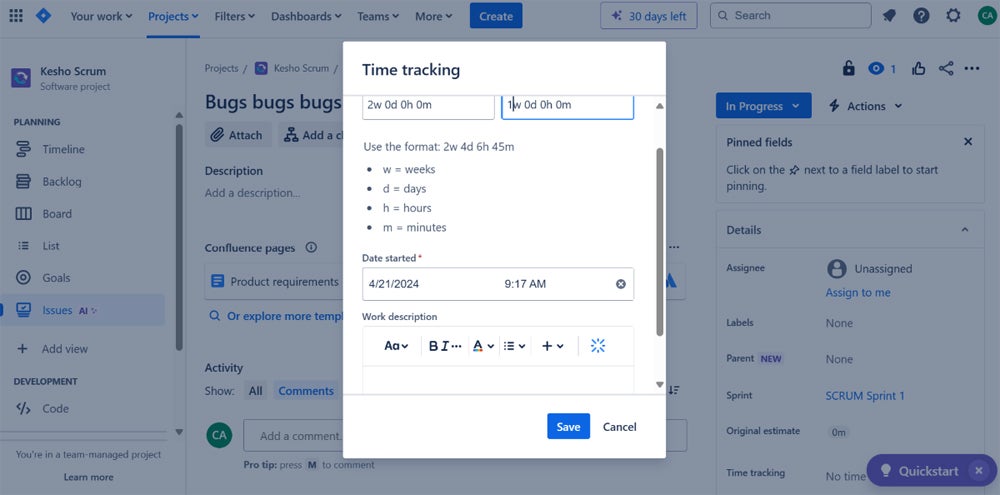
Jira also has a built-in time-tracking feature. Users can log work on an issue and track time spent, remaining and original estimates. The platform provides numerous configuration options for time tracking and reporting, making it feel like you have greater flexibility and oversight of your tracking activities. Teams using scrum or kanban methodologies will value this, as tracking time spent on tasks helps with sprint planning and managing work in progress.
Gantt charts
Winner: Asana
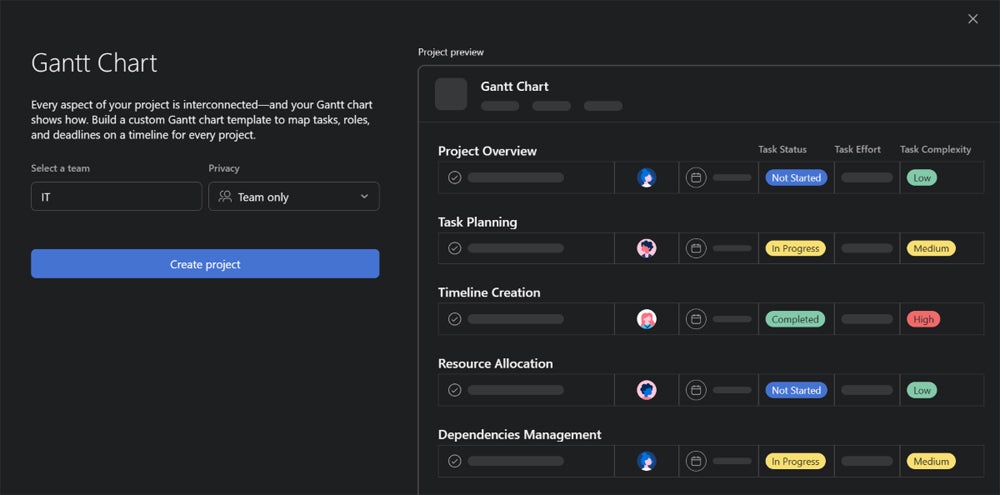
It can be argued that Asana’s Timeline view can offer Gantt capabilities to a certain degree. However, Asana does have Gantt functionality independent of its Timeline view. I found mapping out project plans visually and displaying task dependencies and timelines to be straightforward in Asana. These charts are easy to use and integrate seamlessly with other project views, which makes it simple to switch between different perspectives on a project. However, Asana’s Gantt feature isn’t available for the Personal plan, though the Timeline view is.
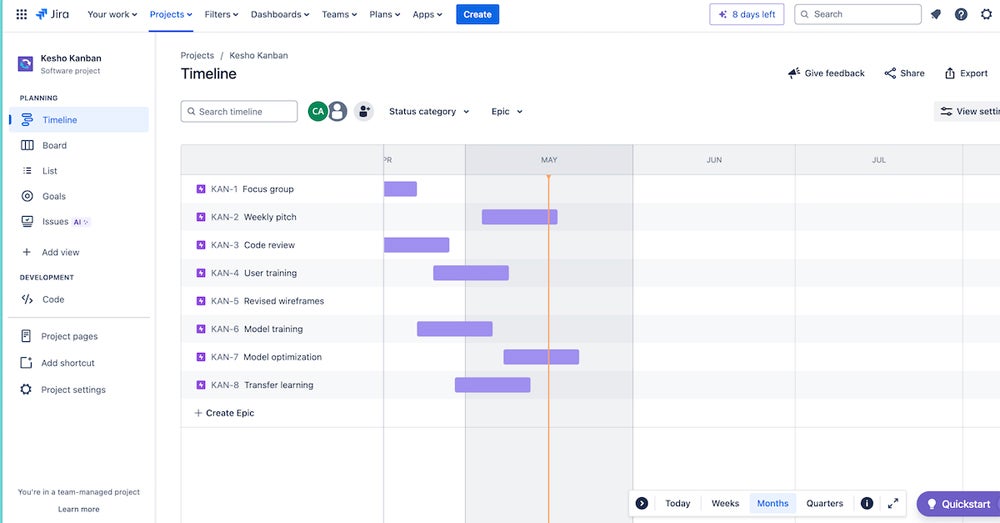
Talking about timeline views, Jira’s Timeline view is one of its two native Gantt chart offerings. With it you get the tools and controls to track complex projects with multiple tasks and massive teams. However, it’s best for team-level management. The second offering is Plans, an advanced planning feature that visualizes work for multiple teams, projects and even organization-wide projects. It’s available in Jira Premium.
Ease of use
Winner: Asana
Asana is known for its intuitive, user-friendly interface. Its design focuses on simplicity, making it easy for new users to get started quickly. Compared to Jira, I found it to be easier to pick up and use. The visual layout, combined with drag-and-drop functionality, made managing tasks and projects much more intuitive. For teams looking for a low learning curve, Asana can be a great fit. However, it’s worth noting that it has advanced features that may take some time to master.
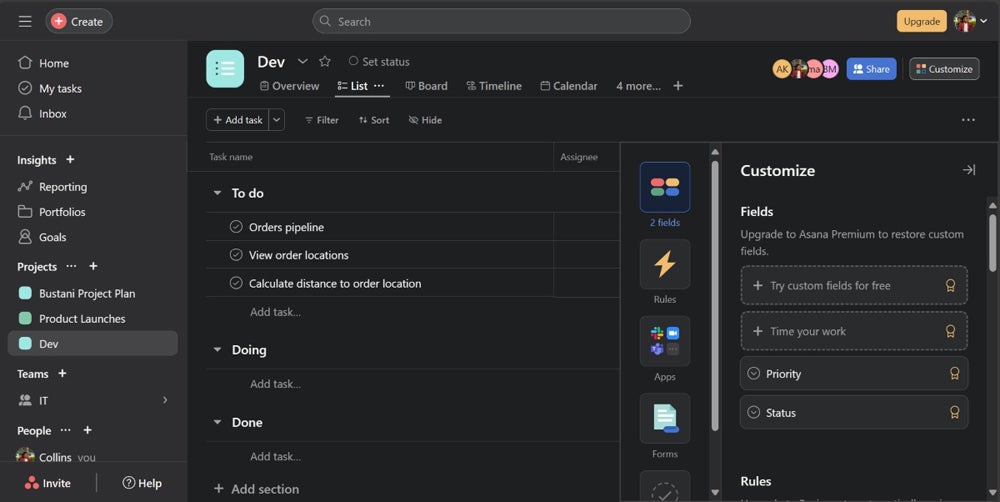
Jira’s interface can feel more complex due to its extensive feature set and customization options.
While Jira does a great job of onboarding new users and making the platform feel as simple to pick up as possible, Jira’s robust feature set and highly technical nature work against it as it still feels complex, especially to the non-technical user. Even so, while this complexity can be a challenge for new users, Jira provides comprehensive tutorials and documentation to help users navigate its features, but it generally requires more time to master compared to Asana.
Customer support
Winner: Jira
Asana offers various support options, depending on the pricing plan. The free plan includes access to community support and basic Asana support. Paid plans provide more extensive support, with 24/7 support available only to enterprise users. Asana also offers a range of resources such as tutorials, webinars and a detailed knowledge base which are available in most of its pricing tiers.
As for Jira, we’re looking at more robust customer support across its pricing tiers. The free plan includes access to the Atlassian community. The standard plan offers local business hours support, while the premium plan provides 24/7 support for critical issues. Enterprise users benefit from 24/7 support for all issues and a higher uptime SLA.
Security
Winner: Tie
Asana prioritizes security with features like data encryption at rest and in transit and features like SAML, SIEM integration, DLP and advanced admin controls available in its enterprise plans. The platform complies with major industry standards, such as SOC 2 Type II, meaning that robust data protection measures are constantly in place.
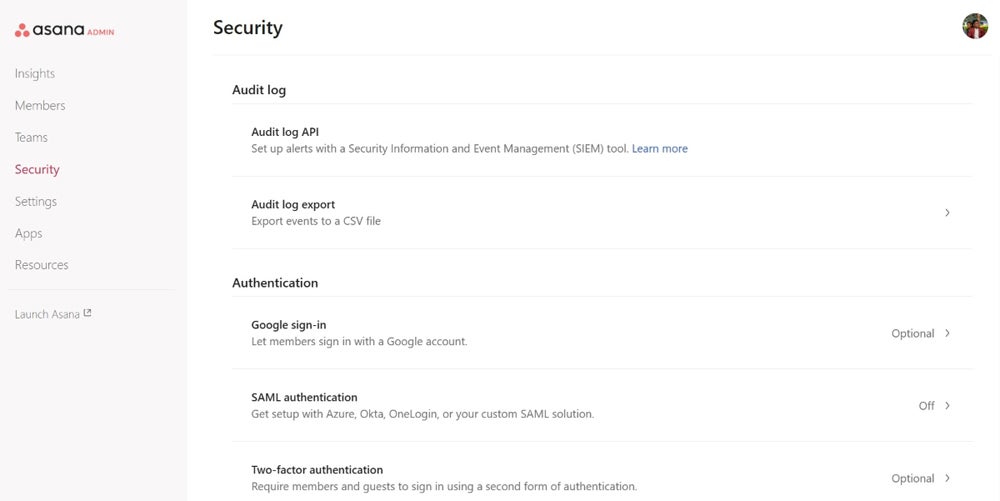
Jira also has thorough security features, particularly in its premium and enterprise plans. These include advanced admin controls, SAML SSO, SCIM for user provisioning and encryption. Jira’s enterprise plan also provides additional security measures such as audit logs, BYOK encryption and compliance with various industry standards, making it suitable for organizations with stringent security requirements.
Asana pros and cons
Pros of Asana
- Has a user-friendly interface and is highly flexible.
- Visual approach to project management that makes it easier for teams to manage their work.
- Its versatility means it’s suitable for a wide range of industries and teams.
- Asana has a wide range of integrations.
Cons of Asana
- Asana lacks some of the more advanced features found in tools like Jira.
- Its reporting features feel limited compared to Jira.
- No native time tracking in lower plans.
- May have too many features for small teams to fully utilize
Jira pros and cons
Pros of Jira
- Focus on agile methodologies makes it a powerful tool for software development teams.
- Has advanced reporting and analytics capabilities.
- Pricing adjusts based on the number of users, making it great for scaling teams.
- Has extensive Gantt functionality.
Cons of Jira
- Highly technical nature is a barrier to entry for non-technical users.
- Can be overwhelming for first-time users.
- Has a limited selection of project views.
- Collaboration tools are limited.
Should your organization use Asana or Jira?
It comes down to your needs and workflows. If your team values a user-friendly interface with flexible task management, Asana is the better choice. On the other hand, if your team is heavily invested in agile methodologies, particularly in a software development context, Jira could provide significant advantages.
However, nothing beats first-hand experience, and since Asana and Jira offer free plans, we encourage you to try out each tool and see which one works best for your team.
Choose Asana if . . .
- You need a user-friendly solution with simple agile functionality.
- You need basic to intermediate project management features.
- You need a solution that’s adaptable to a variety of teams and industries.
- You value collaboration and communication tools.
- You don’t want a steep learning curve in your project management tool.
Choose Jira if . . .
- You require advanced project tracking alongside advanced agile features.
- You need extensive customization and integration capabilities.
- You’re in a highly technical field, especially software development.
- You already use other Atlassian tools.
- You must have advanced reporting and analytics.
Review methodology
For this head-to-head, the key criterion for comparison was how Asana and Jira approach agile project management. We signed up for the free trials offered by both tools for hands-on experience with each to determine their ease of use, strengths and weaknesses. We then compared our findings with the platforms’ features and capabilities listed on their web pages.
Finally, we checked our findings against the feedback of real-world users to see whether we had similar experiences. Below is a summary of how they compared across criteria beyond agile management.
| Criteria | ||
|---|---|---|
| Features | ||
| Pricing | ||
| Ease of use | ||
| Service and support |