


- Best call center software overall: RingCentral
- Best for customer engagement: Nextiva
- Best modular call center platform: Vonage
- Best digital-only plan: Five9
- Best customer support solution: LiveAgent
- Best AI-powered features: Dialpad
There are dozens of call center solutions available — some for large businesses, some for outbound and even some for solo users. They all have their place in the market, but choosing the best call center software for your specific needs can feel like an impossible decision. To help narrow down your choices, I’ve selected the top six call center software and categorized them by use case.
Top call center software comparison
All of the call center platforms on this list include call routing, analytics, softphone functionality, call recording and a range of integrations. The table below outlines some of the most important distinctions between them.
| RingCentral | ||||||
| Nextiva | ||||||
| Vonage | ||||||
| Five9 | ||||||
| LiveAgent | ||||||
| Dialpad |
RingCentral: Best call center software overall

RingCentral’s early focus was on providing VoIP (Voice over Internet Protocol) systems to businesses looking to move away from traditional phone systems. Over time, they’ve expanded to offer a wider range of communications tools. Today, RingCentral is a leading Unified Communications as a Service (UCaaS) provider delivering tools that integrate voice, video, messaging, and contact center capabilities.
Why I chose RingCentral
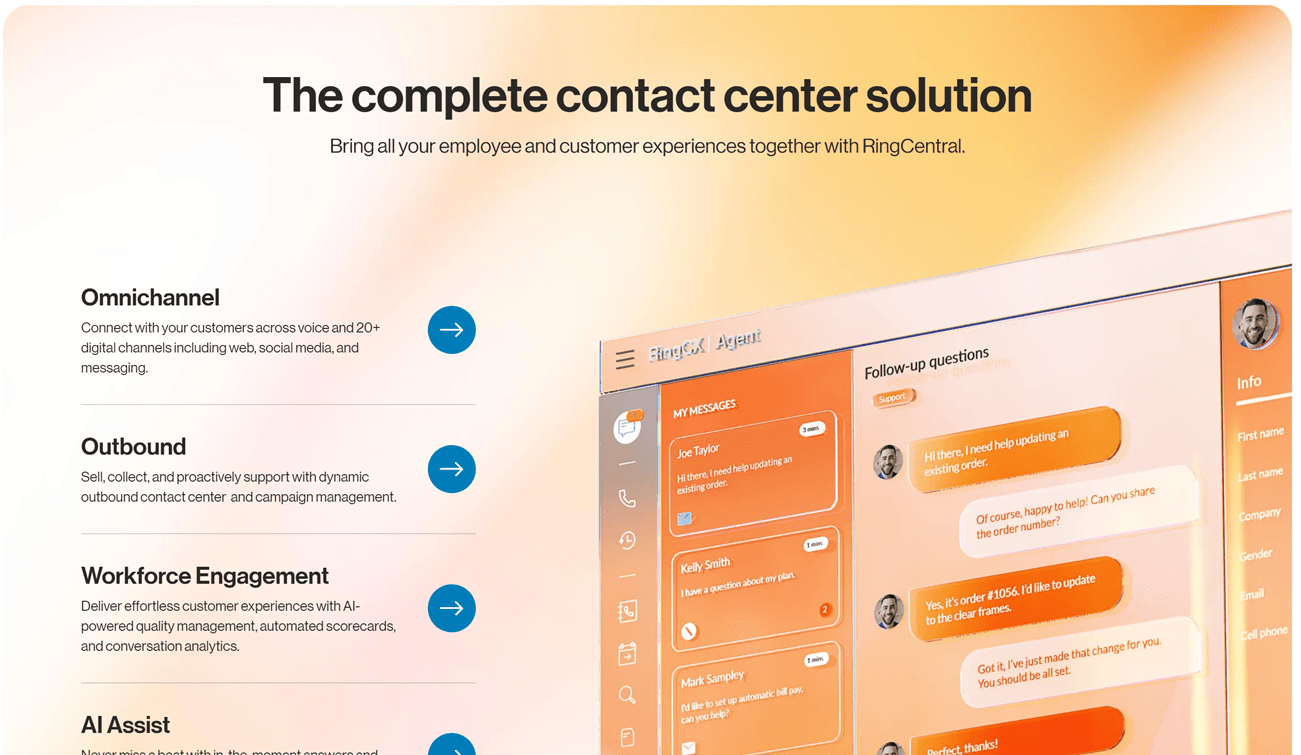
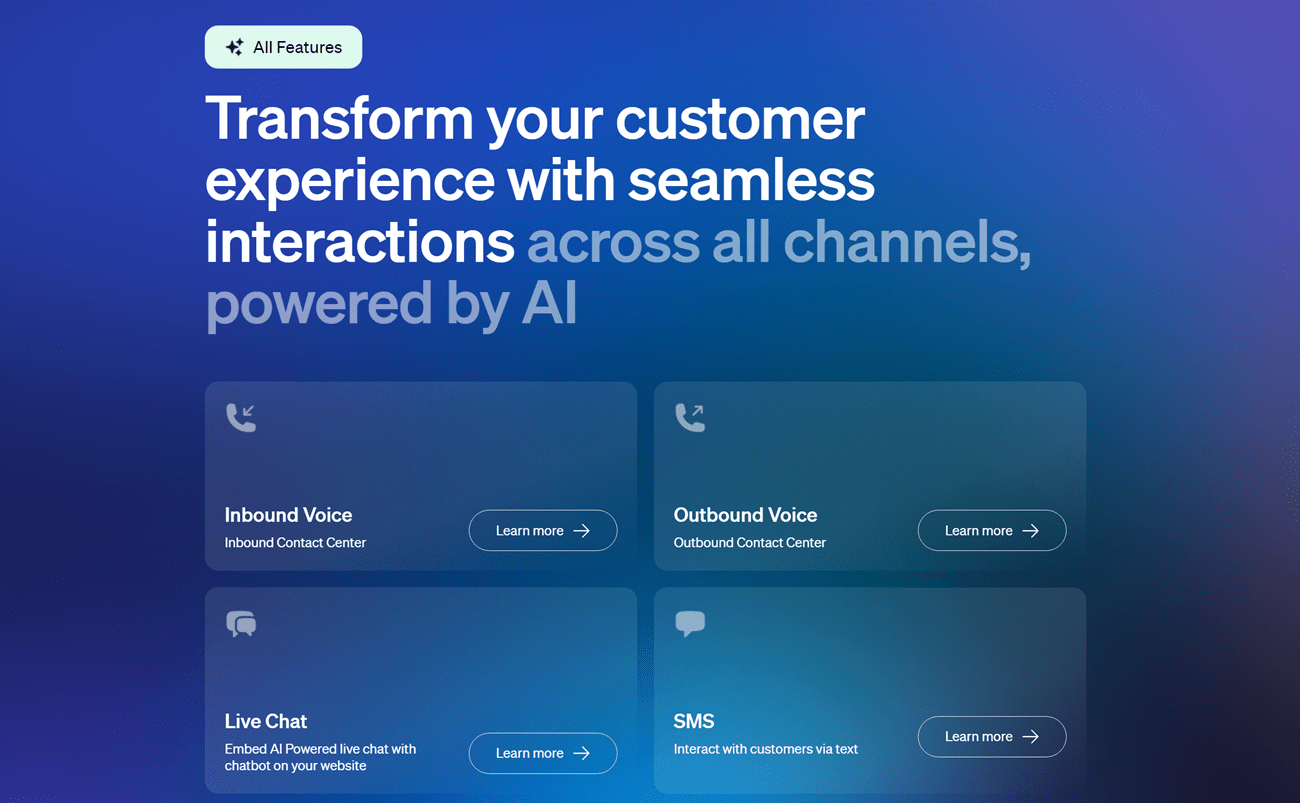
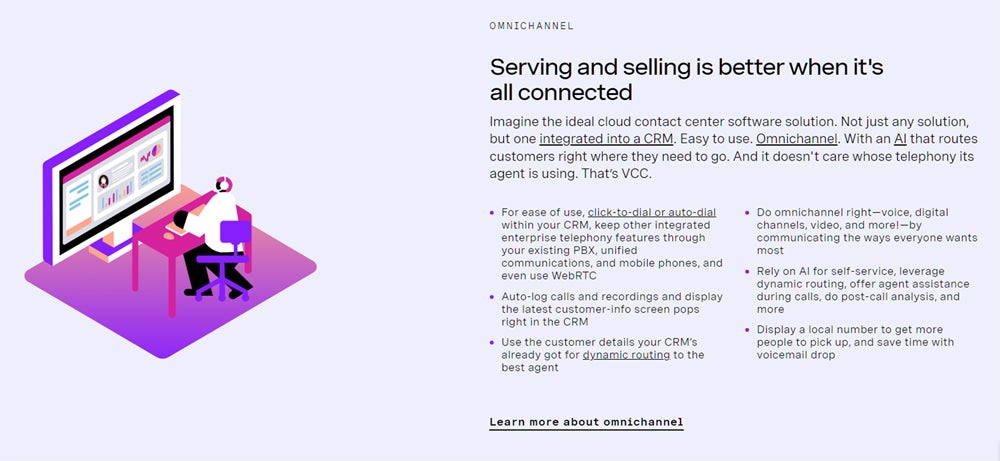
RingCentral is my top choice for call center software because the channels and capabilities are built into the platform. You don’t have to integrate separate tools for analytics or workforce management, plus its entry-level plan supports voice and 20 digital channels. It’s one of the few solutions to offer call center capabilities with unlimited domestic calling — most charge per minute.
Overall, it’s a very comprehensive platform starting at its entry-level plan. From there you can upgrade and adapt as needed with its massive range of add-ons, 300+ integrations, and over 400 APIs. Most of the other call center software I evaluated offered less built-in functionality than RingCentral, and far fewer integrations.
Check out the full RingCentral review to learn more about its pros, cons, and features.
Pricing
- RingCX: Starts at $65 per agent per month, billed annually.
- Enterprise: Custom quote based on your needs.
- Free trial: No, but there is a free demo.
RingCX is an entry-level starting point, and includes unlimited domestic inbound and manual outbound calling. You would pay extra for calls initiated from an automated outbound dialer, for example. Enterprise includes unlimited calling and more of the advanced call center AI capabilities.
Visit RingCentral
Features
- Advanced knowledge management.
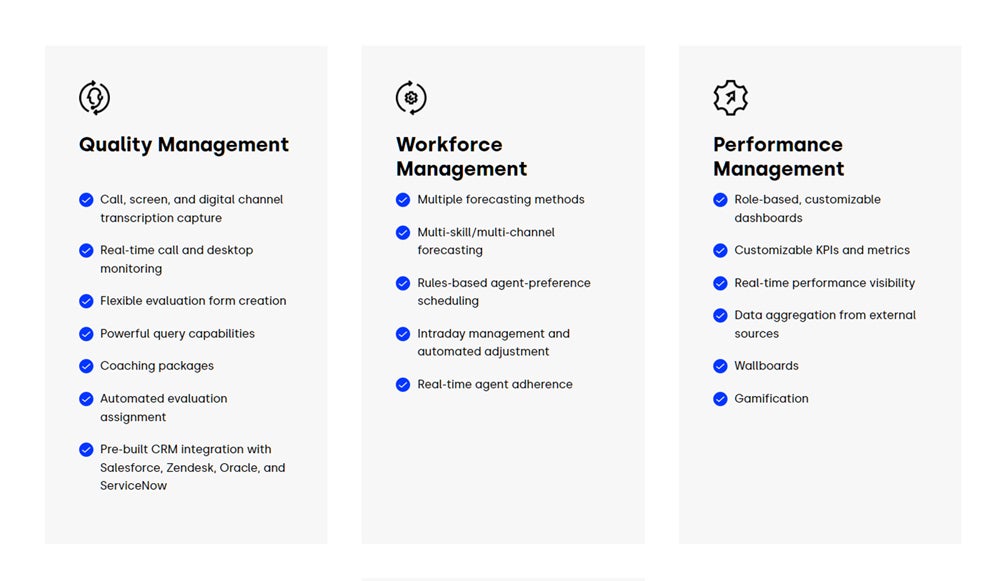
- Workforce engagement and optimization.
- Agent performance management.
- Complete speech analytics with keyword tracking.
- Customer journey mapping.
- Omnichannel interaction designer.
- Virtual agent for any channel.
- Survey and feedback management.
- ACD, IVR and skills-based routing.
- Available in five countries.
Pros and cons
| Pros | Cons |
|---|---|
|
|
Nextiva: Best for customer engagement

Nextiva used to be geared more toward smaller businesses and call centers. But with its recent acquisition of Thrio, an enterprise-grade contact center software solution, it’s become infinitely scalable. That — layered on top of rock-solid reliability, customer care, an automation engine and unwavering usability — makes it a full-scale omnichannel solution that’s hard to beat. No matter how your customers want to stay in touch, Nextiva can help you centralize every conversation in a single platform.
Why I chose Nextiva
Nextiva is a versatile option that works equally well for sales, service, marketing, or support. It’s loaded with tools designed to enhance customer engagement, empowering call center agents to deliver personalized service. With features like AI-driven sentiment analysis and automated call routing, callers can get the help they need without ever speaking to an agent. If agent assistance is necessary, detailed interaction histories help agents tailor conversations, creating more meaningful and effective customer experiences.
Read my full review of Nextiva to find out more about the company and its products.
Pricing
- Essential: Starts at $129 per agent per month.
- Professional: Starts at $159 per agent per month.
- Premium: Starts at $199 per agent per month.
- Free trial: No, but there is a free demo.
The Essential plan lets you choose one channel, voice or digital. The other two are complete omnichannel solutions, with Premium also including enterprise features for workforce, quality and performance management.
Visit Nextiva
Features
- Survey and forms for feedback management.
- Intelligent skills-based routing.
- Quarterbacking, predictive and progressive dialers.
- Voice and digital AI bots.
- Contact and list management tools.
- Supervisor monitoring capabilities.
- Enterprise-grade analytics.
- Quality, performance and workforce management.
Pros and cons
| Pros | Cons |
|---|---|
|
|
Vonage: Best modular call center platform

If you don’t need the power of Nextiva or RingCentral but want the ability to mix and match features, Vonage offers a modular alternative at a more affordable price point. It’s nowhere near as comprehensive, but there are plenty of features and add-ons that smaller to midsize businesses can use without breaking the bank.
Why I chose Vonage
Not every business needs the most powerful and advanced call center software. Despite that, they may still want to customize the solution, only paying for the features they’ll actually use. The standard base plans offer just enough for new or small businesses, but there’s still room to grow. And if you have users who need a standard phone plan instead, Vonage Fusion makes it easy to manage your entire account from one centralized location.
Pricing
- Priority: For new and small contact centers.
- Premium: Best for optimizing the customer and agent experience.
- Free trial: No, you have to reach out to get started.
Vonage pricing is based on a custom quote, depending on the size of your team, the add-ons you need and your location. Regardless of the base plan you choose, you can buy add-ons whenever you’re ready to make the most of the platform.
Visit Vonage
Features
- IVR, dynamic routing and skills-based routing.
- Screen pop for full customer context.
- Call recording and live call monitoring.
- Basic and speech analytics.
- Outbound dialers.
- Queueing and callbacks.
- Post-call surveys.
- Workforce management.
- Gamification.
- Virtual assistants.
Pros and cons
| Pros | Cons |
|---|---|
|
|
Five9: Best digital-only plan

Want the same powerful routing and collaboration capabilities but don’t use voice? Five9 is one of the few contact center solutions that offers a digital-only plan that covers live chat, email, texting, messaging apps and social media messaging.
Why I chose Five9
Five9 offers voice-only, digital-only and omnichannel contact center options. Its digital-only channel is unique, giving you the ability to leverage Five9’s power to create personalized digital experiences, even if voice isn’t a channel you use. The same is true for its enterprise-grade capabilities — you can add them to your plan when you need them.
Pricing
- Digital: Starts at $119 per agent per month.
- Core: Starts at $119 per agent per month.
- Premium: Custom quote only.
- Optimum: Custom quote only.
- Ultimate: Custom quote only.
- Free trial: No, but there is a free demo.
The Digital plan covers all digital channels and comes with access to Five9’s powerful automation builder, outreach tools and more. Core offers all of the same functionality but for the voice channel. All of the higher tiers combine digital and voice together.
Visit Five9
Features
- Automated digital outreach tools.
- Powerful automation builder.
- Full interaction tracking by contact.
- Workforce optimization and scheduling.
- Gamification and agent engagement.
- Specialized supervisor consoles.
- Connectors for dozens of CRM systems.
- Operational intelligence modules.
Pros and cons
| Pros | Cons |
|---|---|
|
|
LiveAgent: Best customer support solution

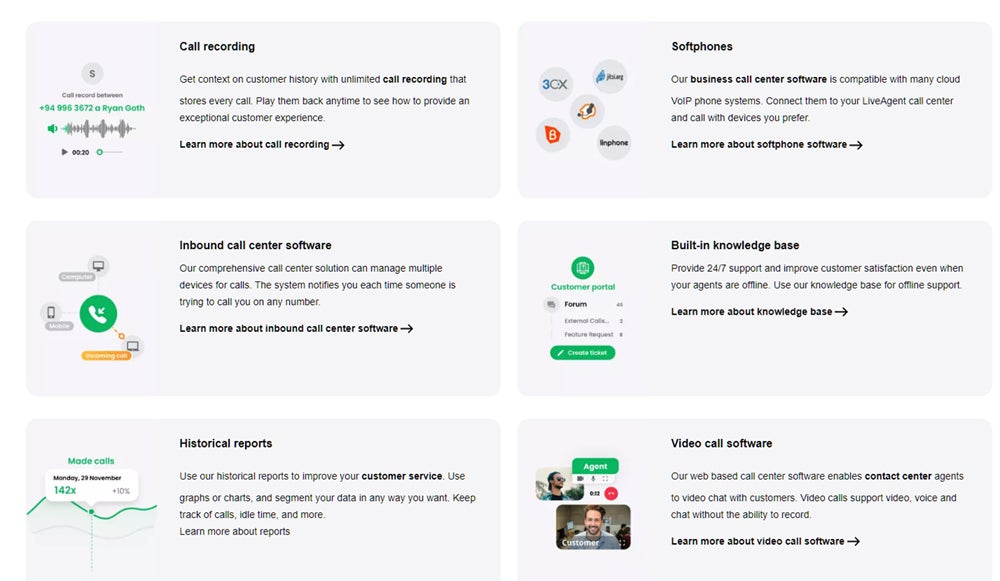
Similar to Five9, LiveAgent doesn’t prioritize voice. Unlike Five9, it’s hyper-focused on ticket management instead of digital engagement, making it a great choice for support teams looking for a better way to manage inquiries. It also offers basic call center features, like ACD, IVR, call queues and call recording, on higher tiers.
Why I chose LiveAgent
Even though you have to use a standalone VoIP provider for full voice capabilities, you’ll be able to use your phone system as normal while taking advantage of LiveAgent’s ticketing, customer service and contact center capabilities layered on top.
Pricing
- Free: $0 but no call center features.
- Small Business: Starts at $15 per agent per month, billed annually.
- Medium Business: Starts at $29 per agent per month, billed annually.
- Large Business: Starts at $49 per agent per month, billed annually.
- Enterprise: Starts at $69 per agent per month, billed annually.
- Free trial: 14 or 30 days with full access to all features.
The Small Business plan has a few call center capabilities, but you’ll get full access to all call center functionality on the Medium Business plan or higher.
Visit LiveAgent
Features
- Full ticket management capabilities.
- Live chat widget for your website.
- Video meetings with customers.
- Customer forum and knowledge base creation.
- Form and survey management.
- Agent gamification.
- Standard automation engine.
- ACD, IVR and call queues.
- Option to add other digital channels.
- Time tracking on some plans.
Pros and cons
| Pros | Cons |
|---|---|
|
|
Dialpad: Best AI-powered features

If you’re looking to leverage cutting edge AI capabilities that go beyond text generation and call summaries, Dialpad is the way to go. Other providers have some AI features, but Dialpad is implementing artificial intelligence in unique ways — so much so that other providers are struggling to keep up.
Why I chose Dialpad
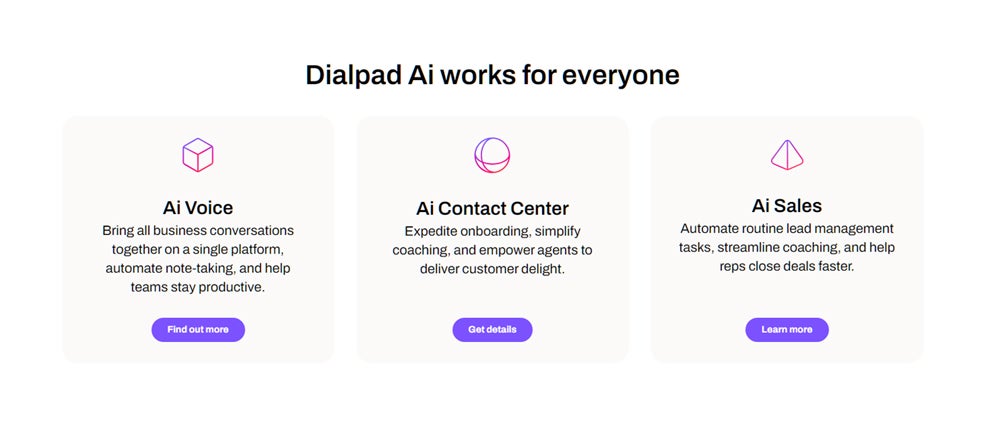
Dialpad offers all of the standard call center features you need. On top of that, you’ll get its powerful AI tools to level up your agents, customer experience and operations even more. All of its AI features are designed to save time for agents and supervisors, with plenty of tools for real-time assistance, monitoring and analyzing agent performance.
Pricing
- Essentials: Starts at $80 per agent per month, billed annually.
- Advanced: Starts at $115 per agent per month, billed annually.
- Premium: Starts at $150 per agent per month, billed annually.
- Free trial: You can try Essentials for 14 days.
Dialpad also offers specialized AI-powered plans for sales teams, ranging from $60 to $150 per agent per month. These offer all of the same features as Dialpad’s contact center plans but are optimized around affordable access to the features sales teams in particular need.
Visit Dialpad
Features
- AI-powered scorecards, chatbots and CSAT scores.
- Automated playbook adherence reports.
- In-call agent assistance and contextual coaching.
- Post-call sentiment analysis.
- AI chatbots and virtual agents.
- IVR, ACD, call recording and live monitoring.
- Single or omnichannel options.
- Power dialer on some plans.
Pros and cons
| Pros | Cons |
|---|---|
|
|
How do I choose the best call center software for my business?
The best way to start is by assessing your needs. The goal is to weigh the factors of price, channels, complexity, ease of use, power and functionality to find the right fit for your team.
It’s important to think about what you need now and what you anticipate needing in the future. Switching to a new call center solution isn’t an easy task, so it’s important to consider how your requirements will change as you grow.
If there are several call center software options that score equally on qualifying factors, I recommend testing them with a small group before making your final decision. During testing, try to use it as you would at full scale.
Once you’ve chosen your software, it’s critical to carefully plan implementation, including integrating existing tools, migrating data if necessary and training your team. Over time, you can optimize the plan or features to match your needs and add new capabilities as needed.
Methodology
Over the years, I’ve researched just about every call and contact center software out there. When putting this guide together, I drew from my own experience and validated how I felt by looking at a wide range of customer reviews. From there, I narrowed down the list to my top choices by considering six key factors.
Features
I looked for software that offers the most essential tools for handling customer calls as well as innovative features that further enhance operations.
Works well with others
It was a priority to find software that integrates with a large number of other business tools, including CRMs, collaboration software and helpdesk solutions.
Fair pricing
I looked for options that give customers a good deal and offer scalable plan options that can grow with your business.
Always on
Your call center needs to be up and running all the time, so I looked for software known for being reliable.
Safe and secure
Since online threats are a top concern for business leaders, I looked for software that remains compliant and keeps data safe.
Help when you need it
Good customer support is a must, so I looked for providers that have a reputation for being there for you when you need help.