

Several factors can affect internet speed independently of what your provider advertises, such as router placement, network congestion, and app-specific bottlenecks. Free speed test apps measure download speed, upload speed, ping, and jitter directly from your phone, giving you the data to identify what’s actually causing the problem.
The best speed test app for you depends on what you’re troubleshooting. Jitter and packet loss matter as much as raw speed if VoIP or video calls are part of your routine, since inconsistent packet timing causes choppy audio and frozen video even on a fast connection. The apps below vary in how much of this they surface, from a quick single-number check to full latency breakdowns, test history, and app-specific performance estimates.
| Provider | Best for |
|---|---|
| Meteor | Ad-free testing with app-specific performance insights |
| nPerf | Advanced diagnostics and global coverage mapping |
| Internet Speed Test Speedcheck | Speed history and use-case performance ratings |
| Speedtest by Ookla | Comprehensive, all-around internet speed testing |
| V-SPEED Speed Test | Detailed latency, server, and results-history controls |
| FAST Speed Test | Quick, simple, ad-free speed checks |
SEE: Does a VPN Slow Down Your Internet Speed? (TechRepublic)
- Why you can trust TechRepublic
- Methodology
- Top speed test for Wi-Fi apps compared
- Meteor: Best for ad-free testing with app performance insights
- Why I chose Meteor
- Pros and cons
- Gallery
- nPerf: Best for advanced diagnostics and global coverage mapping
- Why I chose nPerf
- Pros and cons
- Gallery
- Internet Speed Test Speedcheck: Best for speed history and use-case performance ratings
- Why I chose Speedcheck
- Pros and cons
- Gallery
- Speedtest by Ookla: Best for the most recognizable all-around speed test
- Why I chose Speedtest by Ookla
- Pros and cons
- Gallery
- Networking: Must-read coverage
- V-SPEED Speed Test: Best for detailed latency, server, and results-history controls
- Why I chose V-SPEED Speed Test
- Pros and cons
- Gallery
- FAST Speed Test: Best for quick, ad-free speed checks
- Why I chose FAST Speed Test
- Pros and cons
- Gallery
- How to choose the best internet speed test app
Why you can trust TechRepublic
TechRepublic’s product recommendations are based on independent research, hands-on evaluation criteria, and publicly available information. Our editors and writers decide what’s included and how it’s ranked, not vendors or sponsors.
- Editorial independence: Product rankings reflect our team’s evaluation, not vendor input. Vendors cannot pay for placement or influence review content.
- Transparent methodology: Every buyer’s guide includes the criteria used to evaluate products, so you can see how conclusions were reached.
- Affiliate disclosure: We may earn a commission from vendors via affiliate links or sponsorships. This can affect where a product appears on the page, but not what we say about it.
- Regular updates: Rankings and information are reviewed and updated as products, pricing, and features change.
To learn more about my evaluation criteria, check out the methodology section at the end of the article.
Methodology
To choose the best free internet speed test apps, I reviewed widely used iOS and Android apps that help users measure internet performance from a phone or tablet. I prioritized apps that are free to download, easy to use, widely available on major app stores, and useful for diagnosing common connection issues such as slow downloads, weak Wi-Fi, high latency, or inconsistent mobile data performance.
I scored each app against seven weighted criteria:
- Core testing features (25%): Support for download speed, upload speed, ping, jitter, packet loss, and server selection, weighted highest since these are the baseline functions a speed test app needs to deliver.
- Diagnostic depth (20%): Test history, coverage maps, app-specific or use-case performance estimates, and browsing or streaming quality tests.
- Ease of use (15%): How simple it is to start a test and interpret results without technical expertise.
- User ratings and review volume (15%): App Store and Google Play ratings and review counts as signals of adoption and satisfaction, while recognizing that ratings can change over time and that a small sample size makes a rating less reliable.
- Platform availability (10%): Whether the app is available on the Apple App Store, Google Play, or both.
- Privacy and data transparency (10%): How clearly each app discloses what data it collects and how that data is used, based on public app store privacy information.
- Ad-free experience (5%): Whether the free tier is usable without paywalls or heavy ad interruption, weighted lowest since it affects convenience rather than the accuracy or usefulness of results.
The final rankings are based on a combination of public app store information, listed features, user feedback signals, and practical usefulness for everyday internet troubleshooting. App ratings, review counts, features, and availability may change, so confirm current details in your device’s app store before downloading.
Top speed test for Wi-Fi apps compared
Each app below is scored across seven weighted criteria, from core testing features and diagnostic depth to ease of use, ratings, platform availability, privacy transparency, and ad-free experience, to produce the ranking used throughout this guide.
| Meteor | Speed testing + app-specific performance estimates | 4.8 stars of 5.4K reviews | 4.9 stars of 134K reviews | |
| nPerf | Speed, latency & jitter + browsing and streaming tests | 4.8 stars of 4.9K reviews | 4.7 stars of 521K reviews | |
| Internet Speed Test Speedcheck | Speed testing + use-case performance ratings & test history | 4.9 stars of 98K reviews | 4.6 stars of 511K reviews | |
| Speedtest by Ookla | Speed, ping, jitter & packet loss + server selection | 4.5 stars of 28K reviews | 4.7 stars of 1.49M reviews | |
| V-SPEED Speed Test | Speed & latency testing + server selection & detailed history | 4.7 stars of 1.3K reviews | 4.7 stars of 449K reviews | |
| FAST Speed Test | One-tap download, upload & latency testing | 3.9 stars of 243 reviews | 4.6 stars of 49.9K reviews |
Note: FAST Speed Test’s rating (3.9, 243 reviews) rests on the smallest sample by far, and Internet Speed Test Speedcheck (Speedcheck) and Ookla are now published by the same company.
Meteor: Best for ad-free testing with app performance insights
| Overall score | 4.53 |
|---|---|
| Core features | 4 |
| Diagnostic depth | 5 |
| Ease of use | 5 |
| Ratings & reviews | 5 |
| Platform availability | 5 |
| Privacy & transparency | 3 |
| Ad-free experience | 5 |
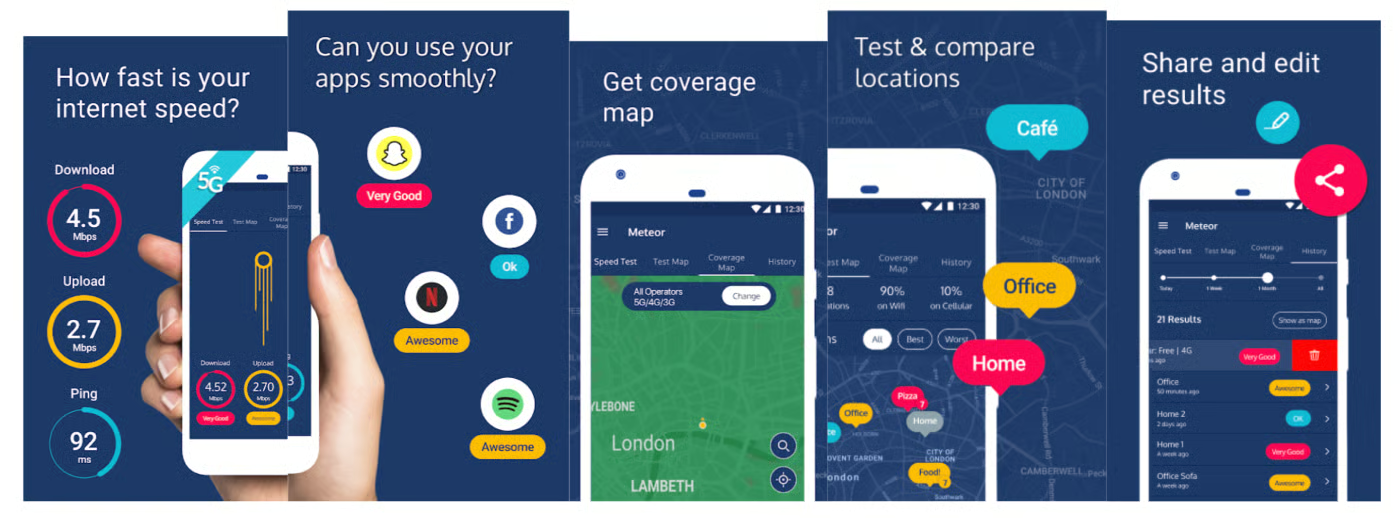
Meteor runs a standard download, upload, and ping test, then goes a step further by estimating how your connection will affect specific apps, including YouTube, Slack, FaceTime, Google Maps, and Netflix. It’s a useful way to tell whether a slowdown will actually affect what you’re trying to do, rather than just reading a Mbps number on its own. The app stores test history by location on a map, so repeat testing at home or work builds a picture over time. It’s available on the App Store and Google Play.
Why I chose Meteor
Meteor ranked highest across every category in the rubric except pure name recognition, where Ookla still leads. It’s one of only two apps on this list with no advertising at all, and it collects less than most competitors do to run its tests. Combined with the highest App Store and Google Play ratings of the six, that made it the clearest overall pick rather than just the most feature-rich one.
Pros and cons
| Ad-free | No jitter data |
| App-specific estimates | Shares anonymized data with network operators |
| Location-based history | Limited to 6 apps per test |
Gallery
nPerf: Best for advanced diagnostics and global coverage mapping
| Overall score | 4.50 |
|---|---|
| Core features | 5 |
| Diagnostic depth | 5 |
| Ease of use | 4 |
| Ratings & reviews | 4 |
| Platform availability | 5 |
| Privacy & transparency | 4 |
| Ad-free experience | 3 |
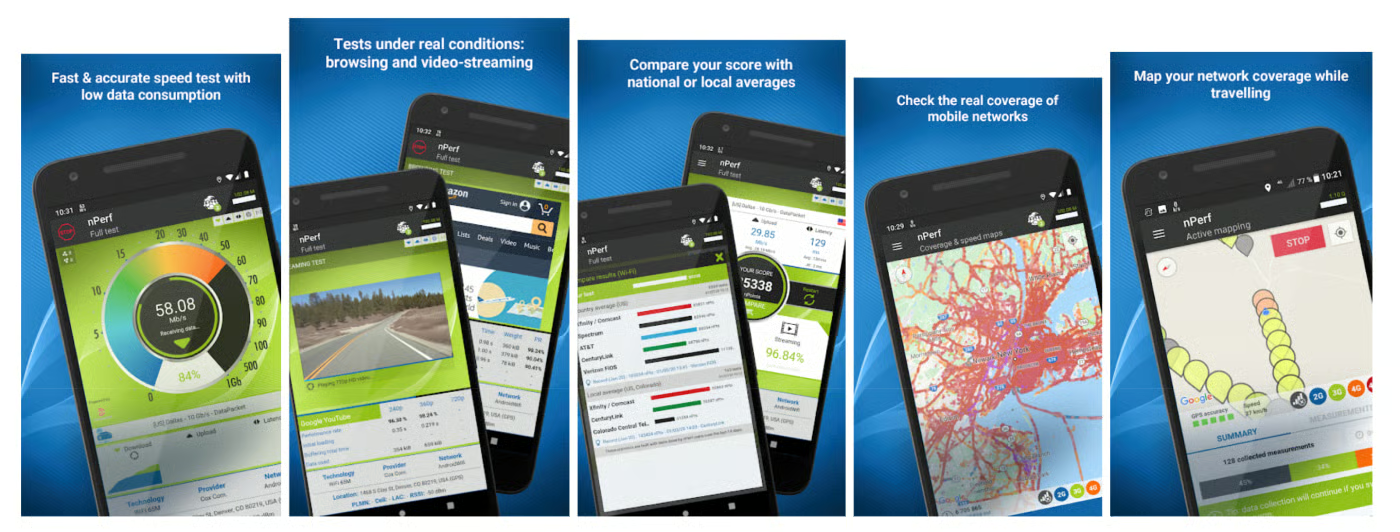
nPerf runs a full QoS test covering download speed, upload speed, latency, and jitter, then adds two tests most apps on this list skip entirely: a browsing speed test that measures real webpage load times and a streaming quality test that checks video buffering. An interactive coverage map shows network strength by carrier and area, useful for checking service before a trip or move. It’s available on the App Store and Google Play.
Why I chose nPerf
nPerf earned the second spot by covering more of the connection than a speed number alone. It’s built and maintained by a single identifiable company, nPerf SAS, with regular app updates, which matters given how many similarly named speed test apps in this category come from anonymous or inconsistent developers. Its main tradeoff against Meteor is a smaller free experience: it carries ads and a premium subscription tier; and its iOS review base is notably smaller than its Android one, though its Google Play numbers are on par with the top apps in this list.
Pros and cons
| Browsing and streaming tests | Contains ads |
| Coverage map | Premium subscription upsell |
Gallery
Internet Speed Test Speedcheck: Best for speed history and use-case performance ratings
| Overall score | 4.30 |
|---|---|
| Core features | 4 |
| Diagnostic depth | 5 |
| Ease of use | 4 |
| Ratings & reviews | 5 |
| Platform availability | 5 |
| Privacy & transparency | 3 |
| Ad-free experience | 3 |
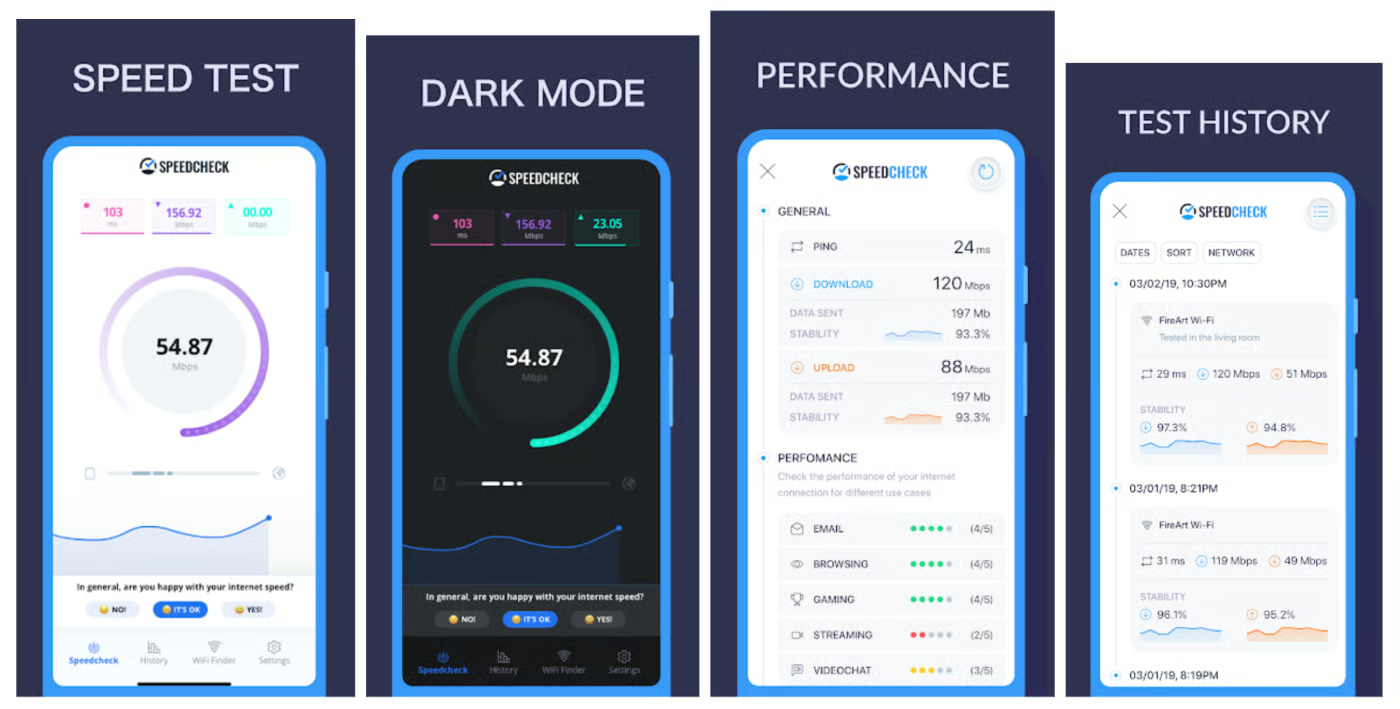
Speedcheck runs the standard download, upload, and ping test, then rates your connection against specific use cases, including streaming, gaming, video chat, and web browsing, so you get a plain-language read on whether your speed is good enough for what you actually do online. Test history is logged automatically, making it easy to spot patterns over time rather than comparing one-off results. It’s available on the App Store and Google Play.
Why I chose Speedcheck
Speedcheck’s use-case ratings are its strongest differentiator. Instead of leaving you to interpret a Mbps number, it tells you directly whether your connection supports smooth video calls or 4K streaming. It also has the highest review volume of any app on this list (App Store and Google Play combined), though it’s worth noting the app is published by Ookla, the same company behind Speedtest by Ookla further down this list. The two apps still test differently and serve different purposes, but they aren’t as independent from each other as their separate rankings might suggest.
Pros and cons
| Use-case performance ratings | Contains ads |
| Highest review volume in this list | Doesn’t measure jitter or packet loss |
| Automatic test history | Fewer advanced network diagnostics than nPerf and Ookla |
Gallery
Speedtest by Ookla: Best for the most recognizable all-around speed test
| Overall score | 4.20 |
|---|---|
| Core features | 5 |
| Diagnostic depth | 4 |
| Ease of use | 4 |
| Ratings & reviews | 5 |
| Platform availability | 5 |
| Privacy & transparency | 2 |
| Ad-free experience | 2 |
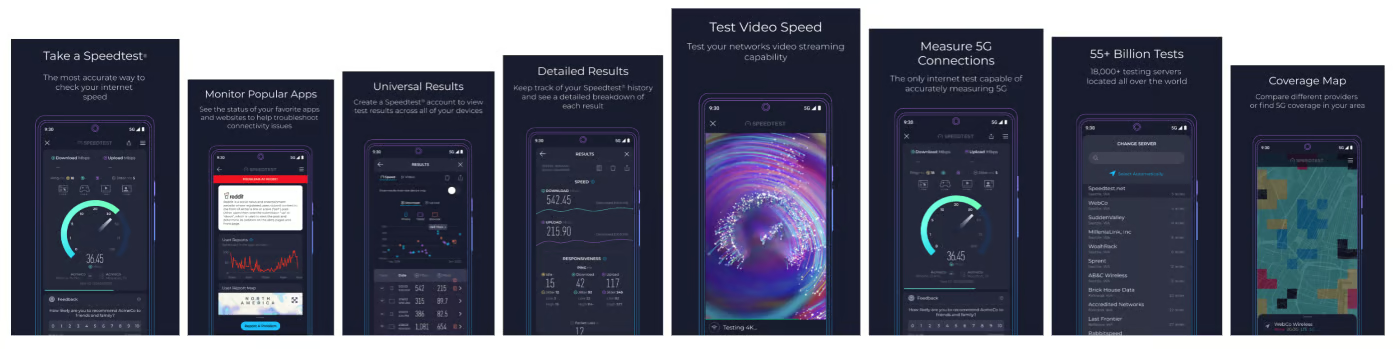
Speedtest by Ookla covers the full range of core metrics, including download speed, upload speed, ping, jitter, and packet loss, with manual server selection if you want to test against a specific location. Results are saved to a history log, and the app supports a broad range of devices and network types. It’s available on the App Store and Google Play.
Why I chose Speedtest by Ookla
Ookla scored highest of any app in this list on core testing features, and its name recognition is unmatched in this category. It ranks fourth overall because the free tier runs ads and Ookla’s data-collection practices are broader than most competitors here, which pulled down its privacy and ad-free scores more than any other app on the list. If comprehensive testing and brand familiarity matter more to you than a fully ad-free experience, this is still a strong pick, and it’s also the parent company behind Speedcheck, ranked third.
Pros and cons
| Most complete core feature set | Contains ads |
| Widely recognized and trusted | Broader data collection than most competitors |
| Manual server selection |
Gallery
Networking: Must-read coverage
- Gartner releases 4 trends that will impact cloud, data centers and infrastructure in 2023
- Support for these Microsoft enterprise products ends in 2023
- Dell Technologies World 2023: Q&A on how Dell sees security at the edge
- Best VPNs for small business in 2023
V-SPEED Speed Test: Best for detailed latency, server, and results-history controls
| Overall score | 3.79 |
|---|---|
| Core features | 4 |
| Diagnostic depth | 3 |
| Ease of use | 4 |
| Ratings & reviews | 4 |
| Platform availability | 5 |
| Privacy & transparency | 3 |
| Ad-free experience | 3 |
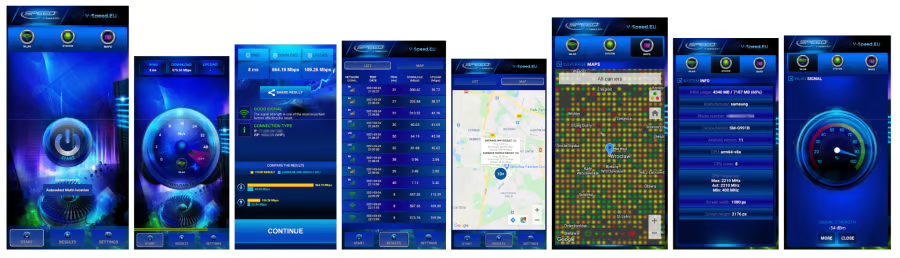
V-SPEED Speed Test runs the standard download, upload, ping, and latency checks, with manual control over which server you test against, useful if you want to compare performance against a specific region instead of whatever server the app picks automatically. Results are saved with detailed history controls, so you can review, organize, and share past tests. You can download it from the App Store and Google Play.
Why I chose V-SPEED Speed Test
V-SPEED ranks fifth mainly because it’s a smaller, less widely known app, with a review base well below the top four in this list. Manual server selection isn’t unique to V-SPEED among this group, but the app leans on it more heavily as a core feature, paired with detailed results history and sharing controls, in a simpler, more niche package than the higher-ranked apps. It’s a reasonable pick if you want that kind of granular control without extra diagnostic features layered on top, but the apps ahead of it offer more overall depth for the same free price.
Pros and cons
| Manual server selection | Contains ads |
| Detailed results history | Smaller review base |
| Available on both platforms | Fewer use-case diagnostics |
Gallery
FAST Speed Test: Best for quick, ad-free speed checks
| Overall score: | 3.20 |
|---|---|
| Core features | 3 |
| Diagnostic depth | 1 |
| Ease of use | 5 |
| Ratings & reviews | 3 |
| Platform availability | 5 |
| Privacy & transparency | 3 |
| Ad-free experience | 5 |
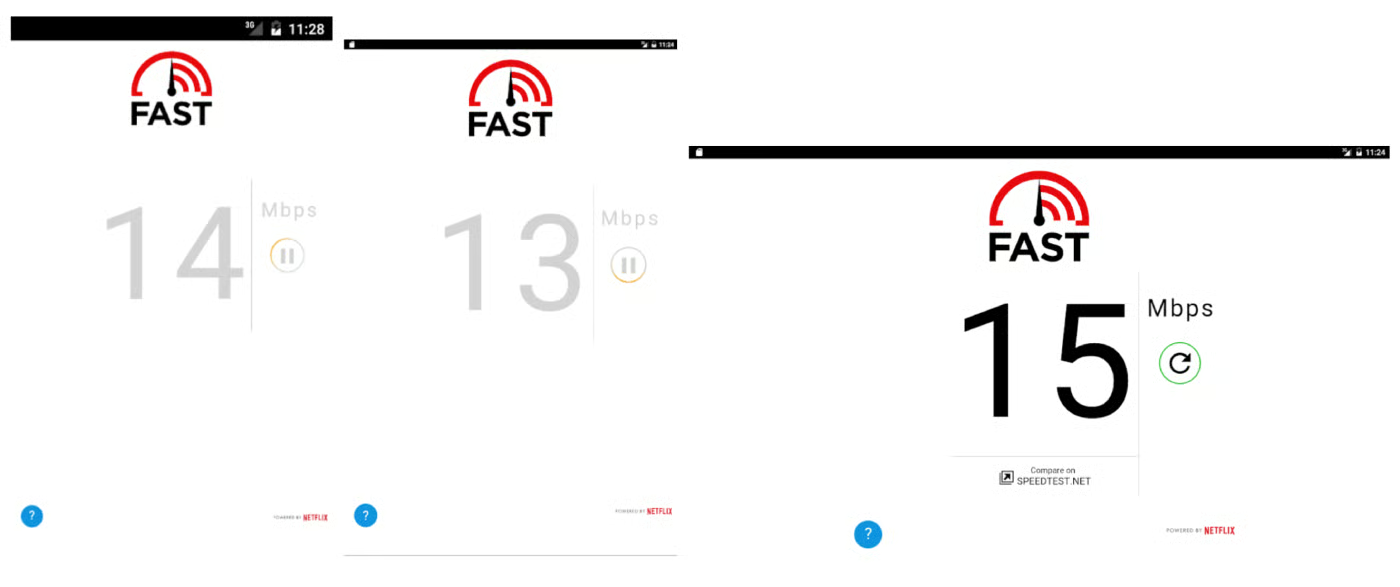
FAST Speed Test opens straight into a download test with no setup, and a “Show more info” tap reveals upload speed and latency as well. It doesn’t offer jitter, packet loss, server selection, or test history, so it’s better suited to a quick check than ongoing troubleshooting. It’s also available on the App Store and Google Play.
Why I chose FAST Speed Test
FAST Speed Test earns its spot for sheer simplicity: it’s fully ad-free, backed by a recognizable company in Netflix, and gets you download, upload, and latency in a single tap with no setup or configuration. That makes it the fastest way on this list to get a straight answer when you just want to know your speed right now. It’s a lighter tool than the others here, without server selection, use-case breakdowns, or synced history, which is why it lands at the bottom of the ranking despite being genuinely pleasant to use for a quick check.
Pros and cons
| Ad-free | No jitter or packet loss data |
| Measures download, upload, and latency | No synced or account-based history, and limited on-device history |
| Minimal setup | Smallest review sample |
Gallery
How to choose the best internet speed test app
The best internet speed test app depends on how you plan to use it. A quick ad-free check is enough for casual troubleshooting, but ongoing issues call for an app with saved history, latency detail, and diagnostic depth.
When comparing apps, consider:
- Core speed metrics: Download speed, upload speed, and ping are the baseline. Not every free app measures all three, so confirm before relying on one.
- Latency details: Jitter and packet loss matter most if VoIP, video calls, or gaming are part of your routine, since these can cause choppy audio or lag even when raw speed looks fine.
- Test history: Saved results, ideally tied to location or use case, make it easier to spot patterns rather than judging your connection off a single test.
- Platform availability: Confirm the app supports your device.
- Privacy disclosures: Review what data the app collects and who it’s shared with, since this varies more than most users expect between apps that otherwise look similar.
- Ratings and review volume: A high rating built on a small number of reviews is less reliable than a slightly lower one with a large sample.
- Ease of use: A straightforward interface makes it more likely you’ll actually run the test again when you need to compare results.
For the most accurate picture, run a few tests at different times of day and in different locations before making changes to your plan or network setup.