


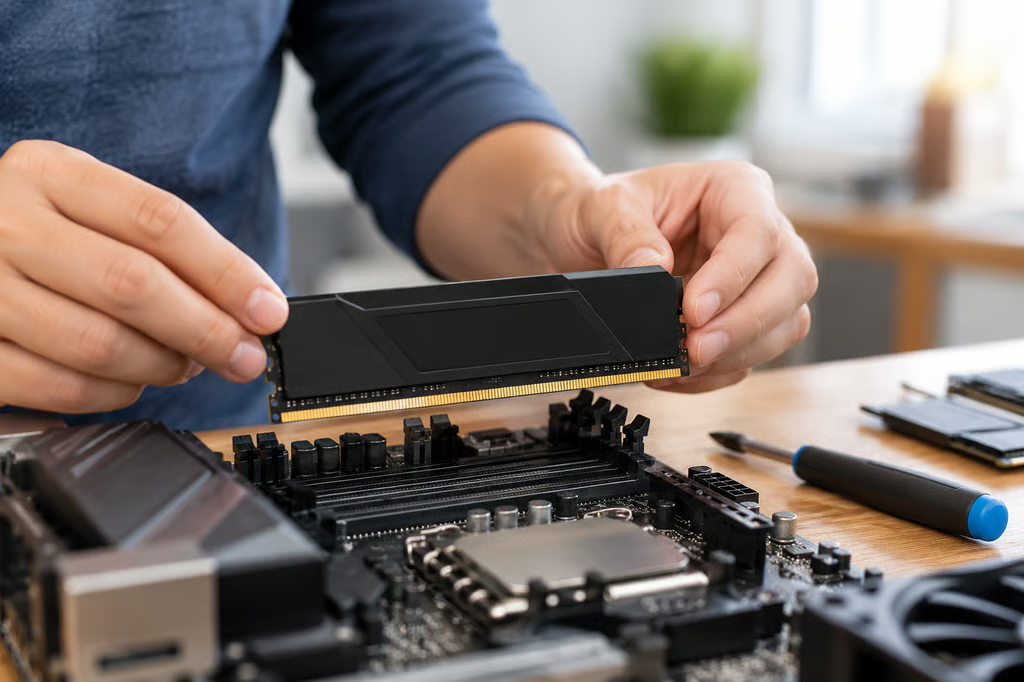
DDR5 prices are unusually high in 2026, so choosing RAM is no longer a minor line item in a PC build. Capacity and compatibility still come first, but paying extra for a faster kit only makes sense if your CPU and motherboard can actually run it at the advertised speed.
The G.Skill Trident Z5 NeoX RGB DDR5-6000 CL30 is our best overall pick for a Ryzen build. Corsair and Kingston offer strong DDR5-6000 alternatives with broad platform support, while TeamGroup’s 64GB T-Create Expert kit makes more sense for buyers who need additional capacity for heavier workloads.
- Best DDR5 RAM at a glance
- How we compared
- 1. G.Skill Trident Z5 NeoX RGB DDR5-6000 CL30: Best overall
- 2. Corsair Vengeance DDR5-6000 CL30: Best dual-profile kit
- 3. Kingston Fury Beast DDR5-6000 CL30: Best low-profile kit
- 4. TeamGroup T-Create Expert DDR5-6000 CL34: Best 64GB kit
- How much DDR5 RAM do you need?
- Which DDR5 RAM should you buy?
Best DDR5 RAM at a glance
| Pick | Memory kit | Capacity | Speed | Timings | Profiles | Price |
|---|---|---|---|---|---|---|
| Best overall | G.Skill Trident Z5 NeoX RGB | 32GB | 6000 MT/s | CL30-38-38-32 | AMD EXPO ULL | $629.99 |
| Best dual-profile kit | Corsair Vengeance | 32GB | 6000 MT/s | CL30-36-36-76 | AMD EXPO, Intel XMP | $625.99 |
| Best low-profile kit | Kingston Fury Beast | 32GB | 6000 MT/s | CL30-36-36 | AMD EXPO, Intel XMP | $589.99 |
| Best 64GB kit | TeamGroup T-Create Expert | 64GB | 6000 MT/s | CL34-44-44-84 | AMD EXPO, Intel XMP | $1,099.99 |
Prices were checked Oct. 7, 2026. Retailer prices may differ.
How we compared
We focused on the factors that matter most when buying DDR5 RAM:
- Capacity and configuration: whether a 32GB or 64GB kit makes sense and whether the kit uses two DIMMs rather than filling all four slots.
- Speed and timings: rated MT/s, CAS latency, and the balance between bandwidth and latency.
- Platform support: AMD EXPO, Intel XMP, motherboard compatibility, and whether the kit is aimed primarily at AMD or Intel systems.
- Real-world performance: gaming, productivity, and latency results from independent testing where comparable reviews were available.
- Physical fit: module height and whether large air coolers are likely to create clearance problems.
- Price and value: current US pricing for the exact kits compared here.
Official manufacturer specifications were used for exact speeds, timings, voltages, profiles, dimensions, and warranties. Independent performance testing came primarily from Tom’s Hardware’s RAM reviews and benchmark hierarchy, including direct tests of the G.Skill Trident Z5 NeoX RGB and TeamGroup T-Create Expert, plus Corsair’s closely related Vengeance DDR5-6000 CL30 family.
Advertised DDR5 speeds are overclocked profiles rather than guaranteed platform speeds. CPU memory controllers, motherboard firmware, DIMM count, and the exact kit all affect whether an XMP or EXPO profile will run reliably.
1. G.Skill Trident Z5 NeoX RGB DDR5-6000 CL30: Best overall
The G.Skill Trident Z5 NeoX RGB is the strongest choice here for a high-performance AMD build.
The 32GB kit uses two 16GB modules rated for DDR5-6000 with CL30-38-38-32 timings at 1.35V. It supports AMD’s newer EXPO Ultra Low Latency profile as well as a standard EXPO profile.
G.Skill’s ULL profile tunes more than the headline CAS latency. It also adjusts secondary and tertiary timings on supported motherboards, which can reduce memory latency without requiring manual tuning.
Tom’s Hardware found the kit exceptionally fast on Ryzen and gave it an Editor’s Choice award. In its testing, the NeoX averaged about 3% higher performance than G.Skill’s standard Trident Z5 Neo RGB DDR5-6000 CL30 and performed particularly well on AMD systems.
It is primarily an AMD-focused product. Buyers building an Intel system have less reason to choose an EXPO ULL kit designed specifically around Ryzen.
That makes it easiest to justify alongside a higher-end Ryzen 9000 processor where the rest of the build is already performance-focused.
Choose the G.Skill Trident Z5 NeoX RGB if: You are building a high-end AM5 system and want a tuned DDR5-6000 kit rather than simply chasing a higher headline frequency.
2. Corsair Vengeance DDR5-6000 CL30: Best dual-profile kit
The Corsair Vengeance 32GB DDR5-6000 CL30 is a more straightforward option if you want one kit with profiles for both AMD and Intel.
The two 16GB modules run at DDR5-6000 with CL30-36-36-76 timings at 1.4V. Corsair programs both AMD EXPO and Intel XMP profiles into this SKU.
That does not guarantee DDR5-6000 on every motherboard, but it gives buyers a supported profile to select on either platform instead of buying separate AMD- and Intel-designated kits.
Corsair’s standard Vengeance modules are also shorter than its RGB models, making them easier to fit beneath large tower CPU coolers.
Tom’s Hardware found the closely related Vengeance RGB DDR5-6000 CL30 kit delivered strong out-of-box performance at its rated speed, although manual-overclocking headroom was limited.
For most buyers, that is not much of a disadvantage. The point of this kit is to enable the profile and use it rather than spend hours tuning subtimings.
In a gaming PC, moving more of the budget toward the graphics card will generally change frame rates more than paying heavily for a small memory-speed increase.
Choose Corsair Vengeance if: You want DDR5-6000 CL30 with both XMP and EXPO support in a compact, non-RGB design.
3. Kingston Fury Beast DDR5-6000 CL30: Best low-profile kit
The Kingston Fury Beast KF560C30BBEK2-32 is another 32GB DDR5-6000 CL30 option, but its strongest argument is physical compatibility.
Kingston’s Fury Beast modules measure 34.9mm tall, making them easier to use with large air coolers and tightly packed systems.
The exact kit uses two 16GB modules rated for DDR5-6000 with 30-36-36 timings at 1.4V. Kingston’s EXPO-certified Fury Beast modules also include Intel XMP 3.0 profiles, giving the family support across both platforms.
Its appeal is the compact heat spreader, straightforward profile support, and Kingston’s limited lifetime warranty rather than a dramatic performance advantage over every other DDR5-6000 CL30 kit.
Buyers should still check the motherboard’s memory support list for the exact part number. A board supporting DDR5-6000 does not mean every DDR5-6000 kit has been validated on it.
Choose Kingston Fury Beast if: Cooler clearance matters and you want a short 32GB DDR5-6000 kit with EXPO and XMP support.
4. TeamGroup T-Create Expert DDR5-6000 CL34: Best 64GB kit
The TeamGroup T-Create Expert is the pick for buyers who need more than 32GB.
The 64GB configuration uses two 32GB modules rated for DDR5-6000 with CL34-44-44-84 timings at 1.3V. It supports both Intel XMP 3.0 and AMD EXPO.
Using two 32GB modules is also preferable to filling four DIMM slots if 64GB is the goal. Running four DDR5 modules puts more load on the CPU’s memory controller and can reduce the stable memory speed.
Tom’s Hardware found the kit performed well in productivity workloads including Adobe Lightroom and Premiere. It was less impressive in gaming and offered limited manual-overclocking headroom.
For a 64GB kit, those trade-offs are reasonable. Capacity is usually the reason to buy it, not chasing the last few percentage points of gaming performance.
Current memory supply pressure also makes it more important to decide how much RAM the system actually needs before buying.
Choose the TeamGroup T-Create Expert if: You need 64GB for content creation, development, virtual machines, or other memory-heavy work and want to stay with two DIMMs.
How much DDR5 RAM do you need?
For most gaming and general-purpose PCs, 32GB is the sensible starting point in 2026. It gives modern games and everyday multitasking enough headroom without paying for capacity that may sit unused.
64GB makes more sense for heavier content creation, large development workloads, virtual machines, or applications that regularly push beyond 32GB.
More memory is not automatically faster. A 64GB or 96GB system only gains a meaningful advantage when its workload actually needs the additional capacity.
Speed matters too, but buyers should keep it in perspective. DDR5-6000 remains an attractive target for many current AMD systems because it balances bandwidth and latency without pushing the memory controller as hard as extreme-frequency kits.
For Intel systems, higher-frequency kits can make more sense on boards and CPUs designed to support them, but motherboard compatibility and DIMM configuration still determine what will run reliably.
Whatever kit you choose, buy the capacity you need as one matched kit rather than planning to combine separate kits later.
Which DDR5 RAM should you buy?
The G.Skill Trident Z5 NeoX RGB DDR5-6000 CL30 is the strongest pick for a performance-focused Ryzen build.
The Corsair Vengeance DDR5-6000 CL30 is easier to recommend if you want one compact kit with both AMD EXPO and Intel XMP profiles.
The Kingston Fury Beast DDR5-6000 CL30 makes sense when cooler clearance is a priority.
The TeamGroup T-Create Expert 64GB DDR5-6000 CL34 is the better fit when capacity matters more than squeezing out the highest gaming benchmark result.
DDR5 pricing is volatile enough that the winner on value can change quickly. Check the exact SKU and motherboard support list before ordering rather than assuming two kits with the same advertised speed are interchangeable.
Also read: Storage is another major part of a new PC build, and our best external SSDs for 2026 compares current options across USB, USB4, and Thunderbolt.