


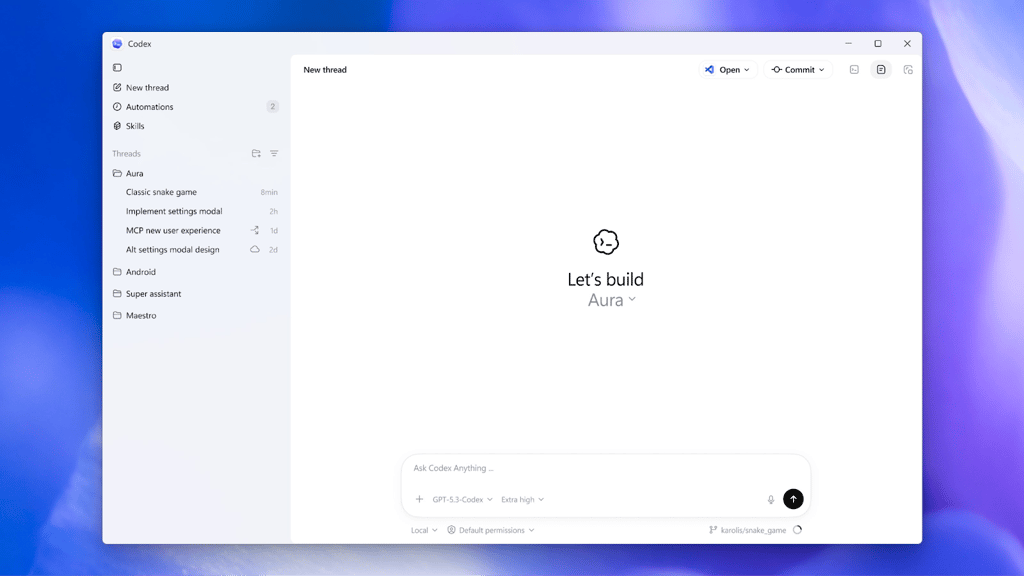
OpenAI is officially bringing its Codex app to Windows, giving PC users the same agentic power that Mac developers have been bragging about for weeks.
After a month of anticipation and with over 500,000 developers on the waiting list, OpenAI has launched the Codex desktop app for Windows. The app is designed to be a “command center for agentic software development,” allowing developers to move beyond simple chatbots and into a world where multiple AI agents handle the heavy lifting.
The Windows version arrives on the heels of a massive macOS launch that saw over a million downloads in its first week. According to OpenAI, Codex has already amassed more than 1.6 million weekly active users across platforms.
Parallel power and skills
The core appeal of the Codex app is its ability to multitask. Instead of talking to one AI at a time, developers can run multiple coding agents in parallel. Each task is kept in its own “worktree,” meaning the agents can tinker with the code simultaneously without creating a tangled mess of conflicting changes.
To help users get started, the app includes a “Skills” feature. These Skills bundle together instructions, scripts, and resources that let agents connect to specific tools and development workflows. Think of it as a way to teach Codex how your team works, then reuse that knowledge across projects.
This allows the AI to handle routine chores like bug testing and code validation while the human developer stays focused on high-level architecture.
More must-read AI coverage
- SS&C Intralinks DealCentre AI vs. Datasite: Which platform is built for the future of dealmaking?
- SS&C Intralinks FundCentre AI vs. Juniper Square: Which platform better supports modern private markets fund managers?
- Why Data, Not Models, Determines AI Success
- The Rise of the AI-Native Factory: How Physical AI Is Transforming Manufacturing
Built for the Windows Ecosystem
Bringing Codex to Windows wasn’t just a simple port. Because the app needs to interact deeply with a user’s system, OpenAI had to build a custom, native agent sandbox to ensure security. This environment allows agents to run directly in Windows-native spaces, such as PowerShell, without requiring developers to jump into virtual machines.
OpenAI has also released the sandbox implementation as open source, which could allow other AI companies to adopt similar approaches for Windows-based development tools.
Cross-platform development and availability
The Codex app supports cross-platform workflows. Developers who use both Mac and Windows machines can move between devices while keeping their session history synchronized with their OpenAI account.
Codex is available through the Microsoft Store and works on systems running Windows 10 version 19041.0 or later. The app can be used by people on multiple ChatGPT plans, including Free, Go, Plus, and Pro.
Also read: A fake CAPTCHA scam is tricking Windows users into running PowerShell commands.