Screenshots: Mac OS X 10.10 Yosemite - TechRepublic

Screenshots: Mac OS X 10.10 Yosemite

  • os-x-yosemite-almost-four-times-more-popular-with-devs-than-os-x-mavericks.jpg

    Mac OS X Yosemite

    Boasting a fresh and clean interface, OS X Yosemite offers\r\nseveral new features destined to change the way users create, edit, and share\r\nfiles, locate relevant information when performing searches, tighten iOS device\r\nintegration, and more. Here’s a look at some of the more compelling innovative\r\nfeatures Yosemite packs.

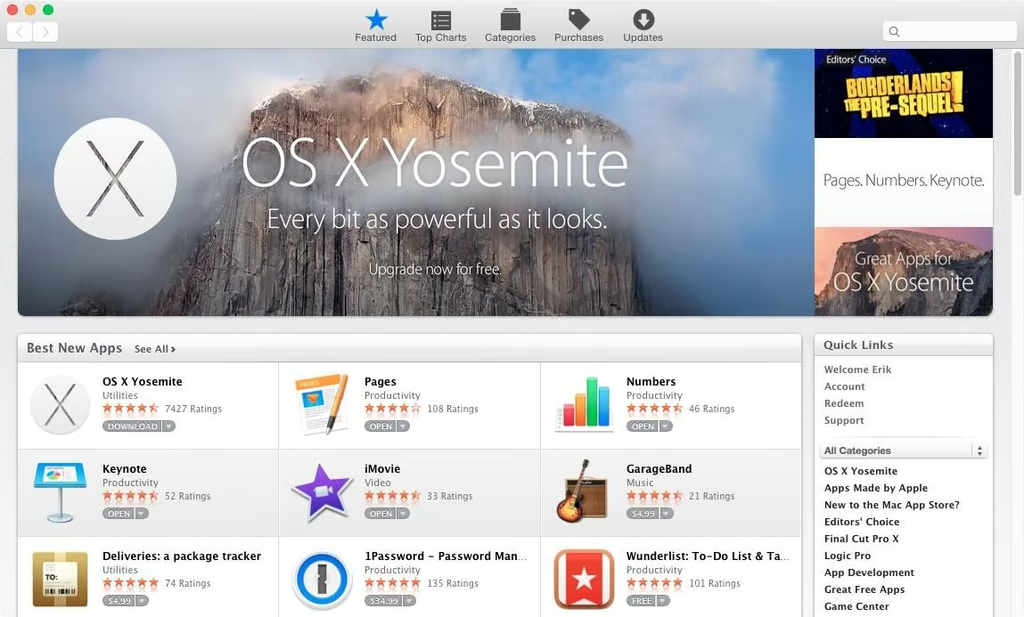
  • app-store.jpg

    App Store

    Just as with previous OS X versions, Apple’s App Store is\r\nintegrated within Yosemite. The App Store provides easy access to downloading\r\nnew applications and programs. The App Store also proves critical in\r\ndownloading and installing application updates. Rather than have to access\r\nupdates independently from each application installed on a Mac, the App Store\r\nenables consolidating application management within a single console, a\r\nrefreshing approach vs. the more tiresome and disjointed method of having to\r\ntrack each individual application’s version status independently.

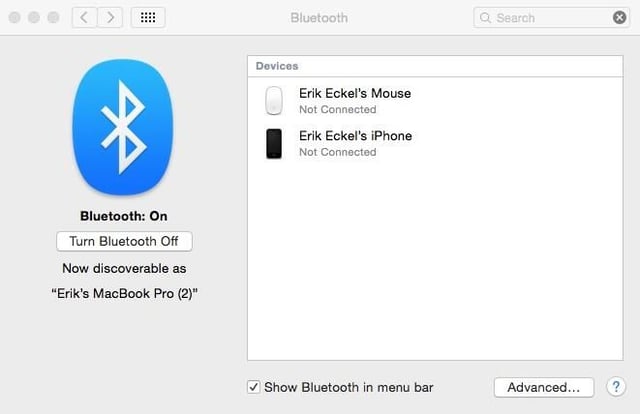
  • bluetooth-preferences.jpg

    Bluetooth Preferences

    Yosemite’s Phone capabilities enable users to make and\r\nreceive calls using their Macs. Bluetooth preferences help users confirm the\r\nrequired peripherals are properly connected.

  • dock.jpg

    Dock

    Yosemite’s Dock boasts many colorful, updated, and simplified\r\nicons, including those for Finder, Safari, and iTunes. The freshened icon\r\napproach is consistent with Apple’s larger effort to simplify and smooth\r\nwindows and corresponding design elements, making the new release less\r\nintrusive and easier to navigate.

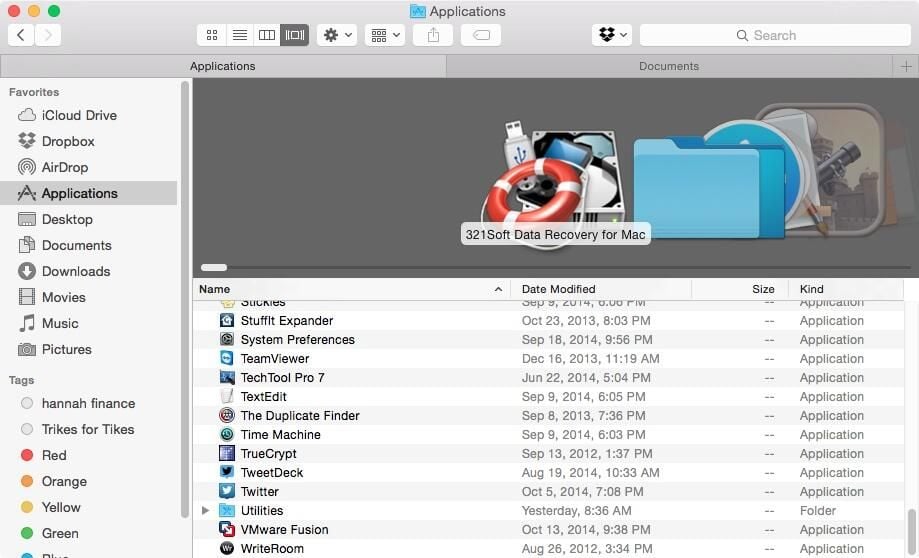
  • finder.jpg

    Finder

    Finder’s icons received a freshening up in Yosemite. Indexed tabs, introduced in earlier Finder\r\nversions, help simplify operation and prevent the need to open multiple Finder\r\nwindows. iCloud Drive now appears, too, as a location within Yosemite’s Finder.

  • iCloud Drive Options

    ​iCloud Drive Options

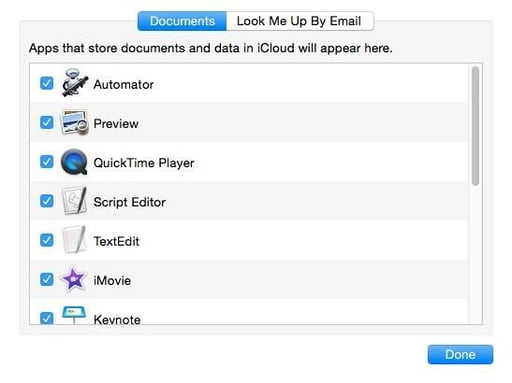
    iCloud Drive settings, and application activation, are set\r\nusing iCloud Drive options. The iCloud Drive options are accessible from the\r\niCloud entry within System Preferences.

  • mail.jpg

    Mail

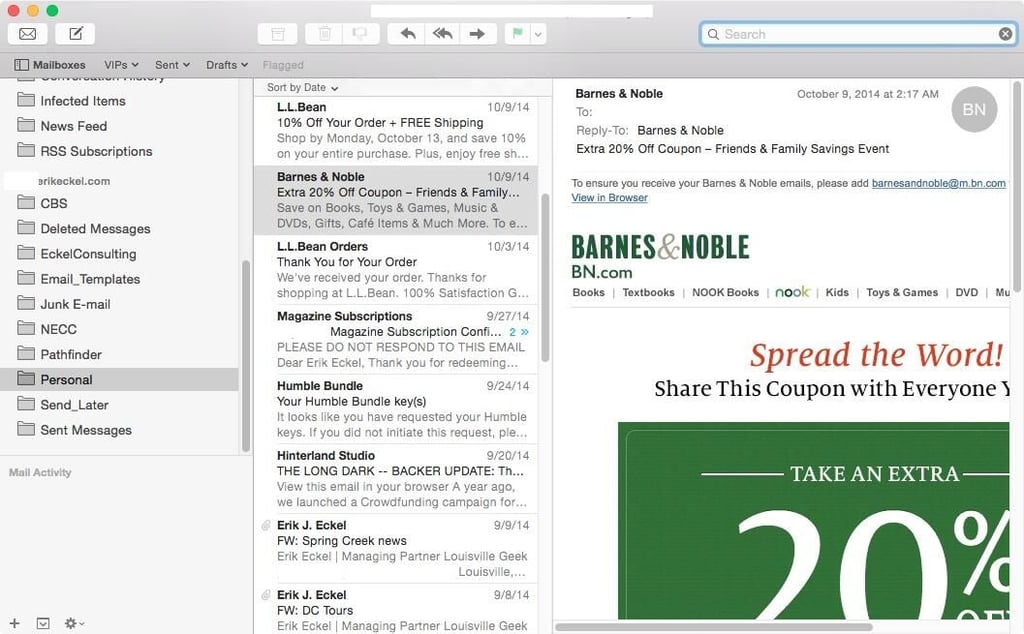
    Numerous improvements are packed within Yosemite’s Mail\r\napplication. Mail Drop simplifies sending large attachments up to 5 GB in size.\r\nMarkup enables editing images and forms directly within Mail. Handoff enables\r\nstarting a message on one device and finishing and sending the email from\r\nanother.

    Mail
  • markup.jpg

    ​Markup

    Markup, a new annotation and editing tool included directly\r\nwithin Mail messages, makes it even easier for teams to collaborate and, in\r\nthis case, point out misspellings.

  • new-email.jpg

    New Email

    The new mail window is simple and straightforward in\r\nYosemite.

  • notification-center.jpg

    ​Notification Center

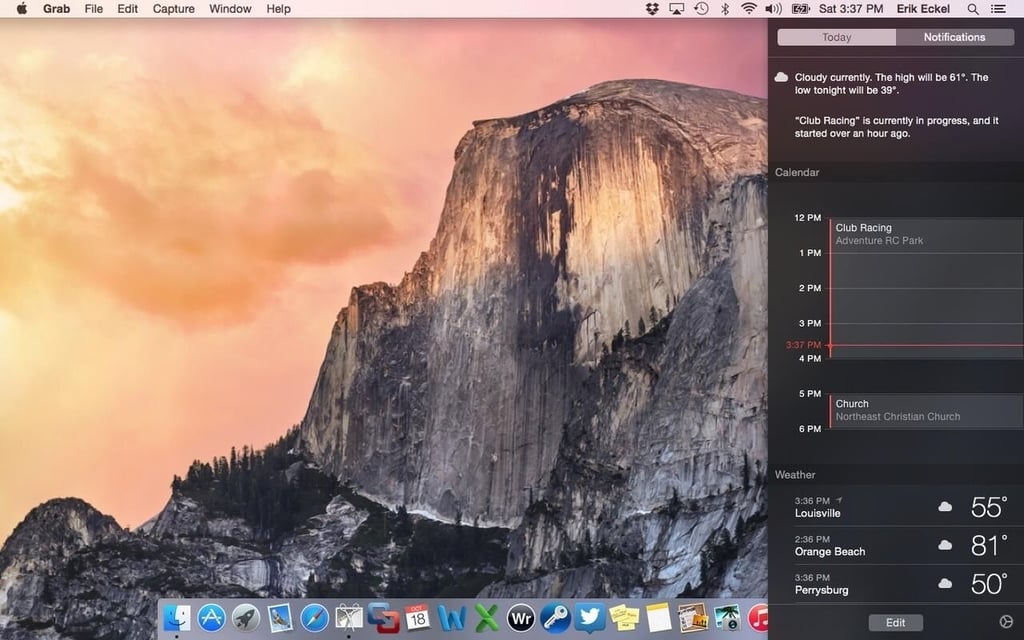
    Notification Center is almost endlessly customizable. A new\r\nToday view presents the day’s events, reminders, and appointments. Third-party\r\nwidgets become available within Yosemite to enable further customization, while\r\nweather, stock, reminders and other alerts are also available for display.

  • notifications-preferences.jpg

    Notifications Preferences

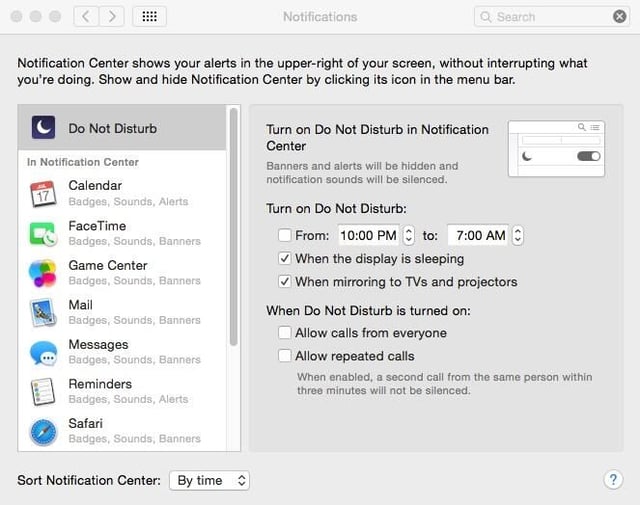
    Notification settings are almost infinitely customizable.\r\nThe Notifications Preferences, accessed from System Preferences, provide a myriad\r\ncollection of applications and settings that can be changed for each program.\r\nThe flexibility enables business professionals to better tailor notifications\r\nto the unique needs of their occupation.

  • system-information.jpg

    System Information

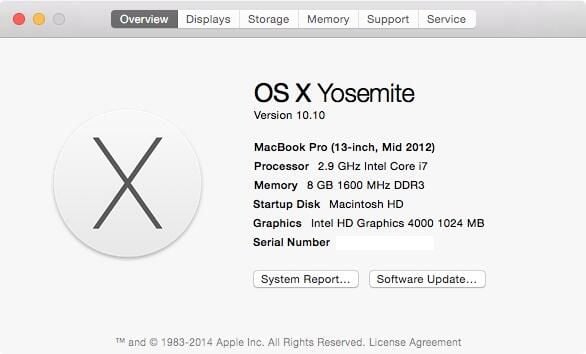
    A Mac’s system information remains readily accessible by\r\nclicking the Apple icon in the screen’s top left corner and selecting About\r\nThis Mac.

  • telephone-call.jpg

    Telephone Call

    Yosemite’s tighter smartphone and desktop/laptop integration\r\nis keenly on display with Yosemite’s new Phone capability. With Yosemite and\r\niOS 8, users can now receive and send phone calls using their Mac. Call\r\nmanagement software is baked into the new OS.

  • yosemite-desktop.jpg

    Yosemite desktop

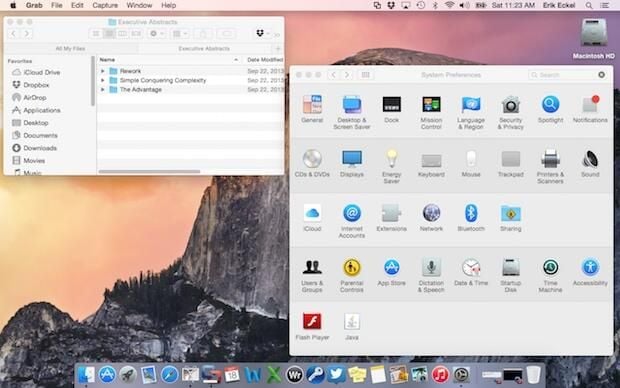
    Here is the Yosemite desktop, as seen on a 13-inch MacBook\r\nPro. In addition to a cleaner, elegant look, icons are noticeably simplified\r\nand windows’ hard edges are removed, while window elements (maximize, minimize,\r\nclose) are also tidier and relocated to ease navigation.

1 of 14
Erik Eckel

Erik Eckel is a managing partner at Louisville Geek and president of Eckel Media Corp. He previously served as Executive Editor at TechRepublic. He received Microsoft Engineer accreditation from Sullivan University and earned his Bachelor's Degree in English from the University of Louisville. He's earned Network+, Windows NT 4.0 MCP+I and MCSE, and Windows 2000 Professional MCP accreditations.