


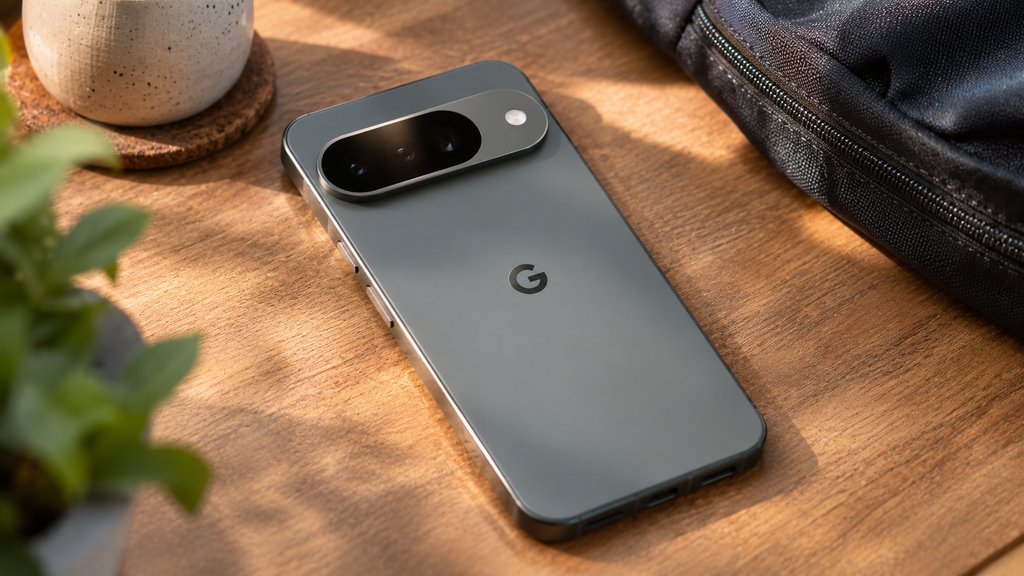
Losing your mobile signal doesn’t always mean you’ve left the coverage area. Sometimes another carrier has a stronger connection nearby, but your phone can’t use it. Google Fi’s new Super Network aims to solve that problem by switching eligible Pixel phones between two US 5G networks automatically.
The feature began rolling out Nov. 10 on Pixel 9 and newer phones. Google says it uses two cellular networks and millions of participating Wi-Fi hotspots to improve connectivity, with domestic cellular switching included across paid Fi plans at no additional cost.
There’s an important restriction for people who use separate work and personal numbers: automatic switching requires Google Fi on an eSIM, with any other SIM disabled. That makes the feature less flexible for some dual-SIM users, even if their Pixel supports the technology.
How Google Fi’s new Super Network works
Google describes the feature in its official Super Network announcement.
Instead of relying on one cellular network, compatible phones use Multiple Enabled Profiles (MEP) technology to maintain two carrier connections through eSIM.
The phone continuously evaluates connection quality, including signal strength, data speeds, latency, and network availability. When the secondary network offers a significantly better connection, Fi can switch the phone’s data connection automatically.
Users don’t need to enter dialer codes or manually select another carrier.
Google hasn’t publicly identified its second US network partner. Fi’s existing service uses T-Mobile, but the identity of the additional carrier remains undisclosed.
The company also says switching occurs less frequently when Battery Saver is enabled or the device’s battery is low.
Which Pixel phones and Fi plans are eligible?
According to Google Fi’s support documentation, domestic automatic switching requires:
- A US-market Pixel 9 or newer, including supported Pixel 10 and Pixel 11 devices.
- An unlocked phone running current software.
- An active Google Fi eSIM rather than a physical SIM.
- A paid Google Fi plan, excluding the free trial.
- No active non-Fi SIM, including a separate work or travel line.
Google says the feature is available across its paid plans domestically. Pixel 7 and newer phones also support network switching in select international locations, subject to different eligibility conditions.
Phones that don’t qualify can continue using Google Fi’s primary network. They simply won’t receive the same automatic domestic dual-network switching.
For customers buying a new handset, TechRepublic’s Pixel 11 Pro carrier comparison examines how Google Fi’s device discounts and service commitments compare with AT&T and Verizon. Promotional terms should be checked again before purchase.
What happens if you use two SIMs?
This is one of the most consequential restrictions.
If you use Google Fi alongside another active SIM, Super Network switching pauses. The phone remains connected through Fi’s primary network rather than switching between its two partners.
To disable the second SIM:
- Open your Pixel’s Settings.
- Select Network & internet.
- Tap SIMs.
- Select the non-Fi SIM.
- Turn Use SIM off.
The requirement may be inconvenient for people who separate business and personal numbers. Android’s broader dual-SIM features are designed to make multiple lines easier to manage, but Fi’s new network switching currently requires that second connection to be inactive.
How to check whether Google Fi is switching networks
Google provides a way to inspect connection activity rather than guessing whether the feature is working.
Open the Google Fi app and look for the Super Network connection information near the top of the home screen. The section shows current connectivity and recent network status.
Select See activity to review recent network switches.
Users can also check the Google Fi coverage map, which includes a Super Network view showing where the two partner networks provide coverage.
The map distinguishes areas with both 5G networks, primary-only coverage, secondary-network coverage, and available 4G LTE service.
These are coverage estimates, not guarantees. Building materials, congestion, device configuration, and local conditions can affect actual performance.
Does network switching keep calls and VPNs connected?
Google confirms that calls made while using the secondary cellular network travel through the phone’s data connection.
However, its documentation does not establish whether an active call remains uninterrupted during every network transition.
The same uncertainty applies to VPN connections and applications that depend on a stable network session.
For businesses relying on Fi-connected Pixel phones, testing these behaviors before changing connectivity policies is sensible.
Google has not published detailed enterprise management controls for automatic network switching or confirmed how every mobile-device-management platform represents the connection changes.
That doesn’t mean the feature is incompatible with managed devices. It means administrators should verify behavior on their actual hardware, software, and VPN configurations.
What about Google’s automatic Wi-Fi connections?
The Super Network announcement also expands Wi-Fi Auto Connect+, which connects eligible phones to participating Wi-Fi networks without requiring manual sign-in.
Google says these connections are automatically encrypted through its Fi Virtual Carrier Network.
Wi-Fi Auto Connect+ is available on Pixel 5a and newer devices and is expanding to supported Samsung and Motorola phones.
Unlike domestic dual-carrier switching, the Wi-Fi feature supports a wider range of devices and locations. International availability covers selected locations in North America, Europe, Asia, and Brazil.
International mobile data remains subject to plan limits. Google’s Unlimited Premium plan provides up to 50GB of high-speed international data per person, while Flexible provides up to 15GB before speeds are reduced.
Should businesses switch to Google Fi?
The new network switching offers a potential coverage advantage for employees who travel frequently through areas served by different carriers.
But it isn’t a substitute for testing coverage or maintaining backup connectivity where uninterrupted service is essential.
Before adopting it across a company-issued Pixel fleet, administrators should verify device eligibility, eSIM configuration, call continuity, VPN behavior, and actual coverage in the locations employees visit.
For employees switching from another mobile platform, Android 17 has also introduced improved eSIM migration tools that can simplify transferring compatible accounts and mobile service.
Google Fi’s Super Network is already rolling out, but qualifying hardware and a supported plan don’t guarantee that every location will have two usable networks.
For existing Fi subscribers with compatible Pixels, the first step is simple: update the phone and Fi app, check the Super Network status, and review recent connection activity before making changes to a working mobile setup.
Also read: Google’s November Android 17 QPR2 update adds new controls and fixes across supported Pixel devices, although eligibility for that software release does not guarantee access to every feature in the accompanying Pixel Drop.