


Google’s latest Gemini tools can turn receipts into financial charts and brand guidelines into marketing graphics. But giving an AI assistant access to business records raises a less convenient question: Who controls the data?
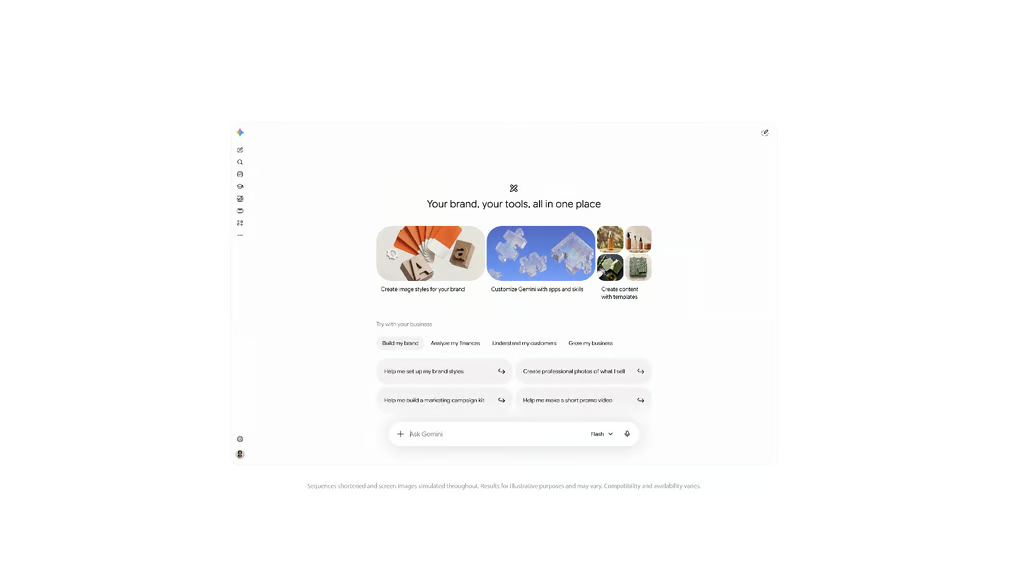
On Oct. 20, Google announced a dedicated Gemini business hub with branded image generation, financial analysis and connections to popular business applications. The features are beginning a phased global rollout to Gemini app users, although availability may vary by account.
The tools could save time for small teams juggling administrative work without dedicated marketing or finance staff. Businesses connecting customer information or financial records, however, need to understand which Gemini service they’re using and what protections apply.
New Gemini tools cover marketing, finances and business apps
Google’s new business hub brings marketing, financial analysis and customer insights into one place. It also supports connections to Google Ads, Google Business Profile and Google Workspace, alongside third-party applications including Shopify, Canva, Dropbox and Xero.
Businesses can upload their website, brand kit, fonts or color palette to establish a reusable visual style. Google’s Nano Banana 2.1 image model can then generate marketing graphics using those guidelines. The launch follows Google’s broader expansion of creative AI capabilities, including image-generation and editing tools for Workspace.
For financial analysis, Google says Gemini can turn spreadsheets, receipts and purchase records into charts and interactive models. A retailer could use these visualizations to examine expenses or identify spending patterns, but the underlying figures still need verification. Google’s announcement does not include independent accuracy testing for the new financial tools.
The launch builds on Business Profile integration and Business notebooks, announced in June 2026. Those earlier features were designed to help owners analyze Search and Maps performance, draft customer-review responses and identify missing business information.
App connections do not automatically authorize Gemini to modify business records or run advertising campaigns. Google’s separately announced AI agents that work across business applications offer more advanced task execution, but those capabilities should not be confused with the new small-business hub.
Consumer and enterprise Gemini accounts have different safeguards
Personal Gemini accounts, eligible Google Workspace accounts and Gemini Enterprise have different privacy terms and administrative controls. Businesses should identify which service employees use before allowing confidential records to be uploaded.
Google’s Gemini Apps Privacy Hub says personal-account conversations may undergo human review. Chats reviewed by service providers can be retained for up to three years, even after users delete their activity.
With Keep Activity turned off, future chats are not used to train Google’s AI models unless users submit feedback containing conversation data. Google still retains those chats for 72 hours, and some connected applications become unavailable.
Eligible managed Google Workspace accounts have different data protections. Google says Workspace customer data is not used to train its generative AI models without the customer’s permission or instruction, a protection businesses should distinguish from the consumer Gemini app’s privacy settings.
Gemini Enterprise Business edition provides additional safeguards. Its Model Armor protections automatically screen requests, uploaded files and responses for harmful content, prompt injection attempts and possible sensitive-data exposure. The protections are enabled by default but cannot eliminate every security risk.
Google’s announcement does not specify every connector’s access permissions or approval requirements. Administrators should verify which records Gemini can read or modify and how access can be revoked. Google’s time-limited administrator roles in Workspace offer a related example of restricting privileged access, although those controls do not directly govern Gemini connectors.
Businesses should test Gemini with nonsensitive information and review connector permissions before granting access to production systems. The new tools may reduce administrative work, but those benefits depend on accurate outputs and controls that protect sensitive information.
Want to learn more AI tips, tricks, and prompting techniques? Let us teach you How to Talk to AI for free! Try our six-minute course at The Neuron Academy, our practical learning platform designed to help professionals use AI more confidently at work.
Learn a few simple ways to write better prompts and get more useful results from AI, or browse our other AI course for free for seven days. Check out all the lessons here →