


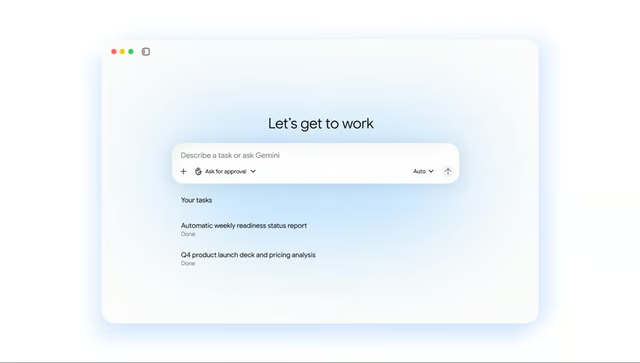
Getting an AI assistant to draft a report is one thing. Finishing the assignment can still mean moving between workplace apps and following up with colleagues. Gemini could handle more of what happens after the initial request.
At Gemini at Work 2026, Google introduced a new enterprise AI agent that can carry out assignments across connected business applications, including services outside its Workspace suite. Employees could delegate work involving multiple steps without having to manage each one themselves.
The tech giant is also changing how employees can interact with the agent during the workday. One feature brings it into a setting normally reserved for human coworkers.
An AI coworker can have its own workplace account
Businesses can create a coworker agent by describing the role they want it to perform. According to Google, the agent receives its own Workspace account with an email address and calendar, plus Drive storage and a listing in the company directory.
In one example, a marketing manager asks an events coordinator agent in Google Chat to prepare a launch-readiness document. After the agent posts it to the group, a colleague can tag it in a Google Docs comment to request an edit. Suggestions and replies appear under the agent’s own name, with its changes recorded in the document’s version history.
Gemini can also act as a personal assistant. Someone arranging a meeting could ask it to identify the usual participants from previous team conversations and coordinate their schedules. It also recognizes a manager’s email requesting a project-update presentation and offers to prepare the slides.
Longer assignments can continue after users log off
For complex assignments, Gemini can create temporary AI agents to handle individual parts of a job. Its cloud-based execution allows work to continue after someone closes their laptop, with memory preserving the context needed to resume later.
Connections extend to Microsoft 365, Slack, and other business systems. Teams can create reusable automation skills for recurring workflows, and Gemini can select AI models according to the task. Project spending caps can also pause an agent when AI agent cloud costs reach an administrator’s preset limit.
Not every announced capability is generally available. The official product FAQ lists multi-step background delegation, mobile and desktop access, and third-party model selection as early-access features.
Businesses can try Gemini Enterprise Plus free for 30 days, although access to every newly announced capability is not guaranteed. Google has not provided a firm date for wider availability.
More Google coverage
- New Google Search AI Mode is ‘Total Reimagining,’ Says CEO Sundar Pichai
- In Major Ruling, Judge Finds Google ‘Willfully Acquired and Maintained Monopoly Power’ Over Digital Ad Market
- Google’s Big Bet on Nuclear Energy: ‘The Race to Power AI-Driven Data Centers is Accelerating’
- Computer History Museum Releases Original AlexNet Code: Why It Matters
Teams need rules for what AI can do alone
Giving an AI agent access to workplace applications introduces decisions about how much work it should complete without human approval. Employees, managers, and IT administrators each have a role in preventing mistakes from reaching customers or affecting company records.
- Employees should verify completed work. If you use Gemini to prepare a client report or project update, check its figures against the original documents and confirm important details before sharing the output. Access to company information does not guarantee accurate interpretation.
- Managers should define approval boundaries. Routine internal drafts may be suitable for automated completion, but customer communications and changes to financial documents should undergo human review. Existing AI governance policies should identify who owns each automated workflow and who is responsible when errors occur.
- IT administrators should test access controls. Review agent permissions across connected applications before deployment. Confirm which information an agent can retrieve, check that its activities appear in audit logs, and verify that access can be revoked.
An assignment completed in minutes can still create hours of work for the people who receive it. Colleagues may need to resolve inconsistencies, reconstruct missing context, or correct errors carried into later tasks.
Businesses should also evaluate whether automated workflows save time overall. An agent may complete its assigned task quickly, but errors, missing context, or unnecessary follow-up work can reduce those gains.
The real measure of Gemini’s value will be whether it improves the entire workflow without creating additional risks or work for employees.
If you use AI regularly, a few prompting tweaks can make a difference. Try our free six-minute How to Talk to AI course at The Neuron Academy, then explore the rest of the AI course library free for seven days. Check out all the lessons here →