


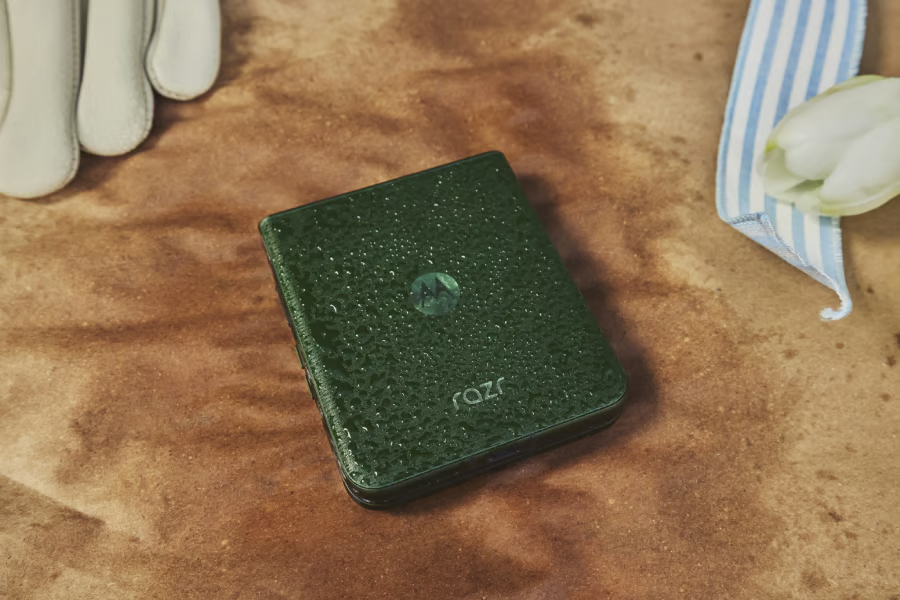
Motorola’s Android 17 update is reaching more smartphones, including the Razr Ultra (2026) and several Edge models, as the company expands its stable software rollout.
The Razr Ultra (2026), Edge 60 Fusion, Edge 60 Pro, and Motorola Signature are among the devices receiving the update, according to reports published this week. The expansion brings Google’s latest Android version to more of Motorola’s lineup, although availability varies by device and region.
For Motorola owners, the biggest questions are which phones are receiving Android 17 now, what new features are included, and how soon the update will become available on their devices.
Which Motorola phones are getting Android 17?
Motorola’s rollout expanded in early October, with additional devices beginning to receive stable Android 17 builds.
According to PhoneArena, four Motorola smartphones are receiving Android 17 in the US: the Razr Ultra (2026), Motorola Signature, Edge 60 Fusion, and Edge 60 Pro.
| Motorola phone | Reported Android 17 status |
|---|---|
| Razr Ultra (2026) | Stable rollout reported in the US |
| Motorola Signature | Stable rollout reported in the US and India |
| Edge 60 Fusion | Stable rollout reported in the US |
| Edge 60 Pro | Stable rollout reported in the US |
Android Authority has also reported Android 17 rollout activity for the Edge 60 Fusion and Edge 60 Pro, citing user reports from India. These reports do not establish that the update is available to every owner in those markets.
The update is being distributed in stages, so availability may vary by region, carrier, and device variant. A phone appearing on the rollout list does not necessarily mean every owner can download Android 17 immediately.
Motorola has identified a broader group of eligible devices. TechRepublic previously examined Motorola’s reported Android 17 compatibility list, which identifies more than 50 smartphones across the Razr, Edge, Moto G, and Signature families.
However, questions remain about the completeness of Motorola’s eligibility list. Android Authority identified several omissions, including models from the Edge 50 series, the Edge 60 Neo, and the Razr 2024. Some of these devices have existing software update commitments, raising questions about the completeness of the published list. Motorola has not provided a complete rollout schedule for every eligible phone.
What’s new in Motorola’s Android 17 update?
Android 17 brings interface changes, notification improvements, and additional customization options to supported Motorola devices.
Motorola’s official Android 17 changelog describes several additions to the company’s software experience.
Among the changes are:
- Updated Quick Settings: Android 17 brings changes to Motorola’s Quick Settings interface, including an option to hide tile labels when using Classic style.
- Stackable widgets: Users can organize multiple widgets within a single home-screen space and swipe between them.
- Smarter notifications: Notification Summaries can condense message content, while Live Updates make ongoing activities easier to follow.
Other improvements include updated icons and Settings menus, additional display customization, and enhanced haptic feedback.
On the Razr Ultra (2026), Android 17 also adds AI Key customization, including the ability to configure double-tap shortcuts. Motorola is separately expanding its Qira AI assistant to compatible devices as part of the Android 17 rollout, though availability may vary.
The update adds more control over HDR display intensity, allowing users to adjust how HDR content appears on their screens.
Motorola’s Android 17 changelog also describes two sharing features: Tap to Share, which lets compatible phones exchange files by bringing them together, and Quick Drop, which supports sharing with multiple recipients. Although Motorola documents both capabilities, their availability may vary by device and software build, and some users may not see them immediately after upgrading.
PhoneArena also reports device-specific improvements involving image processing on Edge 60 models and additional cover-screen widget functionality on the Razr Ultra (2026). The exact changes may differ by device.
Not every feature described in Motorola’s Android 17 changelog is necessarily available on every phone receiving the update.
The changes build on the broader Android 17 platform, which Google introduced earlier this year. TechRepublic previously covered Android 17’s initial Pixel rollout, including its privacy, multitasking, and application compatibility changes.
Mobility must-reads
- Big Apple OS Makeover: Here’s What to Expect & When
- MWC 2025: Nothing Shows Off (3A) Phones With AI Organization Tool
- Bad News for App Developers: Most Apps Fail to Hit $1,000 Monthly Revenue Within Two Years
- Mobile Device Computing Policy
How to check for Android 17 on your Motorola phone
Motorola owners can check whether the update is available through their phone’s settings.
To check for Android 17, open Settings and navigate to System or Software updates. Select the option to check for updates, which may appear under System update depending on the device. Motorola’s official support instructions provide additional guidance.
Before installing the update, users should:
- Connect to Wi-Fi, particularly if downloading a large update.
- Ensure the phone has sufficient battery power and available storage.
- Back up important information before beginning the installation.
The Razr Ultra (2026) update is approximately 4.1GB, according to PhoneArena, though download sizes may vary by device.
If Android 17 does not appear, Motorola may not yet have released it for that particular model, carrier, or region.
Major Android upgrades and monthly security patches can arrive on different schedules. Users should check their phone’s security patch level after installing Android 17 rather than assuming the upgrade includes the latest security fixes. TechRepublic explains the distinction in its Android cheat sheet.
What Motorola’s expanded rollout means for users
The latest rollout gives more Motorola owners access to Android 17, but the staggered release also reinforces the importance of tracking device-specific software support.
For organizations managing Motorola smartphones, an operating-system upgrade can affect application compatibility, security policies, and mobile device management settings. Even when a device is eligible, administrators should verify that critical applications and management tools support the new release before deploying it broadly.
Three practical steps can help:
- Confirm availability by model and region. Do not assume every eligible Motorola phone has received the update.
- Check application compatibility. Organizations should test business-critical applications before approving widespread installation.
- Continue monitoring security patches. Receiving Android 17 does not automatically mean a device has the newest monthly security update.
Motorola’s software upgrade guidance notes that release timing and available features can vary by device. This makes model-specific update information particularly important for organizations managing multiple Android phones.
For individuals and organizations alike, predictable update schedules and consistent security support remain important considerations when maintaining Android hardware.
Related reading: For more on Android security, see how Google’s new security tools provide a more detailed picture of which smartphone components have received critical patches.