


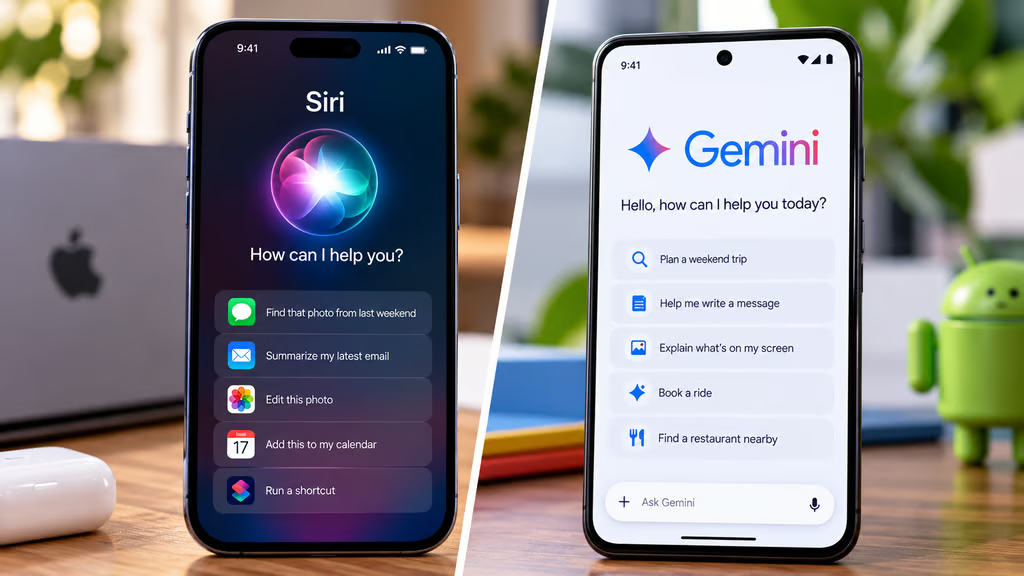
Siri AI and Google Gemini can both answer questions, help with writing, understand visual information, and complete supported tasks across apps. But they differ in how they use personal information, control devices, and fit into everyday routines.
Apple’s upgraded Siri is built into compatible Apple devices, while Gemini works on Android and through a separate iPhone app. That means iPhone owners can use both assistants, but Android users cannot install Siri. So which offers the better experience in 2026?
Siri AI vs Google Gemini: Features and everyday use
Here’s how the assistants compare as of October 2026:
- Device support: Siri AI works on compatible Apple devices. Gemini is available on supported Android phones and through an iPhone app.
- Everyday questions: Both support natural conversations, follow-up questions, writing assistance, and planning.
- Personal context: Siri AI uses information from supported Apple apps. Gemini connects with eligible Google services.
- Screen awareness: Both can interpret content displayed on supported devices.
- App automation: Siri performs supported system and cross-app actions. Gemini offers advanced automation in selected Android apps.
- Privacy: Apple emphasizes on-device processing and Private Cloud Compute. Google provides activity, retention, and connected-app controls.
- Availability: Both have restrictions based on hardware, software, language, region, and individual features.
How we compared Siri AI and Gemini
We evaluated everyday assistance, personal context, app integration, automation, privacy, and device compatibility using official Apple and Google documentation and relevant published reporting.
We also considered which features are currently available, which remain in beta, and where device restrictions affect their usefulness.
This is a documented-capabilities comparison, not a controlled performance test. We haven’t independently benchmarked response speed, answer accuracy, or task completion across equivalent devices.
Which assistant is better for everyday questions?
Both Siri AI and Gemini can handle conversational questions, draft messages, summarize information, and respond to follow-up requests.
Apple’s Siri AI documentation describes broader conversational abilities, including personal context, onscreen awareness, and actions across supported applications.
Siri AI also offers conversation history through its dedicated app. With iOS 27.2, Apple expanded its ability to recall previous conversations and retrieve information from additional sources.
Gemini supports similar conversational tasks, including brainstorming, writing, research, and planning through its Android and iPhone apps.
For general questions, both are capable alternatives to older voice assistants. However, there’s insufficient comparable independent testing to establish which consistently gives faster or more accurate answers.
Personal context: Apple integration vs Google services
Siri AI’s biggest practical advantage is its integration with Apple’s ecosystem.
It can retrieve information from supported sources such as Messages, Mail, Photos, and Calendar. For example, users can ask about details from an earlier conversation or find information buried in an email.
Apple expanded these capabilities in iOS 27.2, adding access to more personal context, including message attachments, voicemail, and additional Calendar information.
Our earlier Siri AI feature guide explains how personal context, onscreen awareness, and cross-app actions work.
Gemini approaches personalization through supported Google services, including Gmail, Calendar, Maps, and other connected apps.
That makes it particularly convenient for users whose information is already organized around Google.
Neither assistant automatically has unrestricted access to every account or application. Available connections and user permissions determine which information each can retrieve.
Siri vs Gemini: Which is better at app automation?
Siri AI can perform supported actions across Apple’s operating systems, including drafting emails, editing and sharing photos, and working with information already visible onscreen.
Apple has also expanded its Shortcuts capabilities, allowing users to create and manage more sophisticated automations.
Gemini can handle Android assistant functions, including supported alarms, calls, messages, and device controls.
Google also offers screen automation that can complete selected multi-step tasks, such as ordering food, booking rides, or purchasing tickets.
That feature remains in beta and is limited to eligible devices, supported apps, accounts, and regions. It isn’t available to every Android user.
Gemini’s advanced Android automation also shouldn’t be confused with the standalone Gemini iPhone app, which doesn’t have the same system-level permissions.
Siri has the integration advantage for supported iPhone actions, while Gemini offers more specialized automation for certain tasks on eligible Android devices.
Privacy, compatibility, and which assistant to choose
Is Siri AI more private than Gemini?
Apple and Google take different approaches to processing assistant requests.
Apple says Siri AI processes information on-device when possible and uses Private Cloud Compute for certain requests requiring larger models.
Apple states that requests handled through Private Cloud Compute aren’t stored or made accessible to the company.
Google’s Gemini Apps Privacy Hub explains that consumer Gemini interactions may involve conversation history, location, device information, and content from connected apps.
Depending on activity settings, some interactions may be reviewed by people or used to improve Google’s services.
Gemini users can manage activity history and use temporary chats, but disabling activity doesn’t eliminate all temporary retention.
Apple’s architecture places greater emphasis on minimizing cloud exposure. Google’s consumer Gemini service provides configurable privacy controls, although users should review those settings before sharing sensitive information.
Neither assistant should be given confidential information without understanding how the relevant feature processes it.
Can you use Siri AI and Gemini on the same phone?
Yes, if you have a compatible iPhone.
Siri AI operates as Apple’s built-in assistant, while Google’s Gemini iPhone app provides a separate AI experience.
Gemini cannot replace Siri as the iPhone’s system assistant. Users can access Gemini’s conversational capabilities, but not every Android device-control or automation feature.
Siri AI requires an Apple Intelligence-compatible iPhone, including the iPhone 15 Pro, iPhone 15 Pro Max, and supported iPhone 16 models or later.
Older iPhones may run iOS 27 without supporting the upgraded assistant. Our iOS 27 compatibility guide explains which models qualify.
Siri AI remains in beta. Apple’s iOS 27.2 update added French, Japanese, Korean, Portuguese, and Spanish support, although regional restrictions still apply.
On Android, Gemini can serve as the mobile assistant on supported phones. Siri AI isn’t available.
Which AI assistant should you choose?
Choose Siri AI if you:
- Own a compatible iPhone and regularly use Apple’s apps.
- Want an assistant that can retrieve information from Messages, Mail, Photos, and Calendar.
- Frequently use voice commands and system-level device controls.
- Prefer Apple’s on-device processing and Private Cloud Compute architecture.
Choose Gemini if you:
- Use an Android phone and want an integrated AI assistant.
- Depend on Gmail, Google Calendar, Maps, and other Google services.
- Want access to advanced automation on an eligible Android device.
- Prefer an assistant that also offers a standalone iPhone app.
Use both if you’re an iPhone owner who wants additional AI capabilities. Siri can handle supported system actions while Gemini provides another conversational assistant connected to Google’s ecosystem.
Verdict: Is Siri AI better than Google Gemini?
Neither assistant wins every category.
Siri AI is the more natural choice for people invested in Apple’s ecosystem. Its personal context capabilities and system integration can reduce the need to move manually between apps.
Gemini offers broader cross-platform availability, strong connections to Google services, and advanced automation on supported Android hardware.
For iPhone owners, the decision doesn’t have to be exclusive. Siri remains the built-in assistant, while Gemini can provide an additional option for questions, research, and connected Google services.
Android users have a clearer choice because Siri isn’t available on their devices.
Before switching phones primarily for AI, check whether the specific features you want are supported on your device and in your region. A longer feature list doesn’t necessarily translate into a better everyday experience.
Also read: iOS 27.2 expands Siri AI’s memory and personal context, alongside updates to Messages, Photos, FaceTime, and Shortcuts.