


The best IVR systems help businesses route callers, reduce hold times, automate simple requests, and give customers a faster path to the right department or agent. In 2026, the strongest IVR tools go beyond basic “press 1” phone trees with visual call flow builders to AI-powered routing, analytics, and support for remote or hybrid teams.
RingCentral is the best IVR system overall because it includes multi-level IVR, call queues, call recording, AI features, analytics, and a large ecosystem of integrations. But they aren’t the only provider. In this guide, I highlight six standout options, including their key features and ideal use cases.
| RingCentral | ||
| Nextiva | ||
| Ooma | ||
| KrispCall | ||
| GoTo Connect | ||
| Aircall | ||
| *Billed annually, unless otherwise noted. | ||
Best IVR systems compared
You can buy standalone IVR software, but most business phone services and call center software come with a built-in IVR. Having a native IVR makes deployment much easier than integrating a third-party IVR with the channels and business software you rely on.
Each of the IVR systems in this guide comes as part of a larger business communication platform. The table below covers some of the most important factors to look at when making your purchasing decision.
| RingCentral | |||
| Nextiva | |||
| Ooma | |||
| KrispCall | |||
| GoTo Connect | |||
| Aircall |
Methodology: How I evaluated the best IVR systems
When putting this guide together, I prioritized customer feedback, case studies, user reviews, and my own experiences for a holistic look at each option.
The following factors played a major role in selecting my top picks for the best IVR systems:
- Reputation: I reviewed hundreds of reviews for the IVR providers, prioritizing those from happy customers.
- Features: Since IVR is part of communications systems, I looked for providers that offer a wide range of complementary features to help you make the most of it.
- Pricing: I looked for providers that presented clear, straightforward pricing information so businesses would have no trouble understanding the investment.
- Ease of integration: I considered how well each IVR provider integrates with existing business systems to minimize disruption during implementation.
- Scalability: I assessed each provider’s ability to scale alongside a business’s growing needs, ensuring adaptability to changing demands.
RingCentral: Best IVR system overall
Why I chose RingCentral
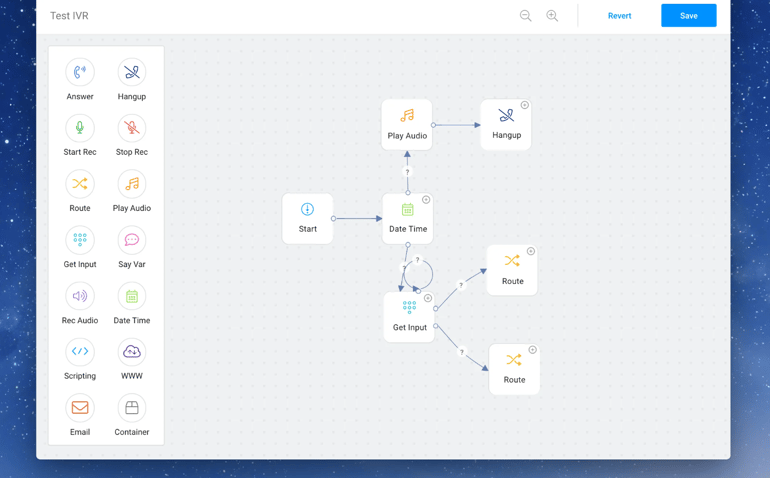
I chose RingCentral as the best IVR system overall because it gives businesses advanced routing tools without requiring a separate contact center product. RingCentral includes multi-level IVR on its RingEX plans, which makes it a strong fit for teams that need professional call routing, multiple menus, call queues, and business-hours rules without a complicated deployment.
RingCentral is also the strongest option for businesses that need more than IVR. It combines voice, video, messaging, fax, analytics, AI features, and a large ecosystem of integrations into a single platform. While it may take longer to configure than simpler systems like Ooma, the extra depth is useful for teams that need room to scale.
Pricing
| Monthly price, billed annually | ||||
| Monthly price, billed monthly |
Free trial: 14 days
*Custom pricing is available for plans with more than 100 users.
Visit RingCentral
Key features
- Multi-level IVR menus: Guide callers through nested menus to reach the right department, team, or extension.
- Schedule-based routing: Change call destinations automatically for business hours, after-hours coverage, and custom schedules.
- Queue overflow handling: Route callers to a backup queue, extension, or voicemail when wait times or queue capacity reach configured limits.
Pros and cons
| Pros | Cons |
|---|---|
|
|
Nextiva: Best for customer engagement

Why I chose Nextiva
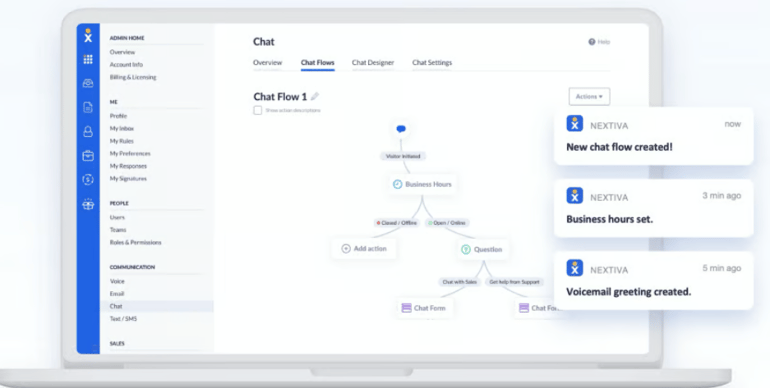
I chose Nextiva for customer engagement because it connects IVR and call routing with broader customer communication tools. It works well for businesses that want customers to reach the right person quickly while also managing conversations across phone, messaging, chat, reviews, and other digital channels.
This makes Nextiva a good fit for teams that want more than a basic phone tree. Smaller businesses can use auto-attendant and call-routing features to manage inbound calls, while larger teams can explore more advanced call center packages with IVR, ACD, and analytics, making it a great choice for businesses of all sizes.
Pricing
| Monthly price, billed annually | ||||
| Monthly price, billed monthly |
Visit Nextiva
Key features
- Unified customer inbox: Bring calls, texts, and supported digital channels into a shared workspace so employees can coordinate customer responses.
- AI receptionist: Answer incoming calls 24/7, respond to routine questions, and connect callers with employees when needed.
- AI call summaries: Capture key discussion points and action items to help teams follow through on customer requests.
Pros and cons
| Pros | Cons |
|---|---|
|
|
Ooma: Easiest DIY setup
Why I chose Ooma
Ooma is the easiest IVR system for DIY setup because its virtual receptionist is simple to configure and available on all Ooma Office plans. I like it for small businesses that want to create professional call menus, route callers, record greetings, and manage business hours without needing IT support.
Ooma is not the most advanced IVR option, but that is part of its appeal. It is best for offices, local businesses, and small teams that need a reliable phone system with straightforward call routing. However, businesses that need complex analytics, advanced integrations, or large contact center workflows may outgrow it.
Pricing
- Essentials: $19.95/user billed monthly
- Pro: $24.95/user billed monthly
- Pro Plus: $29.95/user billed monthly
- Enterprise: Contact sales for pricing
Ooma’s virtual receptionist is included across plans. Higher tiers add features such as SMS, video meetings, call recording, voicemail transcription, CRM integrations, advanced analytics, team chat, and more advanced call handling.
Visit Ooma
Key features
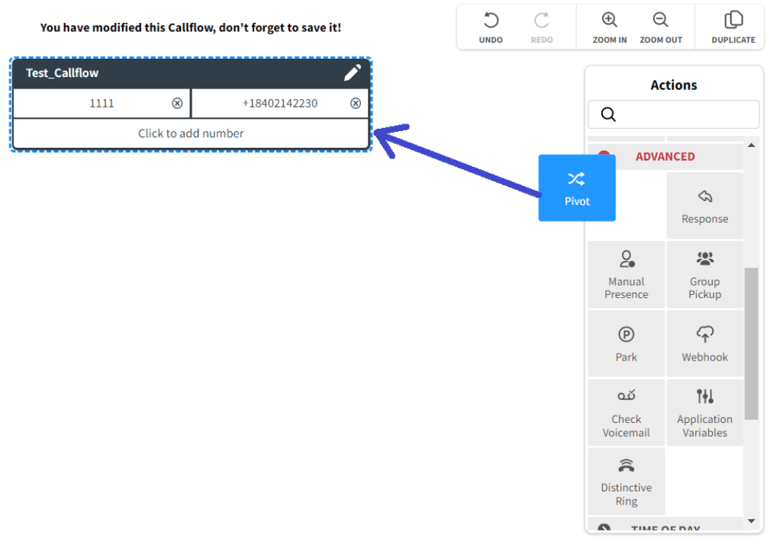
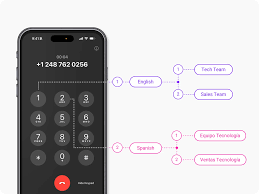
- Virtual receptionist setup: Configure greetings, keypad menus, and business hours through straightforward settings without coding.
- Preconfigured IP phones: Simplify installation with compatible phones purchased from Ooma that arrive ready for provisioning.
- Web-based administration: Add users, manage extensions, and adjust phone settings from a central online portal.
Pros and cons
| Pros | Cons |
|---|---|
|
|
KrispCall: Best for small businesses
Why I chose KrispCall
I chose KrispCall for small businesses because it offers IVR and cloud phone features at a low starting price. It is a practical option for teams that need business calling, basic routing, shared visibility, and international numbers without committing to a higher-priced UCaaS or contact center platform.
KrispCall is best for small teams with lighter or variable call volume. Because it is a newer, more budget-focused option, it can be a strong value, but make sure its roadmap and support model align with your needs.
Pricing
| Monthly price, billed annually | ||||
| Monthly price, billed monthly |
Calling, texting, and number costs may be usage-based depending on the region and plan.
Visit KrispCall
Key features
- Shared call inbox: Manage calls, messages, and voicemail across shared business numbers so teammates can coordinate responses.
- Browser-based calling: Make and receive business calls through a web browser without installing a desktop app.
- Call notes and tags: Save customer details and label conversations to keep follow-up organized as your team grows.
Pros and cons
| Pros | Cons |
|---|---|
|
|
GoTo Connect: Best integrations
Why I chose GoTo Connect
GoTo Connect is best for integrations because it combines business phone features with collaboration tools, CRM connections, routing rules, and a clear upgrade path into customer engagement and contact center products. I like it for businesses that want IVR tied to broader workflows rather than a standalone phone menu.
GoTo Connect is also strong for teams that need flexible call routing. Its custom dial plans, routing rules, call recording, messaging, and integration options make it useful for businesses that want to connect their phone system with the tools their sales or support teams already use.
Pricing
GoTo Connect offers the following packages:
- Phone System: Customizable dial plans, unlimited auto-attendants and call queues, business calling, messaging, and video meetings.
- Phone System + AI Receptionist: Adds AI call answering, intelligent routing, FAQ responses, and 100 AIR credits.
- Customer Experience (CX): Adds shared inboxes, digital messaging, AI call summaries, and reporting.
- CX Complete: Combines Phone System, AI Receptionist, and CX capabilities with advanced analytics and webinars.
- Contact Center: Builds on CX with skills-based routing, queue callbacks, auto dialing, and agent monitoring and coaching.
Contact GoTo Connect for a quote.
Visit GoTo Connect
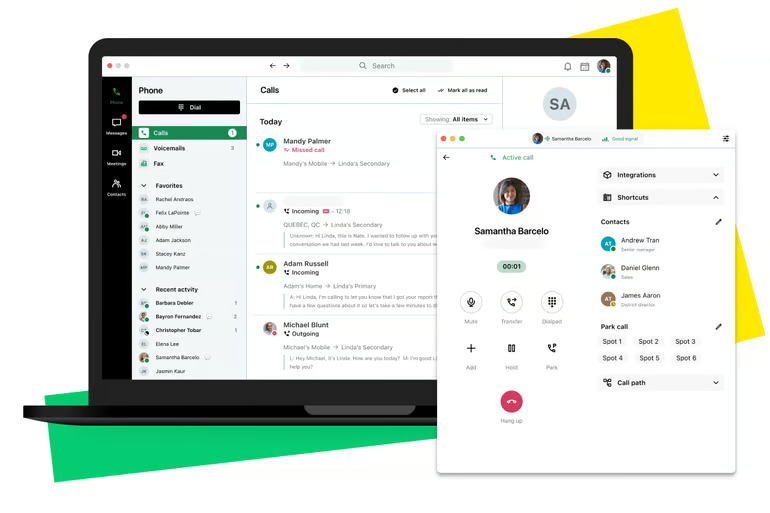
Key features
- CRM integrations: Sync call activity with CRM and help desk tools so employees can access customer context within their existing workflows.
- Visual dial plan editor: Build call flows by connecting menus, teams, and destinations in a graphical editor.
- Call routing analytics: Examine call traffic and routing performance to identify bottlenecks and improve call distribution.
Pros and cons
| Pros | Cons |
|---|---|
|
|
Aircall: Best user interface
Why I chose Aircall
Aircall is the best IVR system for user interface because it is designed around a clean, modern experience for sales and support teams. Its dashboard, softphone apps, call routing tools, and integrations make it easy for agents to manage calls without feeling buried in complex admin settings.
I also like Aircall for teams that want IVR connected to CRM and help desk workflows. It integrates with common sales and support tools, includes call recording and queue features, and offers AI and analytics add-ons for teams that need more visibility. Although it costs more than some small-business IVR options, its usability and integrations are strong.
Pricing
| Monthly price, billed annually | |||
| Monthly price, billed monthly | |||
| *Essentials and Professional require a minimum of five users, while Enterprise requires a minimum of 25 users. | |||
Visit Aircall
Key features
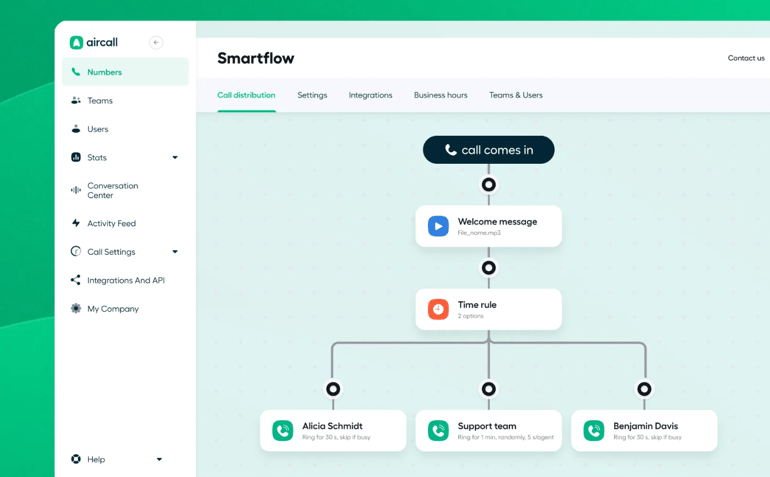
- Smartflows routing builder: Connect IVR menus and call-handling steps in a visual editor that makes routing paths easy to follow and adjust.
- Call tags: Label calls by purpose or outcome to organize conversations and filter reports.
- Live monitoring dashboard: View agent availability and call activity in one place to spot coverage gaps and manage busy periods.
Pros and cons
| Pros | Cons |
|---|---|
|
|
What is an IVR system?
An IVR system, or interactive voice response system, is a phone technology that answers incoming calls and routes callers through automated menu options. Customers can use keypad selections or voice prompts to reach a department, hear information, request support, or complete simple tasks without speaking to an agent.
IVR systems are often included in business phone systems, VoIP platforms, and call center software. For small businesses, IVR can create a more professional phone experience. For larger teams, IVR helps reduce wait times, route calls more accurately, and improve agent productivity.
How to choose the best IVR system
Start by identifying how complex your call routing needs are. A small business may only need a virtual receptionist with business-hours routing and a few menu options. A larger support team may need multi-level IVR, queue routing, analytics, callbacks, CRM integrations, and contact center features.
Next, compare ease of setup. If you do not have IT support, look for a visual call flow builder, prebuilt routing options, and clear admin controls. Ooma and Aircall are easier to manage, while RingCentral, GoTo Connect, and Nextiva offer more depth for teams that need advanced routing and scalability.
Finally, compare pricing and growth path. Many IVR tools are included in phone system plans, but advanced IVR, call recording, AI, analytics, or contact center features may require higher-tier plans or add-ons. Choose a provider that fits your current call volume and can scale without requiring a platform migration later.
Frequently asked questions (FAQs)
What is the best IVR system?
RingCentral is the best IVR system overall because it includes multi-level IVR, call queues, call recording, AI features, analytics, and 500+ integrations as part of a full business communications platform. Ooma is better for a simple DIY setup, while Aircall is a strong option for teams that want a clean interface and CRM-connected workflows.
What features should I look for in IVR software?
Look for multi-level IVR, call routing, call queues, call recording, voicemail, text-to-speech greetings, business-hours routing, analytics, CRM integrations, callback options, and an easy call flow builder.
How much does IVR software cost?
Most IVR systems are included in business phone or contact center plans. Entry-level cloud phone plans can start at $12-$30 per user per month, while advanced contact center plans with intelligent routing, queue callbacks, analytics, and AI features often cost more.
Is IVR software good for small businesses?
Yes. IVR software can help small businesses route callers, answer common questions, reduce missed calls, and create a more professional phone experience. Small teams should prioritize easy setup, simple call flow editing, affordable pricing, and included virtual receptionist features.