

Free CRM software can help small businesses, freelancers, and solo users manage customer relationships without paying for a full CRM subscription. Most free plans limit users, contacts, or advanced features, but many still include core tools for tracking leads, organizing customer data, and managing outreach.
I reviewed dozens of free CRM platforms, including HubSpot, Zoho CRM, and EngageBay, and narrowed the list to the seven best options based on features, usability, and overall value.
| HubSpot CRM | ||
| Zoho CRM | ||
| monday.com | ||
| EngageBay | ||
| ClickUp | ||
| Bitrix24 | ||
| Odoo CRM | ||
| Capsule CRM |
Top free CRM software comparison
The top free CRM software offers access to sales pipelines, document management, and native or third-party integrations. Businesses can sync their free CRM tool to their existing tech stack and integrate it with their sales processes.
| HubSpot CRM | |||
| Zoho CRM | |||
| monday.com | |||
| EngageBay | |||
| ClickUp | |||
| Bitrix24 | |||
| Odoo CRM | |||
| Capsule CRM |
How I chose the best free CRM software
I researched and evaluated a variety of CRM software that offer free plans. Using a weighted rubric in my methodology, I compared pricing, general CRM features and capabilities, ease of use, customer support, and my own personal evaluation.
Why you can trust TechRepublic
I evaluated the best CRM software with free plans using a rubric with 20+ data points, focusing on what matters most to small businesses: affordability, core CRM functionality, ease of use, support, and scalability.
My analysis prioritized free plan limitations, contact and lead management tools, sales pipeline features, integrations, automation, and overall value for growing teams.
Recommendations are based on hands-on testing when available, vendor documentation, pricing transparency, and verified user feedback to reflect how each CRM performs in real business use.
HubSpot CRM: Best overall free CRM
Overall rating: 4.74/5
Pricing: 4.38/5
General features: 4.98/5
Ease of use: 5/5
Support: 4.88/5
Expert score: 4.69/5
HubSpot’s free CRM system provides access to various sales, marketing, customer service, commerce, content management, and operations management tools.
At no cost, two users can complete sales tasks directly within a customer’s profile and monitor incoming deals in the free pipeline feature. HubSpot’s paid tiers offer more advanced features, such as sales and marketing automation, forecasting, voice calling, and sales analytics.
Why I chose HubSpot CRM
HubSpot CRM offers the most robust and diverse tools for managing sales, marketing, customer service, commerce, content, and operations processes. Each product offered by HubSpot is connected to the same underlying CRM database, giving businesses insight into every contact at each stage in the customer journey. And Breeze Copilot smart recommendations and automation make it one of the best AI-powered CRMs.
While HubSpot’s free CRM is the most robust of those listed here, your business might eventually need to scale to a premium plan. If that’s the case, HubSpot’s paid tiers can be pretty costly compared to others. If you want a tool with more affordable premium plans, check out Zoho CRM or ClickUp.
Head over to the HubSpot review for more information.
Pricing
- Free tools: $0 for two users with basic sales, marketing, service, content, operations, and commerce tools.
- Sales Hub Starter: $9/user/month, billed monthly, or $10 when billed monthly. This includes free tools, simple automation, e-signature, and conversation routing.
- Sales Hub Professional: $90/seat/month, billed annually, or $100 when billed monthly (plus a $1,500 one-time onboarding fee). This includes everything in the Sales Hub Starter, plus a prospecting workspace, playbooks, and forecasting capabilities.
- Sales Hub Enterprise: $150/seat/month, billed annually (plus a $3,500 one-time onboarding fee). This includes everything in the Sales Hub Professional, plus predictive lead scoring, conversation intelligence, and lead form routing.
*Starter Customer Platform includes sales, marketing, service, content, operations, and commerce tools in one package. Individual modules can be purchased separately.
Visit HubSpot CRM
Key freemium features
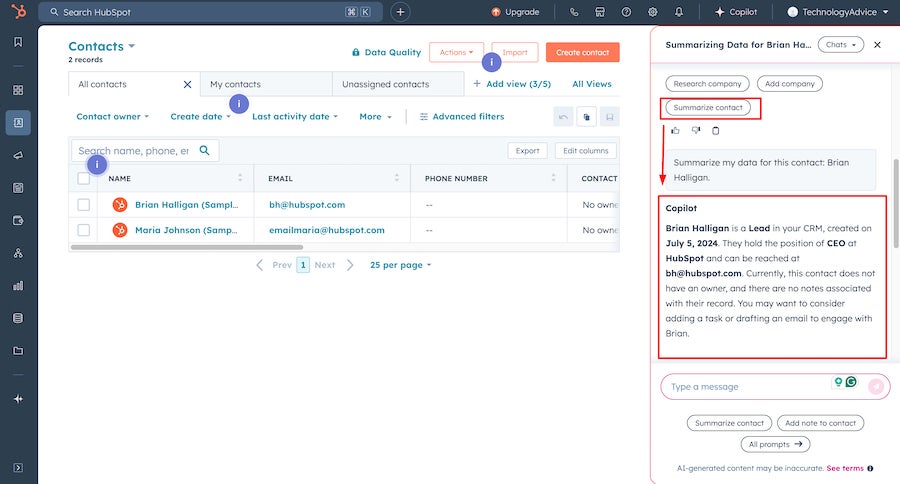
- Breeze Copilot: HubSpot’s AI-powered assistant can generate content, automate routine tasks, and provide personalized recommendations and insights about leads, customers, and interactions.
- Meeting scheduler: Schedule client meetings quickly with little hassle by syncing them to Google Calendar or Office 365 Calendar.
- Live chat software: Connect website visitors to sales reps in real time to convert new prospects, improve customer relations, and close more deals.
Pros and cons
| Pros | Cons |
|---|---|
|
|
Zoho CRM: Best for secure contact management
Overall rating: 4.67/5
Pricing: 5/5
General features: 4.78/5
Ease of use: 4.38/5
Support: 4.06/5
Expert score: 4.75/5
Zoho CRM’s free-for-life tier offers solid core features for up to three users. Users can create basic sales modules for automations and task management and access the CRM through the mobile app.
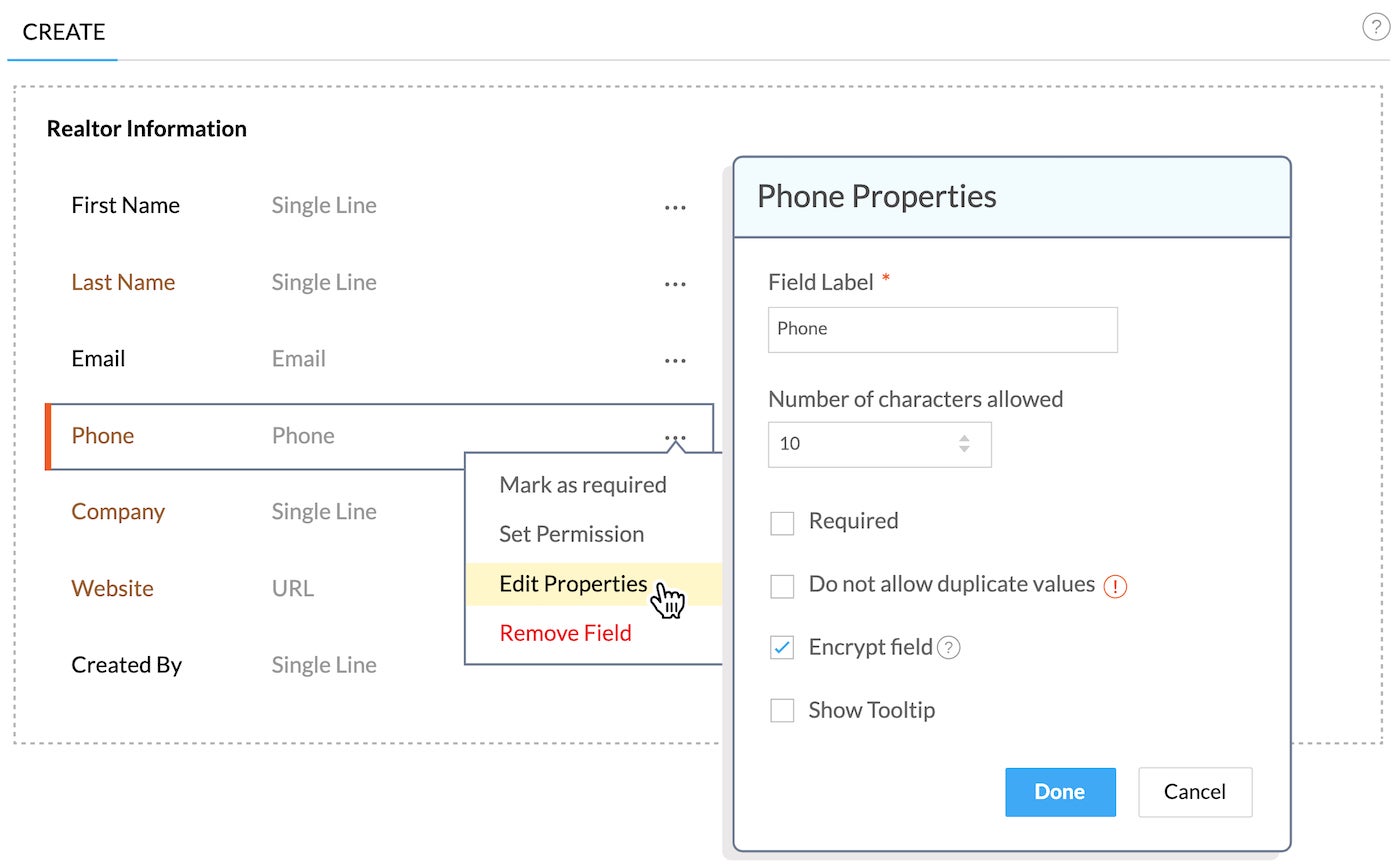
With security features that protect client profiles, enforce a role-based hierarchy, and produce CRM audit logs, Zoho CRM ensures all contact information is GDPR-compliant. Users must upgrade to a paid tier to access Zoho CRM’s advanced marketing tools.
Why I chose Zoho CRM
Zoho CRM is a popular CRM platform used by businesses globally. With sales, marketing, and service applications, Zoho CRM bundle plans offer organizations an integrated experience of Zoho’s solutions.
The CRM platform’s marketing automation includes advanced email management, lead attribution, and segmentation. Zoho also prioritizes customer privacy with no adjunct surveillance and zero ad providers on its network.
Zoho CRM’s free tier can be considered limited, with no social integrations or analytics. If you’re looking for a similar tool that includes free marketing automation and sales functions with the bandwidth for more users, consider HubSpot CRM or Bitrix24.
For more information, read the full Zoho CRM review.
Pricing
- Free: $0 for three users, with basic lead management, documents, campaigns, and automations.
- Standard: $14/user/month, billed annually, or $20 when billed monthly. This includes everything in the Free plan, plus multiple pipelines, homepage customization, and predefined reports.
- Professional: $23/user/month, billed annually, or $35 when billed monthly. This includes everything in the Standard plan, plus custom reports and dashboards, email relay, and field-level security.
- Enterprise: $40/user/month, billed annually, or $50 when billed monthly. This includes everything in the Professional plan, plus reporting hierarchy, custom modules and buttons, and AI tools.
- Ultimate: $52/user/month, billed annually, or $65 when billed monthly. This includes everything in the Enterprise plan, with the highest feature limits.
Visit Zoho CRM
Key freemium features
- Lead tracking: View lead profiles and activity history from one dashboard to see where leads are in the buying process and when it’s best to start engaging.
- Document management: Organize and control all shared documents between sales reps and even content shared outside the business with clients.
- Campaign management: Plan and monitor any promotional campaign, including Google Ads, referral programs, or offline events like trade shows and TV commercials.
Pros and cons
| Pros | Cons |
|---|---|
|
|
monday.com: Best free CRM for nonprofits

Overall rating: 4.59/5
Pricing: 4.25/5
General features: 4.76/5
Ease of use: 4.5/5
Support: 5/5
Expert score: 4.69/5
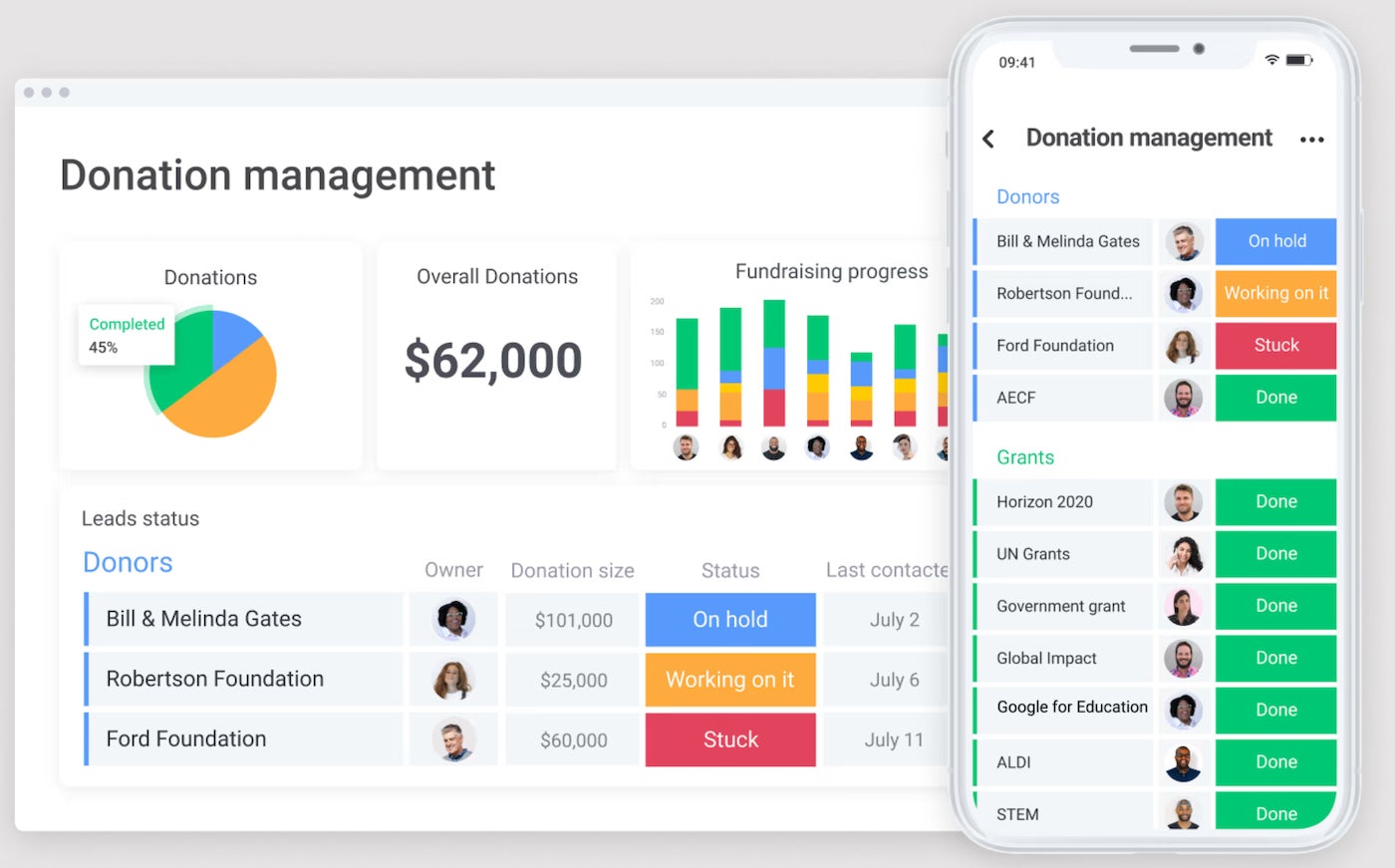
monday.com’s regular free plan supports up to two users and allows you to create up to three workboards for organizing your projects, client data, and work processes. Qualified nonprofits and students can access the work management platform at no cost for the first 10 users.
monday.com’s customizable dashboard and pipelines make it one of the best CRM for consulting businesses and task management. However, you’ll need to upgrade to a paid plan to access automation and AI tools.
Why I chose monday.com
monday.com is a no-code work management tool that offers templates for various industries. These include nonprofits, CRM, marketing, content production, real estate, and software development.
The platform itself is intuitive, with visually appealing dashboards. Users can completely customize the tool for any customer-facing needs and implement automation that reduces general human error and increases productivity.
If you’re looking for a more traditional free CRM to manage your sales processes, monday.com might not be the right platform for you. Consider looking into HubSpot or Zoho CRM for more robust, free offerings.
Want to know more? Check out this independent monday.com review.
SEE: 6 Best Nonprofit CRM Software for 2025
Pricing*
- Free: $0 for two users, with 500MB file storage, embedded documents, and activity logs.
- Basic: $9/user/month, billed annually, or $12 when billed monthly. This includes everything in the Free plan, plus 5GB file storage, 500 monthly AI credits, and a dashboard.
- Standard: $12/user/month, billed annually, or $14 when billed monthly. This includes everything in the Basic plan, plus 20GB of file storage, automations, and integrations.
- Pro: $19/user/month, billed annually, or $24 when billed monthly. This includes everything in the Standard plan, plus time tracking and private boards and docs.
- Enterprise: Contact the provider for a custom quote. This includes everything in the Pro plan, plus enterprise-scale automations, integrations, and reporting.
*All paid plans require a minimum of three users.
Visit monday.com
Key freemium features
- Customizable visual pipelines: Create pipelines for easy planning, tracking, and launching of fundraising and donor campaigns.
- Project and operations management: Use private boards to map food deliveries, track donated supplies, and manage tasks and projects. Build custom workflows and automate repetitive operational processes.
- Customizable forms: Use no-code forms to collect, organize, and analyze volunteer and supporter information. Plug the data directly into your visual database for easy data collection and analysis.
Pros and cons
| Pros | Cons |
|---|---|
|
|
EngageBay: Best free CRM for social media campaigns

Overall rating: 4.58/5
Pricing: 5/5
General features: 4.74/5
Ease of use: 4.06/5
Support: 4.19/5
Expert score: 4.38/5
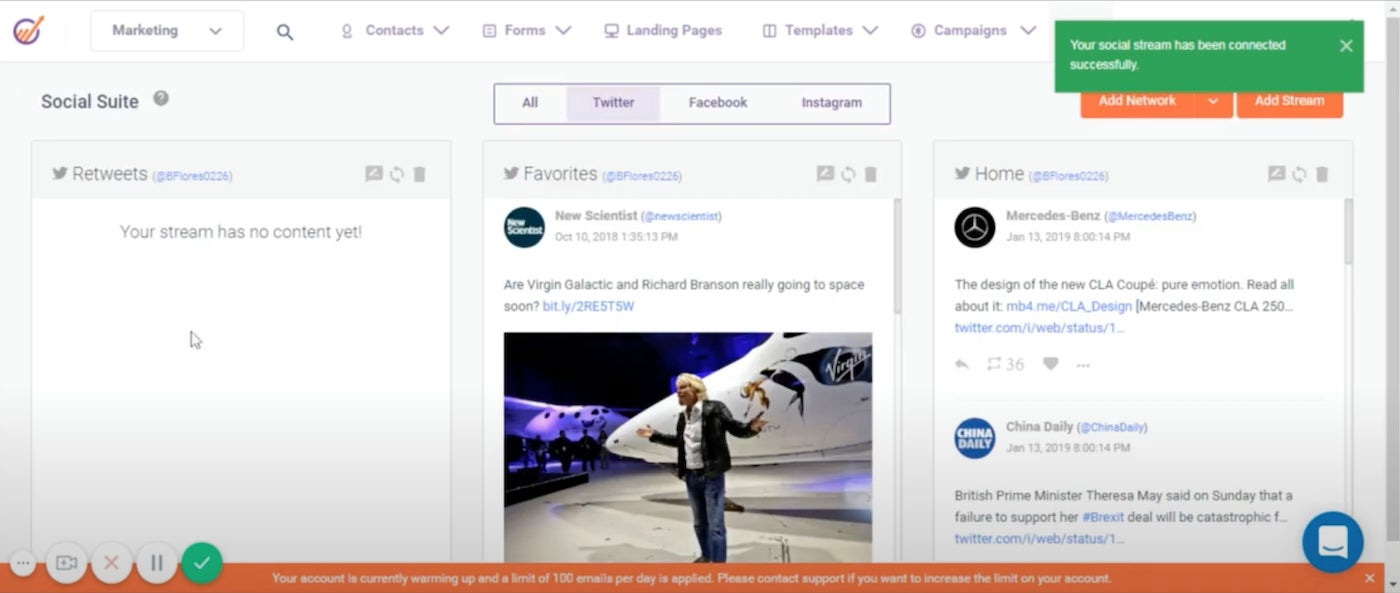
EngageBay’s free CRM system provides core and advanced features for both sales and marketing teams for up to 15 users and 250 contacts. It also offers deal management, predictive lead scoring, social media marketing, and landing page builders — all of which facilitate better alignment between marketing and sales teams. Accessing automation, custom deal milestones, and email scheduling requires a paid subscription.
Why I chose EngageBay
EngageBay is another affordable CRM with sales, marketing, and service solutions. Support teams can implement their help desk or live chat software to resolve queries and deliver strong client support quickly. EngageBay has a unique pricing and billing structure, offering discounts on its premium tiers if businesses commit to longer-term contracts.
Compared to most providers on this list, EngageBay’s free tier supports more than the average number of users. However, its list of possible integrations is lacking compared to providers like HubSpot or Zoho CRM.
To learn more about this provider, head over to this in-depth EngageBay review.
Pricing
- Free: $0 for 15 users, with 250 contacts, email tracking, and appointment scheduling.
- Basic: $13.79/user/month, billed annually, or $14.99 when billed monthly. This includes everything in the Fee plan, plus 500 contacts, multiple deal tracks, and predictive lead scoring.
- Growth: $59.79/user/month, billed annually, or $64.99/user/month, billed monthly. This includes everything in the Basic plan, plus 5,000 contacts, an email scheduler, and sales automation.
- Pro: $110.39/user/month, billed annually, or $119.99 when billed monthly. This includes everything in the Growth plan, plus 50,000 contacts, an autodialer, proposal analytics, and role management.
Visit EngageBay
Key freemium features
- Multichannel campaigns: Create branded marketing campaigns and launch them across email, website, and social media channels.
- Lead scoring: Segment and prioritize incoming leads based on preset criteria from an organization’s ideal customer profile.
- Website lead capture: Collect and store visitor information with pop-ups and landing pages.
Pros and cons
| Pros | Cons |
|---|---|
|
|
ClickUp: Best for simple sprint management

Overall rating: 4.56/5
Pricing: 4.75/5
General features: 4.72/5
Ease of use: 3.75/5
Support: 5/5
Expert score: 4.25/5
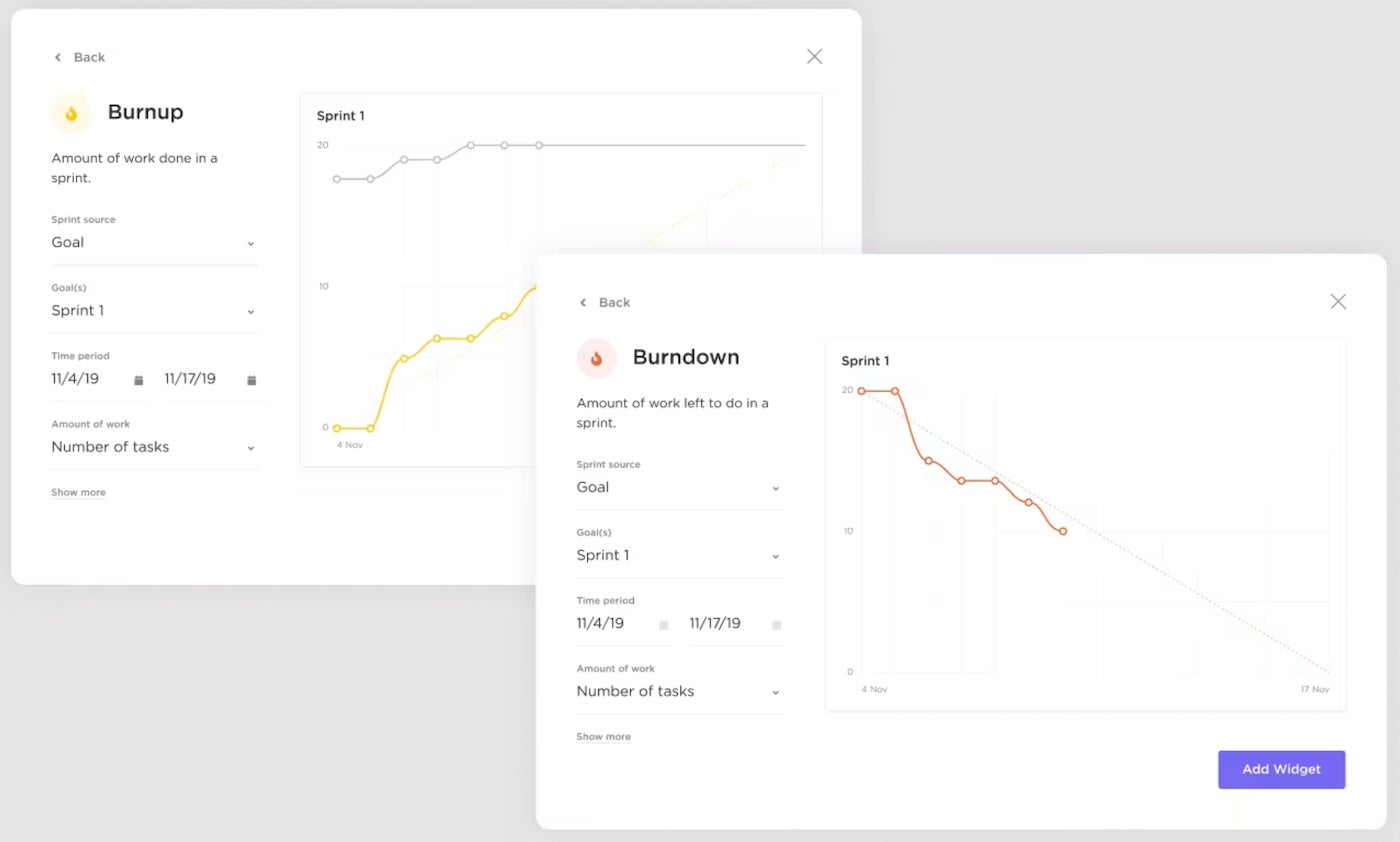
ClickUp is a very straightforward project management platform meant to help manage all types of workflows. Its Forever Free plan is robust, offering 100MB of storage, unlimited plan members, kanban boards, and 24/7 support, to name a few. Specifically, the sprint management feature allows users to set sprint dates, assign points, mark priorities, and automate unfinished work into the next sprint.
Why I chose ClickUp
ClickUp can be used by teams managing product development. With sprint management, sprint reports, Kanban dashboards, and backlog management, users can enhance team collaboration with all-in-one communication. ClickUp also supports unlimited integrations starting with the first paid tier, adding to the tool’s flexibility.
ClickUp’s Forever Free plan offers a variety of core CRM features and unlimited users, but it markets itself as ideal for personal use. If you anticipate the need to eventually scale up your CRM solution to match the growth and complexity of your business, consider HubSpot or other providers in our guide to the best CRM for small businesses.
Pricing
- Free Forever: $0 for unlimited users, with 100MB storage, unlimited tasks, and whiteboards.
- Unlimited: $7/user/month, billed annually, or $10 when billed monthly. This includes everything in the Free Forever plan, plus unlimited storage and integrations, custom fields, and agile reporting.
- Business: $12/user/month, billed annually, or $19 when billed monthly. This includes everything in the Unlimited plan, plus Google SSO, custom reporting, and advanced automations.
- Enterprise: Contact ClickUp directly for a quote. This plan includes everything in the Business plan, plus white labeling and MSA and HIPAA compliance.
Visit ClickUp
Key freemium features
- Whiteboards: Communicate between teams and departments with a virtual whiteboard.
- Automations: Select over 100 pre-built automations to tackle routine tasks within projects, marketing campaigns, and customer management.
- Sprint management: Create entire sprints with a single view for team members to manage workflows, track progress to goals, and create useful automation.
Pros and cons
| Pros | Cons |
|---|---|
|
|
Best CRM Software
- Best CRM Software
- Best CRM Software for Startups
- Best CRM For Small Business
- Best Free CRM Software
- Best Enterprise CRM Systems
- Best Open Source CRM Software
- Best White Label CRM Software
Bitrix24: Best free CRM for ecommerce businesses

Overall rating: 4.55/5
Pricing: 4.44/5
General features: 4.93/5
Ease of use: 4.38/5
Support: 4.38/5
Expert score: 4.5/5
Bitrix24’s free CRM uniquely supports unlimited users with up to 5GB of data storage and basic collaboration and project management tools.
Among all the providers in this guide, it offers the most robust and advanced ecommerce tools, including coupons, inventories, and shipping cost calculators. Its paid tiers are structured differently than typical CRM pricing. Instead of having a fee per user, it charges per organization with a maximum number of users.
Why I chose Bitrix24
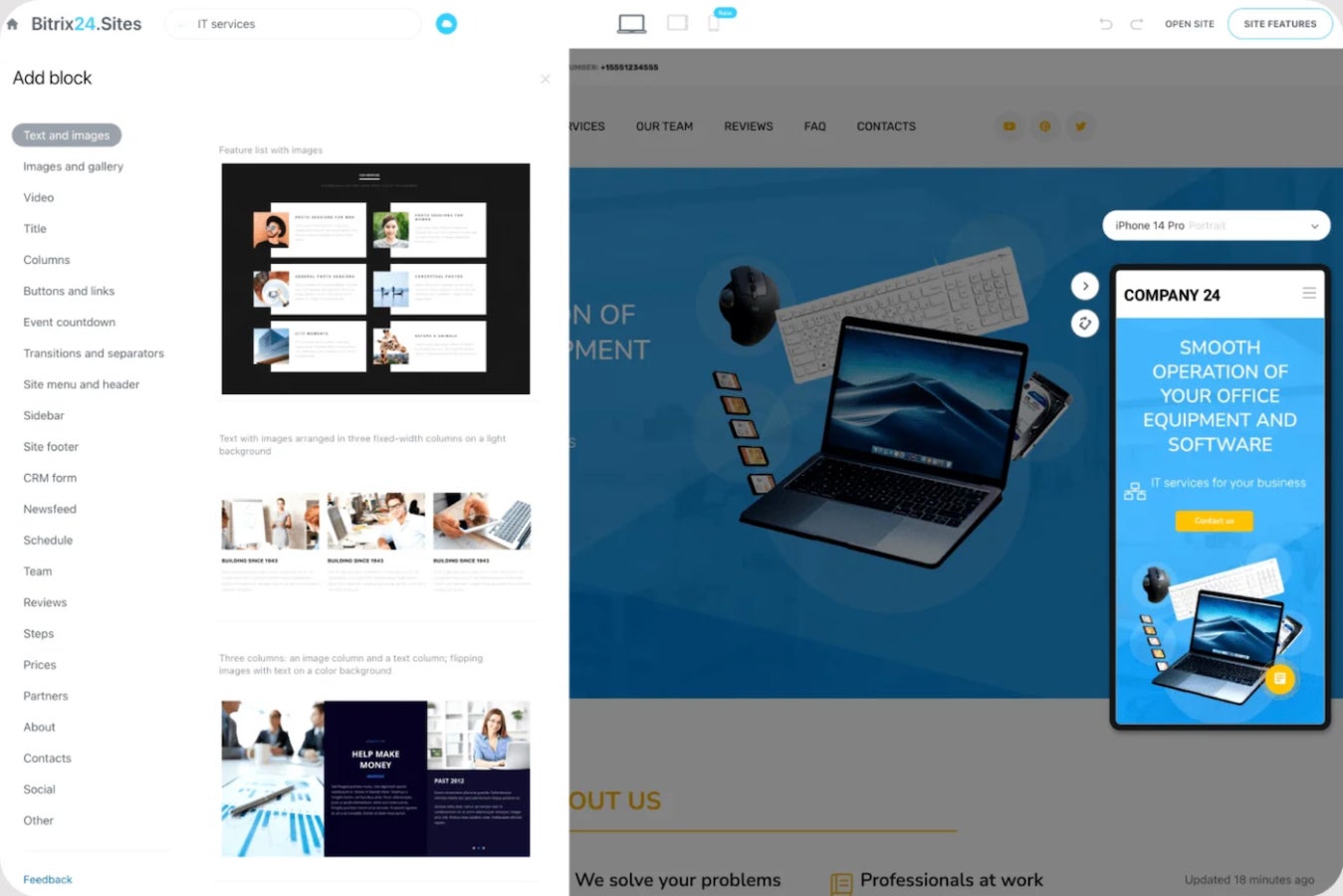
In addition to being one of the best free and complete CRM options, Bitrix24 offers advanced tools that are not usually available for free. It has a multichannel Contact Center, CoPilot AI for recommendations and task automation, a website and landing page builder, and sales intelligence. It also offers modules for managing human resources, projects, retail, restaurants, travel, and legal industries.
Though Bitrix24 can be highly customized to match your business needs, you may want more backend and open source flexibility. If so, I recommend checking out Odoo for its developer-friendly open source software.
Read this independent review of Bitrix24 for more.
Pricing
- Free: $0 for 1-2 users, with 5GB online storage, shared calendars, and Contact Center.
- Basic: $49/month for five users, billed annually, or $69 for five users when billed monthly. This includes everything in the Free plan, plus 24GB online storage, webmail, telephony, invoicing, and customer segmentation.
- Standard: $99/month for 50 users, billed annually, or $144 for 50 users when billed monthly. This includes everything in the Basic plan, plus 100GB of online storage, task and project management, and lead management.
- Professional: $199/month for 100 users when billed annually or $289 for 100 users when billed monthly. This includes everything in the Standard plan, plus 1024GB online storage, employee management, scrum, booking automation, and workflows.
- Enterprise: Billing starts at $399 per organization for 250 users when billed annually or $579 for 250 users when billed monthly. This includes everything in the Professional plan, plus 3TB online storage, multiple branch management, and a high-performance enterprise cluster infrastructure.
Visit Bitrix24
Key freemium features
- Ecommerce module: Bitrix24’s robust ecommerce features include tools for managing orders, online stores, products, payments, coupons, shipping costs, and inventories.
- Omnichannel communication: Chat with leads via web form, email, live chat, social media, messenger, or telephone. All messages are processed and automatically converted into contacts in your CRM.
- Estimates and invoices: Create and save custom quote templates within the CRM and send them to clients via email or SMS.
Pros and cons
| Pros | Cons |
|---|---|
|
|
Odoo CRM: Best free, open-source CRM

Overall rating: 4.40/5
Pricing: 5/5
General features: 4.28/5
Ease of use: 3.75/5
Support: 4.38/5
Expert score: 4.06/5
Odoo is an open-source business solution that offers two editions: a free, open source tool or an enterprise-ready solution with extra applications. The community and open source editions are entirely free.
While the free tier only allows one application, it supports unlimited users and multi-company access to a single database. The premium plans start with a set price per user per month with access to all Odoo Online apps.
Why I chose Odoo CRM
Odoo is a single platform that targets optimizing productivity for businesses. The technology behind the platform aims to reduce data entry and introduce smart AI tools, all with fast UX and UI. The open source development model has over 40,000 community applications, making it one of the best open source CRM software. The free tier also allows you to choose the Odoo Studio app, which offers extensive customization for your unique feature needs.
Businesses should only consider Odoo if they are purposely looking for an open-source platform and have the technical expertise to build a tool at this scale. I recommend HubSpot if you want a ready-made CRM solution with a feature-rich free tier.
Pricing
- Free: $0 for unlimited users, with access to one app and Odoo Online.
- Standard: $7.25/user/month, billed annually, or $9.10 when billed monthly. This includes access to all applications.
- Custom: $10.90/user/month, billed annually, or $13.60 when billed monthly. This includes everything in the Standard plan, plus access to Odoo Studio, multi-company management, and external API.
Visit Odoo CRM
Key freemium features
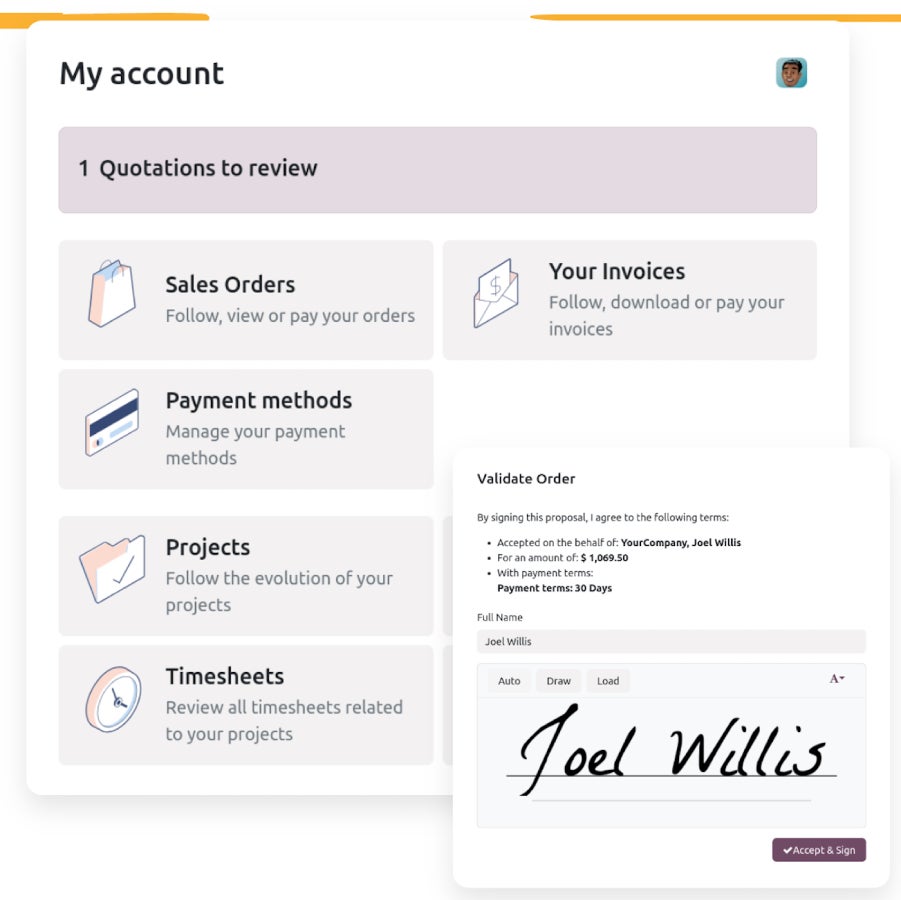
- Self-service customer portal: Give customers access to their account information and enable them to communicate with your business directly.
- Lead segmentation: Receive predictive scores for each incoming lead to help assign them to the best rep.
- Sales tech equipment: Sync your Odoo platform across a host of equipment, such as POS systems, IoT devices, inventory scanners, and front desk kiosks.
Pros and cons
| Pros | Cons |
|---|---|
|
|
Capsule CRM: Best for project management

Overall rating: 4.33/5
Pricing: 5/5
General features: 3.7/5
Ease of use: 4.25/5
Support: 4.06/5
Expert score: 4.38/5
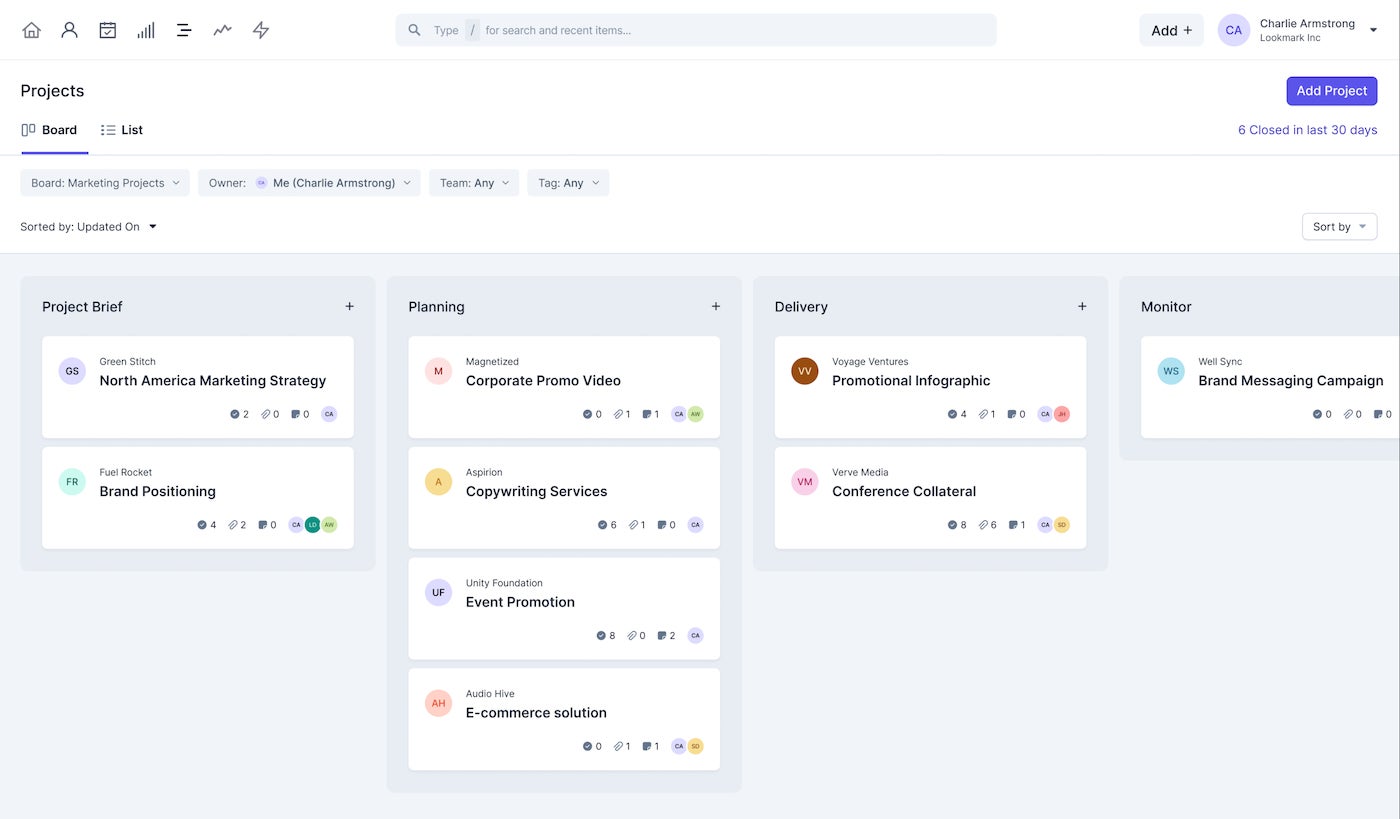
Capsule is a simple online CRM with powerful sales and relationship management tools. Capsule’s free version allows up to two users, 250 contacts, and 50 MB of storage space. Users can manage sales opportunities with project management tools to plan events or track customer activities, such as support queries or onboarding.
Every tier, including the free version, allows daily task reminders and comes with AI content assistance. Upgrade to a paid subscription for better user permissions and advanced reporting.
Why I chose Capsule CRM
Capsule is a simple CRM platform that grants users access to sales pipeline dashboards, calendar and task management tools, Outlook and Gmail integrations, and two-factor authentication.
The premium tiers offer a range of features for growing businesses, including high-level sales reporting, access permissions, and customization. All of this makes Capsule an intuitive tool for any expertise level to implement into their business.
Capsule’s integrations with third-party tools and APIs for developers make it an extremely customizable platform. If you want a similar tool with even more integration functionality in the free tier, check out HubSpot.
Read our detailed Capsule review for more information.
Pricing
- Free: $0 for two users, with 250 contacts, email integration, social profile enrichment, one sales pipeline, five custom fields, and 10 AI content assists.
- Starter: $18/user/month, billed annually, or $21 when billed monthly. This includes everything in the Free plan, plus 30,000 contacts, 50 custom fields, and five email templates.
- Growth: $36/user/month, billed annually, or $38 when billed monthly. This includes everything in the Starter plan, plus 60,000 contacts, three shared mailboxes, 1,000 AI content assists, and workflow automation.
- Advanced: $54/user/month, billed annually, or $60/user/month, billed monthly. This plan includes everything in the Growth plan, plus 300 custom fields, 500 email templates, and 50 project boards.
- Ultimate: $72/user/month, billed annually or $75 when billed monthly. This includes everything in the Advanced plan, plus 240,000 contacts, 100 sales pipelines, 10 shared mailboxes, and unlimited custom fields.
Visit Capsule CRM
Key freemium features
- Opportunity highlights: Notify reps when leads are consistently inactive, or opportunities are considered stale.
- Two-factor authentication: Confirm user security when anyone tries to access your CRM through the mobile app.
- Workflow automation: Automate sales workflows to make sales tasks quicker and more consistent.
Pros and cons
| Pros | Cons |
|---|---|
|
|
How to choose the best free CRM
Now that you’ve read through a list of the top free CRM providers, you need to narrow them down to find the software that best fits your goals. The next step would be to request demos or sign up for free trials from the providers that pique your interest. This way, you can begin communicating directly with the provider’s sales team and start onboarding the software.
Below are questions to consider asking when researching free CRM software:
- Does the free version offer the core features you need that are expected in the top CRM software?
- What is the total in-market expertise for your industry, if any?
- Is the CRM considered open-source, or is that something your business needs?
- Is it scalable and detailed enough to be the best free CRM for startups or enterprises?
- Does the CRM software integrate with tools you already have in your tech stack?
FORUM: Factors to consider when choosing a CRM.
Methodology
To review each provider’s free CRM offerings fairly, I used an in-house rubric with outlined criteria and subcategories of CRM industry standards. After running each provider through the rubric, an algorithm calculated an overall rating, which I used to assign each software an ideal use case.
Review my scoring criteria breakdown for additional insights.
- Pricing (30%): User limits, contact caps, upgrade costs, and essential CRM tools included in the free plan.
- General features (25%): Contact and lead management, sales pipelines, reporting, automation, integrations, and customization options.
- Ease of use (15%): Setup process, interface design, navigation, workflow simplicity, and overall learning curve.
- Support (15%): Live chat, email support, phone support, knowledge base content, onboarding resources, and community forums.
- Expert score (15%): Overall feature quality, usability, scalability, value, and fit for the recommended use case.
Frequently asked questions (FAQs)
What is the best free CRM?
HubSpot, Zoho CRM, Bitrix24, and Engagebay are among the best CRM with free versions. While one might be better than the others depending on your unique business needs, each comes with core CRM functionality to get any small or home business better organized.
Is Zoho completely free?
Zoho offers a completely free version of its CRM solution. This plan only supports up to three users and offers basic functionality like lead and document management, and the mobile app. This makes it most useful for small or even home businesses that don’t anticipate the need for more logins or more advanced sales features.
Does Google have a free CRM?
Google does not offer free or paid CRM software within its suite of tools. Instead, tools within the Google Workspace can be integrated with CRM software as a third-party. For example, Zoho CRM or HubSpot users can integrate that CRM solution with their Gmail, Calendar, or Docs.