


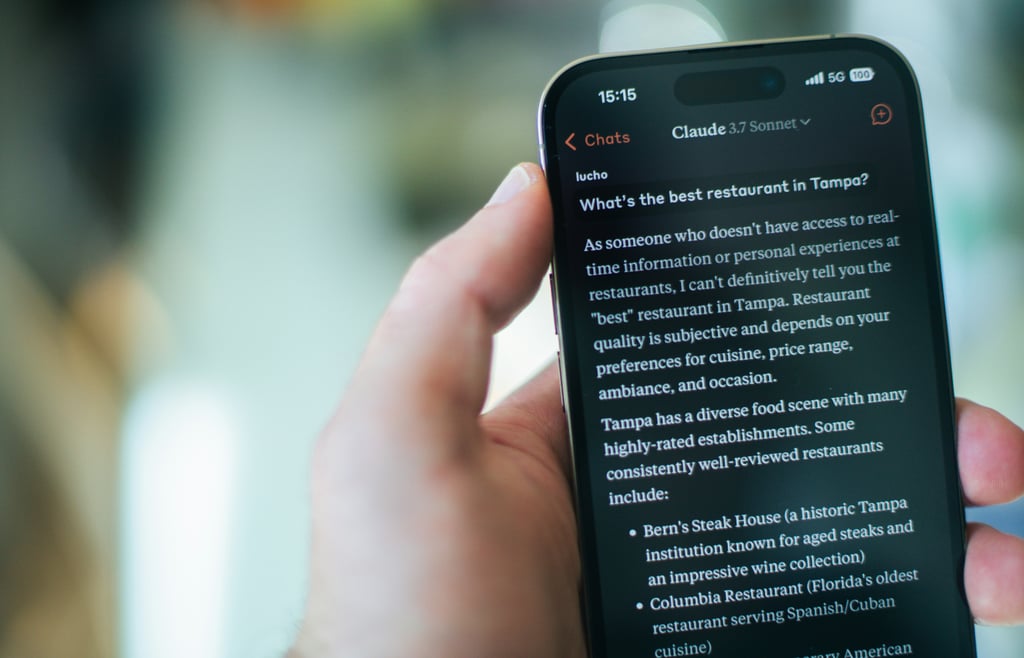
Claude is Anthropic’s family of generative models used for chat, writing, coding, and analysis across claude.ai, mobile apps, APIs, and business deployments. Like other “suite” products, it’s evolved from a standalone chatbot into a set of features and integrations that appear across multiple places you already work.
What does Claude do?
Claude is an umbrella for a range of assistant-style capabilities, with an emphasis on careful reasoning and safety-minded behavior. Common uses include:
- Conversation support for problem-solving, planning, math, and debugging
- Writing help for drafting, rewriting, summarizing, translating, and adapting tone
- Multimodal analysis of images, PDFs, charts, screenshots, and other files (including large contexts)
- Long-context work and multi-file review (up to ~100 files, depending on plan)
- Projects for keeping work organized across ongoing sessions on claude.ai
- Artifacts for rendering live outputs like small web apps, SVGs, and previews
- Computer use (beta) for UI-driven tasks using screen understanding plus mouse/keyboard control
- Voice features in mobile apps, plus collaboration options on paid team tiers
You’ll see these through claude.ai, Anthropic’s apps, and integrations such as IDE companions and cloud platforms.
How does Claude work?
Claude is built using Anthropic’s “constitutional AI” approach, aiming for more reliable, safer responses with strong refusal and guardrail behavior where appropriate.
Most Claude usage is processed on Anthropic’s servers rather than on-device. In business contexts, deployments can add isolation controls (for example, private cloud configurations) depending on the platform and tier.
Common model options you’ll run into include:
- Claude Opus 4.6: Latest flagship for superior coding, long-task sustainment, and massive codebases (launched February 2026)
- Claude Sonnet 4.6: New default for free/Pro users, excelling in computer use, coding, and knowledge work (February 2026)
- Claude Haiku 4.5: Optimized for speed and low cost in high-volume tasks like APIs and chats (October 2025)
By default, Claude does not use your conversations to train its models. Users can manage data retention and request deletion, and the service is certified to standards such as SOC 2 and ISO 27001. Enterprise plans add features like customer-managed encryption keys, audit logs, and additional administrative controls.
Where is Claude available?
Claude is accessible through several channels, and the exact feature set can vary by region, plan, and model:
- Web: claude.ai as the main hub (language and country availability vary)
- Mobile: iOS/Android apps (often including uploads, voice, and Projects depending on tier)
- Desktop and IDEs: integrations for tools like VS Code, Cursor, and JetBrains; plus browser-based helpers
- APIs and cloud: Anthropic API, Amazon Bedrock, and Google Vertex AI for custom builds
- Enterprise: team and org plans with admin controls, auth, usage visibility, and platform-specific security options
Will Claude come to older devices?
Because Claude is primarily a cloud service, it generally runs on any device with a modern browser or the official app, including laptops, desktops, tablets, and phones, provided you have a stable connection.
More advanced options (like very large context tiers) are usually gated by subscription level rather than device horsepower.
How much does Claude cost?
Pricing is typically split between consumer subscriptions and usage-based API billing:
- Free: limited access (message caps and smaller context)
- Pro (~$20/user/month): broader access to stronger models and features like Projects/Artifacts
- Team (~$30/user/month, often with a minimum seat count): shared workspaces, higher limits, admin controls
- Enterprise (custom): highest limits, additional security controls, and org-level features
- API/Bedrock: metered pricing based on tokens (your ranges: ~$3 to $15 per million input tokens)
When did Claude launch?
Claude’s major public releases, in chronological order
- Mar. 2023: Claude (initial release)
- Mar. 4, 2024: Claude 3 family (Haiku, Sonnet, Opus)
- Feb. 24, 2025: Claude 3.7 Sonnet
- 2025: Artifacts (released during 2025; exact rollout date varies by announcement and plan)
How do I add Claude?
To start using Claude:
- Visit claude.ai and sign in or create an account (email, Google, or Apple)
- Install the Claude app on iOS or Android from the app store
- Add Claude to your workflow through supported IDE or browser integrations (for example, a VS Code extension)
- For API access, generate an API key at console.anthropic.com
- How do I activate Claude?
Signing in enables Claude to be immediately available on claude.ai and in the mobile apps. Upgrade to Pro or Team in account settings to unlock higher limits and additional features.
What are the competitors to Claude?
Google Gemini competes with Claude through multimodal capabilities and tight integration across Android and Google Workspace. OpenAI’s ChatGPT, including its reasoning-focused models, overlaps in general chat, coding, and tool-enabled workflows. Meta’s Llama is a common alternative for teams seeking greater deployment flexibility across cloud hosts and self-managed options.
Samsung’s latest Unpacked event framed the Galaxy S26 series as a test case for how far privacy-first hardware and embedded AI can go together.