


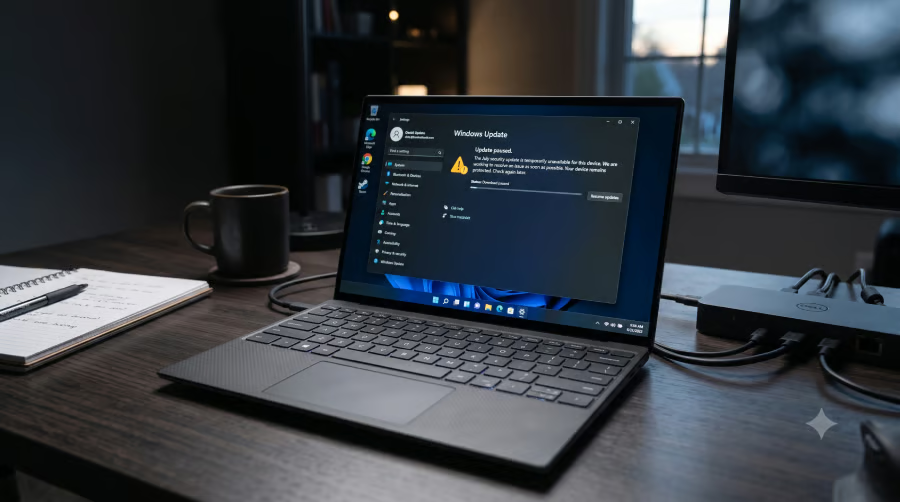
Some Dell PCs will have to wait a little longer for July’s Windows 11 security update.
Microsoft has paused the rollout for a limited group of systems after identifying a compatibility issue involving Intel software. While the safeguard helps prevent additional devices from encountering the problem, affected PCs will temporarily miss this month’s security fixes until Microsoft and Dell release a solution.
July update skips a limited group of Dell PCs
Windows Update is withholding the July cumulative update (KB5101650) on computers Microsoft has flagged as potentially affected.
Microsoft has not published a full list of Dell models covered by the hold or said how many devices fall under it. PCs subject to the pause run Windows 11 24H2 or 25H2. Windows Server is not included, according to the company.
July’s Patch Tuesday fixed at least 570 security flaws, making it the Windows maker’s largest monthly security release to date.
June update triggered the Dell conflict
Trouble began after an optional Windows update released June 23 reached certain Dell models. A conflict between Windows and Intel software used to manage performance and power left some systems unable to work as expected.
On affected PCs, Device Manager may show a yellow warning symbol beside the Intel component. Affected users may experience slower performance or increased power consumption, although Microsoft has not detailed every possible symptom.
Engineers from Microsoft and Dell are now preparing a fix. Until it is ready, the security package will remain unavailable on impacted models.
More Microsoft news
- Inside Microsoft’s Real-Time War Against Cybersecurity Threats
- Project Ire: Microsoft Tests AI That Autonomously Detects Malware
- Microsoft Targets ‘Critical AI Talent’ from Meta to Dominate Next AI Breakthroughs
- Windows 10 Support Ends Soon, Though Extended Security Updates Offers Are Available
Delayed update protects users while IT teams track exceptions
Dell owners with one of the flagged PCs may see no obvious error message. This month’s update may simply not appear because Windows Update checks the computer’s hardware and withholds the package when it detects the affected Intel component.
Trying to install the package manually could remove that built-in protection before any official resolution is released. Waiting a few days reduces the risk of trading security patches for slower performance or higher power consumption.
IT teams managing Dell fleets face a more involved problem. Some computers may receive July’s patches, while Dell systems affected by the driver problem remain on an older release. Administrators must then track the exception and confirm which systems still need the update. Larger organizations may also want to watch for performance complaints from users who installed the June preview release.
Microsoft said it expects to release a resolution “within the next few days.” Once it is available, held devices should receive the update through the usual Windows Update process.
Also read: Microsoft is giving Windows Search a usability-focused redesign after years of complaints about cluttered results and web distractions.