


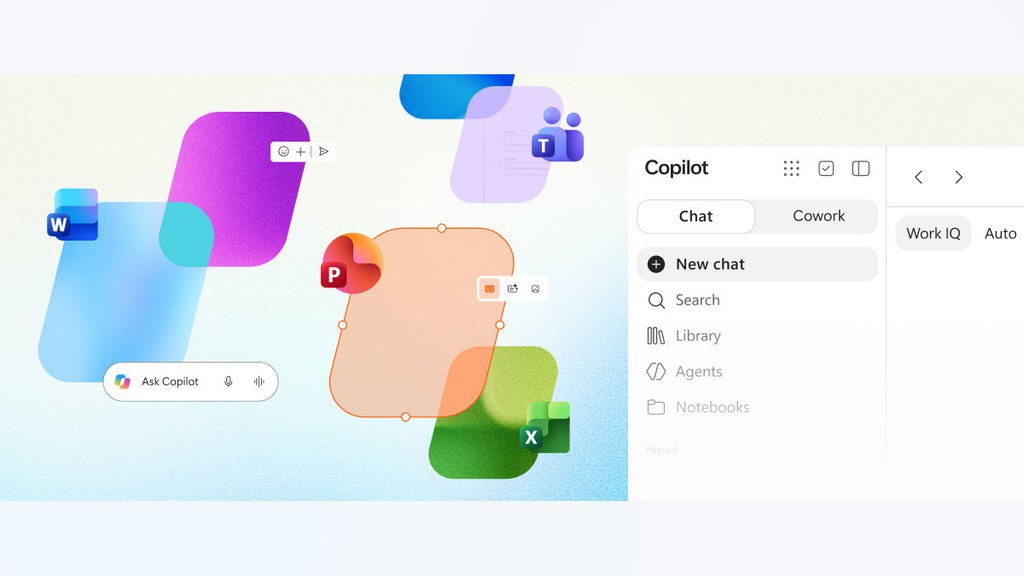
Copilot can draft your quarterly report. Now it can open the Word document, let colleagues edit it, and keep the work in the same place.
Microsoft announced the general availability of Office in Copilot on November 17, 2026, bringing Word, Excel, and PowerPoint editing directly into its AI assistant. Previously available to Frontier customers, the experience lets eligible subscribers move from an AI-generated draft to a collaborative Office file without opening another application.
The release builds on Microsoft’s broader Copilot redesign, which brings conversations and productivity tools together. For IT departments, fewer application handoffs also mean a new workflow to support, govern, and explain to employees.
From AI drafts to editable Office files
Users can ask Copilot to turn research notes into a Word report, prepare an Excel budget model, or build a PowerPoint presentation. According to Microsoft’s October 9 announcement, files open alongside the conversation, where users can edit them directly or request changes through prompts.
The interface supports sharing, comments, and real-time coauthoring. Microsoft’s Ignite announcement confirms that files created in Copilot are saved to OneDrive. Microsoft says they retain formatting, permissions, and version history when users continue editing them in standalone Office applications.
The integration follows Microsoft’s August consolidation of its consumer Copilot apps. Although separate changes, both reflect Microsoft’s effort to bring more Copilot functionality into fewer interfaces.
Licensing, rollout dates, and IT considerations
Office in Copilot requires an eligible paid Copilot license. Microsoft, which has renamed Microsoft 365 Copilot to Microsoft Copilot, says Office file creation is included without separate metered charges. Organizations still pay for the underlying subscription.
A standard Microsoft 365 subscription alone does not provide the full paid experience. Microsoft’s licensing requirements specify a qualifying base subscription and Copilot license. Perpetual Office editions, including Office LTSC 2024, do not include built-in Copilot functionality.
Worldwide deployment was expected to finish by mid-November, according to Microsoft 365 Message Center notice MC1530611. Deferred release begins in early December 2026, so access may vary between organizations.
Microsoft is also retiring standalone Word, Excel, and PowerPoint agents as their functions move into Copilot Chat. Message Center notice MC1536062 schedules the transition from mid-November through late December. Existing files and chat histories remain accessible, but users must start new conversations to continue editing through the integrated experience.
The changes accompany the removal of eight Copilot shortcuts from File Explorer, another adjustment to Microsoft’s AI workflows. IT teams should update employee instructions and verify which features are available to licensed users.
Microsoft says Office files created through Copilot inherit existing permissions, sensitivity labels, and compliance controls. Teams that normally store shared documents in SharePoint should also confirm where newly created files belong under their organization’s records-management policies.
Before expanding Office in Copilot to business-critical work, IT teams should test the new workflow with representative documents, particularly where sensitive data or regulated records are involved. Copilot may now handle more work inside one window, but checking the finished result still requires a human.
Want to learn more AI tips, tricks, and prompting techniques? Let us teach you How to Talk to AI for free! Try our six-minute course at The Neuron Academy, our practical learning platform designed to help professionals use AI more confidently at work.
Learn a few simple ways to write better prompts and get more useful results from AI, or browse our other AI course for free for seven days. Check out all the lessons here →