


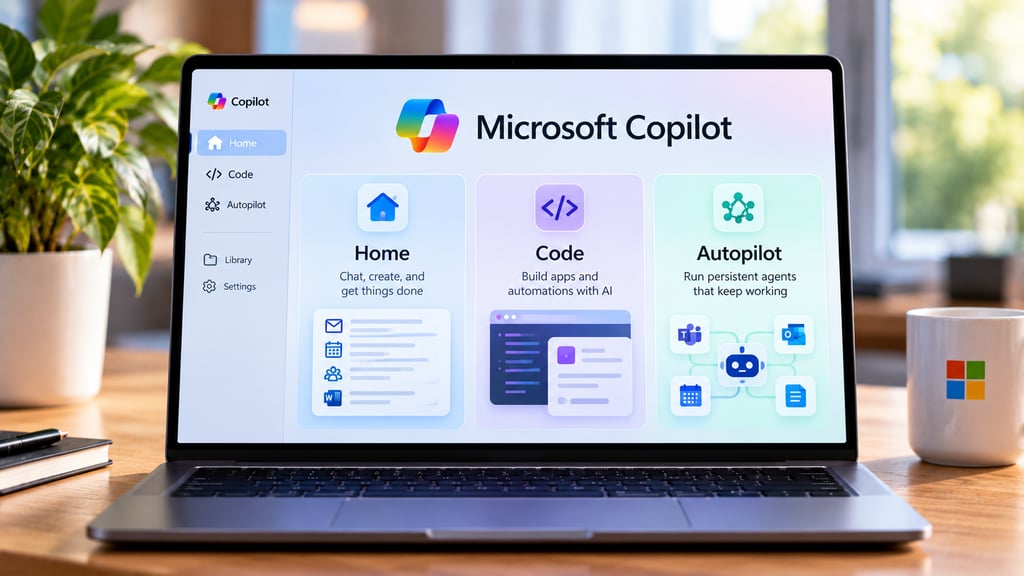
Microsoft is redesigning Copilot around three main areas: Home for everyday AI work, Code for building apps and automations, and Autopilot for persistent agents that can keep working without an active prompt.
The changes do not arrive all at once. Home and Code are beginning through Microsoft’s Frontier early-access program, while Autopilot is expanding through private preview. Some of the most advanced features also move away from fixed subscription pricing and into usage-based billing.
Microsoft detailed the new structure in its Sept. 25 Copilot announcement, positioning the app as one place to ask questions, delegate work, build tools, and run longer-lived agents.
What is changing in Microsoft Copilot?
The redesigned Copilot brings several previously separate capabilities into a single experience.
| Capability | What it does | Availability |
|---|---|---|
| Home | Combines Chat, Cowork, and Office tools | Rolling into Frontier |
| Code | Builds apps, dashboards, automations, and workflows from natural language | Rolling into Frontier; broader rollout follows |
| Autopilot | Runs persistent cloud-hosted agents that continue working without an active session | Expanding to private preview |
| Copilot Managed Runtime | Hosts apps created through Copilot inside Microsoft 365 | Preview |
| Today | Summarizes mail, meetings, Teams activity, and tasks in Home | Private preview in October |
| @Copilot in Teams | Gives teams a shared Copilot context inside chats, channels, and meetings | Private preview around the end of September |
The biggest change is that users no longer have to think of Copilot only as a chatbot inside Microsoft 365. Microsoft is turning it into a workspace where conversational AI, delegated tasks, app building, and persistent agents can operate together.
Home combines Chat, Cowork, and Office
Home becomes the main starting point for Copilot.
It brings together Chat, for quick questions and drafting, and Cowork, which handles delegated multi-step tasks such as preparing customer briefings, launch materials, RFP responses, or financial packages.
Microsoft is also integrating Word, Excel, and PowerPoint directly into the Copilot experience. Users can ask Copilot to create or update an actual document, workbook, or presentation rather than receiving content that then has to be copied into another app.
A forthcoming feature called Today will turn Home into a dashboard for email, calendar events, Teams conversations, meetings, and tasks. Microsoft says Today will enter private preview in October.
The redesign follows Microsoft’s earlier consolidation of its Copilot apps, which began moving its consumer and Microsoft 365 experiences toward a more unified interface.
Code lets users build apps with natural language
Code is Microsoft’s attempt to make lightweight software development accessible to people who are not developers.
Users can describe an app, tracker, dashboard, automation, or workflow in plain language, and Copilot can generate a working solution.
Microsoft says Code uses the same underlying technology as GitHub Copilot. It runs generated code in a sandboxed environment and can host applications inside an organization’s Microsoft 365 tenant.
The feature is aimed at smaller internal tools that might otherwise require a developer or a collection of spreadsheets and automations. Professional developers will still use GitHub Copilot for conventional development work.
Microsoft is also introducing Copilot Managed Runtime as the hosting layer behind some of these apps. The runtime is currently in preview and inherits Microsoft 365 authentication, governance, and tenant policies.
Code is rolling into Frontier first. Microsoft says broader availability will follow, with a separate preview planned for Microsoft 365 Premium and Pro subscribers later in 2026.
Autopilot keeps working after you log off
Autopilot is the most autonomous part of the redesigned Copilot.
Previously called Scout, it is a cloud-hosted agent with its own identity, memory, computer, and workspace inside an organization’s tenant.
Users give it a role, objective, and boundaries. Autopilot can then monitor Teams channels, follow up on conversations, run recurring work, and resume projects later without waiting for another prompt.
Microsoft gives supplier review as one example. An Autopilot agent could create the project schedule, prepare meetings, contact stakeholders for updates, and follow up on outstanding work over time.
Because the agent runs in the cloud, it can continue operating when the employee who created it is offline.
Autopilot is expanding to private preview rather than general availability. Microsoft has not announced a full release date.
What is available now?
The phrase “new Copilot” covers features at several different stages of release.
Available or in preview now:
- Existing Copilot Chat and Microsoft 365 Copilot functionality
- Cowork
- Copilot Managed Runtime preview
- Fabric IQ grounding for Chat and Cowork
Rolling out through Frontier:
- Home
- Code
- Additional business context and plugin capabilities
Private preview:
- Autopilot
- @Copilot in Teams
- Today, beginning in October
Microsoft’s Frontier program is therefore the main route to the newest Home and Code features before wider release.
Users should not assume that installing or opening the latest Copilot app immediately unlocks every capability Microsoft announced.
Does the new Copilot cost extra?
Potentially.
Microsoft is separating everyday Copilot usage from more computationally intensive agentic work.
A standard user subscription license continues to cover Copilot Chat and Copilot across Word, Excel, PowerPoint, Outlook, and Teams.
Microsoft says Cowork, Code, Autopilot, long-running agents, and frontier models use usage-based billing instead.
That means an organization can pay a predictable subscription price for ordinary Copilot tasks while incurring additional consumption costs when users run more advanced agents or generated applications.
Microsoft is adding FinOps controls so administrators can restrict model families, apply spending policies, route requests for additional credits through approval workflows, and monitor usage.
That pricing distinction will be important for organizations evaluating Copilot alongside alternatives such as Google Gemini and Claude, because the effective cost increasingly depends on which agentic features employees actually use.
What should businesses check before enabling it?
The new Copilot creates more persistent access to company data than a conventional chatbot session, particularly through Autopilot and apps built with Code.
Before broad deployment, organizations should confirm:
- Which employees can access Home, Code, and Autopilot
- Which data and Microsoft 365 resources agents can reach
- Who owns and maintains applications created through Code
- Whether spending limits are configured for usage-based features
- Which agent actions are logged and auditable
- Whether existing SharePoint and Microsoft 365 permissions expose more information than intended
The extra controls are especially relevant to Autopilot because the agent can continue working without the employee being actively present.
For individual users, however, the immediate question is simpler: most of Microsoft’s headline features are still rolling out. Home and Code are arriving first through Frontier, while Autopilot remains a private-preview feature.
Microsoft has not announced general-availability dates for Code or Autopilot. More Copilot updates are expected around Microsoft Ignite, scheduled for Nov. 17-20 in San Francisco and online.
Also read: Microsoft’s earlier Copilot app consolidation explains how the company began merging previously separate Copilot experiences ahead of this redesign.