


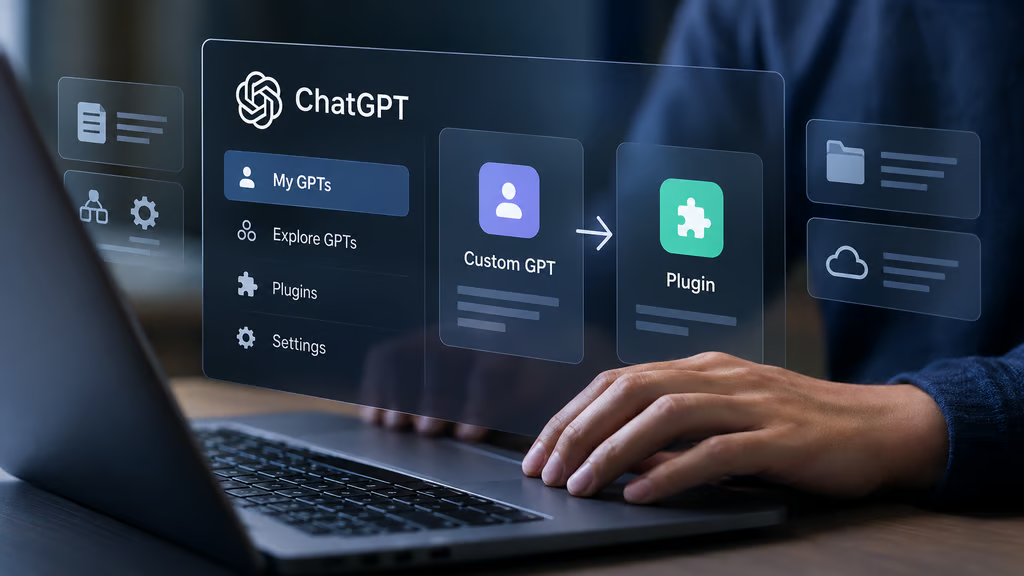
OpenAI plans to retire custom GPTs on Dec. 11, 2026, ending access to the GPTs and their pages for most ChatGPT users. Anyone who relies on a custom GPT for work will need to prepare a replacement before the applicable deadline.
The transition affects all ChatGPT plans, although migration access, permissions and account-specific timelines can differ. FedRAMP workspaces and Enterprise workspaces with qualifying, approved deferrals have until Feb. 11, 2027. Other users should plan around the standard December deadline unless their account notice says otherwise.
Moving a GPT to a plugin is not a guarantee of identical functionality. According to OpenAI’s retirement FAQ, custom actions do not transfer, model selections may change and migrated plugins can respond differently. GPT creators and workspace administrators should inventory their workflows, publish outstanding changes, migrate where available and test replacements before the originals become inaccessible.
ChatGPT custom GPT retirement: Key dates and exceptions
OpenAI has published the following milestones for affected Enterprise workspaces:
| Date | What changes |
|---|---|
| Sept. 11, 2026 | OpenAI sent administrators advance retirement notices |
| Sept. 22, 2026 | Target date for the migration experience and user banner |
| Oct. 1, 2026 | Target date for migration banners in workspaces using delayed notices |
| Oct. 26, 2026 | New GPT creation ended in affected Enterprise workspaces, excluding FedRAMP |
| Dec. 11, 2026 | Standard scheduled retirement of custom GPTs and their pages |
| Feb. 11, 2027 | Retirement for FedRAMP and qualifying deferred Enterprise workspaces |
The Sept. 22 migration milestone was a target, not a guarantee that every workspace would have access on that date.
The Oct. 26 creation cutoff also does not prevent users in affected Enterprise workspaces from editing existing, unmigrated GPTs. Once a GPT is migrated, however, its original version becomes read-only.
Personal accounts are also affected by the retirement, but the Enterprise administration milestones should not be treated as a universal schedule for every plan. Users should check their account notices and confirm that the migration option is available before relying on a particular project timeline.
How to migrate a custom GPT to a plugin
OpenAI describes plugins as a way to combine reusable instructions, reference files and connected apps. A GPT’s instructions become a skill inside the replacement plugin, but the migration process does not preserve every capability.
For GPT owners and administrators, the following sequence offers a practical migration checklist.
- Inventory the GPTs your team uses. Record each GPT’s creator, intended users, instructions, reference files, connected apps and custom actions. Identify workflows that depend on external services or a particular model.
- Publish final changes. OpenAI migrates the latest published GPT version. Unpublished drafts and edits do not transfer. Finish essential changes and publish them before selecting the migration option. Publishing does not require making the GPT public.
- Start migration from the correct account. When available, open My GPTs and select Migrate to plugin. A GPT creator can migrate their own GPT, while eligible Enterprise administrators can migrate GPTs in their workspace. Permission to use a GPT does not automatically grant permission to migrate it.
- Review what transferred. GPT instructions become a skill, knowledge files become reference files and connected apps are added as apps. Custom actions do not transfer. A GPT’s selected model also does not carry over, and Enterprise defaults apply in Enterprise workspaces.
- Rebuild missing integrations. Check whether an available app can replace a custom action. Some integrations may require a custom Model Context Protocol (MCP) server and additional technical setup. Test each replacement rather than assuming it supports the same operations.
- Restore access. A newly migrated plugin starts private. Existing GPT users are not automatically given access. In managed workspaces, the sharing interface can prefill the original GPT’s audience, but the permissions still need to be reviewed and saved.
- Test the replacement. Run familiar prompts and at least one more demanding workflow through the plugin. Verify instructions, reference files, output formats and connected services. Have an intended user test access with their own account before directing the team to switch.
OpenAI warns that a migrated plugin may respond differently from the original GPT. That makes testing especially important for workflows involving business data, external actions or files that must follow a prescribed format.
Organizations should also review the permissions granted to connected services. TechRepublic previously examined the security trade-offs of giving ChatGPT broader access through its Chrome integration. Similar permission reviews are important when replacing GPT custom actions with connected apps.
Existing conversations with custom GPTs will remain accessible after retirement, according to OpenAI. Users do not need to migrate chat history to preserve those conversations, although the original GPT itself will no longer be available for new interactions after its retirement date.
What administrators need to check before switching
Migrating the GPT is only part of the work. Administrators also need to confirm that users can find, install and operate the replacement.
In Enterprise workspaces, sharing a plugin with users or groups and publishing it to the workspace directory are separate capabilities. Administrators should review the permissions available to creators and the policies governing plugin installation and use.
Connected apps introduce another layer of access control. Installing a plugin does not automatically authorize its apps or grant access to the files and systems those apps connect to. Users may still need to connect accounts, approve actions or obtain access through their organization’s existing controls.
Teams should also budget for the migration process. OpenAI says using a migrated GPT without apps in Instant Chat carries no incremental cost in Enterprise workspaces, but plugin creation and editing may involve Work or Codex, and actions performed through Work can consume credits.
For organizations managing many GPTs, OpenAI also documents bulk migration through the ChatGPT Admin plugin. Administrators should confirm availability and review the resulting plugins rather than treating a successful bulk operation as proof that every workflow is ready.
Public GPT sharing may require a different plan
Organizations that distribute custom GPTs outside their own workspaces face a separate challenge.
OpenAI confirms that migration does not automatically preserve a GPT’s existing sharing arrangements. An individually migrated plugin starts private, and making a personal plugin public requires a separate submission process.
That means creators who previously relied on public GPT links should not assume those links will have a direct plugin equivalent.
The distinction matters for consultants, developers and small businesses whose customers use GPTs from their own ChatGPT accounts. Those users may not belong to the creator’s managed workspace, making internal workspace sharing an unsuitable replacement.
Creators should confirm the public distribution options available to their accounts, check whether their intended users can install the replacement and contact OpenAI support if their existing sharing model cannot be reproduced.
For organizations with externally distributed GPTs, this access question should be resolved before the December deadline, not after the original links stop working.
What happens if you miss the deadline?
At the applicable retirement date, custom GPTs and their GPT pages become inaccessible. OpenAI has not described the standard deadline as an automatic extension for users who have not finished migrating.
The safest approach is to identify critical GPTs now, confirm who can migrate them, rebuild unsupported integrations and complete user testing while the originals remain available.
Teams should prioritize GPTs used in recurring business processes, especially those involving custom actions, shared reference files or access for external customers.
OpenAI’s retirement schedule gives most users until Dec. 11 to complete that work. For Enterprise administrators, the goal is not simply to migrate every GPT, but to make sure the workflows people depend on continue functioning when the originals disappear.
Want to learn more AI tips, tricks, and prompting techniques? TechRepublic readers get free 7-day access to The Neuron Academy, our practical learning platform designed to help professionals use AI more confidently at work. Browse all lessons →
Let us teach you How to Talk to AI for free! Try our six-minute course at The Neuron Academy and learn a few simple ways to write better prompts and get more useful results from AI, or browse our other AI course for free for seven days. Check out all the lessons here →