


The meeting is over. Decisions were made, tasks were assigned, and everyone knows what comes next. So why does so much of the work still fall through the cracks?
At Zoomtopia 2026, which TechRepublic attended, Zoom unveiled its answer: “conversation to completion,” an AI strategy designed to turn workplace discussions into completed tasks. Through AI agents and a new Unified Context Layer, Zoom wants to connect what employees say in meetings, calls, and chats with the business systems where work actually happens.
For IT professionals, the implications go well beyond automated meeting notes. Zoom is laying the groundwork for AI agents that can act on business decisions, access sensitive information, and operate across enterprise applications. The opportunity is significant, but so are the questions around security, governance, and control.
Defining conversation to completion
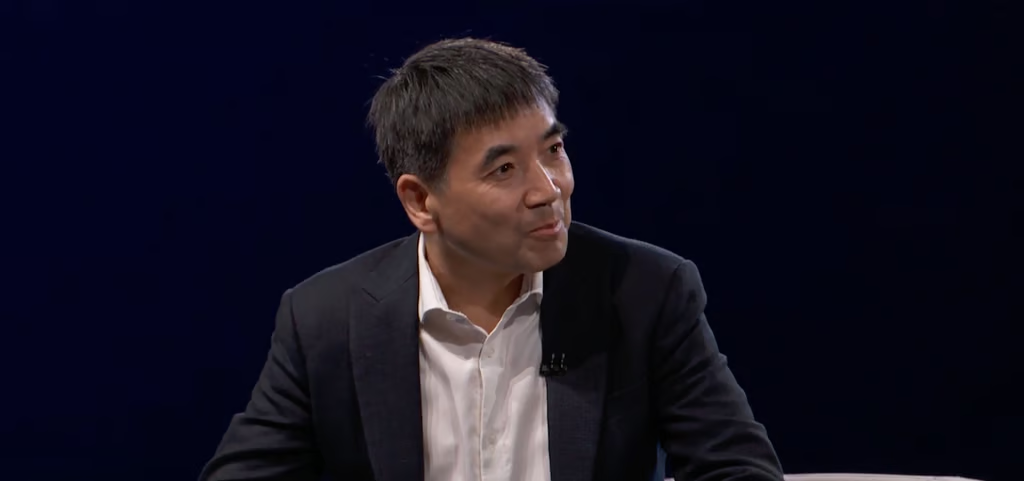
During his portion of the keynote on Oct. 20, Zoom CEO Eric Yuan offered a simple explanation of the term.
Finishing a task usually takes two or more steps: people talk, then someone logs into the CRM and follows up by hand. Conversation to completion uses AI to collapse those steps into a single step, so that when the call ends, Zoom’s AI agents carry the work forward. Some organizations have a few A-type people who jump on those tasks and keep everyone in the loop, but they are few and far between. Today, AI can fill that gap.
Zoom frames the idea as three concentric circles, each feeding into the next:
- Conversation: The meetings, calls, chats, customer interactions, and in-person discussions where decisions are made. Zoom turns those exchanges into intelligence that remains useful after the conversation ends.
- Context: That intelligence gets connected in near real time to what the business already knows, so people and agents understand what’s going on.
- Completion: The outcome, such as a closed deal, a resolved customer issue, or a delivered project. Each completed task creates new context, strengthening the loop through use.
The key announcement that makes this work is the Unified Context Layer. In the analyst pre-briefing, Zoom explained that it draws on three sources: general knowledge (what a model already knows or can find through search); documented knowledge from files and connected applications; and dynamic context (what’s happening in conversations right now). Zoom builds a graph from conversations that maps people, topics, and decisions, along with their relationships, and keeps it updated in near real time.
This approach builds on the broader use of retrieval-augmented generation to improve AI reliability, but adds a critical dimension: context from conversations happening across the business.
The keynote offered a good example.
A company project plan states that a product ships on Dec. 19, but the team moved the date during a meeting that morning. A document-only system gives the wrong answer. With dynamic context, the answer reflects that discussion and explains what changed. As Yuan explained, “AI models are only as powerful as their understanding of your business, and that context makes all the difference.” Yuan’s point is critical. Every IT and business leader I talk to understands the role data plays in AI. However, data without context can be misleading.
Why this matters
I’ve long said that AI is only as good as the data it can access, and the most valuable enterprise data is often never written down. Most AI vendors build context from files, tickets, and databases. Zoom sits at the center of the conversations where decisions are made, across meetings, phone, chat, contact center, and events, giving it a source of context that others can’t easily replicate.
There are three main benefits.
- Better adoption. Zoom Chief Product Officer Russell Dicker cited a Gallup poll showing that fewer than half of employees given AI tools use them regularly, largely because they’d rather keep working the way they already do. Conversation to completion embeds AI in the work people already do. My Notes Workflows turns meeting summaries into follow-up work in tools such as Salesforce, and ZoomMate Agent Teams has specialized agents work in parallel and hand a finished deliverable to a human for review.
- Better answers at lower cost. Feeding piles of transcripts and documents into large language models for every question burns tokens and still risks missing the one update that matters. A context layer that has already condensed the information should deliver more accurate answers at lower cost, which will matter to every CIO watching the inference bill.
- Continuity across the customer journey. On the CX side, Zoom showed how the same context feeds the virtual agent, the live agent, and Zoom Phone, so customers don’t have to repeat themselves. Oracle’s Christine Sarros described the benefit: her teams now enter customer conversations knowing what was discussed, what was decided, and what still needs to happen, “less time reconstructing history and more time actually moving the customer forward.”
What it means for the IT pro
This is where the IT department becomes central. A system that listens, connects, and acts across the business needs governance, and Zoom seems to recognize this. The challenge is particularly relevant as AI agents introduce new enterprise security risks, especially when they can access sensitive information and act across business applications.
Several announcements are aimed squarely at IT:
- Centralized AI Management. Agent sprawl is a growing IT challenge as business units deploy agents with access to company data but limited oversight. Zoom’s Centralized AI Management lets administrators view active agents, monitor data access, enforce policies, and audit activity. A shutdown control allows IT to stop agents operating outside defined boundaries. For IT pros, this is the agent equivalent of identity and access management, and it should be configured from the start.
- Sensitivity Labels. These labels control what AI can access by classifying meetings and content as public, internal, confidential, or other tiers. Organizations can create labels in Zoom or sync them with Microsoft Purview, and classifications carry over to related summaries, documents, and slides. Zoom says labels will soon restrict what agents can access and use in their reasoning. IT teams should address inconsistent classification policies before enabling these controls.
- AI Guardrails. While sensitivity labels control what AI can see, guardrails control what it can say. Zoom’s real-time enforcement layer applies company policies, industry regulations, and regional compliance rules to AI interactions. For example, an agent may access sensitive financial data without being permitted to disclose it in a response. Regulated organizations should incorporate existing compliance requirements into their guardrail policies early on.
- Deepfake Risk Detection. As synthetic audio and video improve, verifying meeting participants becomes increasingly important. Zoom already uses deepfake detection in hiring through BrightHire and plans to extend it to workplace meetings in December, adding attendee badges and trust indicators. Combined with Clear identity verification, these features could help protect sensitive discussions involving executives, financial approvals, and vendor payments.
- Compliance Manager Support. AI-generated summaries, notes, and documents are business records subject to retention, audit, and regulatory requirements. Zoom Compliance Manager already covers calls, meetings, chats, and whiteboards, and now supports My Notes and Zoom Canvas. IT teams, particularly in regulated industries, should work with legal and compliance departments to ensure retention and eDiscovery policies cover AI-generated content.
The other major change is Zoom’s “headless” approach. With 15 MCP servers, Search and Ask APIs, and connections to assistants such as Claude, Codex, and Copilot, the Unified Context Layer operates outside the Zoom interface. An Admin MCP server also lets IT manage Zoom configuration conversationally. Enterprises won’t standardize on a single AI platform, and Zoom is betting that being the best source of context matters more than owning the interface.
During the pre-briefing Q&A, I asked whether conversation-to-completion works better as customers add more Zoom products. Dicker said Zoom wants to solve problems in a best-of-breed way and isn’t trying to force customers into a wall-to-wall suite. Still, a context layer grows richer with each source it encounters, so IT should expect the value to scale with its footprint.
Advice for IT pros
As research into AI agent security and governance has shown, expanding automation also makes access controls, audit trails, and human oversight increasingly important.
- Map where decisions happen. Identify which meetings, calls, and channels drive real decisions. That’s where conversation-to-completion pays off first.
- Get classification right the first time. Sensitivity labels and guardrails only work if content is classified properly. If your Purview labeling is inconsistent, fix it before agents start reading transcripts.
- Treat agents as identities. Every agent who can update a Salesforce record or a Zendesk ticket needs scoped permissions, an owner, and an audit trail. Use centralized management and shutdown controls from the start.
- Start with one measurable workflow. Pick something like post-call CRM updates or support ticket handoffs, set a baseline, and track time saved and error rates. Yuan said Zoom’s KPI is whether its product is embedded in customers’ daily workflows. Yours should focus on outcomes, not seat activations.
- Use the headless option to avoid lock-in. If your company already uses Claude, Copilot, or another assistant, test the MCP servers and the Search and Ask APIs so Zoom context flows into those tools rather than creating another silo.
- Bring legal and HR in early. Capturing in-person conversations via wearables and mobile apps raises questions about consent and retention. Settle the policy before the hardware arrives.
What IT leaders should watch as Zoom rolls out its AI strategy
Zoom’s conversation-to-completion strategy will ultimately be judged by whether its AI agents can reliably turn workplace decisions into completed tasks without creating new security, compliance, or management headaches.
The Unified Context Layer is central to that ambition, but several capabilities are still scheduled to roll out through early 2027. IT leaders should pay particular attention to how well Zoom’s sensitivity labels, AI guardrails, and centralized agent management work together once agents begin accessing sensitive conversations and taking actions across business applications.
Integration will be another important test. Zoom’s support for MCP servers and external AI assistants could make its conversational data valuable beyond the Zoom ecosystem, particularly for organizations already invested in Microsoft Copilot or other enterprise AI tools.
For now, the most practical approach is to test conversation-to-completion against a specific business workflow, measure whether it reduces manual work, and verify that administrators retain visibility and control over every automated action. That’s where Zoom’s ambitious AI strategy will have to prove its value.
Also read: For more on the security challenges of autonomous AI, read TechRepublic’s report on the growing AI governance gap and why enterprises need clearer accountability for the actions their AI agents take.