http://gear.ign.com/objects/572/572925.html
(for example)
Gaming forums will have a lot on this.
Maybe this helps?
Well, now that you've downloaded the save you want into a folder, open it up. You'll notice the saves come in .zips. DO NOT, I REPEAT DO NOT unzip the folders! It won't work that way! Simply drag them into the PC Database Section or into the Memory Card Section if you don't feel like storing them.
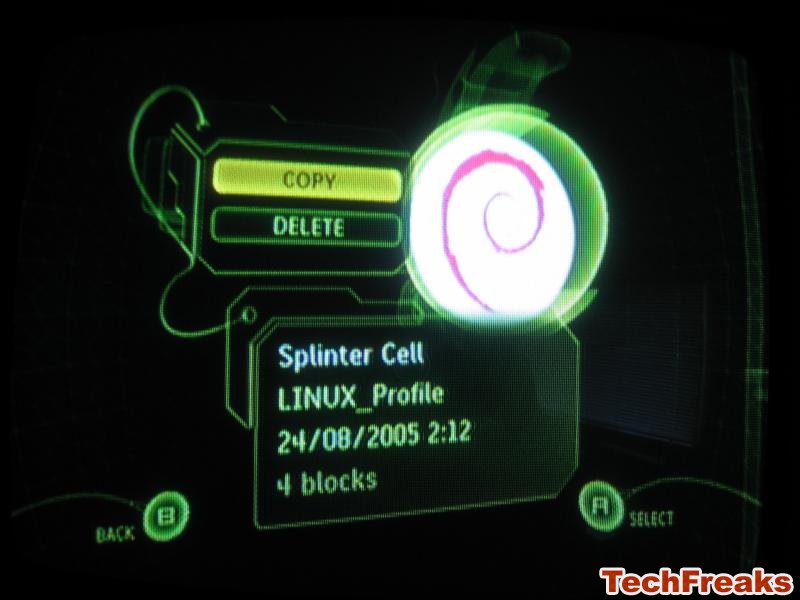
Now, after the orange bar at the top of the memory card section fills up, you have all of your saves in there, shut down the program, and remove the Memory Card from the Dongle. Go to your Xbox, open the DVD tray, and plug the card into one of your contoller slots, and head to the memory section of your Dashboard. Select the saves, and hit the copy button.
Voila! Start your game up, and the saves should be in there! Have fun! NOTE: Some games, like Forza, sometimes don't allow you to transfer saves to prevent online cheating. If it doesn't work, download the save into your card again, and if that still doesn't work, it's an incompatable/untransferable save.
IMPORTANT NOTE: Directly from CodeJunkies:
WARNING: Do NOT use any save with "Linux", "Evox", "UnleashX", "Installer", (or similar) in the save description / save title; these saves may modify or erase crucial system files on your Xbox hard drive when loaded, and WILL cause you to be banned from the Xbox Live service! Due to the overwhelming success and growth of our Xbox Action Replay Community Saves section we are unable to moderate every Community save found on www.codejunkies.com or through the Xbox Action Replay PC software, therefore Datel is not responsible for any "undesired effects" a save may have on your Xbox Hardware or Xbox Live Service Account. USE ALL COMMUNITY SAVES AT YOUR OWN RISK!
from:
http://forums.bungie.org/halo/archive23.pl?read=689694