


Key takeaways
- Online fax services differ in their strengths: some focus on advanced admin controls, others on AI-enabled workflows, and a few stand out for their affordability.
- The best online fax service depends on striking a balance between cost, security, scalability, and integration with your existing business applications.
- Tradeoffs matter, as plans with robust features may cost more, while budget options can limit storage, file size, or the number of included features.
The best online fax services go far beyond the limitations of analog machines, enabling businesses to send and receive documents directly from desktops or mobile devices. These platforms often include secure cloud storage, email-to-fax capabilities, customizable cover sheets, and e-signature support. Providers also adhere to strict compliance standards to safeguard sensitive information. Many offer free trials for occasional use, while scalable subscription plans start around $9 to support higher fax volumes.
These options consistently ranked among the best online faxing services, both for professional users and business teams:
- iFax: Best highly configurable fax solution
- eFax: Best admin controls
- RingCentral: Best for high-volume faxing
- Documo: Best AI-enabled faxing
- Fax.Plus: Best security and compliance
- Dropbox Fax: Best value for money
- What is the top online fax service in 2025?
- 1. iFax: Best highly configurable fax solution
- 2. eFax: Best admin controls
- 3. RingCentral: Best for high-volume faxing
- 4. documo: Best for AI-enabled faxing
- 5. Fax.Plus: Best for security & compliance
- 6. Dropbox Fax: Best value for money
- My methodology
- Online fax service alternatives
- How to choose an online fax service
- FAQs
What is the top online fax service in 2025?
 Visit iFax |
|
||
 Visit eFax |
|
||
 Visit RingCentral |
|
||
 Visit documo |
|
||
 Visit Fax.Plus |
|
||
 Visit Dropbox Fax |
|
1. iFax: Best highly configurable fax solution
My rating: 4.87/5
Why I chose iFax
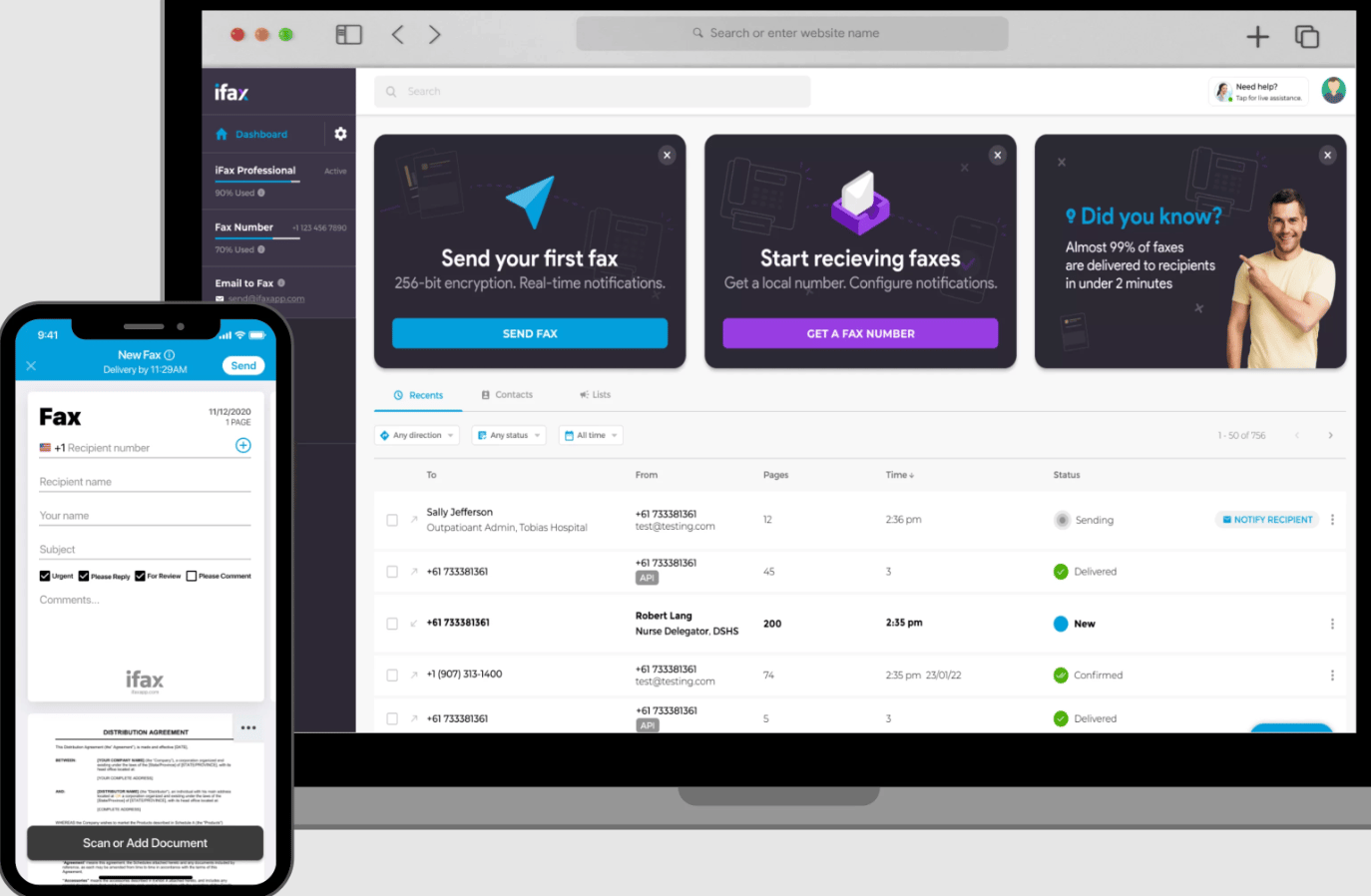
iFax stands out as a highly configurable fax platform designed for businesses that want more control over their workflows. Beyond standard tools, it enables you to customize company fax pages and create shared inboxes that enhance visibility across teams. I find its smart templates and automation especially useful for reducing repetitive tasks while ensuring consistency in outgoing documents.
Features like notes and annotations add flexibility for collaboration, while Optical Character Recognition (OCR) transforms incoming faxes into searchable texts. Broadcast faxing further extends its value by streamlining large-scale communications to multiple recipients.
The tradeoff is cost: local fax numbers are not included in its plans and must be purchased separately at an additional monthly fee. If having a local or toll-free number bundled in is important, eFax may be a better option since it includes one at no additional cost.
| Pros | Cons |
|---|---|
| ✅ Pay-per-fax service available | ❌ Faxing features are only available on higher-priced plans |
| ✅ Free trial includes 100 fax pages | ❌ Charges for every fax number |
| ✅ Supports up to 100MB for fax size | ❌ Security features exclusive to Enterprise subscribers |
Pricing
- Basic: $14.99/month for 200 pages
- Plus: $29.99/month for 500 pages
- Pro: $39.99/month for 1,000 pages
- Enterprise: Custom page limits with commitment-based discounts
A 20% discount applies if you opt for an annual prepayment.
Standout features
- Convert document images into searchable text.
- Attach notes to selected sections of incoming or outgoing fax documents.
- Send faxes using pre-formatted fax templates with auto-fill forms.
- Enable automatic labeling and folder storage for all sent and received faxes.
2. eFax: Best admin controls
My rating: 4.7/5
Why I chose eFax
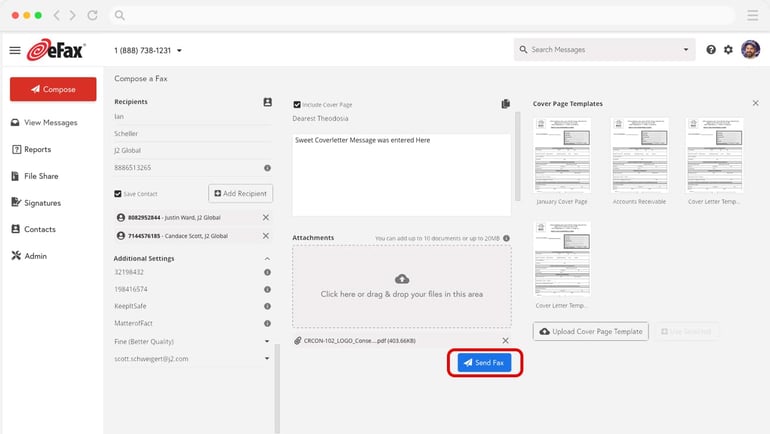
eFax offers some of the strongest administrative tools among online fax services, giving IT teams and department leaders greater oversight of fax operations. The company-level admin portal provides a centralized hub where you can manage user accounts and review document histories. Multiple admin designation ensures flexibility for managers overseeing specific user groups.
With multi-user access control, it becomes easier to assign permissions and share documents securely across teams. The service also includes unlimited user accounts and detailed usage reporting, making it well-suited for larger organizations that require scalability and transparency. The drawback is that eFax charges a monthly fee for e-signatures. If built-in signing tools are a priority, Dropbox Fax is the better choice, as it includes e-signatures even in its free plan.
| Pros | Cons |
|---|---|
| ✅ Choose fax numbers in 49 countries | ❌ Lacks custom cover pages |
| ✅ Up to 3GB support for file sharing | ❌ Transmission times beyond one minute are charged as an extra page |
| ✅ All plans include a local/toll-free number | ❌ Charges extra fees for e-signature |
Pricing
- Plus: $18.99/month; send 170 pages + receive 170 pages
- Pro: $24.99/month; send 275 pages + receive 275 pages
- Protect: $50/month; 1,000 total pages
- Corporate: Contact for quote; scalable page volume and compliance standards
A 17% discount applies if you opt for an annual prepayment
Standout features
- Customize your electronic signature by using a sign pad, drawing tool, or image upload.
- Add keyword tags to your faxes for quick search and retrieval.
- Share files up to 3GB using a secure link.
- It supports over 170 file formats, including PDF, DOC, JPEG, and GIF.
3. RingCentral: Best for high-volume faxing
My rating: 4.54/5
Why I chose RingCentral
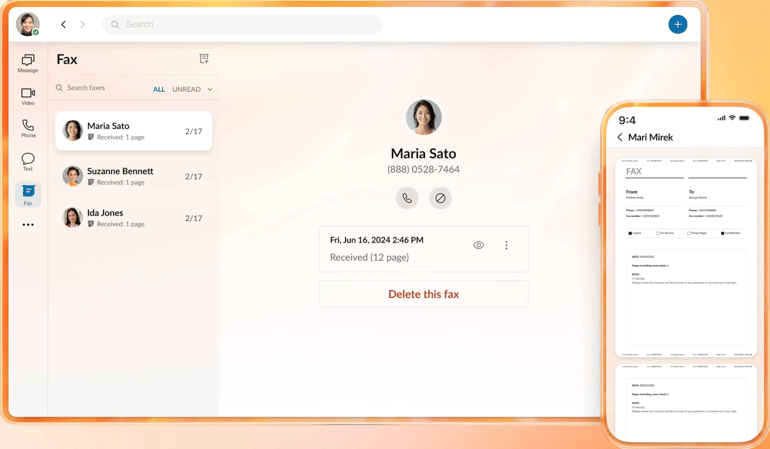
RingCentral is designed for organizations seeking high-speed fax transmission at scale, starting with its entry-level plan, which includes 3,000 pages per user, per month. For businesses with even greater needs, the Advanced plan removes limits entirely and supports unlimited internet faxing.
The platform also provides international reach, with fax numbers available in 105 countries to support global operations. And since faxing is built into RingCentral’s cloud phone system, users can manage calls, messaging, video, and VoIP faxing in one unified solution, making it a flexible online fax sending service for both small and enterprise users.
However, despite its robust offerings, RingCentral’s page allotments may be excessive for low-volume users. If affordability is more important than scale, consider Fax.Plus is the better fit.
| Pros | Cons |
|---|---|
| ✅ Local, 800, and vanity numbers available | ❌ Feature set could be more than what basic users require |
| ✅ Offers fax cover templates | ❌ Not cost-effective for low-volume fax users. |
| ✅ Intuitive faxing experience across desktop and mobile apps | ❌ Lacks e-signature functionality |
Pricing
- Fax 3000: $27.99/month per user; 3,000 pages
- Advanced: $35/month per user; Unlimited internet fax
18% discount applies if you opt for an annual prepayment
Standout features
- Schedule faxes at your desired date and time.
- Generate reports on fax usage and delivery status.
- Get instant alerts for incoming and outgoing faxes on your phone.
- Send multiple faxes at once through batch faxing.
4. documo: Best for AI-enabled faxing
My rating: 4.49/5
Why I chose documo
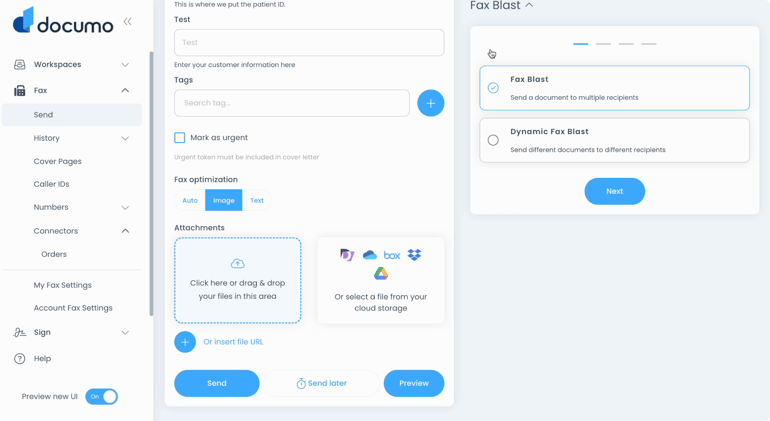
Documo sets itself apart by bringing AI-driven intelligence to faxing with document processing tools. Built on OCR and machine learning, the platform extracts data from faxed documents. It converts it into actionable insights, allowing users to identify document types and minimize manual entry errors easily.
In healthcare, documo’s Intelligent Document Processing (IDP) extracts patient details and routes data directly into EHR systems. This reduces errors in patient records while improving staff productivity and communication across departments. However, pricing may be a concern, since the entry-level plan starts at $25 with an annual contract, while Dropbox offers the same 300-page allowance for only $9.99 a month.
| Pros | Cons |
|---|---|
| ✅ Guarantees 99.8% delivery rate | ❌ Entry-level plan requires an annual contract |
| ✅ Offers a fax machine connector | ❌ Document processing is only available on the highest-priced plan |
| ✅ Pay only $3 for additional users | ❌ Extra fee applies to electronic signature |
Pricing
- Solo: $25/month (billed annually) for 300 pages
- Professional: $75/month for 800 pages
- Business: $150/month for 2,500 pages
- Enterprise: $300/month for 6,000 pages
- Custom: Customized pricing; scalable page volume
A 20% discount applies if you opt for an annual prepayment.
Standout features
- Send and receive faxes using your email account.
- Converts faxed documents into searchable data.
- Route fax documents for electronic signature to reduce turnaround times.
- Fax machine connector works as a fax analog telephone adapter (ATA) for legacy setups.
5. Fax.Plus: Best for security & compliance
My rating: 4.28/5
Why I chose Fax.Plus
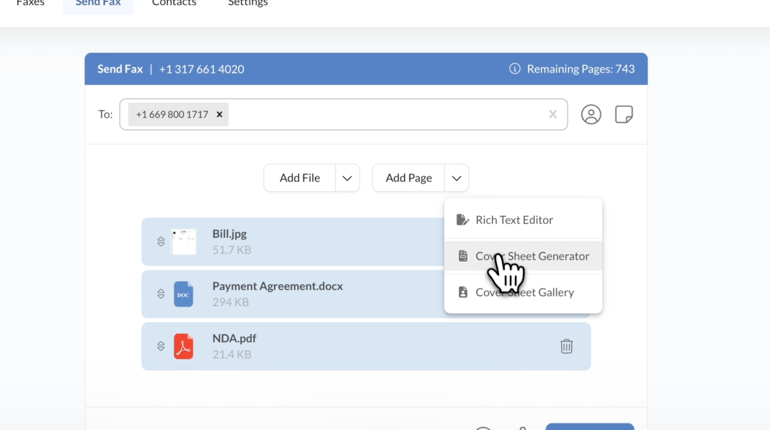
Fax.Plus is built for businesses that need enterprise-grade security and compliance. Whether faxing a check or a sensitive file, the platform protects documents with Transport Layer Security (TLS) 1.2 during transmission and Advanced Encryption Standard (AES) 256-bit encryption while stored. Features such as two-factor authentication, single sign-on (SSO), and detailed audit trails strengthen its compliance posture, making it a strong choice for regulated industries like finance and government.
With International Organization for Standardization (ISO) 27001 certification and support for the Health Insurance Portability and Accountability Act (HIPAA), it provides reassurance when handling sensitive data. One limitation to consider is its 30MB file size cap; for teams that frequently send larger documents, iFax is a stronger fit, supporting files up to 100MB.
| Pros | Cons |
|---|---|
| ✅ Supports up to 250 pages per fax | ❌ HIPAA-compliant faxing is only offered on enterprise plans |
| ✅ Free plan includes 30 fax pages | ❌ Concurrent faxing limits are highly restrictive |
| ✅ Extensive security and compliance measures | ❌ Limits file size to 30MB |
Pricing
- Basic: $8.99/month for 200 pages
- Premium: $17.99/month for 500 pages
- Business: $34.99/month for 1,000 pages
- Enterprise: $99.99/month for 4,000 pages
A 22% discount applies, plus three free months of usage if you opt for an annual prepayment.
Standout features
- Generate reports with fax status, duration, page count, telco coverage, and total expense data.
- Create a fax header with date, time, sender/receiver numbers, page count, and custom text.
- Send faxes to extension numbers.
- Safeguard your inbox against spam faxes and anonymous transmissions.
6. Dropbox Fax: Best value for money
My rating: 4.12/5
Why I chose Dropbox Fax
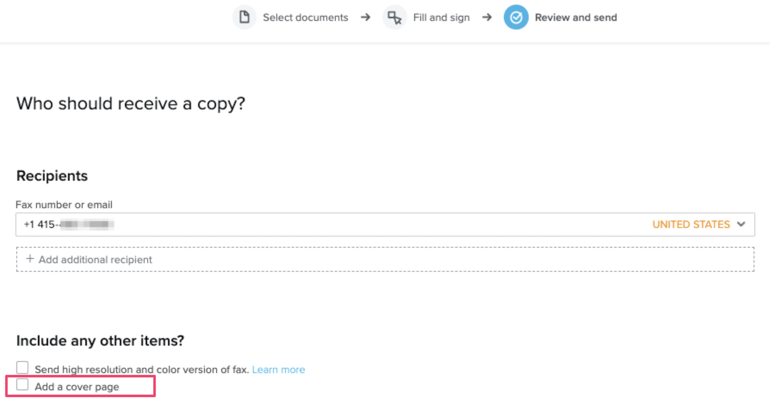
Dropbox Fax delivers strong value with its Home Office plan priced at just $9.99 per month for 300 pages, a level that other providers often charge closer to $20. The free plan is also more generous than most, allowing you to earn an extra 20 pages by completing onboarding tasks. This makes it one of the easiest ways to try a fax online service for free before committing to a paid plan, and send a free test fax to check its reliability.
For occasional users, the pay-as-you-go option makes sense, starting at $0.99 for the first 10 pages of a one-time transmission. Paid plans stand out because they include the full suite of fax features upfront, avoiding the tiered restrictions competitors often impose at higher price points. The missing piece is mobile access, and for that need, RingCentral is the better option since it delivers a consistent faxing experience across both desktop and mobile.
| Pros | Cons |
|---|---|
| ✅ Editing and e-signature are included across plans | ❌ No mobile app |
| ✅ All-inclusive faxing features at no extra fee | ❌ Doesn’t offer fax scheduling |
| ✅ Allows everyone to share a single fax number | ❌ Additional pages cost 5 cents each, slightly higher than average overage fees |
Pricing
- Free: $0/month for 5 free fax pages
- Home Office: $9.99/month for 300 fax pages
- Professional: $19.99/month for 500 fax pages
- Small Business: $39.99/month for 1,000 fax pages
A 17% discount applies if you opt for an annual prepayment.
Standout features
- View all the faxes sent and received by your team in one portal.
- Edit and sign faxes without needing a third-party app.
- Receive confirmation emails when you send out a fax.
- Use your email to send faxes through Dropbox Fax.
My methodology
I evaluated each online fax service using a weighted rubric that scored providers across four key areas: pricing, features, security, and usability. Pricing was measured by factors like free trials, base plan costs, page allowances, and discounts for annual billing.
General features were scored based on high-volume thresholds, integrations, mobility, and collaboration tools. Security and compliance, along with overall ease of use, carry significant weight in reflecting the priorities of businesses and tech-savvy professionals managing sensitive communications.
Online fax service alternatives
Online fax services are useful, but they’re not the only option for faxing documents securely. Here are some common alternatives:
- Business phone systems with fax features: Unified communications providers, such as RingCentral or Ooma, integrate online faxing directly with voice, SMS, and video, giving companies a single platform for all communications.
- Secure email with encryption: Many organizations use end-to-end encrypted email or secure file transfer protocols (SFTP) to share sensitive documents.
- Document management systems (DMS): Platforms like SharePoint, Google Workspace, or Dropbox Business let you store, share, and collaborate on documents with access controls and audit trails.
- Windows Fax and Scan: For Windows users, this is a built-in option for sending documents directly from a PC without third-party apps. It’s ideal for hybrid offices that still rely on desktop faxing.
- Team messaging and collaboration tools: Microsoft Teams, Slack, and Zoom support secure file sharing and can integrate with workflow automation for approvals.
- Healthcare- and finance-specific portals: In regulated industries, purpose-built portals (such as electronic health records (EHR) in healthcare or secure client portals in finance) often replace faxing for compliance-grade document exchange. Some even deploy a fax server for internal handling for added security.
How to choose an online fax service
Choosing the right fax online services requires looking beyond pricing to find a solution that fits your business’ workflow. The best choice will strike a balance between features, compliance, and scalability, while also integrating with the communication tools you already use.
1. Pricing and page limits: Look for a plan that matches your fax volume so you don’t overspend on unused pages or face frequent overage fees.
2. Security and compliance: Traditional workflows still exist, and understanding how to use a fax machine remains relevant in some industries. However, online faxing can offer stronger data protection, as reliable providers offer encryption with certifications that align with your compliance needs.
3. Administrative controls: Enterprises often need role-based permissions and centralized oversight. Strong admin tools make it easier to manage user groups, track activity, and maintain visibility across departments.
4. Integrations and workflow automation
A fax solution that connects with tools like Google Workspace, Microsoft 365, or EHR systems will save time and reduce manual work. Workflow automation also helps standardize processes and minimize errors.
5. Scalability and user support
As faxing needs grow, services that scale with unlimited users or high-volume plans offer long-term flexibility. Responsive support is equally important, especially for teams that rely on faxing for time-sensitive communications.
The best online fax service is one that aligns with your security requirements and integrates seamlessly into your existing business processes. Pricing and features matter, but ease of use and scalability should carry equal weight in the decision. By evaluating these factors side by side, you can select a service that improves efficiency while maintaining compliance.
FAQs
Can I fax from Gmail?
Yes, fax providers often include email-to-fax support, which lets you send and receive faxes directly from Gmail. They also provide a unique fax number that connects to your email, so it’s easy to transmit documents without needing separate software or a physical fax machine.
Are online fax services really secure?
Yes, ideally, a faxing solution utilizes encryption in transit and at rest, along with features such as two-factor authentication and audit trails. They must also meet compliance standards such as HIPAA or ISO 27001, protecting sensitive data during transmission and storage.
What is the cheapest online fax plan?
The cheapest plans start around $9.99 per month for 300 pages. Dropbox Fax is one of the best online fax service options for budget-conscious businesses, since it includes all features upfront without forcing upgrades. Comparing them by cost and page allowance helps identify the most affordable plan for your needs.
How can I send a fax from my phone?
Most faxing solutions have mobile apps compatible with iOS and Android devices. You can also access their online faxing services through a mobile browser or email app (email-to-fax).
What is HIPAA-compliant faxing?
HIPAA-compliant faxing ensures online fax services meet US healthcare regulations for handling patient data. They should include encryption, access controls, and a signed Business Associate Agreement (BAA). These safeguards ensure the security of Protected Health Information (PHI) while enabling providers to exchange documents quickly and legally.