



Recently I’ve been receiving questions about the requirements for configuring and using Windows Remote Desktop Connection in a multiple monitor arrangement under Windows 10. Unfortunately, there isn’t a lot of accurate information about which editions of Windows support a multiple monitor Remote Desktop configuration, which causes a lot of confusion.
On the Display tab of the Remote Desktop Connection dialog box, you’ll find the Use All My Monitors For The Remote Session check box, as shown in Figure A. Since it’s a simple check box that’s available in all versions of Windows, it’s easy to think that all you have to do to enable multiple monitor support for a Remote Desktop Connection is select it. However, it’s a bit more complex than that, as you need to have the correct editions of Windows on the correct ends of the connection. Let’s take a closer look at how to use Remote Desktop Connection with multiple monitors in Windows 10, as well as in Windows 7 and 8.1.
Figure A
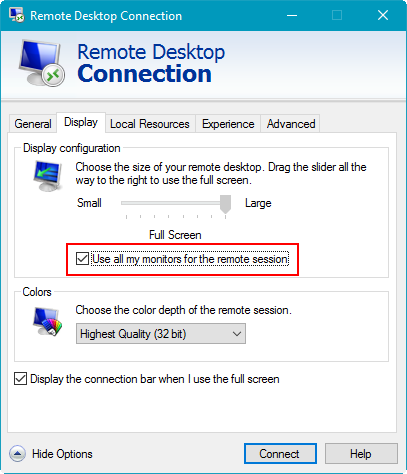
Getting Remote Desktop Connection to work in a multiple monitor arrangement entails more than just selecting the Use All My Monitors For The Remote Session check box.
Terminology
The term Remote Desktop can be a bit ambiguous, as it’s often used to refer to the computers on both ends of the connection. So I’ll start with some terminology. I’ll refer to the computer that you as a user are sitting in front of as the Local System and the computer that’s in another location, the one you want to connect to, as the Remote System (Figure B).
Figure B
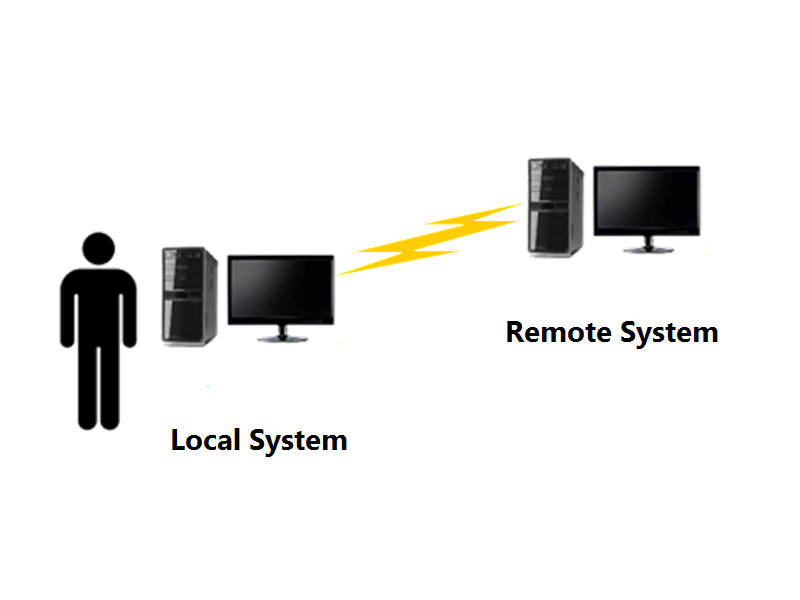
It’s easier to understand how this works with clear terminology.
System requirements
To successfully use multiple monitors with Remote Desktop Connection, you need to understand that while most editions of Windows can function as the Local System, only certain editions of Windows can function as the Remote System. The table in Figure C shows the breakdown.
Figure C
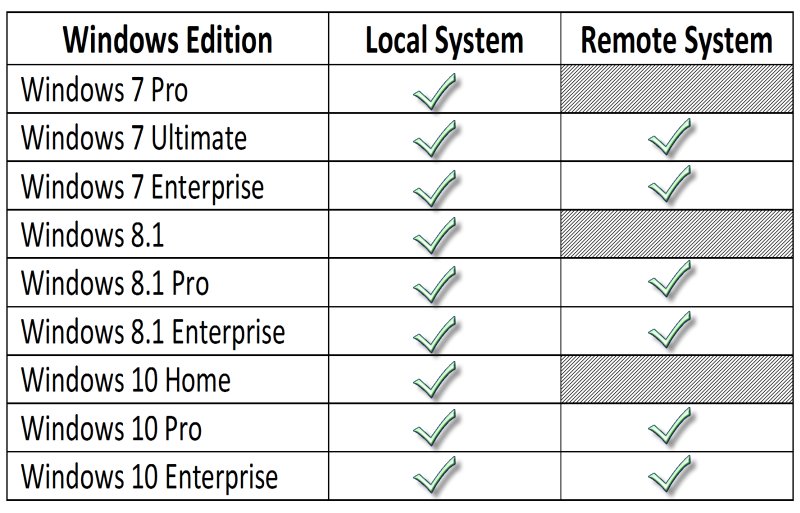
Only specific editions of Windows can function as the Remote System in a multiple monitor arrangement.
Note: I didn’t include Windows 7 Home Basic/Premium or Windows 10 Education in the table because I don’t have access to those editions to test. If you have access to those editions and can provide additional information, please let us know in the discussion thread below.
Monitor configurations
Remote Desktop Connection’s multiple monitor feature can support two types of monitor configurations:
- You can have multiple monitors on the Local System and a single monitor on the Remote System. In this configuration, the Remote System’s desktop is duplicated–one on each monitor of the local system, as shown in Figure D. You can then open multiple applications and position them on any monitor.
Figure D
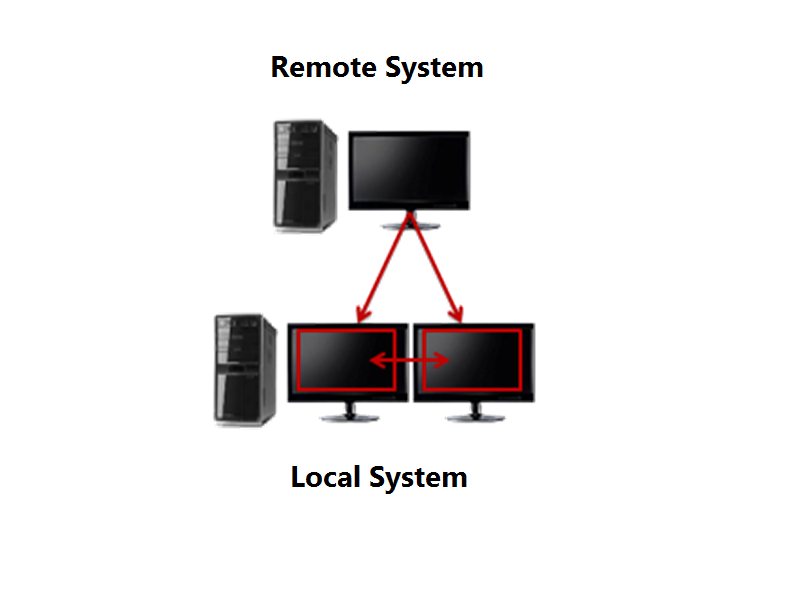
You can have multiple monitors on the Local System and a single monitor on the Remote System.
- You can have multiple monitors on both the Local System and the Remote System. In this configuration, the Remote System’s desktop is duplicated on the Local System, as shown in Figure E.
Figure E
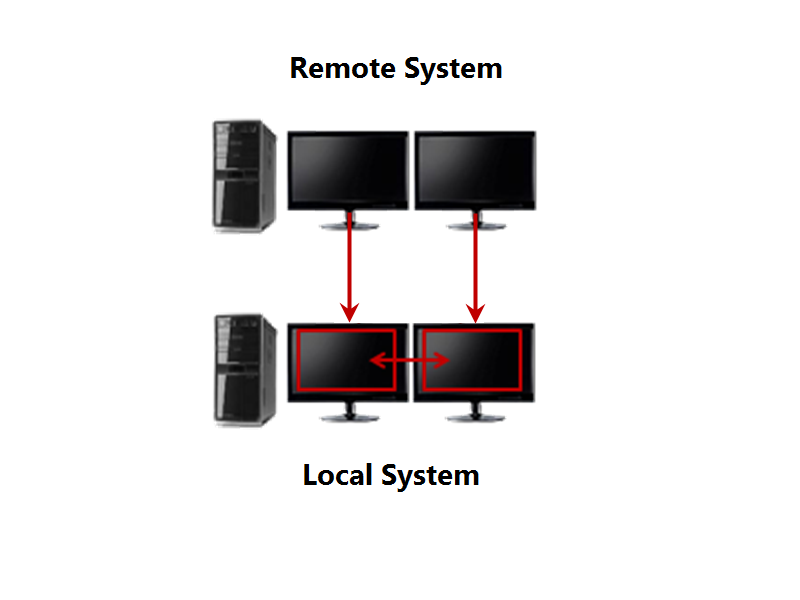
You can have multiple monitors on both the Local System and the Remote System.
What’s your take?
Are you using Remote Desktop Connection in a multiple monitor arrangement under Windows 7/8.1 or 10? Have you run into any obstacles along the way? Share your experiences and advice with fellow TechRepublic members.