
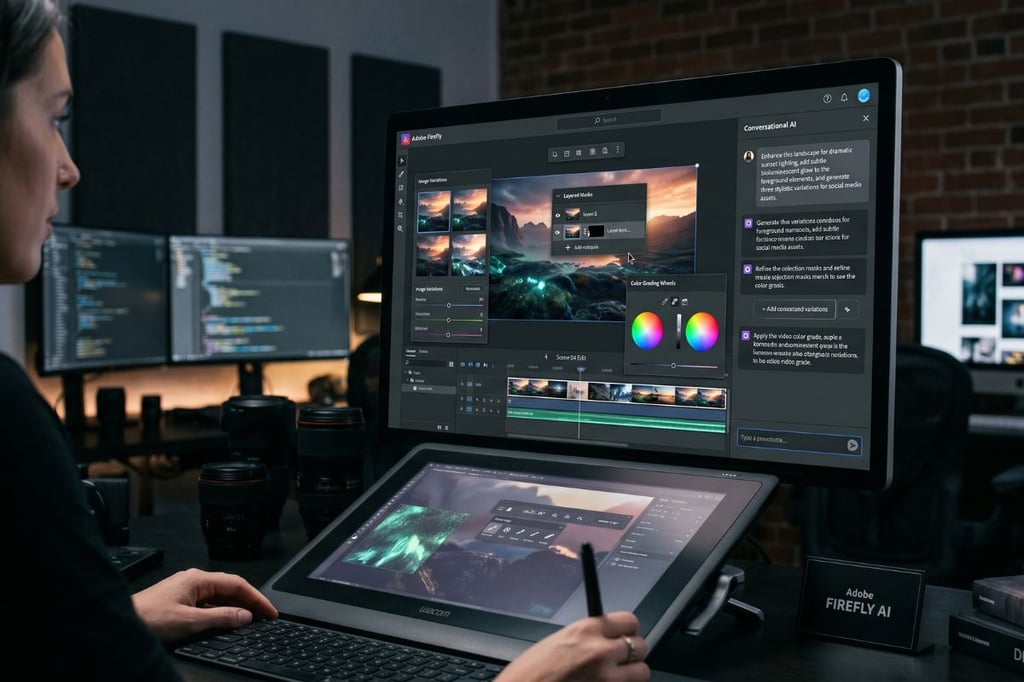


Adobe wants Firefly to do more than generate content, moving into agentic creative work that can carry out multi-step tasks across its creative apps.
In a press release, Adobe said the assistant will work through a single conversational interface, while new editing tools and additional partner models expand Firefly into a broader creative workflow engine, not just a place to create AI images and videos.
One assistant, many Adobe apps
Adobe is calling the system behind it a “creative agent,” with Firefly AI Assistant able to take a user’s request and carry it across multiple Adobe tools. The assistant is meant to orchestrate and execute multi-step work across Photoshop, Premiere, Lightroom, Illustrator, Express, Firefly, and more.
Firefly AI Assistant is presented as a way to navigate connected creative tasks without having to manually switch between products. Creators still guide the process and refine results, while the assistant handles the sequencing in the background.
Built to remember the job in motion
The assistant keeps track of context across sessions, so creators can return to a project without having to start over each time. That context can then carry into individual apps as the work moves forward.
Adobe is also using several built-in features to support the agentic claim. Firefly AI Assistant will launch with pre-built Creative Skills for multi-step tasks, the ability to learn a creator’s preferences over time, and asset awareness that lets it respond based on the images, video, designs, and brand materials already in use.
The feature can work with Frame.io to organize files for review, interpret stakeholder feedback, and apply changes with the right tools, keeping review and revision in the same flow.
More must-read AI coverage
- SS&C Intralinks DealCentre AI vs. Datasite: Which platform is built for the future of dealmaking?
- SS&C Intralinks FundCentre AI vs. Juniper Square: Which platform better supports modern private markets fund managers?
- Why Data, Not Models, Determines AI Success
- The Rise of the AI-Native Factory: How Physical AI Is Transforming Manufacturing
Firefly gets more control, from sound to image detail
Users are getting a broader set of controls inside Firefly, especially in video and image editing.
In Firefly Video Editor, Adobe is adding Enhance Speech for cleaner dialogue, along with tools to reduce noise and reverb and balance speech, music, and ambient sound. Video clips also get controls for exposure, contrast, saturation, temperature, and other color settings.
Creators can also tap more than 800 million licensed assets from Adobe Stock directly inside Firefly Video Editor. On the image side, Precision Flow lets users generate more variations from one prompt, while AI Markup lets them use a brush, rectangle tool, or reference images to place objects, sketch elements, or fine-tune lighting in specific parts of an image.
A wider model mix and a bigger footprint
Firefly is also becoming a home for external models, not just Adobe’s own. The platform now includes more than 30 creative AI models, with new additions such as Kling 3.0 and Kling 3.0 Omni, as well as options from Google, Runway, Luma AI, Black Forest Labs, ElevenLabs, Topaz Labs, and more.
Its reach is also set to extend past Adobe’s own apps. The release says this creation style will come to third-party AI surfaces, including Anthropic’s Claude.
A long-running PDF vulnerability has forced Adobe to issue an emergency patch to stop active attacks.