


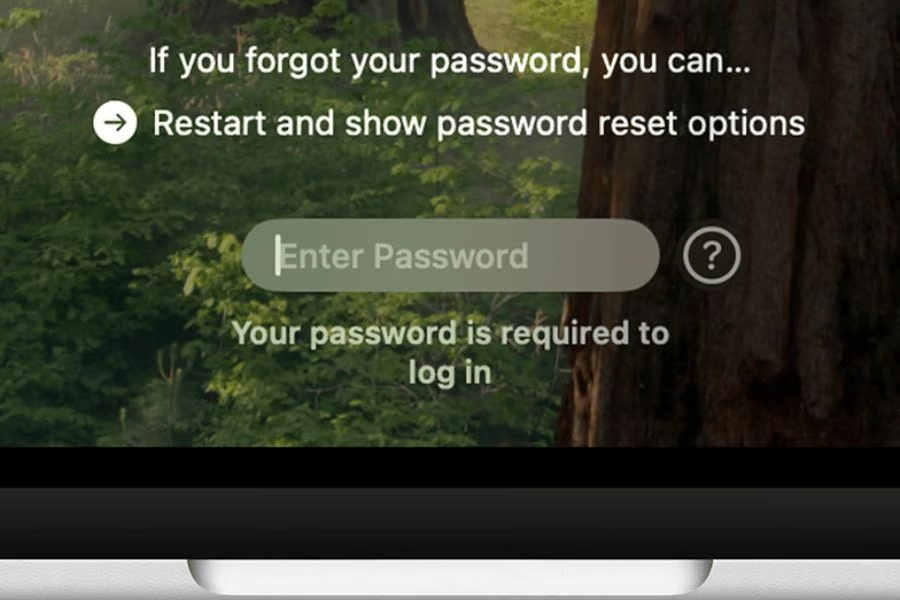
Rejecting a fake password prompt can leave a Mac desktop unusable for more than three days.
Security researchers at Group-IB have uncovered a new macOS stealer called ClickLock that repeatedly shuts down critical system applications after users dismiss a fake password prompt, making it significantly harder to regain control of an infected computer.
A routine-looking request can quickly turn into a fight for control of the computer.
Closing the prompt triggers a harsher attack
Group-IB believes ClickLock reaches victims through fake verification pages that tell them to copy a command into Terminal. Running it starts a counterfeit Cloudflare check and opens a password request styled to resemble a normal macOS dialog.
Dismissing the request causes the malware to install two LaunchAgents that start when the user logs in. Finder, Activity Monitor, System Settings, and major browsers are then forced to close nearly 300 times a minute.
According to the researchers’ analysis, the cycle can run for about 83 hours. Rebooting offers no easy escape because the malicious components return to the next login.
Reports also said that passwords entered into the box are checked locally before anything is sent. Incorrect attempts produce another convincing error message, but a valid credential goes to the attackers. A separate loop can pressure users to approve access to Chrome’s Keychain data for nearly 35 days.
Stolen data can open far more than the desktop
At least 100 people across 33 countries have been targeted by the ClickLock Stealer operation since May 2026, Group-IB reported. More than half were in Europe, with cryptocurrency holders appearing to be a major focus.
ClickLock searches browsers for saved credentials and active session cookies, then looks through password managers and cryptocurrency wallets for more valuable data. Access to those cookies may let criminals enter accounts that were already signed in, and Chrome’s encryption key can help unlock copied browser data later.
Even if victims regain access to their Macs, the attackers’ objectives extend well beyond disrupting the desktop.
Data theft is only part of the risk. Most of the malware’s data-stealing components remove themselves after sending the information, but a modified GSocket backdoor stays behind under an iCloud-like name to preserve remote access after the visible disruption stops.
Must-read security coverage
- UK Police Convicts Pair in £5.5 Billion Bitcoin Launder Case
- Blackpoint Cyber vs. Arctic Wolf: Which MDR Solution is Right for You?
- How GitHub Is Securing the Software Supply Chain
- 8 Best Enterprise Password Managers
Immediate steps after a suspected ClickLock infection
If your Mac starts closing apps around a persistent password box, do not type into it. Force the computer to shut down, disconnect it from the internet, and treat any data stored on the device as potentially exposed.
Group-IB recommends restarting in Safe Mode to regain access. The Hacker News notes that Intel Mac users can hold Shift during startup, while Apple silicon models require users to open startup options first.
Use a different trusted device to cut off access before changing passwords. Sign out of active browser sessions first, then reset email and workplace accounts because those logins can open the door to other services. Banking accounts and cryptocurrency wallets should follow. Anyone who had company accounts open should also alert their security team.
Avoiding the same trap later starts with recognizing the fake verification step.
Although Apple has added warnings before suspicious Terminal commands are pasted, the incident shows that user deception remains one of the most effective attack techniques. For Mac users and enterprise security teams alike, recognizing fake verification prompts may be just as important as keeping systems fully patched.
More News: A Claude for Chrome flaw could let rogue extensions turn connected Google apps into a wider security risk.