
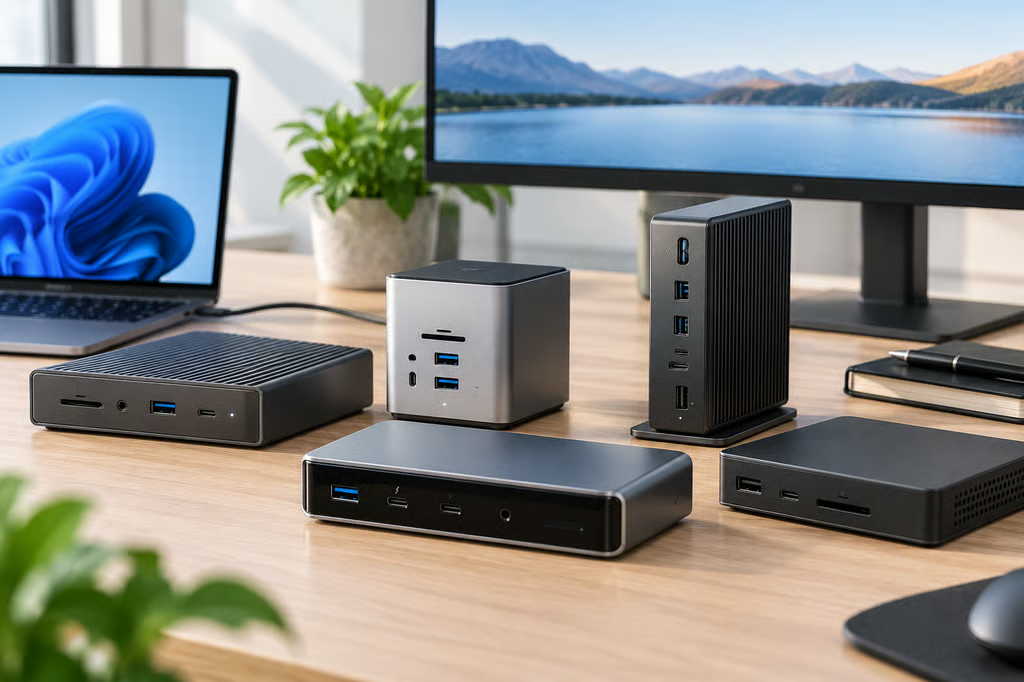


A good docking station can turn a laptop into a full desktop setup with monitors, wired networking, storage, charging, and peripherals connected through a single cable.
The right model depends heavily on the laptop. Thunderbolt 5, Thunderbolt 4, USB4, and standard USB-C ports can look identical while supporting very different bandwidth, display, and charging capabilities.
These five docking stations cover high-end Thunderbolt 5 workstations, expandable storage, creative workflows, compact setups, and lower-cost Thunderbolt 4 or USB4 deployments.
- Best USB-C docking stations at a glance
- How we chose the best USB-C docking stations
- 1. CalDigit TS5 Plus: Best overall
- 2. Satechi Thunderbolt 5 CubeDock: Best with built-in storage
- 3. Kensington SD7100T5 EQ Pro: Best for creative workflows
- 4. Anker Prime TB5 Docking Station: Best compact Thunderbolt 5 dock
- 5. StarTech 132N-TB4USB4DOCK: Best for Thunderbolt 4 and USB4 fleets
- Which USB-C docking station should you buy?
Best USB-C docking stations at a glance
| Dock | Price | Host interface | Host charging | Ethernet |
|---|---|---|---|---|
| CalDigit TS5 Plus | $499.99 | Thunderbolt 5 | Up to 140W | 10GbE |
| Satechi Thunderbolt 5 CubeDock | $399.99 | Thunderbolt 5 | Up to 140W | 2.5GbE |
| Kensington SD7100T5 EQ Pro | $449.99 MSRP | Thunderbolt 5 | Up to 140W | 2.5GbE |
| Anker Prime TB5 Docking Station | $399.99 | Thunderbolt 5 | Up to 140W | 2.5GbE |
| StarTech 132N-TB4USB4DOCK | $293.99 | Thunderbolt 4 / USB4 | Up to 98W | 2.5GbE |
Prices checked Sept. 23, 2026. Prices and promotions may change.
How we chose the best USB-C docking stations
USB-C describes the connector rather than the full capabilities of the port. A laptop can use the same connector for standard USB data, USB4, Thunderbolt, charging, and display output in different combinations.
Thunderbolt 5 provides up to 80Gbps of bidirectional bandwidth and can increase display bandwidth to 120Gbps with Bandwidth Boost. Thunderbolt 4 tops out at 40Gbps, while USB4 implementations vary.
The main buying criteria are:
- Host compatibility: Confirm whether each laptop uses Thunderbolt 5, Thunderbolt 4, USB4, or standard USB-C. A dock may connect to an older interface while losing displays, bandwidth, or other features.
- Display support: Check the required monitor count, resolution, refresh rate, and host graphics capabilities. USB-C video support is also important when using portable monitors that depend on a compatible USB-C connection.
- Charging: Match the dock’s Power Delivery rating to the laptop. A dock rated for 140W cannot make a computer accept more power than the host supports.
- Ports: USB-A, USB-C, Thunderbolt, HDMI, DisplayPort, audio, and card readers should match the equipment already used at the desk.
- Networking: 2.5GbE is common among premium docks, while 10GbE remains less common and is most useful on networks that can support the extra bandwidth.
- Storage: Some docks include an M.2 NVMe slot, which can add high-speed local storage without another enclosure on the desk.
- Platform support: Display counts and other features can differ between Windows and macOS even when the same dock is used.
- Value: Thunderbolt 5 costs more. A Thunderbolt 4 or USB4 dock can provide the same practical experience when the laptop cannot use the extra bandwidth.
For business deployments, test the intended monitor configuration, charging load, Ethernet connection, and peripherals with each laptop model before buying docks in volume.
1. CalDigit TS5 Plus: Best overall
The CalDigit TS5 Plus costs $499.99 and combines 20 ports with Thunderbolt 5, up to 140W host charging, DisplayPort 2.1, and 10GbE.
It includes three downstream Thunderbolt 5 ports, five 10Gbps USB-A ports, five 10Gbps USB-C ports, SD and microSD card readers, and several higher-power charging outputs.
The 10GbE port is its clearest advantage over the other docks here. It can remove the need for a separate high-speed network adapter on workstations connected to 10GbE infrastructure.
Display capabilities depend on the host. CalDigit supports three 4K 144Hz displays on M5 Pro, M5 Max, and compatible Thunderbolt 5 Windows systems, with additional configurations available on M5 Max.
The TS5 Plus also has stricter compatibility requirements than its USB-C connector suggests. CalDigit says standard 5Gbps and 10Gbps USB-C hosts are not supported, nor are Thunderbolt 3 Windows PCs.
Tom’s Hardware also noted its extensive port selection, 10GbE, and DisplayPort 2.1 connectivity while identifying the $499 price as its main drawback.
The TS5 Plus suits Thunderbolt 5 workstations that can use its fast networking, large port count, and high-bandwidth display support. Buyers who only need basic displays, USB devices, and 2.5GbE can spend considerably less.
2. Satechi Thunderbolt 5 CubeDock: Best with built-in storage
The Satechi Thunderbolt 5 CubeDock costs $399.99 and combines a Thunderbolt 5 dock with an M.2 NVMe SSD enclosure supporting capacities up to 8TB.
It provides three downstream Thunderbolt 5 ports, 10Gbps USB-A and USB-C connections, UHS-II SD and microSD card readers, 2.5GbE, and up to 140W host charging.
The SSD is sold separately. Once installed, it gives a desktop setup fast local storage without requiring another external enclosure and cable.
A built-in drive works well for storage that stays at one workstation. A separate external SSD is easier to move between computers or take away from the desk.
Display support varies by computer. Satechi supports high-resolution multi-display setups on Windows and macOS, but the maximum number and resolution of displays depend on the host hardware.
In MacRumors’ testing, the CubeDock handled two displays, multiple connected drives, charging devices, and large file transfers without problems. The reviewer did note an audible high-frequency fan noise in quiet environments.
The CubeDock is a strong fit when the desk needs both Thunderbolt 5 expansion and substantial local SSD capacity. Buyers who do not need built-in storage can get similar docking functions without paying for the enclosure.
3. Kensington SD7100T5 EQ Pro: Best for creative workflows
The Kensington SD7100T5 EQ Pro carries a $449.99 MSRP and provides 19 connections, Thunderbolt 5, up to 140W host charging, 2.5GbE, and an internal M.2 NVMe SSD slot.
Its card-reader selection is broader than the other docks here, with UHS-II SD, microSD, and CompactFlash support. It also includes optical audio alongside conventional audio connections, making it particularly well equipped for photography, video, and media workstations.
Windows systems can support as many as three 4K displays under compatible configurations, while supported Macs can run dual 6K displays.
The internal SSD slot provides another option for project files, caches, and local working storage without occupying an external port.
Macworld’s review praised the 19-port selection, M.2 enclosure, optical audio, and card readers. It also identified the premium price and 180W power supply as drawbacks compared with some competing docks.
The Kensington makes the most sense for users who can put its specialist ports to work. A less expensive dock is easier to justify when CompactFlash, optical audio, or internal NVMe storage would sit unused.
4. Anker Prime TB5 Docking Station: Best compact Thunderbolt 5 dock
The Anker Prime TB5 Docking Station costs $399.99 and provides 14 connections with Thunderbolt 5 and up to 140W host charging.
Its port selection includes two downstream Thunderbolt 5 ports, three 10Gbps USB-A ports, two 10Gbps USB-C ports, 2.5GbE, UHS-I SD and microSD readers, audio, HDMI 2.1, and DisplayPort 2.1.
The HDMI and DisplayPort connections cannot be used at the same time. Additional monitors can instead run through the downstream Thunderbolt ports on compatible systems.
Anker supports Thunderbolt 5, Thunderbolt 4, and USB4 hosts, but Thunderbolt 3 laptops are excluded. The company also warns that some USB4 laptops may not support dual-monitor operation through the dock.
Creative Bloq measured 6,639MB/s read and 4,665MB/s write from a Thunderbolt 5 SSD connected through the dock, compared with 6,956MB/s and 5,273MB/s when the same drive was connected directly.
The Anker is smaller and simpler than the CalDigit or Kensington while retaining Thunderbolt 5 bandwidth, 2.5GbE, multiple high-speed USB ports, and strong tested storage performance.
5. StarTech 132N-TB4USB4DOCK: Best for Thunderbolt 4 and USB4 fleets
The StarTech 132N-TB4USB4DOCK costs $293.99 and uses Thunderbolt 4 and USB4 rather than Thunderbolt 5.
It provides up to 98W Power Delivery, 2.5GbE, two HDMI 2.1 ports, two DisplayPort 1.4 connections, multiple USB-A ports, one 10Gbps USB-C port, and UHS-II SD and microSD readers.
StarTech says the dock can also function with standard USB-C hosts, although Thunderbolt 4 or USB4 is required for maximum performance.
Compatible Windows laptops can drive as many as four 4K 60Hz external displays. That maximum depends heavily on the computer’s graphics and DisplayPort capabilities.
PCWorld’s testing demonstrated the limitation. Two 13th-generation Core laptops ran two or three external displays, while a newer Core Ultra Series 3 system reached four 4K 60Hz displays after its internal screen was disabled.
The same test measured 82.5W reaching the laptop under load and found the dock stable across several systems.
For mixed Thunderbolt 4 and USB4 fleets, the StarTech provides broad connectivity and multiple native display outputs without paying for Thunderbolt 5 bandwidth that the laptops cannot use.
Which USB-C docking station should you buy?
| Best for | Pick | Reason |
|---|---|---|
| Best overall | CalDigit TS5 Plus | 20 ports, 10GbE, 140W charging, and Thunderbolt 5 |
| Built-in storage | Satechi Thunderbolt 5 CubeDock | Thunderbolt 5 plus an integrated NVMe SSD enclosure |
| Creative workflows | Kensington SD7100T5 EQ Pro | Extensive card readers, internal storage, audio, and 19 ports |
| Compact Thunderbolt 5 setup | Anker Prime TB5 | 14 ports, strong tested storage speeds, and 140W charging |
| Thunderbolt 4 and USB4 fleets | StarTech 132N-TB4USB4DOCK | Lower price, 2.5GbE, broad host support, and multiple display outputs |
The CalDigit TS5 Plus has the widest port selection and is the only option here with 10GbE, making it suitable for high-end Thunderbolt 5 workstations.
Satechi and Kensington add internal NVMe storage, with Kensington providing more specialist media ports. Anker offers a smaller Thunderbolt 5 setup, while StarTech costs less and supports a broader range of Thunderbolt 4 and USB4 systems.
Before buying multiple units, confirm the exact host interface and monitor configuration for every laptop model that will use the dock. Display count, charging, data bandwidth, and compatibility can all change when the same dock is connected to different computers.
Also read: Our Mac mini comparison explains the difference between Thunderbolt 4 on the M6 model and Thunderbolt 5 on the M5 Pro.