


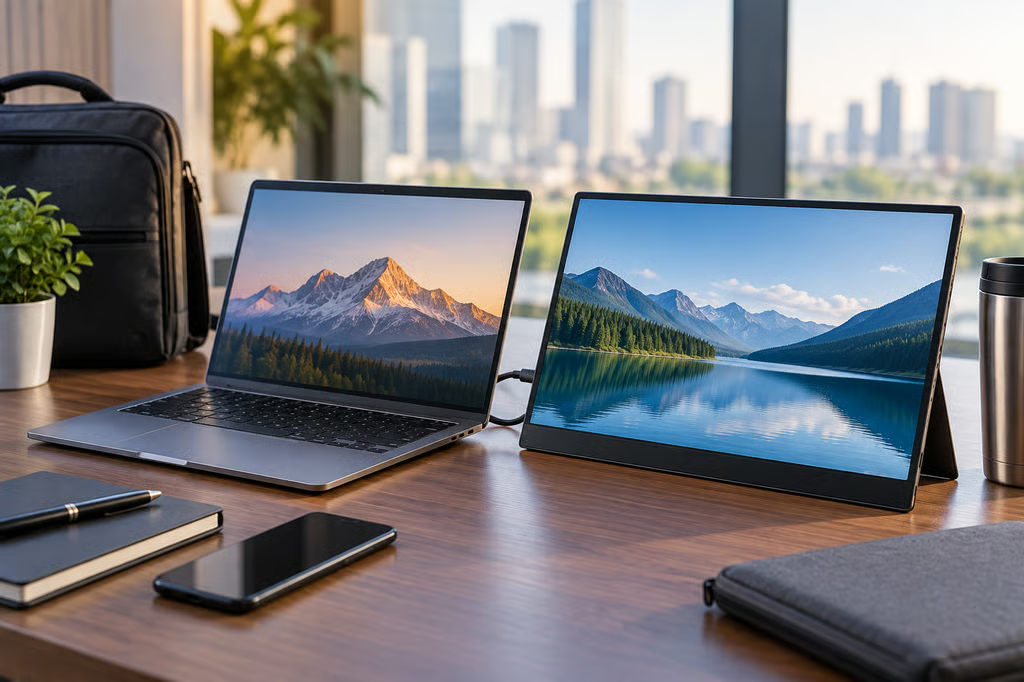
Portable monitors now range from under $100 Full HD screens to 4K OLED displays, so the right choice depends on what you’re carrying and what you’ll use the second screen for.
For laptop work and travel, weight, USB-C compatibility, display quality, and stand design usually count for more than a long feature list.
These five models are currently available in the US and cover distinct needs: lightweight business travel, touch input, high-resolution work and gaming, budget productivity, and premium image quality.
Best portable monitors at a glance
| Model | Current US price | Display | Weight | Key hardware |
|---|---|---|---|---|
| Dell Pro 14 Plus P1425 | $259.99 | 14-inch, 1920 x 1200, 60Hz IPS | 1.36 lb with stand | 2x USB-C |
| Lenovo ThinkVision M14t Gen 2 | $297 | 14-inch, 2240 x 1400, 60Hz IPS touch | 1.5 lb | 2x USB-C, stylus |
| Arzopa Z3FC | $169.99 | 16.1-inch, 2560 x 1440, 180Hz IPS | 1.72 lb | 2x USB-C, mini HDMI |
| MSI PRO MP165 E6 | $94.99 | 15.6-inch, 1920 x 1080, 60Hz IPS | 1.72 lb | 2x USB-C, HDMI |
| ViewSonic VX1655-4K-OLED | $499.99 | 15.6-inch, 3840 x 2160, 60Hz OLED | 1.5 lb | 2x USB-C, mini HDMI |
Prices were accurate at the time of publication and may change with promotions.
How we chose these portable monitors
Our recommendations combine current US pricing and availability, official specifications, and independent reviews from outlets including Tom’s Hardware, TechRadar, and PCWorld.
Where available, we used instrumented testing for brightness, color coverage, and other display performance rather than relying only on manufacturer specifications.
We prioritized:
- Portability: Weight, screen size, stand design, protective cases, and how easily the monitor fits into a laptop bag.
- Laptop connectivity: USB-C DisplayPort Alt Mode, power requirements, pass-through charging, and HDMI fallback options.
- Display quality: Resolution, brightness, color performance, contrast, and refresh rate, using measured review results where available.
- Work usability: Text clarity, touch support, mounting flexibility, screen space, and performance in typical office tasks.
- Value: Current price relative to image quality, build, connectivity, and included accessories.
Check the laptop before buying. USB-C doesn’t automatically mean the port supports video, especially across different budget laptops. Mac users can also configure a second display through macOS, while compatible Android phones can run desktop mode on an external screen.
Dell Pro 14 Plus P1425
The Dell Pro 14 Plus P1425 is the lightest option here at about 1.36 pounds with its stand. Its 14-inch 1920 x 1200 panel uses a 16:10 aspect ratio that gives spreadsheets, documents, and browser windows slightly more vertical room than a standard 1080p screen.
Tom’s Hardware measured 409 nits of peak brightness and 100.6% sRGB coverage, strong results for a business-focused IPS portable monitor.
The tradeoff is connectivity. Dell provides two USB-C ports but no HDMI input, so the laptop needs compatible USB-C video output.
Lenovo ThinkVision M14t Gen 2
The Lenovo ThinkVision M14t Gen 2 pairs a 14-inch 2240 x 1400 display with 10-point touch and pen support. It weighs about 1.5 pounds and uses a 16:10 aspect ratio, making it particularly useful for annotation, presentations, and creative work on Windows laptops.
In TechRadar’s hands-on review, the display performed well for general computing and Adobe applications, while the touchscreen and stylus were responsive. Its 60Hz refresh rate and higher latency make it a weaker choice for fast gaming.
There is no HDMI input, so video comes through one of its two full-function USB-C ports.
Arzopa Z3FC
The Arzopa Z3FC packs a 2560 x 1440 panel and 180Hz refresh rate into a 1.72-pound chassis, giving it considerably more resolution and smoother motion than the typical 1080p, 60Hz portable display.
Its 180Hz mode works over USB-C, while HDMI tops out at 144Hz. In Tom’s Hardware testing, the screen covered 115.7% of sRGB and 82% of DCI-P3. Measured brightness reached 287.7 nits in the default mode and 322.6 nits in FPS mode, below Arzopa’s 400-nit rating but still usable in a bright office.
A built-in stand, protective sleeve, and included USB-C and HDMI cables make it easy to move between work and travel setups.
MSI PRO MP165 E6
The MSI PRO MP165 E6 is the budget option at $94.99. It offers a 15.6-inch 1080p IPS screen, two USB-C inputs, HDMI, a kickstand, a protective pouch, and mounting options for a tripod or VESA setup.
PCWorld’s instrumented testing measured 328 nits of brightness but only 63% of sRGB and 47% of DCI-P3. That makes it well suited to documents, email, dashboards, and web work, but not photo or video editing where color coverage matters.
Its combination of low price, HDMI, USB-C, and mounting flexibility is unusually broad for a sub-$100 display.
ViewSonic VX1655-4K-OLED
The ViewSonic VX1655-4K-OLED is the premium option. Its 15.6-inch 4K OLED panel offers far higher pixel density and contrast than the IPS monitors here, while keeping weight to about 1.5 pounds.
PCWorld measured 457 nits of SDR brightness, full sRGB and DCI-P3 coverage, and 94% AdobeRGB. The glossy screen can catch reflections, but the combination of 4K resolution, OLED contrast, and broad color coverage makes it the strongest option here for image-focused work.
Dual USB-C ports support up to 60W charging, and mini HDMI provides a fallback for devices without USB-C video.
Which portable monitor should you buy?
| Best for | Pick | Reason |
|---|---|---|
| Best overall | Arzopa Z3FC | QHD resolution, 180Hz refresh, good tested color coverage, and a reasonable price |
| Travel | Dell Pro 14 Plus P1425 | Lightest option here, bright tested panel, compact 14-inch design |
| Touch and pen input | Lenovo ThinkVision M14t Gen 2 | 2.2K touchscreen, stylus support, and 16:10 workspace |
| Budget productivity | MSI PRO MP165 E6 | Under $100 with USB-C, HDMI, stand, case, and flexible mounting |
| Premium image quality | ViewSonic VX1655-4K-OLED | 4K OLED, strong measured brightness and color coverage, and 60W USB-C |
For most laptop users who want one portable monitor for both work and occasional entertainment, the Arzopa Z3FC offers the strongest balance of resolution, refresh rate, portability, and price. The Dell is easier to carry, Lenovo adds useful touch controls, MSI keeps cost low, and ViewSonic is the choice when display quality comes first.
Also read: Our ASUS Zenbook 14 vs MacBook Neo comparison looks at two compact laptops suited to mobile work setups.